
10 Best Free AI Image Generators in 2026 Top Picks
A good AI image tool should produce a useful visual without forcing users to buy credits before they understand the workflow. This guide to the best AI image generators free 2026 compares ten realistic starting points, explains their restrictions, and shows exactly how to get better images for blogs, marketing campaigns and personal projects.
A polished result depends on more than the model name. Prompt construction, copyright checks, text accuracy, output size and a repeatable editing workflow often matter more than flashy sample galleries.
What are the best free AI image generators in 2026?
The strongest free starting points include ChatGPT Images for conversational revisions, Microsoft Designer for fast graphics, Adobe Firefly for Adobe-oriented workflows, Leonardo AI for visual experimentation and Ideogram for designs containing words. Canva, Freepik, Recraft, Playground, Mage.space and Stable Diffusion-based local workflows may also fit specific needs. Always verify current free access and licensing.
What you need: tools, time and realistic costs
| Resource | Typical cost | Skill level | Why it matters |
| Free account / email | $0 | Beginner | Access image tools and saved history |
| Image generator free tier | $0 with limits | Beginner | Create first concepts |
| Prompt brief and references | $0 | Beginner | Reduce wasted generations |
| Basic editor / Canva or similar | $0–paid options | Beginner | Add precise copy and crop |
| Optional local GPU / PC | Existing hardware or upgrade | Intermediate | Run some open models locally |
| Stock-photo fallback | $0 if suitably licensed | Beginner | Use genuine photography when needed |
| Asset log / spreadsheet | $0 | Beginner | Record rights, prompts and exports |
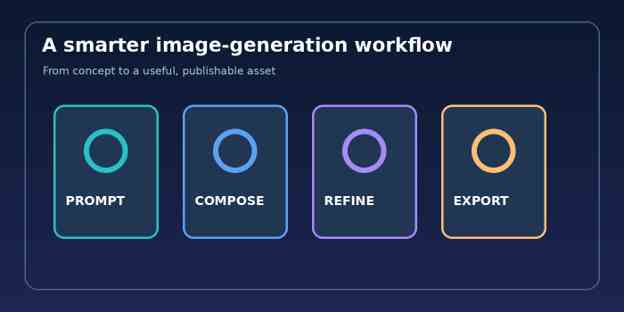
Figure 1. Plan → generate → refine → export, with deliberate quality checks at each stage.
Image alt text: Illustrated four-stage AI image generation process
Our 10 picks: which free AI image generator should you use?
- ChatGPT Images — best for iterative creative direction
Official service: https://chatgpt.com/
Who it suits. Best fit: bloggers, educators and beginners who prefer explaining edits in natural language.
Practical workflow. Start with a precise art direction prompt, ask for one output, then refine a single aspect such as lighting or layout. Conversational follow-ups help preserve the creative goal rather than restarting every attempt.
Free-plan reality. Free users can create images, but image-generation limits are separate from ordinary chat limits and may change. Keep an eye on in-product limit messages.
Editorial verdict. Use for thumbnails, rough product scenes and illustrative concepts; verify small lettering and brand details before publication.
- Microsoft Designer — best for quick shareable graphics
Official service: https://designer.microsoft.com/
Who it suits. Best fit: people making invitations, social posts and simple campaign illustrations.
Practical workflow. Describe the subject, format and emotional tone, generate candidates, then use the available design or edit options to add final copy. Its wider design tools help beginners finish the asset instead of exporting a raw image.
Free-plan reality. Microsoft offers a free Designer option with credits; higher usage may require a subscription. Features and account eligibility vary.
Editorial verdict. Use when a poster or social graphic requires a finished layout rather than a bare photorealistic scene.
- Adobe Firefly — best for controlled Adobe workflows
Official service: https://firefly.adobe.com/
Who it suits. Best fit: designers already familiar with Adobe software and visual production.
Practical workflow. Choose a supported generation workflow, describe the desired art direction, inspect candidate variations, then finish color and typography in a suitable editor. Keep source files for later revisions.
Free-plan reality. Adobe says free users receive limited daily generations on a selected set of models; accessible features and the count can change.
Editorial verdict. A sensible starting point for polished marketing concepts, but check the applicable product terms before commercial release.
- Leonardo AI — best for style exploration
Official service: https://leonardo.ai/
Who it suits. Best fit: character sketches, stylized scenes and concept-art experimentation.
Practical workflow. Write a visual brief, pick a model or style offered to the account, and generate low-stakes drafts first. Reuse the best prompt and visual references to build a coherent mini-series.
Free-plan reality. The service has offered limited free access, but current tokens, public visibility and model eligibility must be checked in the signed-in pricing screen.
Editorial verdict. Prefer it when the goal is distinctive art direction and repeated exploration rather than one-click text-heavy posters.
- Ideogram — best candidate for typography-focused prompts
Official service: https://ideogram.ai/
Who it suits. Best fit: creative concepts that contain display text, signage or short headline treatments.
Practical workflow. Put the exact words in quotation marks, specify spelling and placement, then examine the output at 100% zoom. Even strong text tools sometimes hallucinate letters.
Free-plan reality. Plan offerings have changed; a visible free or trial option is not proof of unlimited current access. Verify credit and privacy terms.
Editorial verdict. Good for logo mockups and word-led concept testing; redraw final logos as editable vector artwork.
- Canva AI image tools — best for finishing marketing assets
Official service: https://www.canva.com/
Who it suits. Best fit: creators who need images placed into branded posts, presentations or thumbnails.
Practical workflow. Build the canvas at the final aspect ratio, generate an illustration where supported, and layer actual editable text and logos above it. Export a draft, inspect it on a phone, then revise.
Free-plan reality. AI availability and usage limits depend on the Canva plan and tool. Avoid assuming that every AI feature is part of the free plan.
Editorial verdict. Its strongest practical advantage is the handoff from generated visual to editable marketing layout.
- Freepik AI Image Generator — best for asset-heavy design research
Official service: https://www.freepik.com/ai/image-generator
Who it suits. Best fit: designers who want image generation near stock assets and editing tools.
Practical workflow. Start with a mood-board prompt, review results for composition, then use legal stock assets or postproduction tools to correct imperfections. Keep an asset-origin note for each final creative.
Free-plan reality. Freepik advertises free access to image generation, but limits, model availability and commercial licenses depend on current service terms.
Editorial verdict. Use when a project also requires vectors, reference images or a broader design asset library.
- Recraft — best for illustration and vector-style concepts
Official service: https://www.recraft.ai/
Who it suits. Best fit: icon concepts, consistent illustrations and graphic-design experiments.
Practical workflow. Define the visual system first: stroke thickness, color palette, perspective and background. Generate small batches and compare coherence across icons.
Free-plan reality. Check today’s free plan, export restrictions and rights before relying on it commercially; availability evolves.
Editorial verdict. Choose it when editable-looking artwork and repeatable brand style matter more than cinematic realism.
- Playground — best for casual design exploration
Official service: https://playground.com/
Who it suits. Best fit: playful posters, simple mockups and beginner experimentation.
Practical workflow. Use plain-language art direction, change one creative variable at a time, and build a shortlist of variants. Perform final typography in a conventional layout tool.
Free-plan reality. Free allowances and model choices have shifted over time; check the live account interface.
Editorial verdict. A low-friction sandbox for learning what prompts do without building a heavy production stack.
- Local Stable Diffusion workflows — best for hands-on control
Official service: https://github.com/AUTOMATIC1111/stable-diffusion-webui
Who it suits. Best fit: technically comfortable creators with compatible hardware and a need for deeper configuration.
Practical workflow. Install a trusted interface, use legitimately obtained model weights, confirm the model license, and test small renders before attempting large batch jobs. Back up settings and extensions.
Free-plan reality. Software can be free, but GPUs, electricity, storage, setup time and model-specific commercial restrictions are real costs.
Editorial verdict. Useful for custom repeatable pipelines; it is not the easiest or cheapest option for every beginner.
The best pick for each job
| Use case | Best starting point | Why |
| Blog hero image | ChatGPT Images | Rapid art-direction edits |
| Post or invitation | Microsoft Designer | Graphic-making tools |
| Adobe production pipeline | Adobe Firefly | Designer workflow fit |
| Stylized concept art | Leonardo AI | Style exploration |
| Text-heavy draft concepts | Ideogram | Lettering-oriented workflow |
| Instagram carousel | Canva | Editable layout and export |
| Illustration system | Recraft | Graphic style consistency |
| Privacy-oriented technical workflow | Local Stable Diffusion | More local control when configured correctly |
In a Best ai image generators free 2026 comparison, “best” should mean best for a defined job—not a single winner for every reader. A blog editor and a game concept artist have different success criteria.
Write a brief before opening an image generator
Begin with the publishing destination, intended audience and required message. For a blog hero image, the audience needs a visual metaphor that clarifies the topic. For a product ad, the visual must show the actual product accurately; imagined specifications can become a customer-trust problem.
A reliable one-sentence brief is: “Create a landscape editorial illustration for a beginner guide to AI image tools, using a clean workspace, subtle visual cues of image creation, large uncluttered space for an optional headline, and a modern trustworthy mood.”
Write down non-negotiables: no fabricated logos, no real-person likeness without permission, no false product labels and no medical or legal claims implied by imagery. This five-minute checkpoint can prevent a wasted afternoon of revisions.
💡 Quick Hack: Put the target dimensions and crop-safe zone in the first draft. The generator can keep the subject off-center, leaving space for a title without cutting away important detail.
Build a prompt that is specific without becoming brittle
Strong prompts combine subject + setting + style + composition + lighting + constraints. Vague language such as “make an amazing picture” usually produces a plausible but generic scene. A useful prompt gives the model concrete visual decisions to follow.
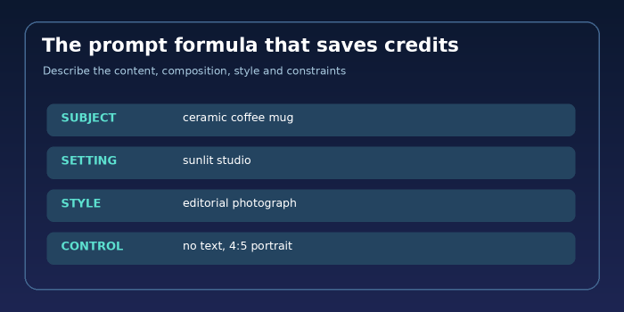
Figure 2. A four-part prompt is easier to revise than a long list of random adjectives.
Image alt text: Prompt building blocks subject setting style and constraints
Example prompt for a blog thumbnail: “A silver laptop on a pale oak desk displaying a gallery of colorful abstract digital artworks; warm morning side-light; editorial product photography; gentle shadows; foreground sharp, background minimal; subject placed on the right third; 16:9 landscape; no visible logos, no written words.”
For a stylized result, change only the style block: “clean isometric 3D illustration with matte materials and subtle gradients.” For a more realistic result, change it to: “natural editorial photograph, believable reflections, restrained color grading.” Holding everything else steady reveals what actually caused the improvement.
💡 Quick Hack: Keep a “winning prompt” library. Record the subject, aspect ratio, model, prompt, edits and export filename; that small archive saves credits the next time the campaign needs a matching design.
Step 3: Generate cheap drafts, then commit to one direction
Do not spend every available generation on four nearly identical finalists. First create one or two broad compositions; choose the strongest camera angle, subject placement and color treatment; then ask for focused refinements. This is the visual equivalent of approving a wireframe before polishing a website.
Inspect each draft at thumbnail size and full size. At small scale, ask whether the image instantly communicates its message. At full scale, check hands, product edges, reflections, typography, background faces and stray objects. One visible error near the focal point can undermine an otherwise strong creative.
When free credits run out, avoid creating unnecessary accounts simply to bypass rules. Switch to licensed stock photography, a manually constructed diagram or a simpler design that your current tools can finish honestly.
Choose dimensions for the publishing channel
AI generations often look great until someone crops them into a header or story template. Compose for the intended placement at the start, not after the image is finished. Keep all meaningful objects inside a safe central zone and leave additional negative space when interface overlays are expected.
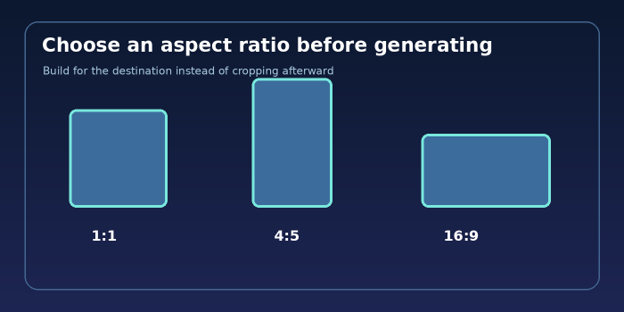
Figure 3. Common design ratios: 1:1 square, 4:5 portrait, and 16:9 landscape.
Image alt text: Comparison of square portrait and landscape image aspect ratios
Blog and video banner: try a wide landscape composition, often 16:9, then check the website’s real crop.
Instagram feed post: 4:5 vertical can use more screen space, while 1:1 offers flexibility.
Stories and short-form vertical covers: consider 9:16 and keep overlay-safe areas clear.
Product detail image: choose the commerce platform’s published specification; do not invent product parts.
💡 Quick Hack: If the generator struggles with a difficult crop, make a slightly wider or taller scene with expendable background around the subject. Crop only after visual approval; it is easier to remove empty space than recreate a missing hand.
Finish text, brand details and accessibility outside the model
A generated poster may look impressive at a glance but spell a brand name incorrectly. Treat generated lettering as temporary creative direction. Build final headlines, calls to action, button labels and legal disclaimers as editable text in Canva, Figma, Photoshop or an equivalent editor.
Use descriptive filenames such as free-ai-image-generator-workflow-2026.webp. Write honest alt text that describes what the image actually shows, not a block of repeated keywords. Compress the output, preview it on mobile and ensure that any visible words remain legible at real-world display size.
The Best ai image generators free 2026 shortlist is only the beginning: final editorial quality comes from review, good design judgment and respect for licensing.
Five beginner mistakes that waste free generations
- Using an underspecified prompt
Describe camera distance, focal object, lighting, background and output ratio. Add negative instructions only for recurring actual problems; a long forbidden-object list can become counterproductive.
- Trusting generated text and numbers
Proofread every label, price and measurement. Never publish invented product specifications or fake certificates. Typeset important copy separately.
- Confusing free access with commercial permission
Read the license for the specific service, account plan, model and output. Terms can differ for public images, trained models and client projects.
- Ignoring source-image rights
A visual reference may contain trademarks, recognizable people or copyrighted artwork. Obtain permission and avoid prompting a service to reproduce protected work too closely.
- Publishing the first attractive output
Evaluate whether the art matches the article, whether it misleads readers and whether technical details hold up after cropping. Attractive is not the same as accurate.
Advanced tactics for a repeatable professional workflow
Create a mini design system. Pick a restricted color palette, two or three approved compositions, a consistent lighting recipe and a recognizable texture style. Save the decisions in a one-page creative brief. Repetition of design rules, rather than repetition of identical prompts, makes the outputs feel like a collection.
Use a review scorecard. Rate relevance, composition, technical correctness, legible text and editability from one to five. Reject anything below three in relevance or accuracy even if it looks beautiful. This keeps an exciting output from bypassing basic publishing standards.
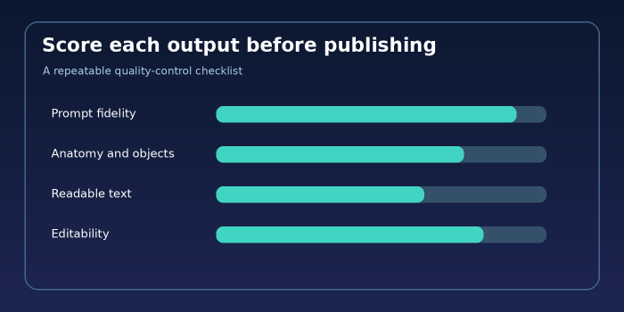
Figure 4. Visual review priorities: follow the prompt, inspect details, verify lettering and preserve editability.
Image alt text: Image quality scorecard illustration for AI generated graphics
Separate generation from production. Generate the subject and environment first, then create brand text, infographics, CTA overlays, captions and accessibility metadata in an editable design app. A dependable production stack does not force one tool to do everything.
Batch by creative brief, not by model. A content team can write five briefs, generate draft images, evaluate them together and then finish them in one editing session. That arrangement reduces context switching and surfaces inconsistent brand styling early.
💡 Quick Hack: Reserve some of each free quota for corrective edits. Spending the entire allowance on exploration leaves no capacity to repair a near-perfect final candidate.
💡 Quick Hack: Use a license-aware stock photo as the truthful base image and add an original graphic treatment when photorealistic AI outputs keep getting anatomy or product details wrong. The viewer gets a stronger result and your team spends less time debugging.
💡 Quick Hack: Create a single prompt with a replaceable subject slot, then reuse the same lighting, palette and camera instructions for each article in a series. Compare consistency visually instead of assuming identical words guarantee identical output.
Troubleshooting: how to fix a disappointing AI image
The image ignores the requested layout
Reduce the prompt to one central subject, one spatial instruction and one format. Remove competing adjectives. Ask for the subject on the left and generous empty space on the right, not five separate focal points.
Hands, faces or product details look wrong
Move the camera farther back, simplify the pose, use a reference image only when rights permit, or replace the area with a legitimate photograph. Do not rely on an AI correction for safety-critical product demonstrations.
Generated words contain spelling mistakes
Remove all text from the image prompt. Add the exact typography in a design editor. If lettering is essential to the illustration itself, experiment with a model specialized in text but still proofread.
The image looks generic or overly synthetic
Specify a concrete context: lens distance, natural light direction, material texture, a believable setting and intentional imperfections. Remove the pile-up of “cinematic, epic, masterpiece” adjectives.
Images lack brand consistency
Pin down the palette, background, perspective, mood and approximate focal length. Save an approved image as a visual reference where permitted, but evaluate each new output before publication.
Exports look blurry on the website
Confirm the export dimensions and compression settings. Avoid enlarging tiny originals beyond their useful resolution. Test in the actual CMS, where responsive image delivery and cropping can change appearance.
The free plan becomes unavailable
Check whether the issue is a temporary limit, model restriction or regional eligibility. Do not plan a client delivery around a quota that is not contractually guaranteed.
An image creates a licensing concern
Pause publication, document source and terms, and replace doubtful content with a properly licensed photo or original artwork. For significant commercial risk, seek qualified legal advice.
Maintain a useful asset library after generation
Organize images by campaign and publication date. Save the approved prompt, source platform, account plan, model if known, final resolution, edit history, visible brand permissions and licensing review date. Maintain both the editable design file and the optimized web export.
A file named “final-final-3.png” provides no context six months later. A better pattern is project-topic-channel-2026-10-v02.webp. Use a content management checklist to avoid uploading the wrong revision, duplicated alt text or images whose terms no longer fit the intended use.
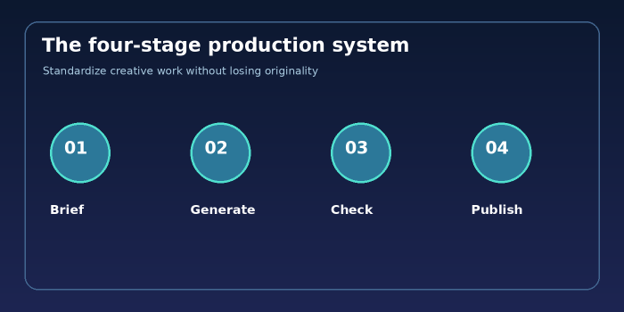
Figure 5. A reliable brief, generate, check and publish system is more valuable than chasing every new model.
Image alt text: Four stage workflow for image generation and publication
How we compare tools fairly without claiming lab results
For this editorial comparison, the useful criteria are: free access, ease of prompting, alignment with the target use case, output-editing options, practical rights and privacy controls, and availability of documentation. We do not fabricate generation-speed measurements, blind-test scores or image-quality benchmarks.
Readers searching Best ai image generators free 2026 should confirm the current quota in the account interface before investing time in a complex project. A tool’s homepage can showcase premium models that are not included in its free allowance.
For teams with legal, customer or brand obligations, add a risk review. The U.S. National Institute of Standards and Technology publishes the
Relevant guidance: NIST AI Risk Management Framework and U.S. Copyright Office AI resources. These provide context, not service-specific license approval.
Frequently asked questions
Which free AI image generator is easiest for beginners?
ChatGPT Images and Microsoft Designer are approachable because users can describe the image in ordinary language. Designer helps with simple graphic layouts; ChatGPT supports conversational revisions. Individual eligibility and quotas may differ.
Can AI image generators be used for free without a credit card?
Several services offer no-cost entry, but sign-up requirements vary. Review the checkout screen and do not assume a free trial means no payment information will be requested. A local open-model workflow can avoid a subscription but requires capable hardware.
Are free AI-generated images safe for commercial websites?
Not automatically. Rights depend on the generator’s terms, model, input material, recognisable subjects and local law. Commercial permission is different from exclusive copyright ownership. Perform a documented license check for client or paid advertising use.
What is the best free AI image generator for realistic photos?
Start by comparing ChatGPT Images, Adobe Firefly and any photo-oriented model included in your available free allowance. Use identical subject briefs and inspect anatomical details, reflections and object accuracy before selecting an output.
Can an AI image generator write readable text inside pictures?
Some models handle short lettering better than others, and Ideogram is a logical one to evaluate. However, even a convincing sample can include spelling errors. For professional banners or product labels, add real text in an editor.
How do I create consistent AI characters or illustrations?
Write a repeatable character sheet with clothing, facial details, palette and lighting. Use authorized references and character-consistency tools if your account supports them. Compare each generation to approved references rather than trusting a prompt alone.
Final verdict: choose by job, not hype
The most useful lesson from Best ai image generators free 2026 is that a free image maker can be good enough for professional ideation when the workflow is disciplined. Start with ChatGPT Images for natural-language iteration, Microsoft Designer for fast design assets, Firefly for Adobe-centered production, or a specialized option when lettering or illustration style is the deciding factor.
Publish only after checking accuracy, licensing, crop, text and mobile display. Which generator has produced the most usable visuals for your own work—and what was the hardest flaw to fix? Share your experience in the comments on MyFlexBots.
editor's pick
latest video
news via inbox
Nulla turp dis cursus. Integer liberos euismod pretium faucibua


