

10 Best AI Tools to Automate Social Media Posts in 2026
Publishing regularly should not mean spending every morning rewriting the same caption, hunting for an image, and switching between five social apps. The right AI tools to automate social media posts can turn one strong idea into platform-ready drafts, an approved calendar, and measurable results—without giving a robot control of your brand voice.
This guide explains which tools suit small businesses, creators, and agencies; how to connect them; what they cost in practical terms; and the checks that prevent expensive mistakes. You will leave with a repeatable workflow rather than another software shopping list.
Quick Answer: What Are the Best Tools?
The best AI tools to automate social media posts combine caption assistance, cross-platform scheduling, approvals, and performance reporting. Buffer is a practical starting point for small teams, Metricool suits reporting-heavy workflows, Later supports visual planning, and Zapier connects separate apps. Choose according to your channels, budget, and approval needs.
At a Glance: The 10 Best Options
| Tool | Best use | AI / automation strength | Watch out for |
| Buffer | Solo creators and small teams | AI drafting, queues, multichannel publishing | Per-channel costs grow with accounts |
| Hootsuite | Established marketing teams | Publishing, analytics, content assistance | Higher entry-level commitment |
| Later | Visual-first brands | Caption Writer, visual content planning | Some AI functions require paid plans |
| Sprout Social | Larger brands and agencies | Reporting, approvals, advanced workflows | Premium per-seat pricing |
| Metricool | Data-led small businesses | AI copy, planner, cross-channel reports | Check network-specific publishing rules |
| SocialBee | Evergreen content calendars | Categories, recurring content, AI assistant | Recycling needs regular freshness checks |
| Publer | Lean multichannel operations | AI content assistance, scheduled posts | Features vary by plan and network |
| Canva | Fast branded creative | AI-assisted design and content creation | Design is not a complete approval system |
| Zapier | No-code workflow connections | Triggers, actions, conditional logic | Usage-based limits; setup discipline |
| Make | Complex multistep automation | Visual workflows and branching | More configuration and monitoring |
Editorial note: Products are assessed by their documented functions and practical fit, not by a claimed laboratory test. Prices, channel access, and AI credits change, so confirm the vendor’s current plan before paying. Not every AI feature means hands-free publishing.
Before You Buy: Tools, Accounts, Costs, and Skills
When evaluating AI tools to automate social media posts, a dependable workflow requires more than a generative text box. Think of it as four layers: source material, a creation tool, a scheduler, and a measurement loop. You do not need a paid subscription to every layer.
| Component | Typical starting cost | Skill level | What it contributes |
| Business social accounts | Usually free | Beginner | Authorized destinations for publishing |
| Content spreadsheet or board | Free to low-cost | Beginner | Ideas, owners, status, source links |
| AI writing assistant | Free tier or subscription | Beginner | Drafts and channel-specific variations |
| Scheduler / publishing tool | Free tier to premium subscription | Beginner–intermediate | Calendar, queues, approvals, posts |
| Design / video editor | Free tier or subscription | Beginner–intermediate | Templates, branded visual production |
| Integration platform | Free tier, then usage-based | Intermediate | Moves approved content between tools |
| Analytics and UTM tracking | Often free | Intermediate | Links results to campaigns and traffic |
| Brand guide and review checklist | Internal effort | Beginner | Accuracy, tone, legal review, consistency |
Real cost calculation: Add subscription fees, seats, connected profiles, AI-generation credits, automation task volume, and staff review time. A nominally cheap tool may cost more once extra accounts or approval workflows are added. For a three-channel business, begin with one scheduling platform and a shared spreadsheet; expand only when a repeated bottleneck is clear.
How to Choose AI Tools to Automate Social Media Posts
- List the channels that matter
Write down the platforms that already contribute to your business goals: Instagram, Facebook, LinkedIn, TikTok, Pinterest, YouTube, X, Threads, or Google Business Profile. Then mark the formats you need—images, carousels, Stories, Reels, Shorts, and link posts. Support for a social network does not automatically mean support for every format or feature.
Open each vendor’s integration list and test one draft in each required format. Some platforms allow direct publishing for a business account but require a mobile reminder, manual final step, or additional authorization for certain media formats. Treat this as a buying test, not a surprise after onboarding.
- Define the job to be automated
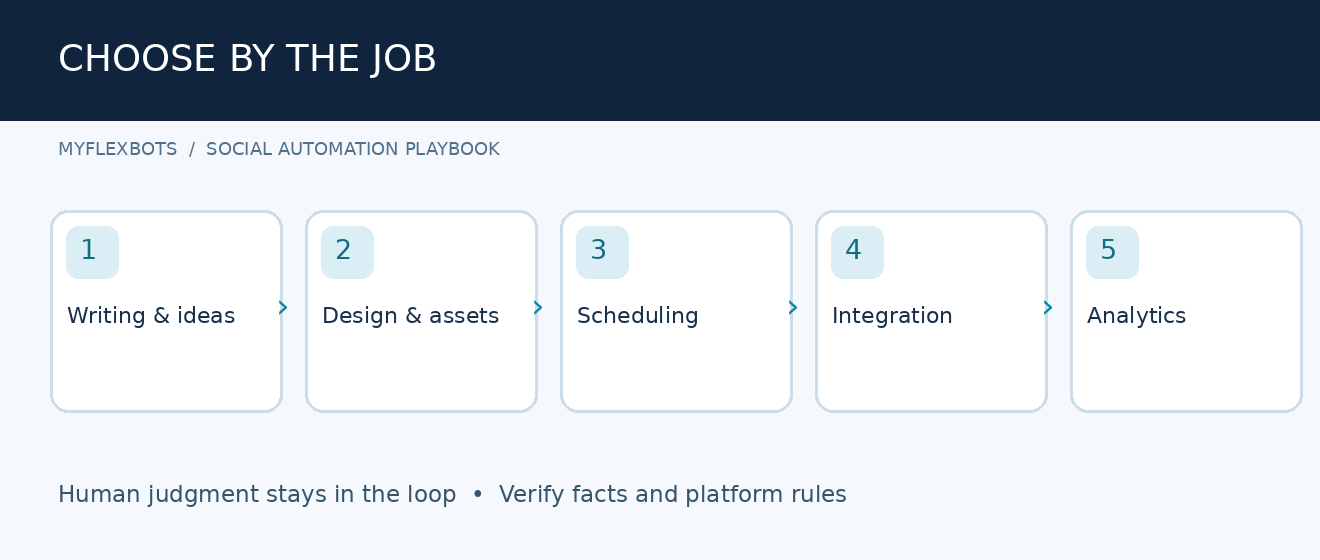
Selecting AI tools to automate social media posts starts with three very different jobs: generating copy, scheduling approved assets, and creating custom workflows. A tool that writes clever captions may offer no reliable campaign reporting. A scheduler can publish on time but may not understand the nuanced facts in a product launch.
Match the job to the feature. Start by eliminating manual copying and repeated reformatting; leave sensitive replies, legal claims, and crisis communications under manual control.
- Score tools on a consistent rubric
To compare AI tools to automate social media posts fairly, give each platform a score from one to five for channel coverage, publishing reliability, creative assistance, approval control, reporting, pricing, and integrations. Weight the top three factors twice. For an agency, permissions and approval history often matter more than another caption generator.
💡 Quick Hack: Instead of buying a year-long plan, run a seven-day pilot with eight real posts: two images, two videos, two link posts, and two platform-specific adaptations. Count failed publications, review clicks, and total minutes saved.
The 10 Best AI Tools for Social Media Automation
- Buffer — Best for a Simple, Reliable Publishing Routine
Buffer combines an ideas area, an AI Assistant, scheduling queues, and channel analytics in a relatively approachable interface. Its published free tier includes up to three connected channels and a limited scheduled-post queue per channel. Paid tiers extend the queue and add capabilities according to plan.
Best workflow: Capture a customer question, draft one informative answer, use the AI Assistant to reshape it for LinkedIn and Instagram, review both drafts, and add them to separate queues. Keep the central claim consistent while changing the opening line and call to action.
Why it earns a place: You can start without hiring a specialist or managing a complex integration stack. The trade-off is that per-channel pricing adds up as you bring more clients or brands online. Source: Buffer pricing.
- Hootsuite — Best for Larger Multichannel Teams
Hootsuite is designed for organizations that need one place to plan, publish, monitor, and assess many brand conversations. Its AI content assistance and centralized management can reduce handoffs among copywriters, social managers, and stakeholders.
Best workflow: Create a monthly campaign calendar, assign posts to owners, check required network permissions, and route brand-sensitive content for approval. Measure performance by campaign rather than celebrating individual posts in isolation.
What to check: Confirm which listening, analytics, approval, and AI functions are included in the exact plan you are considering. Enterprise-style breadth is valuable only if your team will actually use it. Source: Hootsuite.
- Later — Best for Instagram and Visual Content Planning
Later is useful when the grid, imagery, and creative sequence are central to your strategy. Its Caption Writer can generate or rephrase copy, although the company’s help center says the feature is available on current paid plans and that capability differs by device.
Best workflow: Plan a series of product images, write a short creative brief for each, use AI for opening-caption options, and arrange content around launches or seasonal campaigns. Review the finished visual and caption together rather than approving text alone.
What to check: Verify current supported post types, mobile-versus-desktop features, and auto-publishing requirements for every channel. Source: Later Caption Writer.
- Sprout Social — Best for Governance and Reporting
Sprout Social is a strong candidate when multiple departments contribute content and managers need approval paths, audience-care processes, and sophisticated reports. Its value becomes clearer when responsibility and measurement are more demanding than the number of posts.
Best workflow: Create campaign tags, assign roles, build an approval queue, and combine publishing metrics with audience feedback. Send a monthly report that links content themes to outcomes: qualified visitors, enquiries, or customer issues solved.
What to check: The total cost of seats, profiles, and optional features can exceed a smaller company’s needs. Request a demonstration using your actual reporting questions. Source: Sprout Social.
- Metricool — Best for Planning Plus Performance Data
Metricool brings publishing, AI-assisted copy, calendars, analytics, and reporting into one workspace. Its documentation also describes integration with AI assistants through an MCP connection, making it attractive for teams that like to explore campaign data conversationally.
Best workflow: Schedule a week of posts, apply consistent tracking links, review audience activity windows, and compare formats across networks. Let performance guide next week’s briefs instead of allowing automated posting to become a volume contest.
What to check: Compare each network’s supported formats and whether the relevant analytics are available on your chosen plan. Source: Metricool planner.
- SocialBee — Best for Evergreen Content Categories
SocialBee is worth investigating when your business repeatedly answers foundational customer questions. Category-based planning can balance education, testimonials, offers, and behind-the-scenes material without rebuilding the calendar every week.
Best workflow: Build five content buckets, write several unique posts for each, and define a retirement date for time-sensitive claims. Review recurring posts monthly for out-of-date prices, links, product specifications, and offers.
What to check: Reusing evergreen posts is sensible; repeating the exact promotional message indefinitely is not. Social networks and followers may treat repetitive content poorly. Source: SocialBee.
- Publer — Best for Budget-Conscious Multichannel Scheduling
Publer is a practical tool to compare when you need scheduling, content variations, and automation without a complicated enterprise stack. It offers AI-oriented writing tools alongside traditional planning functions.
Best workflow: Organize one campaign into platform-specific versions, save suitable assets, queue posts with staggered timings, and track which versions generate meaningful action. Use a consistent campaign naming system from the start.
What to check: Look closely at plan-dependent AI usage, connected account limits, bulk functions, and whether each desired post format can publish automatically. Source: Publer.
- Canva — Best for Branded Graphics at Speed
Canva is primarily a design workspace rather than a complete social operations platform. Its templates and AI-assisted creative capabilities help small teams turn approved ideas into polished images, presentations, and short-form assets without recreating designs from scratch.
Best workflow: Lock down approved brand colors and type styles; create reusable templates for tips, testimonials, offers, and carousels; then adapt the visual dimensions and copy for each social channel. Export a master asset before scheduling.
What to check: AI visuals can introduce incorrect details, unreadable text, or misleading product depictions. Approve the finished export at mobile size. Source: Canva.
- Zapier — Best for Connecting Existing Applications
Zapier is the connective tissue between a content database, a review process, AI writing, and a scheduler. A trigger can detect a newly approved row; subsequent actions can format fields, alert a reviewer, or move the approved item into another system, depending on the available app integrations.
Best workflow: Use a content sheet with columns for platform, asset URL, caption, scheduled time, status, and reviewer. Trigger an automation only when status becomes APPROVED, then log the result and alert the owner if it fails.
What to check: Tasks, polling intervals, and premium steps may affect cost. Never let an unreviewed AI output flow directly into a public publishing action. Source: Zapier.
- Make — Best for Complex Custom Workflows
Make offers a visual way to construct multi-step scenarios with branching rules, data transformations, and error-handling paths. It suits teams that need to combine sources, transform content, and distribute approved material across different services.
Best workflow: Pull an approved campaign record, validate that its image and caption fields are present, branch by destination, create platform-specific payloads, and record successful or failed outputs. Add retry limits and a route for manual investigation.
What to check: Complexity can hide reliability problems. Keep the first version small, document every connected account, and test failure scenarios deliberately. Source: Make.
Step-by-Step: Build a Working Social Media Automation System
Audit your current posting process
Before introducing AI tools to automate social media posts, record how many minutes are spent each week on ideas, writing, design, approvals, uploading, reporting, and correcting errors. Make a simple process map and highlight tasks that repeat without requiring creative judgment.
Choose one measurable target, such as reducing publishing administration from six hours to three. Protect the time spent understanding customers and reviewing material; those are not waste to remove.
Create a brand-safe source of truth
Write a one-page voice guide that includes preferred tone, prohibited claims, product details, approved links, campaign goals, and examples of good posts. Include spelling preferences and a clear rule on when the writer must request evidence.
Store approved product specifications in a maintained document. When asking an AI tool to draft, supply this information explicitly instead of hoping it will know accurate prices or current offers.
💡 Quick Hack: Save three short reference captions—educational, promotional, and conversational. Paste them into the prompt as style examples; this often improves brand consistency more than adding vague instructions such as “make it engaging.”
Build a simple editorial calendar
An organized system for AI tools to automate social media posts starts with columns for publication date, platform, campaign, content pillar, target audience, asset link, copy draft, CTA, owner, status, and results. Recommended status values are IDEA, DRAFT, REVIEW, APPROVED, SCHEDULED, PUBLISHED, and FAILED.
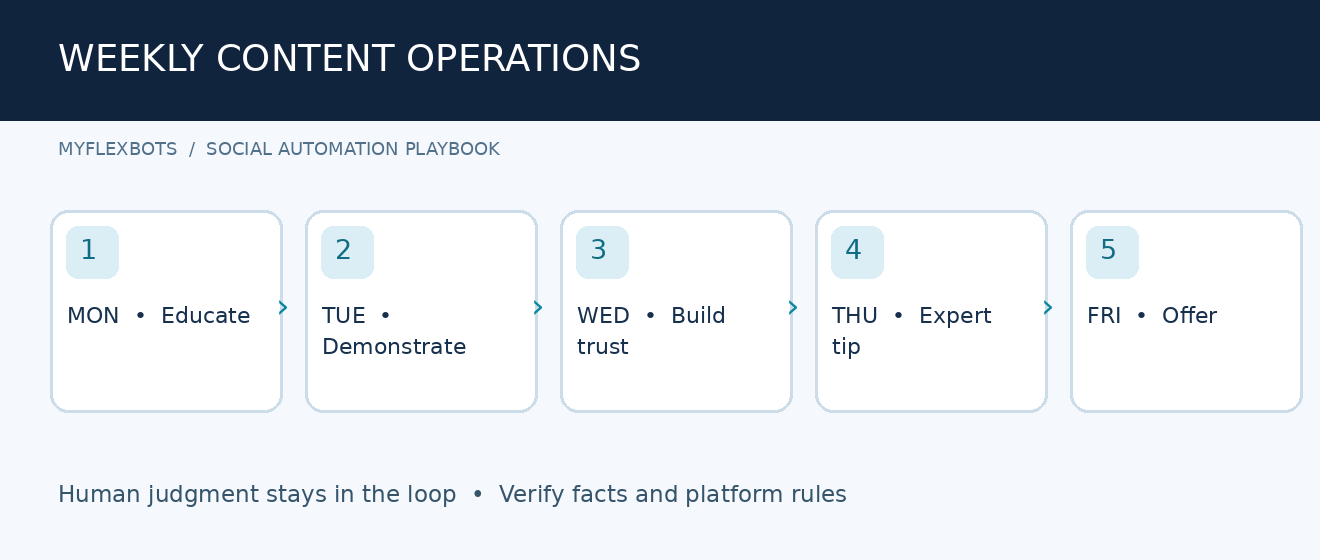
Plan a realistic weekly mix: two educational posts, one proof or case example, one helpful product explanation, and one relevant offer. Adjust the mix to user demand rather than an arbitrary posting quota.
Generate a source draft, then adapt by channel
Start from one original insight, not a prompt to invent news. Good sources include a recorded customer question, a verified product specification, an original case study, or a company announcement.
Ask AI for a core message, then platform versions. On LinkedIn, lead with a practical insight. On Instagram, emphasize an immediately understandable hook and a visual. On Pinterest, write a descriptive title aligned with search intent. On Facebook, invite a genuine conversation; do not manufacture engagement bait.
Reusable prompt: “Use only the verified facts below. Draft a concise social post for [platform] targeting [audience]. Tone: [voice]. Goal: [action]. Include one useful takeaway and one CTA. Do not invent numbers, reviews, offers, dates, or citations. Flag any missing facts as questions.”
Design assets and perform a mobile check
Use a small library of templates. Keep text away from platform crop zones and make sure product labels, prices, and calls to action remain readable on a phone. Add accessible alt text when the platform supports it.
Export visuals with clear filenames such as `2026-11-campaign-tip-instagram-1080.png`. Create a master folder and an archive so that outdated offer graphics cannot accidentally be reused.
Put a human approval gate in the middle
Review each post for factual accuracy, copyrighted or licensed assets, claims, sensitive topics, brand voice, and working destination links. Assign one owner who can send a draft back for revision.
For high-risk subjects—health, finance, law, regulated products, or urgent incidents—use a specialist review and keep publishing manual. A workflow should make responsibility clearer, not erase it.
Connect accounts with minimum permissions
Use authorized integrations and official sign-in flows. Grant the minimum access necessary; avoid sharing personal passwords across contractors. Where possible, separate creation roles from final publishing permissions.
Schedule one test post per account, verify the final display in the native app, and check whether video thumbnails, tags, link previews, line breaks, and hashtags survive publication. Document any platform-specific restrictions.
Automate only approved movement
For a beginner setup, manually add approved posts to Buffer or Metricool. For a larger setup, connect the approval database to a scheduler with Zapier or Make. Require an explicit APPROVED field and a valid, future scheduled date before processing.
When an action runs, store the time, destination, response status, and content ID in your log. If the platform returns a failure, alert a person; do not blindly repost the same content several times.
💡 Quick Hack: Begin with automation that sends an approval notification or creates a draft rather than an action that publishes. You get much of the time saving while keeping the highest-risk step under human control.
Track actions that matter
Add consistent UTM parameters to website links: source, medium, and campaign. Use an analytics platform to compare social sessions and meaningful conversions, but remember that privacy settings and cross-device behavior can limit attribution.
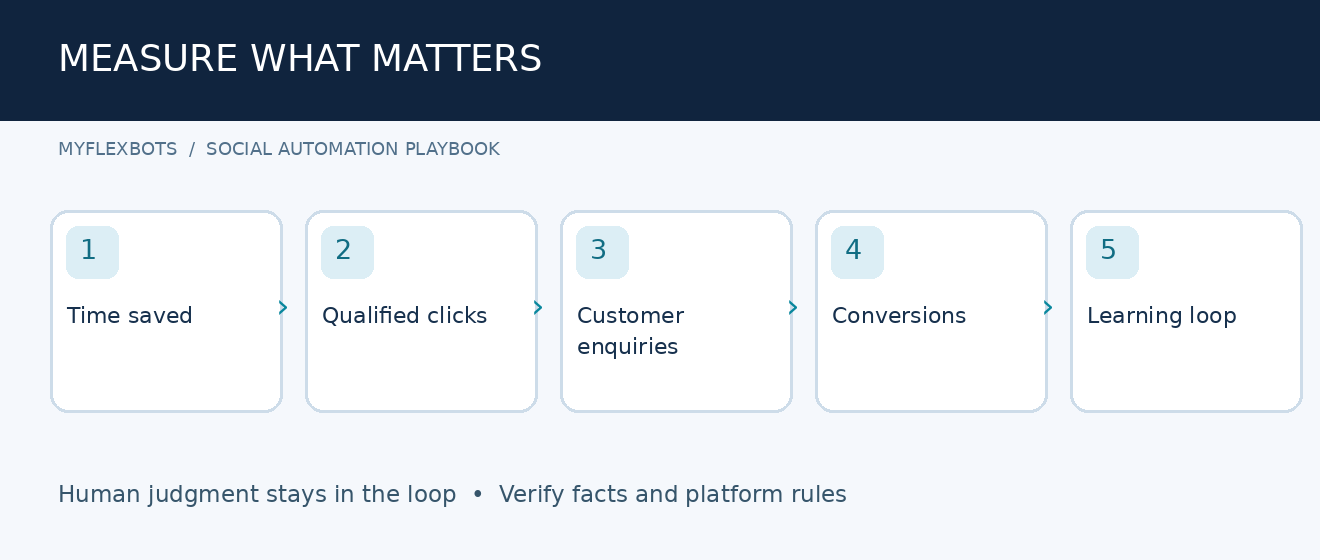
Track three levels: production time, content engagement, and business outcomes. A post with fewer likes but more qualified enquiries may be the stronger investment.
Run a 30-day improvement cycle
To improve AI tools to automate social media posts over time, at the end of each week review the three strongest and three weakest posts and explain why they performed differently. Inspect topic, creative quality, audience fit, hook, posting time, and CTA rather than changing all variables at once.
At month end, retire stale templates, refresh the prompt library, remove integrations you do not use, and compare subscription costs with hours saved. This is the point where AI tools to automate social media posts begin to deliver operational value instead of simply more output.
Sample 7-Day Publishing Plan
| Day | Content pillar | Format | Business purpose |
| Monday | Answer a recurring question | Short video | Search and discovery |
| Tuesday | Show a process or checklist | Carousel | Saves and shares |
| Wednesday | Share evidence or a customer story | Image with context | Trust |
| Thursday | Explain a common mistake | LinkedIn post or thread | Expertise |
| Friday | Demonstrate a useful feature | Product clip | Consideration |
| Saturday | Reuse a verified evergreen insight | Adapted short post | Consistency |
| Sunday | Review analytics; prepare next week | Internal task | Improvement |
This schedule is a planning example, not a rule to post daily. For a team with limited production capacity, three genuinely helpful posts may outperform seven rushed ones.
Five Critical Mistakes to Avoid
Mistake 1: Publishing unverified AI claims
AI tools to automate social media posts can still invent statistics, feature details, testimonials, and citations with a confident tone. Require a source for every numerical claim and confirm price, availability, and offer dates against your own approved records.
Mistake 2: Copying identical captions across platforms
Audience expectations and content formats vary. Preserve the central fact while adjusting the opening, length, format, link treatment, and CTA. Never assume hashtags useful on one network belong everywhere.
Mistake 3: Buying multiple overlapping subscriptions
A design app, writing app, social scheduler, and automation platform may duplicate features. List your required outcomes first, then purchase the smallest set of tools that meets them. Recheck the bill each quarter.
Mistake 4: Ignoring publishing permissions and failures
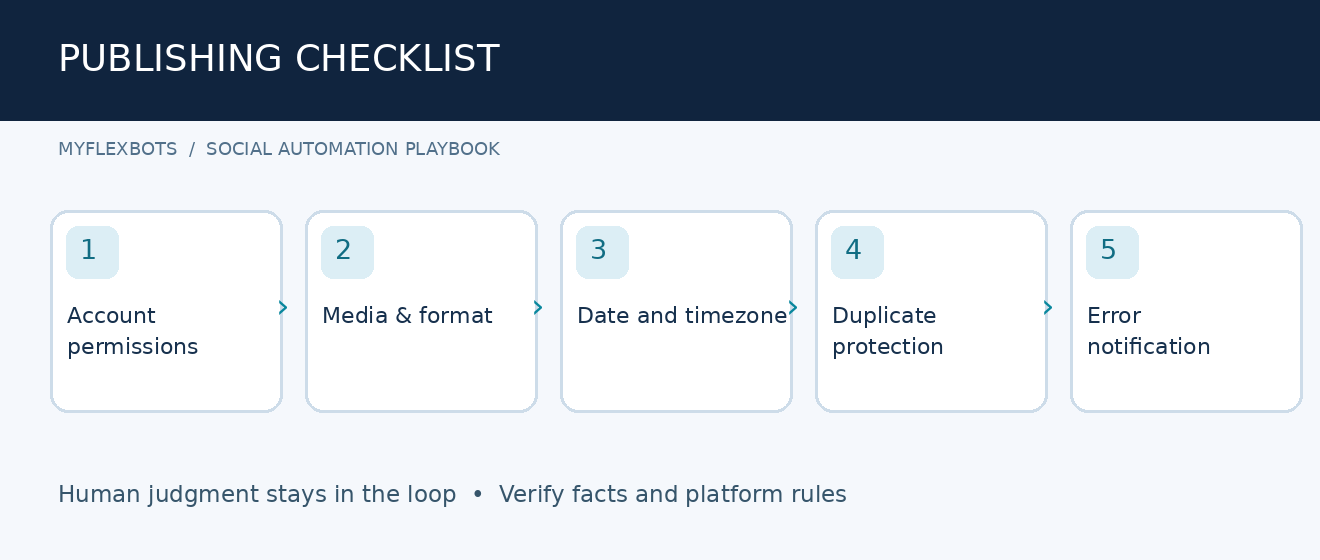
An account token can expire, permissions can change, and a media format may be unsupported. Build a failed-post notification and check the native platform after any new connection or major software update.
Mistake 5: Automating engagement as though every reply is the same
A wrong response to a customer complaint can create a bigger problem than a late post. Use AI for draft suggestions or triage, but require human handling for refunds, complaints, personal information, and sensitive questions.
Advanced Tips to Improve Quality Without Raising Costs
Build modular content instead of one giant prompt
Store a verified claim, audience pain point, proof, CTA, and destination URL as separate fields. A reliable system can turn those blocks into multiple posts and makes correcting a mistake easier because the source is visible.
💡 Quick Hack: Maintain an “approved facts” column alongside every campaign. If an AI draft contains a new fact not in that column, the reviewer immediately knows what to verify.
Use an evergreen library with expiry dates
Create evergreen entries for stable educational topics and give each record a review date. Never recycle price, stock, opening hours, regulation, or seasonal claims without fresh confirmation. A monthly audit prevents a “set and forget” library from becoming a liability.
Score experiments on business results
Test one meaningful variable at a time: opening line, image, topic, or CTA. Keep tracking links consistent and judge results over a sufficient sample. Small differences in impressions are not always evidence of a better creative choice.
Separate strategy, creation, and distribution
Your strategy should decide what people need; AI should help draft and adapt; the scheduler should handle timed delivery. This separation makes it easier to identify the cause when a campaign fails.
💡 Quick Hack: Save a “do not automate” list that includes emergency announcements, disputed claims, sensitive customer responses, and unapproved promotions. Put the list directly into the operating checklist.
Troubleshooting: Fix Common Workflow Problems
The scheduled post did not publish
First verify the account connection and permission status. Next inspect the exact media type, dimensions, file size, scheduled timezone, and any platform error. If the scheduler marked a post failed, correct the cause before attempting again.
Keep a simple incident log: post ID, intended time, destination, error text, person responsible, and resolution. One recurring failure may justify changing formats or workflow logic rather than manually resending posts forever.
Captions sound robotic or repetitive
Reduce generic prompts. Supply a real customer question, three approved examples, an audience segment, and a clear constraint such as “avoid inflated claims.” Ask for distinct hooks that each make a different factual point—not ten slightly rearranged versions of one sentence.
Edit every output to remove filler. If each caption starts with “Discover,” “Unlock,” or “Elevate,” replace it with a concrete problem or useful fact.
Images are cropped, distorted, or low-quality
Open the exported image on a phone-sized preview before scheduling. Check aspect ratio, safe zones, legibility, and whether AI editing changed the real product. Maintain platform-specific templates and export a separate file when necessary.
Your automation publishes duplicates
Look for repeated triggers, a missing “already processed” flag, or retry logic that creates a second post. Add a unique content ID, check whether it exists before creating another item, and record successful submissions. Pause the scenario during testing.
Analytics do not match across tools
Different dashboards may use different attribution windows, metrics, timezones, or account filters. Compare identical date ranges and definitions. Use native-platform metrics for platform performance and website analytics for on-site actions; do not assume they will match perfectly.
Costs grow unexpectedly
Review connected channels, seats, AI credits, automation operations, premium actions, and repeated tests. Set a monthly ceiling where supported. Remove abandoned workflows and consolidate tools that cover the same job.
Ongoing Maintenance Checklist
Weekly: Check failed posts, review upcoming campaigns, validate time-sensitive facts, and audit comments requiring a person. Monthly: Reconnect accounts as needed, review permissions, measure enquiries and time saved, and refresh evergreen content. Quarterly: Audit subscription expenses, delete unused integrations, and revisit platform publishing rules.
A stable system also needs a fallback. Keep the approved post and creative asset accessible so an authorized team member can publish manually during an outage.
Frequently Asked Questions
What are the best free AI tools to automate social media posts?
Buffer offers a free tier with limited scheduled posts and AI assistance, while other vendors provide free or trial-based functionality with different limits. Free plans are useful for testing, but check the exact number of accounts, posts, analytics features, and AI credits before relying on them for business-critical campaigns.
Can AI post automatically to Instagram, Facebook, and LinkedIn?
Yes, authorized schedulers can publish many supported post types to those services, subject to account permissions and platform-specific restrictions. Direct publishing is not guaranteed for every format or feature. Always test your exact account and media type before setting a month of content in motion.
Will automation hurt engagement or social media reach?
Using a scheduler is not a substitute for quality or audience fit. Weak, repetitive, misleading, or irrelevant posts can perform poorly whether a person or a tool publishes them. Focus on useful content, originality, and timely responses rather than maximizing volume.
How much should a small business budget for AI social media automation?
Begin by testing a free scheduler and the design tools you already own. Budget according to the number of channels, users, posts, reporting needs, and automation tasks; there is no universal monthly price. Compare the full subscription bill with measurable hours saved and useful business results.
Do I need Zapier or Make if I already use a scheduler?
Usually not at first. A scheduler can handle drafting, calendars, and publication without an extra integration tool. Add Zapier or Make only when you repeatedly move the same approved information between a spreadsheet, database, design workflow, CRM, and publisher.
How can agencies manage multiple clients safely?
Use separate client workspaces or permissions, documented approvals, verified account ownership, and clear audit logs. Keep client brand references distinct, require explicit approval for public content, and never mix assets or private customer information between accounts.
Final Verdict: Build a System, Not a Content Factory
The best AI tools to automate social media posts do three things well: remove repetitive administration, preserve brand standards, and make results easier to measure. For a lean company, start with a scheduler such as Buffer or Metricool; for visual content, evaluate Later and Canva; for intricate approved workflows, consider Zapier or Make.
editor's pick
latest video
news via inbox
Nulla turp dis cursus. Integer liberos euismod pretium faucibua

