
How to Use ChatGPT Effectively (Step-by-Step Guide)
Most people do not get weak results from ChatGPT because the tool is weak. They get weak results because they ask one vague question, accept the first answer, and never build a repeatable workflow. This guide explains how to use chatgpt effectively so you can turn ChatGPT from a clever chat box into a practical thinking, writing, research, and productivity assistant.
You will learn how to define the task, build prompts that include the right context, choose a useful output format, verify the answer, troubleshoot bad responses, and save your best workflows for future use. The goal is not to sound technical. The goal is to get cleaner drafts, sharper ideas, faster research, safer decisions, and less rework.
Featured Snippet: The 45-Second Answer
To learn how to use chatgpt effectively, give it a clear goal, enough context, a role, examples, constraints, and a preferred output format. Then review the answer, ask for revisions, verify important claims, and save the best prompt as a reusable template.
Essential Tools & Materials Breakdown
ChatGPT is digital, but the same principle applies as any serious project: the final result depends on the prep. Before you ask for a blog outline, email, research summary, code snippet, proposal, or lesson plan, gather the right materials. Missing context is the number one reason ChatGPT gives generic output.
| Tool or material | Why you need it | Estimated cost | Skill level | Best use |
| ChatGPT account | The main AI workspace for drafting, analysis, ideation, and revision. | Free to paid plan, depending on usage | Beginner | Everyday writing, planning, coding help, brainstorming, and file-based work. |
| Task brief | A short description of the result you want, audience, tone, and deadline. | Free | Beginner | Prevents vague answers and reduces back-and-forth. |
| Source material | Notes, emails, URLs, transcripts, spreadsheets, screenshots, or policies that ground the response. | Free | Beginner to intermediate | Keeps answers specific to your business or project. |
| Prompt template | A reusable structure for repeated tasks. | Free | Intermediate | Saves time when creating content, reports, replies, or SOPs. |
| Verification checklist | A final review process for facts, numbers, legal claims, medical claims, citations, and confidential data. | Free | Intermediate | Protects quality before publishing or sending. |
| Password manager or secure notes | Stores approved prompt templates without exposing private information. | Free to low cost | Beginner | Keeps AI workflows organized and safer. |
| Project management app | Tracks tasks created from ChatGPT output. | Free to paid | Intermediate | Turns AI suggestions into actual execution. |
MyFlexBots readers who are comparing AI tools should also review the internal guide to best AI tools 2026 before buying another subscription. A better subscription is useful only when you already know the workflow you want to improve.
Start With the Real Outcome, Not the Prompt
A good prompt starts before the prompt. Ask yourself what success looks like after ChatGPT answers. Do you need a final email, a rough outline, a list of risks, a corrected spreadsheet formula, a customer reply, or three strategy options with pros and cons?
When beginners ask, “Write something about marketing,” ChatGPT has to guess the audience, channel, voice, offer, market, length, and quality bar. That guesswork creates bland content. When you say, “Write a 250-word LinkedIn post for small business owners in the UK explaining why local SEO takes time, with a helpful tone and one soft CTA,” the answer becomes much closer to usable.
The practical way to understand how to use chatgpt effectively is to treat every prompt like a work order. A contractor cannot quote a renovation from “make my room nicer.” A designer cannot build a logo from “make it modern.” ChatGPT also needs the job defined clearly.
Use the one-sentence outcome test
Before opening ChatGPT, write one sentence: “When this is done, I need ___.” This forces clarity. It also stops you from asking for huge, messy results in one prompt.
- Weak outcome: “Help me with my website.”
- Better outcome: “I need a homepage hero section that explains our AI automation service to small business owners.”
- Strong outcome: “I need three homepage hero options, each under 35 words, written for small business owners who want to reduce admin work without hiring more staff.”
💡 Quick Hack: Keep a small “AI task brief” template in your notes app. Include goal, audience, tone, format, length, must-include points, avoid points, and deadline. Paste it into ChatGPT whenever the work matters.
Give ChatGPT the Right Role
Role prompting is not magic, but it helps ChatGPT select a better style, vocabulary, structure, and quality standard. “Act as an SEO editor” produces a different type of answer than “act as a customer support manager” or “act as a senior Python developer.”
The role should match the task, not your ego. For a blog post, ask for an editor, content strategist, or subject-matter expert. For debugging, ask for a careful software reviewer. For business decisions, ask for an operations consultant who explains assumptions and risks.
When you study how to use chatgpt effectively, one pattern appears everywhere: better prompts reduce ambiguity. A role is one of the fastest ways to reduce ambiguity because it tells the model which lens to use.
Role prompt examples
- “Act as a senior SEO content editor. Improve this introduction for clarity, search intent, and reader retention.”
- “Act as a customer support lead. Rewrite this reply so it is polite, calm, and firm without sounding robotic.”
- “Act as a data analyst. Explain what this spreadsheet trend means, but separate facts from assumptions.”
- “Act as a beginner-friendly coding tutor. Explain the error first, then show the corrected code.”
Do not overdo the role. “Act as the world’s greatest genius consultant” usually adds drama, not quality. Specific expertise beats exaggerated status.
Add Context Like a Professional Brief
Context is the difference between a generic answer and a useful one. ChatGPT does not automatically know your customer, brand voice, product, budget, market, internal policy, or success metric unless you provide it. The best results come when you give just enough information to guide the answer without dumping irrelevant material.
A strong context block usually includes the audience, current problem, background, constraints, examples, and what should be avoided. For business content, include the country, target market, service page, keyword, offer, and buying stage. For technical tasks, include the platform, version, error message, expected behavior, and what you already tried.
A common mistake is pasting a wall of text and asking, “Make this better.” ChatGPT can help, but you will get stronger output if you label the text and explain the job. Say, “Below is my rough draft. Keep the meaning, make it clearer, remove repetition, and preserve all factual claims.”
The context sandwich method
Use a simple three-part structure: the job, the source material, and the instructions. This keeps the prompt easy to read and helps you avoid mixing facts with commands.
- Job: Explain exactly what you want ChatGPT to produce.
- Source material: Paste the notes, data, draft, transcript, or product details.
- Instructions: Give tone, length, format, exclusions, and quality checks.
💡 Quick Hack: Use labels such as “BACKGROUND,” “SOURCE TEXT,” “TASK,” and “OUTPUT FORMAT.” Labels are free, but they dramatically improve prompt readability when the request is long.
Use a Prompt Formula That Works in Real Life
You do not need hundreds of prompt tricks. You need one reliable structure that works across writing, planning, research, coding, marketing, and operations. Use this formula: Role + Goal + Context + Constraints + Output format + Review request.
Here is the practical template:
Act as [role]. I need [goal]. Context: [background and source details]. Constraints: [tone, length, audience, budget, rules, exclusions]. Output format: [table, bullets, email, checklist, code, outline]. Before finalizing, check for [accuracy, missing assumptions, risks, clarity, or next steps].
Once you know this formula, you know how to use chatgpt effectively for most everyday tasks. The formula does not guarantee perfection, but it gives ChatGPT a clear path instead of a guessing game.
Example: weak prompt vs strong prompt
Weak prompt: “Write a blog about AI tools.”
Strong prompt: “Act as a practical technology reviewer. Write a 1,200-word blog outline for small business owners comparing AI tools for writing, research, design, and automation. Keep the tone clear and no-hype. Include selection criteria, budget notes, common mistakes, and a conclusion that asks readers what task they want to automate first.”
The strong version works because it defines the role, reader, topic, scope, tone, output, and quality requirements. That is why the answer will usually be more structured and less generic.
Pro-Tip: Ask ChatGPT to “ask me up to five clarifying questions before answering” when the stakes are high or the task is vague. This is especially useful for strategy, legal-adjacent writing, technical troubleshooting, and client proposals.
Control the Output Format
Many people complain that ChatGPT gives long answers when they need a checklist, or short answers when they need detail. The fix is simple: tell it the format before it answers. Format instructions are not decoration; they control how easy the response is to use. For marketers, students, founders, and freelancers, how to use chatgpt effectively often comes down to asking for the exact format the work will be delivered in.
Useful output formats include tables, checklists, step-by-step plans, scripts, comparison grids, bullet summaries, JSON, email drafts, social captions, SOPs, troubleshooting trees, and decision matrices.
When using ChatGPT for business, format can save more time than the writing itself. A messy answer still needs cleanup. A structured table can be copied into a brief, task manager, spreadsheet, or content calendar immediately.
Format prompts that save cleanup time
- “Give me the answer as a two-column table: issue and fix.”
- “Create a 7-day action plan with one task per day.”
- “Write the response in three versions: formal, friendly, and short.”
- “Summarize this meeting as decisions, action items, owners, deadlines, and risks.”
- “Return the final output only. Do not include explanation.”
💡 Quick Hack: When you need content for WordPress, ask for “clean HTML with H2, H3, paragraphs, lists, and no inline CSS.” When you need a human editor, ask for “tracked-style notes: original issue, recommended change, reason.”
Build a Revision Loop Instead of Starting Over
The first answer is often not the final answer. Treat it like a draft from a fast assistant. Your job is to inspect, correct, and guide. The biggest productivity gains appear when you learn to revise the same answer instead of opening a new chat every time.
Ask for focused changes. “Make it better” is weak. “Make the intro sharper, remove repeated ideas, add more examples for beginners, and keep it under 180 words” is strong.
One of the easiest ways to learn how to use chatgpt effectively is to stop asking for a perfect response in one try. Ask for version one, review it, then ask for specific improvements. This mirrors professional editing, design, coding, and consulting work.
Use revision commands
- “Make this more practical and less promotional.”
- “Add three real-world examples for small business owners.”
- “Cut the length by 30 percent without removing key points.”
- “Rewrite this for a beginner who has never used AI before.”
- “Find weak claims, vague phrases, and unsupported assumptions.”
- “Turn this into a checklist I can follow.”
Pro-Tip: Ask for a “change log” after a revision. ChatGPT can summarize what it changed, what it kept, and what still needs human review. This is helpful when editing client content or technical documents.
Use ChatGPT for Research Without Trusting It Blindly
ChatGPT is excellent for organizing questions, building research plans, summarizing provided text, comparing options, and explaining complex topics. It is not a replacement for verification when facts, prices, laws, medical guidance, financial details, or current events matter.
A safe research workflow starts with a clear research question. Ask ChatGPT what you should check, which terms to search, what sources would be credible, and what assumptions might be wrong. Then verify important facts against reliable sources.
For official product guidance, link readers to ChatGPT prompt engineering best practices and the ChatGPT capabilities overview. For security-aware teams, the OWASP Top 10 for LLM Applications is a valuable reference when discussing prompt injection and unsafe automation.
If you ask ChatGPT for sources, still open and verify them. AI-generated citations can be incomplete, outdated, or wrong. The safer pattern is to provide sources yourself, then ask ChatGPT to compare, summarize, extract, or explain the content.
Research workflow that reduces errors
- Define the decision you are trying to make.
- Ask ChatGPT to list the key questions and risks.
- Collect official sources, reputable publications, or original documents.
- Paste relevant excerpts or upload files where supported.
- Ask for a summary with “facts, assumptions, unknowns, and next checks.”
- Verify important claims manually before acting.
💡 Quick Hack: Use the phrase “separate what is known, likely, uncertain, and recommended.” This forces a more careful answer and makes hidden assumptions easier to spot.
Protect Confidential Information
Do not paste secrets, passwords, private customer data, unpublished financial information, internal legal documents, or sensitive personal details into any AI tool unless your organization has approved the use case and plan. AI productivity is not worth a privacy mistake.
The safe habit is data minimization. Give ChatGPT only what it needs to complete the task. Replace names with roles, remove account numbers, summarize sensitive details, and use approved business settings when available.
Anyone serious about how to use chatgpt effectively should also learn when not to use it. Sensitive data, regulated decisions, confidential strategy, and high-risk advice require stronger controls than a normal writing prompt.
For teams building AI processes, the NIST AI Risk Management Framework can help structure conversations about reliability, transparency, governance, and risk.
Simple redaction examples
- Replace “Sarah Ahmed, customer ID 88391” with “Customer A.”
- Replace exact revenue with a range when the exact number is not required.
- Remove private emails, phone numbers, addresses, contract IDs, and payment details.
- Summarize the business problem instead of pasting the entire confidential document.
- Ask for a reusable template rather than sharing every internal example.
Pro-Tip: Create a “safe prompt version” of recurring tasks. For example, instead of pasting a real client complaint, write a neutral version that preserves the service issue, tone challenge, and desired outcome without exposing identity.
Turn Good Prompts Into Reusable Systems
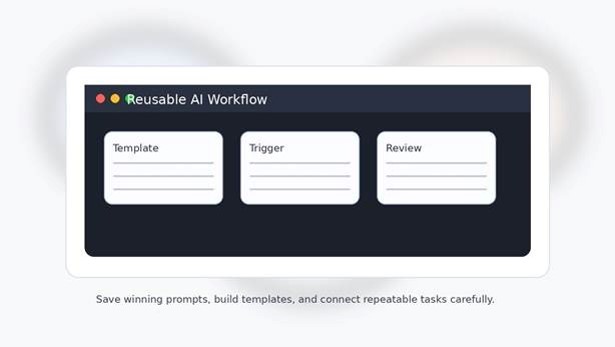
The difference between casual AI use and serious AI productivity is repeatability. If a prompt saves time once, save it. If it saves time every week, turn it into a template. If it affects customers, add review steps and ownership.
Create a small prompt library organized by use case. Common folders might include blog writing, SEO briefs, customer replies, sales emails, research summaries, spreadsheet help, meeting notes, coding support, and SOP creation.
Readers looking to build a bigger tool stack can compare best AI tools for productivity and best productivity apps 2026 on MyFlexBots. ChatGPT is powerful, but the best workflow often includes a notes app, task manager, spreadsheet, calendar, and automation tool.
What to save with every winning prompt
- The prompt itself.
- The use case and audience.
- Example input and example output.
- Known limitations.
- Review checklist.
- Owner or team responsible for updates.
- Date last tested.
💡 Quick Hack: Add a “do not do” section inside your prompt templates. For example: “Do not invent statistics. Do not mention prices. Do not use hype words. Do not make medical, legal, or financial promises.” Negative instructions help prevent predictable cleanup work.
Common Mistakes to Avoid
Mistake 1: Asking vague one-line questions
Vague prompts create vague answers. “Give me ideas” is too broad. “Give me 10 blog ideas for beginners who want to use AI at work, with search intent and difficulty notes” is more useful. Specificity is not a burden; it is the shortcut.
Mistake 2: Treating the first draft as final
ChatGPT can produce a decent first draft quickly, but publishing it untouched is risky. Look for repetition, bland claims, factual uncertainty, weak structure, and missing examples. A five-minute revision pass can turn average output into genuinely helpful content.
Mistake 3: Overloading one prompt with too many tasks
A giant prompt that asks for research, strategy, writing, editing, citations, code, design, and a launch plan often produces shallow work. Break big projects into phases: plan first, draft second, review third, polish fourth.
Mistake 4: Ignoring the audience
ChatGPT cannot write for “everyone” well. A beginner needs definitions and examples. A CEO needs decisions, trade-offs, and risks. A developer needs exact errors and code. A local business owner needs practical steps and costs.
Mistake 5: Using AI output without verification
The more important the result, the more verification matters. Check facts, links, calculations, code, policy claims, and any advice that could affect money, health, safety, privacy, or compliance. Responsible AI use includes human judgment.
If your goal is how to use chatgpt effectively for real work, these mistakes are the first things to remove from your process. Better prompts help, but better review habits matter just as much.
Advanced Tips and Next-Level Hacks
Create a personal style guide
Feed ChatGPT a short style guide with your preferred tone, forbidden phrases, formatting rules, brand vocabulary, and audience profile. Then ask it to revise drafts against that guide. This helps you avoid generic AI phrasing and keep content consistent across channels.
Use examples to calibrate quality
One strong example is often worth a paragraph of instructions. Show ChatGPT a good email, caption, outline, proposal, or product description and say, “Match the clarity and structure, but do not copy the wording.” Examples teach the expected pattern quickly.
Ask for critique before the final answer
For complex work, ask ChatGPT to critique the plan before writing. For example: “Before drafting, identify weak assumptions, missing information, and two better approaches.” This can prevent wasted time on a bad direction.
Chain tasks in a controlled order
A professional workflow might look like this: generate questions, build outline, draft section one, review for accuracy, improve examples, format for CMS, write meta description, create FAQ, and produce a social caption. Smaller steps produce better control.
Use scoring rubrics
Ask ChatGPT to score an answer against criteria such as clarity, usefulness, evidence, originality, tone, and completeness. Then ask it to revise only the weak areas. This works well for content, proposals, scripts, emails, and SOPs.
Pro-Tip: Create a 10-point quality rubric for your most common task. Every time ChatGPT drafts that item, ask it to grade the output before you review it. The self-score is not perfect, but it catches many obvious gaps.
Troubleshooting and Maintenance Guide
Problem: ChatGPT gives a generic answer
Fix the prompt by adding audience, context, examples, constraints, and the desired format. Generic output usually means ChatGPT was forced to guess. Give it the missing details, then ask for a rewrite.
Problem: The answer is too long
Set a hard limit. Ask for “under 150 words,” “five bullets only,” or “a one-page executive summary.” You can also ask ChatGPT to cut the answer by 40 percent while keeping the core meaning.
Problem: The answer is too short or shallow
Ask for depth by specifying examples, edge cases, comparisons, and step-by-step detail. Try: “Expand this with practical examples, common mistakes, and a checklist a beginner can follow.” If a reader asks how to use chatgpt effectively for deeper answers, the simplest fix is to request examples, exceptions, and decision criteria.
Problem: ChatGPT misunderstood the task
Do not restart immediately. Tell it exactly what it misunderstood. Use: “You focused on X, but I need Y. Keep the audience and tone, but change the structure to…” This preserves useful context and reduces wasted time.
Problem: The tone sounds robotic
Provide a sample of the tone you want. Ask for shorter sentences, fewer abstract claims, more concrete examples, and less promotional language. You can also say, “Rewrite this like a helpful expert explaining it to a smart beginner.”
Problem: The answer includes questionable facts
Ask ChatGPT to mark claims that need verification. Then check official sources, product pages, documentation, or primary references. For published content, remove unverified claims or rewrite them as cautious guidance.
Maintenance: Review your prompt library monthly
ChatGPT features, business workflows, pricing, policies, and audience needs change. Review saved prompts once a month. Delete prompts you no longer use, update brand language, add new examples, and improve review checklists based on mistakes you noticed.
The long-term secret behind how to use chatgpt effectively is maintenance. A prompt that worked six months ago may still work, but your audience, product, or goal may have changed. Treat AI workflows like living systems, not frozen documents.
Frequently Asked Questions
What is the best way to ask ChatGPT questions?
The best way is to give a clear goal, relevant context, constraints, and a preferred output format. Instead of asking, “Help me write,” say what you are writing, who it is for, how long it should be, what tone it needs, and what the final format should look like. In plain terms, how to use chatgpt effectively starts with giving ChatGPT the same brief you would give a capable assistant.
How can beginners learn prompt engineering for ChatGPT?
Beginners should start with a simple formula: role, goal, context, constraints, output format, and review request. Practice on real tasks such as emails, summaries, outlines, and checklists. Save prompts that work and compare the output against your own quality standard.
Can ChatGPT help with SEO content?
Yes, ChatGPT can help with keyword clustering, search intent analysis, outlines, meta descriptions, FAQ ideas, content briefs, editing, and readability improvements. It should not replace human expertise, original examples, fact checking, competitor review, or final editorial judgment.
How do I make ChatGPT answers sound less AI-generated?
Give it a specific audience, a sample voice, forbidden phrases, and concrete examples. Ask for shorter paragraphs, natural transitions, active voice, and fewer generic claims. Then edit manually. The strongest content usually combines AI speed with human taste and experience.
Is it safe to use ChatGPT for business tasks?
It can be safe for many low-risk tasks when you protect confidential information, verify important output, use approved accounts, and follow company policy. Be more careful with customer data, legal text, financial decisions, regulated industries, security workflows, and private documents.
How often should I update my ChatGPT prompts?
Update prompts whenever the output starts drifting, your audience changes, your brand voice changes, a tool feature changes, or your workflow improves. For active business use, review core prompt templates monthly and keep a version history for high-value workflows.
Conclusion: Build the Habit, Not Just the Prompt
ChatGPT becomes powerful when you stop treating it like a search box and start treating it like a structured assistant. Define the job, add the right context, control the output, revise deliberately, verify the result, and save what works.
The best answer to how to use chatgpt effectively is not a secret prompt. It is a repeatable process: brief clearly, request structure, review carefully, and improve the system over time.
Which task do you want ChatGPT to handle better first: content writing, research, emails, planning, coding, customer support, or automation? Share your use case in the comments so other MyFlexBots readers can compare practical workflows.
editor's pick
latest video
news via inbox
Nulla turp dis cursus. Integer liberos euismod pretium faucibua


