

Best Smart Home Devices 2026 for a Smarter, Safer Home
A smart home should remove chores, prevent expensive damage, and make everyday routines easier. Too many people get the opposite: six apps, unreliable automations, surprise subscriptions, and devices that stop working together after an update.
This guide identifies the best smart home devices 2026 buyers should consider, explains which products deserve priority, and shows how to build a dependable system in the right order. You will learn how to choose a platform, strengthen the network, install devices safely, automate useful routines, and maintain everything without turning your home into a technology project.

What Are the Best Smart Home Devices in 2026?
| Featured snippet answer: The best smart home devices 2026 are Matter-compatible hubs, Thread-enabled lights and locks, energy-saving thermostats, local-storage cameras, leak sensors with automatic shutoff, energy-monitoring plugs, and robot vacuums. Choose one primary ecosystem, strengthen Wi-Fi first, and prioritize devices that still work manually when the internet is unavailable. |
The Best Picks at a Glance
The best smart home devices 2026 list below is intentionally category-based. A thermostat can save more money than decorative lighting, while a leak sensor can prevent more damage than a premium display. Buy according to the problem you need to solve.
| Device | Best For | Connectivity | Typical U.S. Range* | Main Caveat |
| Amazon Echo Hub | Whole-home control panel | Matter, Thread, Zigbee, Alexa | $150-$200 | Best when Alexa is already the main ecosystem. |
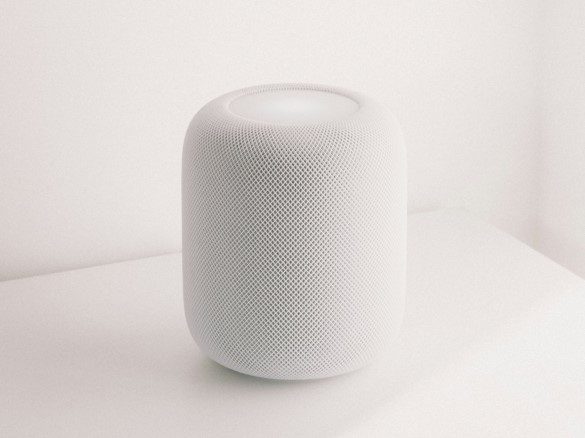
| Apple HomePod mini | Apple households | Matter controller, Thread border router | $90-$110 | Excellent privacy and local-home control; no display. |
| Google Nest Hub (2nd gen) | Google Home users | Matter controller, Thread border router | $80-$110 | Simple bedside or kitchen control. |
| Tapo P110M | Budget automation and energy data | Matter over Wi-Fi | $15-$25 each | Confirm the load is within the plug rating. |
| Philips Hue | Reliable whole-home lighting | Zigbee via Hue Bridge; Matter bridge | $60-$200+ | Costs more, but scales cleanly. |
| ecobee Smart Thermostat Premium | HVAC comfort and room balancing | Wi-Fi; broad platform support | $220-$280 | Check HVAC and accessory-wire compatibility. |
| Schlage Encode Plus | Deadbolt replacement | Wi-Fi, Thread, Apple home key | $250-$350 | Strong choice for Apple households and keypad access. |
| Aqara Smart Lock U300 | Lever-lock doors | Matter over Thread, fingerprint, home key | $200-$250 | Verify door type and backset. |
| eufyCam S3 Pro | Outdoor cameras without monthly storage fees | Local HomeBase storage | $500-$900 per kit | High initial cost; plan camera placement first. |
| Reolink Video Doorbell WiFi | Local-recording video doorbell | Wi-Fi, local NVR/microSD options | $100-$160 | Wired power and chime compatibility need checking. |
| Aqara Leak Sensor + Valve Controller T1 | Water-damage prevention | Zigbee sensors; Matter-over-bridge control | $120-$220 | Test valve torque and placement before relying on automation. |
| Roborock Saros 10R | Low-clearance vacuuming and mopping | App automation; smart-home integrations | $1,000-$1,600 | Premium pick; budget models handle simpler floors. |
| Emporia Vue 3 | Circuit-level energy monitoring | Wi-Fi energy monitor | $100-$200 + installation | Panel work should be handled by a qualified electrician. |
*Typical price ranges are editorial estimates, not live quotes. Regional pricing, sales, bundles, installation, taxes, and subscriptions can change the total cost.
How We Selected These Devices
This is not a list of whichever gadgets launched most recently. The selection framework for the best smart home devices 2026 gives extra weight to five ownership factors: compatibility, update support, useful local behavior, manual fallback, and total cost after subscriptions or required hubs.
Standards support: Matter, Thread, Zigbee, and established platform integrations reduce lock-in and simplify expansion.
Problem solved: Each recommendation must save time, improve safety, reduce waste, or prevent damage.
Failure behavior: A light should still switch on, a lock should still accept a key or code, and heating should still operate safely when the cloud is unavailable.
Support path: Official documentation, replacement parts, firmware history, and a clear reset process matter more than novelty.
Long-term cost: Storage plans, batteries, proprietary bridges, professional installation, and accessory sensors are included in the buying decision.
| Transparency note: This guide evaluates official specifications, platform support, standards documentation, and practical ownership requirements. It does not claim laboratory testing of every product listed. |
Essential Tools, Materials, and Budget
Most smart-home upgrades are low-risk DIY projects, but line-voltage wiring, breaker-panel monitoring, in-line plumbing valves, and complicated HVAC systems deserve professional help. A careful setup kit makes pairing, labeling, and recovery much easier when installing the best smart home devices 2026 buyers are comparing.
| Tool or Material | Estimated Cost | Skill Level | Why You Need It |
| Smartphone or tablet | $0 if owned | Beginner | Setup apps, QR scanning, firmware, room assignment |
| Phillips and flat screwdrivers | $10-$25 | Beginner | Locks, wall plates, sensors, doorbells |
| Non-contact voltage tester | $15-$30 | Intermediate | Confirm power is off before electrical work |
| Small label maker or painter’s tape | $5-$35 | Beginner | Name wires, hubs, Ethernet runs, and reset codes |
| 2.4 GHz Wi-Fi access | Included with router | Beginner | Many plugs, cameras, and appliances require it |
| Matter controller | $0-$200 | Beginner | Commission and control Matter devices |
| Thread border router | $0-$200 | Beginner | Connect Thread devices to the home IP network |
| Ethernet cable | $5-$20 | Beginner | Hard-wire hubs, bridges, cameras, or access points |
| Fresh alkaline/lithium batteries | $10-$40 | Beginner | Locks, leak sensors, contact sensors, remotes |
| Uninterruptible power supply | $50-$150 | Beginner | Keep modem, router, and main hub alive in short outages |
| Qualified electrician/HVAC/plumber | $100-$600+ | Professional | Panel, thermostat, doorbell transformer, or shutoff installation |
Choose One Primary Ecosystem
Start with the app and voice assistant your household will actually use. Matter allows compatible devices to work across multiple platforms, but one system should remain the primary place for rooms, names, permissions, and automations. That prevents duplicated routines and contradictory notifications.
Apple Home
Choose Apple Home when most residents use iPhones and value local automation, simple household permissions, and Apple home key support. A HomePod mini, second-generation HomePod, or compatible Apple TV can act as a home hub; supported models also provide Thread border-router capability.
Amazon Alexa
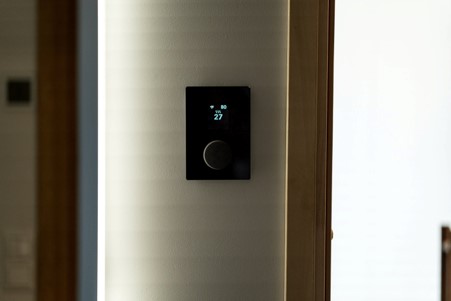
Choose Alexa when voice control, broad device coverage, and an inexpensive wall-style dashboard matter most. The Echo Hub is especially useful in mixed homes because it combines a touch control panel with Matter, Thread, and Zigbee support. Place it near the main entry or kitchen rather than hiding it beside the router.
Google Home
Choose Google Home when the household already relies on Android, Google Assistant, Nest cameras, or Google displays. The second-generation Nest Hub is a practical Matter controller and Thread border router for smaller systems, while the Nest Hub Max provides a larger shared display.
Samsung SmartThings
Choose SmartThings when you want deeper routines, Samsung appliance integration, or a bridge between Zigbee and Matter devices. Some Samsung TVs and dedicated SmartThings hubs can provide controller features, but model and region support must be verified before purchase.
| 💡 Quick Hack: Before buying anything, open the ecosystem app on every household member’s phone. Confirm that shared-home invitations, location permissions, notifications, and voice recognition work. A platform that frustrates half the household will never become the control center. |
Audit the Network Before Adding Devices
Smart-home reliability is usually a network problem disguised as a product problem. Test Wi-Fi in the garage, at the front door, beside the thermostat, near outdoor camera locations, and anywhere a robot vacuum docks. A fast signal in the living room does not prove the edges of the property are covered.
- Update the router firmware and change the administrator password before onboarding devices.
- Use WPA2 or WPA3 security with a unique Wi-Fi password. Disable obsolete WEP or open guest networks.
- Keep 2.4 GHz available. Many smart devices use 2.4 GHz because it reaches farther than 5 GHz. A combined network name often works, but some setup apps temporarily need the phone connected to 2.4 GHz.
- Wire stationary hubs when possible. Ethernet reduces congestion and keeps bridges stable.
- Add an access point, not a random extender, when coverage is weak. A properly placed mesh node or wired access point is generally more predictable than daisy-chained repeaters.
- Create a guest or IoT network only when the router supports it properly. Over-aggressive isolation can block local discovery, casting, and Matter commissioning.
The FTC’s guidance on how to secure your internet-connected devices emphasizes strong passwords, updates, router security, and multi-factor authentication. These basic controls have more impact than buying a “secure” camera and leaving the router unchanged.
| Pro-Tip: Use a password manager entry for the home itself. Store the Wi-Fi password, hub recovery codes, device setup codes, breaker information, and links to manuals. Do not keep setup QR codes only on removable labels that can fade or be thrown away. |
Build the Control Layer First
A controller is the brain that commissions devices and runs routines. A Thread border router connects low-power Thread accessories to the home network. One device may perform both roles, but the terms are not interchangeable.
The Matter smart home standard is designed to improve cross-platform setup and control. Matter 1.6, announced in June 2026, continues the standard’s push toward more intuitive multi-ecosystem experiences. Even so, advanced features may remain inside the manufacturer’s app, so preserve that app for firmware, diagnostics, and specialized settings.
Small Apple home: One centrally located HomePod mini may be enough.
Alexa home: Echo Hub provides a useful dashboard; add compatible Echo devices where Thread or voice coverage is weak.
Google home: A Nest Hub can cover the main living zone; add another border router only when the Thread mesh needs it.
Mixed protocol home: SmartThings or a mature vendor bridge can connect Zigbee products while exposing supported functions to Matter.
| 💡 Quick Hack: Photograph every Matter code before mounting the device. Rename the photo with the room and device, then store it securely. Resetting a ceiling light or door lock is much easier when the setup code is not trapped behind a cover. |
Add Lighting and Smart Plugs
Lighting and plugs are the safest way to test an ecosystem because they are inexpensive, easy to move, and immediately useful. Start in one room. If automations remain reliable for a week, expand using the same protocol and naming rules.
Best Smart Plug: Tapo P110M
The Tapo P110M is a strong budget choice because it supports Matter, tracks energy use, and is rated for common household loads up to its specified limit. Use it for lamps, fans, coffee stations, office equipment, and entertainment centers—not for appliances that exceed the rating or should never restart unattended.
Create an auto-off rule for irons, heated blankets, and workshop chargers only when the appliance is safe for smart-plug control.
Use energy history to identify equipment that consumes power overnight.
Avoid putting a smart plug behind a refrigerator unless the manufacturer explicitly approves the load and startup current.
Best Lighting System: Philips Hue
Philips Hue remains a dependable premium system for homes that want dozens of bulbs, switches, scenes, and outdoor fixtures. The Hue Bridge uses Zigbee for the lighting mesh and can expose supported devices to Matter. Dedicated remotes keep lights usable when phones or internet service are unavailable.
Budget Thread Lighting: Nanoleaf Essentials
Nanoleaf Essentials bulbs are a better fit when you already own a compatible Matter controller and Thread border router. They reduce the need for another proprietary bridge, but Thread coverage and platform compatibility should be checked before buying a large batch.
| 💡 Quick Hack: Buy one bulb and one plug first. Run them for seven days in the hardest location, such as the garage or far bedroom. A $20 trial can prevent a $400 ecosystem mistake. |
Upgrade Heating and Cooling
A thermostat is one of the few smart-home purchases that can improve comfort and reduce operating cost every day. ENERGY STAR says certified smart thermostats can save households roughly 8% on heating and cooling bills on average, although climate, schedules, equipment, and existing habits determine the actual result.
Best Smart Thermostat: ecobee Smart Thermostat Premium
The ecobee Smart Thermostat Premium is a practical choice for households that want room sensors, occupancy-aware comfort, broad platform support, and detailed scheduling. Its remote sensor helps address the classic problem of a hallway thermostat controlling a bedroom or home office that feels several degrees different.
Before buying, remove the existing thermostat faceplate and photograph every wire label. Use ecobee’s compatibility tool or an HVAC professional to confirm the system type, C-wire options, humidifier or dehumidifier accessories, and multi-stage equipment. Never guess based only on wire color.
- Turn off HVAC power at the breaker and equipment service switch.
- Photograph and label the existing wiring before disconnecting anything.
- Mount the new base level and keep unused wires separated.
- Restore power, select the exact equipment configuration, and verify heating, cooling, fan, and accessory operation one mode at a time.
- Place the remote sensor in a frequently occupied room, away from direct sun, supply vents, kitchens, and exterior doors.
For realistic savings expectations, link readers to ENERGY STAR smart thermostat guidance rather than promising a fixed dollar amount.
| Pro-Tip: Start with conservative setbacks. A complex schedule that causes repeated manual overrides is not smart. Use occupancy and sleep routines only after the basic temperature schedule feels comfortable for two weeks. |
Secure Doors and Entry Points
Best Deadbolt: Schlage Encode Plus
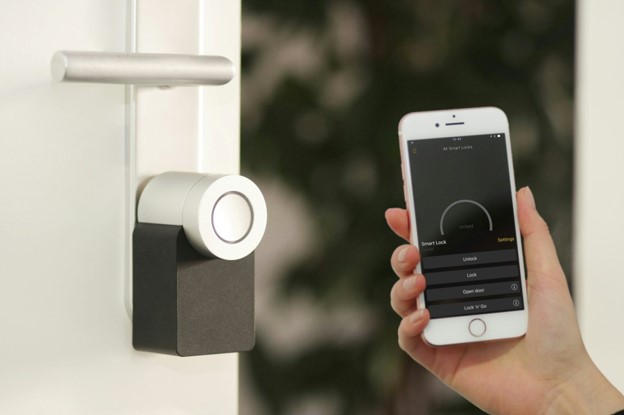
Schlage Encode Plus combines a keypad, built-in Wi-Fi, Apple home key support, and Thread capability in a familiar deadbolt format. It is a strong fit when the door already has a standard deadbolt bore and household members want tap-to-unlock convenience without giving everyone the same code.
Best Lever Lock: Aqara Smart Lock U300
The Aqara U300 is designed for doors that use a lever rather than a deadbolt. It supports Matter over Thread, fingerprint access, keypad codes, and Apple home key. Confirm door thickness, backset, handing, and whether the opening is exterior-rated before ordering.
- Measure the door and confirm the lock format before purchase.
- Correct any door alignment problem first; a smart motor should not fight a misaligned bolt.
- Install fresh batteries and complete calibration with the door open.
- Create separate codes for household members and temporary users.
- Test the physical key, interior thumb turn, keypad, app, and automation before relying on the lock.
- Disable auto-lock until everyone understands the new routine and emergency fallback.
| 💡 Quick Hack: Create a “contractor” code that works only during a scheduled window, then delete it when the job ends. Never text the permanent family code to a delivery person or tradesperson. |
Add Cameras Without Creating Alert Fatigue
A camera is valuable only when it captures useful events, stores them reliably, and sends alerts a person can act on. Start with the front door or driveway. Covering every angle before tuning one camera usually creates notification overload.
Best Premium Outdoor Camera System: eufyCam S3 Pro
The eufyCam S3 Pro combines 4K video, solar charging options, radar-assisted detection, and HomeBase local storage. It appeals to buyers who prefer a higher upfront cost over mandatory monthly cloud storage. Local storage still needs backup planning because a stolen or damaged base station can remove the evidence it contains.
Best Value Doorbell With Local Recording Options: Reolink Video Doorbell WiFi
Reolink’s Wi-Fi doorbell offers high-resolution video and flexible local recording through supported microSD, NVR, or other Reolink configurations. It is especially attractive for users who already operate a Reolink system, but transformer voltage, existing chime behavior, wiring, and network signal must be checked first.
Draw activity zones around walkways and driveways, not public roads or a neighbor’s property.
Begin with people and package alerts; add vehicle or animal alerts only when useful.
Set separate daytime and nighttime sensitivity.
Review local privacy, audio-recording, tenancy, and shared-property rules before installation.
Use visible lighting and physical security as the first layer; cameras document events but do not reinforce a weak door.
| Pro-Tip: Turn off duplicate alerts. Let the camera app handle rich video notifications and use the main smart-home platform only for automations such as switching on the porch light. Two apps notifying for the same person quickly trains users to ignore both. |
Prevent Water Damage
A small leak sensor can be more valuable than an expensive display. Place sensors under sinks, beside the water heater, behind the washing machine, under an HVAC condensate line, and near a basement drain. Test every location with a damp cloth before assuming coverage.
Best Modular Option: Aqara Water Leak Sensor + Valve Controller T1
Aqara’s compact leak sensors use Zigbee and can trigger automations through a compatible hub. Pairing them with the Valve Controller T1 allows an automation to close a compatible existing valve when a leak is detected. The controller is a retrofit device, so valve shape, torque, clearance, and installation position require careful checking.
Best Professional Whole-Home Option: Flo by Moen
Flo by Moen is an in-line monitoring and shutoff system that tracks flow and pressure and can close the supply during suspected leaks. It offers deeper whole-home protection but costs more and normally requires plumbing work. It should complement—not replace—small point sensors in high-risk locations.
| 💡 Quick Hack: Put a leak sensor in a shallow plastic tray under the water heater or washing-machine connections. The tray channels the first drops toward the sensor instead of letting water spread away from it. |
Automate Cleaning and Energy Awareness
Robot cleaners and energy monitors sit at opposite ends of the convenience spectrum: one removes repetitive labor, while the other reveals where electricity is going. Both become more useful when their data drives simple routines rather than constant app checking.
Best Premium Robot Vacuum and Mop: Roborock Saros 10R
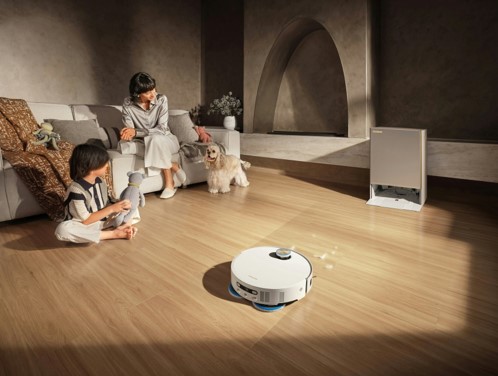
The Roborock Saros 10R is built for homes where low furniture, obstacle avoidance, vacuuming, and mopping all matter. Its slim body and 3D time-of-flight navigation help it reach spaces taller robots miss. The premium dock reduces daily handling, but owners still need to clean sensors, rollers, filters, trays, and hair from the brush system.
Map one floor at a time and name rooms before creating schedules.
Run the first cleaning while someone is home to remove cords, socks, pet toys, and low obstacles.
Use no-mop zones around delicate rugs and high-suction zones on entry mats.
Schedule vacuuming after the household leaves, but avoid overnight runs where noise or a stuck robot may disturb sleep.
Best Whole-Home Energy Monitor: Emporia Vue 3
The Emporia Vue 3 tracks whole-home and circuit-level electricity use through sensors installed in the electrical panel. It can reveal a failing appliance, unexpected heating load, or equipment that runs longer than expected. Because installation occurs around mains conductors, use a qualified electrician unless local rules and your training clearly permit the work.
| 💡 Quick Hack: Use a smart plug to measure a suspected appliance before investing in a panel monitor. A one-week test on the dehumidifier, entertainment center, or home-office desk often uncovers an easy saving immediately. |
Build Automations That Solve Real Problems
The smartest home is not the one with the most routines. It is the one where the important routines are predictable, visible, and easy to override. Write the desired outcome in plain language before opening an app.
Five High-Value Starter Automations
Good night: Lock exterior doors, switch off shared-area lights, lower or adjust the thermostat, arm selected cameras, and confirm the garage is closed.
Nobody home: Turn off nonessential lights and plugs, shift HVAC to an away setting, start the robot vacuum, and enable exterior alerts.
Leak response: Sound an alarm, send high-priority notifications, switch off a compatible valve, and turn off equipment that could worsen the leak.
Arrival after dark: Turn on entry lighting when an authorized household member arrives, but only after sunset and only when the home is unoccupied.
Energy peak: Delay discretionary loads, reduce heating or cooling slightly, and notify the household when usage exceeds a chosen threshold.
A Reliable Automation Formula
- Trigger: What starts the routine—time, presence, button, sensor, or device state?
- Conditions: Should it run only after sunset, only when nobody is home, or only on weekdays?
- Actions: Keep the first version to two or three actions.
- Confirmation: Decide whether success needs a notification, light signal, or dashboard state.
- Fallback: Make sure a person can still operate the device manually.
- Test cases: Try normal use, internet loss, power loss, low batteries, and a guest using the home.
| Pro-Tip: Name automations by outcome—“Secure downstairs” or “Prevent frozen pipes”—not by implementation. The purpose remains clear even when devices change later. |
Common Mistakes to Avoid
Even the best smart home devices 2026 cannot compensate for a poor plan. These errors create most of the frustration blamed on smart-home technology.
- Buying before choosing a platform
What goes wrong: The result is duplicate hubs, missing features, and several apps controlling the same room.
How to prevent it: Choose one primary ecosystem and verify every device against it before ordering.
- Ignoring Wi-Fi and Thread coverage
What goes wrong: Devices pair near the router but fail after installation at the edge of the home.
How to prevent it: Test signal at the final location and add infrastructure before adding gadgets.
- Assuming wiring is standard
What goes wrong: Thermostats, doorbells, switches, and electrical panels vary by country, age, and equipment.
How to prevent it: Photograph, label, measure, and use manufacturer compatibility tools or a professional.
- Buying cloud-only products for critical functions
What goes wrong: A service outage, account problem, or discontinued product can remove essential control.
How to prevent it: Prefer manual operation, local schedules, local storage, and documented export or reset options.
- Automating everything at once
What goes wrong: When multiple triggers conflict, troubleshooting becomes nearly impossible.
How to prevent it: Add one automation at a time and keep a change log for the first month.
- Forgetting household usability
What goes wrong: Visitors and family members cannot operate lights, locks, or climate without the owner’s phone.
How to prevent it: Keep wall controls, keypads, labels, and clear manual fallbacks.
Advanced Tips and Next-Level Hacks
Once the core system has been stable for several weeks, the best smart home devices 2026 can be combined into more capable routines. Advanced does not mean complicated; it means using better signals, stronger infrastructure, and clearer recovery procedures.
Use Matter Multi-Admin Carefully
Matter can share compatible devices across ecosystems, which is useful in mixed iPhone and Android households. Decide which platform owns the main automations. Sharing the same device to several platforms is helpful; recreating the same routine in all of them is not.
Prefer Occupancy Over Motion
A basic motion sensor turns lights off when a person sits still. Occupancy can combine motion, door state, device presence, or mmWave sensing. Use a longer vacancy delay in offices and living rooms, then shorten it in hallways and utility spaces.
Design a Naming System
Use a consistent structure such as “Floor – Room – Device – Position”: “1F – Kitchen – Pendant – Island.” Clear names prevent voice-control confusion and make dashboards easier to scan. Avoid naming a bulb “Kitchen” when the room itself is also called Kitchen.
Keep Critical Infrastructure on Backup Power
A small UPS for the modem, router, Ethernet switch, and main hub keeps local automations and remote alerts operating during short outages. Test actual runtime. Cameras, doorbells, and Wi-Fi access points may need separate power planning.
Separate Alerts by Severity
Critical: Water leak, smoke/CO alert, forced entry, freezer temperature, or door unlocked overnight.
Actionable: Package, visitor, battery below 20%, device offline for more than an hour.
Informational: Routine completed, robot finished, air quality changed slightly.
Reserve loud, repeated alerts for critical events. A system that cries wolf over every motion event will be ignored when a real problem occurs.
Create a Home Operations Document
Maintain a one-page document with the router location, breaker labels, water shutoff, hub names, reset instructions, warranty dates, device inventory, battery types, and support links. Give a printed copy to the household and store a secure digital copy off-site.
| 💡 Quick Hack: Add a calendar reminder one month before each major warranty or subscription renewal. That creates time to test the device, export recordings, cancel an unwanted plan, or request support before coverage expires. |
Troubleshooting Guide
Troubleshoot from the infrastructure outward: power, network, controller, protocol mesh, device, then automation. Randomly resetting devices first can erase useful evidence and create duplicate entries.
| Problem | Fix in This Order |
| Device shows offline | Confirm physical power or battery level; operate it manually; restart the device if documented; check the nearest access point or Thread router; reboot the hub last; review whether other devices in the same area are also offline. |
| Matter pairing fails | Put the phone on the correct home network, enable Bluetooth and local-network permissions, update the controller, move the device close for commissioning, verify the setup code, factory-reset only after reading the official sequence, and delete any half-created entry before retrying. |
| Thread device is slow | Confirm a compatible border router is online, place a mains-powered Thread device between the controller and weak area, avoid hiding the router in a metal cabinet, and allow the mesh time to stabilize after moving devices. |
| A device appears twice | Determine whether it was added directly and also exposed through a bridge. Keep the path that provides the needed features, remove the duplicate from the secondary platform, then repair room assignments and automations. |
| Smart lock drains batteries | Correct door alignment, reduce motor resistance, update firmware, improve Thread or Wi-Fi signal, avoid excessive status polling, use the recommended battery chemistry, and replace the entire set together. |
| Thermostat short-cycles or behaves incorrectly | Turn off the system and confirm equipment configuration, wiring, minimum compressor-off time, sensor placement, and schedule. Contact HVAC support if the system cycles rapidly, blows the wrong temperature, or controls accessories incorrectly. |
| Camera sends too many alerts | Narrow activity zones, lower sensitivity, exclude roads and trees, select person/package detection, create different day/night profiles, and remove duplicate notifications from the main platform. |
| Robot vacuum cannot dock | Move the dock to a flat wall with required clearance, clean charging contacts and sensors, remove reflective or dark obstacles, remap after moving the dock, and inspect the brush and wheels for hair. |
Maintenance Schedule
The best smart home devices 2026 stay dependable when maintenance is scheduled. Do not wait for a lockout, missed recording, or leak alarm to discover that batteries, storage, or permissions have failed.
| Frequency | Maintenance Tasks |
| Monthly | Review offline devices and critical alerts; test one lock code; wipe camera lenses; empty robot bins; check app account access. |
| Every 3 months | Test leak sensors; inspect valve movement; clean robot filters and sensors; review camera storage; check UPS status; remove unused guest codes. |
| Every 6 months | Install firmware and app updates after reading notes; verify shared-home members; inspect door alignment; replace batteries that show rapid decline. |
| Annually | Run a full emergency drill: internet outage, power outage, water shutoff, manual lock access, thermostat fallback, and camera recovery. Update the device inventory and warranty records. |
| When changing router or phone | Export or record settings, preserve SSID/password where appropriate, confirm recovery codes, and migrate one hub or device category at a time. |
Frequently Asked Questions
What is the best smart-home platform in 2026?
There is no universal winner. Apple Home is strong for iPhone households and local control; Alexa offers broad device support and useful displays; Google Home fits Android and Nest users; SmartThings provides flexible routines and appliance integration. Choose the platform already used by most household members.
Do Matter devices work without the internet?
Matter uses local IP networking, so many basic controls can work locally when the controller, network, and device support it. Remote access, voice recognition, cloud video, manufacturer analytics, and some advanced features may still require internet service. Test each critical routine during a planned outage.
Do I need a Thread border router?
Only for Matter-over-Thread or other Thread accessories. Wi-Fi Matter devices do not need Thread. Many newer HomePod, Apple TV, Nest, Echo, and SmartThings products can act as border routers, but model support must be checked before purchase.
Which smart-home device should I buy first?
Start with the problem that creates the greatest cost or frustration. A smart thermostat suits high heating and cooling bills; a leak sensor protects a high-risk laundry or water-heater area; a smart lock improves shared access; a plug or bulb is the cheapest way to test a platform.
Can smart-home devices be secure?
They can be managed more safely when owners use unique passwords, multi-factor authentication, automatic updates, a secured router, reputable manufacturers, and minimal permissions. Devices that no longer receive security updates should be isolated or replaced, especially cameras, locks, and hubs.
How much should a useful smart home cost?
A focused starter setup can cost $150-$400 for a controller, a few plugs or lights, and sensors. A thermostat, lock, cameras, and leak shutoff can bring a practical whole-home system to $1,000-$3,000. Premium cameras, robot cleaners, professional wiring, and plumbing can push it much higher.
Final Verdict
The best smart home devices 2026 are not simply the newest products. They are the devices that solve a clear household problem, use dependable standards, keep essential manual controls, receive updates, and remain understandable to everyone who lives in the home.
Begin with one ecosystem and one room. Strengthen the network, add a reliable controller, then prioritize comfort, access, leak prevention, security, cleaning, and energy monitoring according to your home’s real risks. A smaller system that works every day is more valuable than a showroom full of unreliable gadgets.
Which single smart-home problem would you solve first: wasted energy, home security, water leaks, cleaning, or everyday convenience? Share your priority in the comments.
editor's pick
latest video
news via inbox
Nulla turp dis cursus. Integer liberos euismod pretium faucibua


