
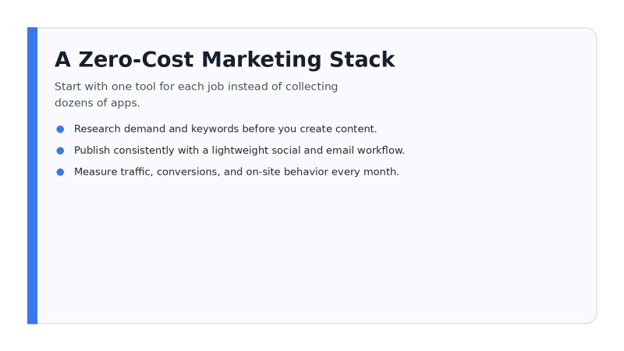
15 Best Free Marketing Tools for Small Business in 2026
Running a small business means every marketing dollar has to earn its place. The problem is that modern marketing can feel like a subscription trap: one app for design, another for email, another for SEO, another for analytics, and suddenly your “lean” marketing stack costs hundreds of dollars every month.
The good news is that you can build a capable system without paying for every tool on day one. This guide to the Best free marketing tools for small business shows exactly which free products are worth using, what each one does well, where the limits start to matter, and how to combine them into a practical weekly workflow.
You will learn how to research demand, create content, schedule social posts, collect leads, improve local visibility, analyze visitors, and report results with a zero-cost starter stack. The goal is not to collect tools. It is to create a simple marketing operating system that helps you generate more qualified attention and make better decisions.
Quick Answer: What Are the Best Free Marketing Tools for Small Business?
The Best free marketing tools for small business are tools that solve a specific marketing job at no cost, including Google Analytics for traffic measurement, Search Console for SEO performance, Canva for design, Buffer for scheduling, Brevo for email, HubSpot for CRM, Microsoft Clarity for behavior analytics, Ahrefs Free for site audits, and Google Business Profile for local visibility. Start with the tools tied to your current bottleneck, then expand only when you need more capacity.
Build a compact free stack around research, content, distribution, lead capture, and measurement instead of signing up for every marketing app you find.
The Essential Free Marketing Toolkit at a Glance
The table below treats “cost” as the price to start using the tool for the core task discussed here. Free tiers and product limits can change, so confirm current allowances before building a critical workflow around any one platform.
| Tool | Best For | Free Starting Cost | Skill Level | Best First Use |
| Google Analytics | Website analytics | $0 | Intermediate | Track traffic and conversions |
| Google Search Console | SEO performance | $0 | Beginner | Find search queries and indexing issues |
| Google Trends | Demand research | $0 | Beginner | Compare topic interest and seasonality |
| Google Keyword Planner | Keyword research | $0 to use with an Ads account | Beginner | Discover keyword ideas and demand estimates |
| Canva | Design and creative production | $0 | Beginner | Create social posts, lead magnets, and graphics |
| Buffer | Social scheduling | $0 free plan | Beginner | Schedule a small number of channels |
| HubSpot Free Tools | CRM and lead capture | $0 | Beginner | Store contacts, forms, and basic reporting |
| Brevo | Email marketing | $0 free plan | Beginner | Send newsletters and simple campaigns |
| Ahrefs Free | SEO auditing | $0 | Intermediate | Audit verified sites and review backlinks/keywords |
| Microsoft Clarity | Heatmaps and recordings | $0 | Beginner | Watch friction and engagement on key pages |
| Google Business Profile | Local marketing | $0 | Beginner | Improve visibility in Search and Maps |
| Data Studio | Reporting dashboards | $0 | Intermediate | Combine KPIs into a shareable dashboard |
| Trello | Marketing workflow | $0 free plan | Beginner | Build a content calendar and campaign board |
| Grammarly | Editing | $0 free plan | Beginner | Improve clarity and remove writing mistakes |
| ChatGPT | Ideation and drafting support | $0 free plan | Beginner | Brainstorm, summarize, and draft faster |
💡 Quick Hack: Do not install all 15 tools today. Pick one tool from each of five categories: research, creation, distribution, lead management, and measurement. A five-tool stack you actually use will outperform a 20-tool stack you ignore.
Research What Customers Already Want
- Google Trends — Find Demand Before You Create
Google Trends is one of the simplest ways to avoid creating content around topics nobody cares about. It shows relative search interest over time, lets you compare terms, and helps you spot seasonal patterns or regional differences.
For a small business, the best use is not chasing whatever is “trending” globally. Instead, compare close buying-language variations. A local cleaning company might compare “deep cleaning,” “move-out cleaning,” and “house cleaning service.” A software consultant might compare “CRM setup” with “sales automation.”
How to use it:
Enter your main service or product category.
Set the country or region you actually sell in.
Change the time range to 12 months, then five years.
Compare two to four close keyword themes.
Review “Related queries” for rising language you can test in content.
This is why Google Trends belongs in any list of the Best free marketing tools for small business: it helps you choose a direction before you spend hours writing, designing, or filming.
- Google Keyword Planner — Turn Topics Into Searchable Phrases
Keyword Planner is built for Google Ads, but it is useful for organic content research too. Google says it can help discover keyword ideas, show estimates of monthly searches, and provide forecast information. Access may require completing Google Ads account setup, including billing information, even if you are using the planner for research rather than actively running ads.
Use it to move from broad topics to specific phrases with commercial intent. Instead of targeting “email marketing,” a small agency could uncover phrases such as “email marketing services for small business,” “newsletter management service,” or industry-specific variants.
A practical workflow: export 30–50 ideas, then label them as informational, comparison, local, or transactional. Build pages around transactional and local terms first if your goal is leads rather than general traffic.
💡 Quick Hack: Sort keyword ideas by intent before search volume. A phrase with 100 highly relevant searches can be more valuable than a vague phrase with 10,000 searches.
- Google Search Console — Use Your Own Search Data
Once your site has impressions in Google, Search Console becomes one of the highest-value tools you own. Its performance reports show queries, clicks, impressions, click-through rate, and other search performance data. It also helps you monitor indexing and important site issues.
Open Performance → Search results, then look for three opportunities:
High impressions + low CTR: rewrite the title and meta description.
Positions roughly 5–20: strengthen the page, internal links, and topical coverage.
Queries you did not intentionally target: add a section that answers that intent directly.
The best keyword tool is often your own data. Search Console tells you what Google already associates with your pages, which makes it more actionable than starting from a blank keyword list.
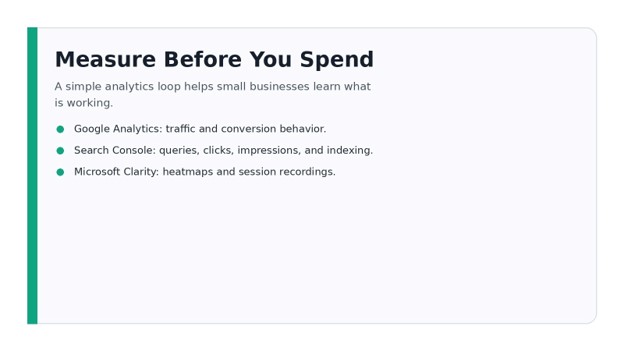
Search and analytics tools become more useful when you review the same few metrics on a fixed weekly schedule.
Create Marketing Assets Without a Design Department
- Canva — Fast, Consistent Creative Production
Canva is the easiest starting point for many small teams because it removes the need to learn professional design software before you can publish something useful. Its free tier includes a drag-and-drop editor, a large library of templates and media, cloud storage, and limited AI usage according to Canva’s current pricing page.
Use it for social graphics, simple lead magnets, presentation slides, basic video assets, proposals, checklists, and visual callouts for blog posts. The real productivity gain comes from creating a repeatable visual system rather than starting from a blank canvas each time.
Create three templates: a square social post, a vertical story/reel cover, and a landscape blog graphic. Lock in your logo placement, font choices, spacing, and CTA style. Duplicate the template whenever you need new creative.
Pro-Tip: A recognizable template is a brand asset. Consistency usually matters more than making every post look completely different.
- Grammarly — Tighten Copy Before It Goes Live
Bad grammar is not always the biggest marketing problem, but unclear writing can quietly reduce trust. Grammarly’s free plan currently focuses on spelling and grammar accuracy, tone visibility, and limited AI assistance.
Run landing pages, outreach emails, proposals, social captions, and blog intros through an editing pass. Pay special attention to long sentences, vague wording, passive language, and overused adjectives.
A good editing rule for small-business marketing is simple: make the sentence shorter before trying to make it smarter. Readers should understand your promise quickly.
- ChatGPT — Speed Up First Drafts and Repetitive Marketing Work
ChatGPT’s Free plan provides core ChatGPT access with usage limits that can vary. For marketing, the most practical use is not “write everything for me.” It is acceleration: brainstorming angles, creating rough outlines, turning one asset into several formats, summarizing notes, drafting FAQ ideas, or generating variants for testing.
A useful prompt structure is: role + audience + goal + evidence + constraints + output format. For example: “Act as a local-service copywriter. Turn these five customer objections into FAQ answers for homeowners in Manchester. Keep each answer under 90 words and avoid making claims we cannot prove.”
Always review AI-generated material for accuracy, uniqueness, brand voice, and factual claims. AI should shorten your path to a strong draft, not remove editorial responsibility.
💡 Quick Hack: Feed AI your own source material—customer questions, reviews, call notes, product specs, and existing brand guidelines. The output becomes far more useful than generic prompts built from no context.
Distribute Content Consistently
- Buffer — Schedule Without Living in Social Apps
Buffer’s free plan currently supports up to three channels and a limited queue of scheduled posts per channel. That is enough for many very small businesses to build a basic publishing rhythm.
The biggest benefit is focus. Instead of opening social apps five times a day, batch a week of content in one sitting. Write the posts, schedule them, then return to the platform later to reply to comments and messages.
Use a simple weekly mix:
One educational post that solves a common problem.
One proof post: result, testimonial, case study, or before/after.
One commercial post with a clear CTA.
For many owners, this alone makes Buffer one of the Best free marketing tools for small business because it replaces inconsistent posting with a repeatable process.
- Google Business Profile — Win More Local Discovery
For eligible businesses, Google Business Profile is free and lets you manage how your business appears in Google Search and Maps. You can update hours, contact information, photos, services, posts, and respond to reviews.
Treat your profile like a local landing page, not a one-time directory listing. Fill every relevant field, choose accurate categories, upload recent real photos, add services, and respond to reviews using natural language.
Every month, check which search terms and actions are generating visibility. If users repeatedly find you through a service phrase, make sure your website has a strong page for that service too.
Pro-Tip: Ask for reviews after a successful customer moment, not randomly. A finished installation, completed delivery, solved support issue, or successful consultation creates a natural review request window.
- Brevo — Start Email Marketing Without Paying Immediately
Brevo’s free plan currently includes email campaign tools with a daily sending allowance and a large contact storage allowance. That makes it a strong starting point for businesses that want to build a newsletter or simple lead-nurture process before paying for advanced automation.
Start with one list and three messages:
A welcome email that sets expectations and delivers the promised resource.
A value email that solves one problem related to your offer.
A conversion email that asks for a reply, call, booking, quote request, or purchase.
Do not wait until you have a huge list. Fifty relevant subscribers who recognize your brand are more useful than thousands of cold contacts.
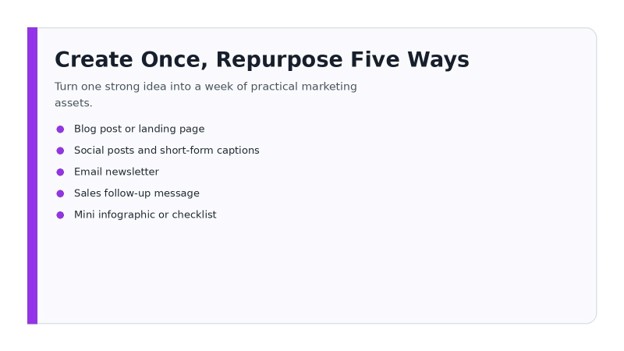
One strong article can become several social posts, an email, sales talking points, and a visual checklist.
Capture Leads and Organize Follow-Up
- HubSpot Free Tools — CRM, Forms, and Basic Lead Management
HubSpot’s free tools combine contact management with forms, email marketing features, landing-page capabilities, and reporting. HubSpot currently positions the free tier as a permanent free toolkit rather than a short trial, with limits depending on the feature.
For a small service business, the CRM alone can fix a common problem: leads scattered across WhatsApp, email, spreadsheets, and notebooks. Create stages such as New Lead → Contacted → Qualified → Proposal Sent → Won/Lost.
Every new inquiry should have an owner, source, last contact date, and next action. Marketing gets more valuable when leads are actually followed up.
- Trello — Build a Marketing Operating Board
Trello is not a classic marketing platform, but it solves a marketing problem: execution. Its free plan supports cards, boards, due dates, collaborators, and lightweight automation allowances.
Create five columns:
Ideas
Ready to Create
In Production
Scheduled/Published
Repurpose/Update
Each card should contain the target audience, goal, keyword or topic, CTA, owner, due date, and asset links. This turns random ideas into an operating system.
💡 Quick Hack: Add a “Repurpose” checklist to every content card: email, LinkedIn, Facebook/Instagram, short video, sales follow-up. You will get more output from each idea without inventing five new ideas.
Understand What Visitors Actually Do
- Google Analytics — Measure Traffic and Conversions
Google Analytics 4 helps you understand the customer journey across your website or app at no cost for standard usage. The danger is drowning in reports you never use.
For a small business, start with five questions:
Which channels bring engaged visitors?
Which landing pages attract qualified traffic?
Which pages lead to form submissions, calls, sign-ups, or purchases?
Which campaigns create assisted conversions?
Where are users dropping out of important journeys?
Set up the conversion events that matter to your business. A brochure-site owner might track form submissions, phone-clicks, WhatsApp clicks, and booking confirmations. An e-commerce store should track product views, add-to-cart, checkout, and purchase.
- Microsoft Clarity — See Friction That Analytics Cannot Explain
Clarity adds a visual layer through session recordings, heatmaps, and behavioral insights. Microsoft currently describes Clarity as free forever with no traffic limits and access to core features at no cost.
Use it on high-value pages: home page, service pages, lead forms, product pages, checkout, and important landing pages. Look for rage clicks, repeated taps, confusing dead areas, excessive scrolling, and users abandoning before the CTA.
Clarity is especially useful when Google Analytics tells you what happened but not why. If a landing page gets traffic but few leads, recordings can reveal whether visitors miss the CTA, struggle with a form, or encounter an unclear section.
- Ahrefs Free — Technical SEO and Backlink Visibility for Sites You Own
Ahrefs Free gives verified website owners limited access to core SEO tools. Current published limits include Site Audit crawl credits, site analytics, and restricted backlink/keyword visibility, while some other free tools are available separately.
Run a site audit and prioritize issues that can block crawling, indexing, or usability. Do not spend hours fixing low-impact warnings while important pages have broken links, missing titles, canonical problems, or weak internal linking.
For SEO-focused teams, this is another strong candidate for the Best free marketing tools for small business because it gives you professional-grade diagnostic data without requiring a full subscription from day one.
- Data Studio — Build a Simple Marketing Dashboard
Google’s reporting product returned to the Data Studio name in 2026. Google describes the standard product as a no-cost tool for building customizable reports and dashboards from multiple data sources.
Build one dashboard page for leadership. Include only the metrics connected to decisions: leads, revenue or qualified conversions, organic clicks, paid spend if applicable, top landing pages, email growth, and major month-over-month changes.
A dashboard is useful only when it changes what you do next. If a metric never affects a decision, remove it.
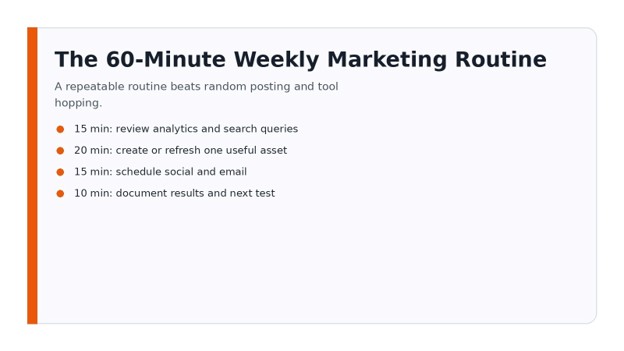
A one-hour weekly review can keep a small marketing system focused on actions instead of dashboards for their own sake.
A Step-by-Step 30-Day Free Marketing Setup
The Best free marketing tools for small business become valuable when they work together. Here is a practical setup sequence that avoids tool overload. A practical shortlist of the Best free marketing tools for small business should reduce decisions, not multiply them.
Week 1: Foundation and Measurement
Day 1: Confirm your main goal: leads, bookings, e-commerce sales, local calls, or email growth.
Day 2: Install Google Analytics and define the events that represent real business actions.
Day 3: Verify Search Console and submit your sitemap if needed.
Day 4: Install Microsoft Clarity on key pages.
Day 5: Create a simple Data Studio dashboard with traffic, search, and conversion metrics.
Day 6–7: Review your website like a first-time customer. Write down every point where the offer, pricing, CTA, proof, or contact path feels unclear.
Week 2: Research and Content Planning
Use Google Trends and Keyword Planner to identify 10–20 high-intent topics. Compare them with Search Console data if your site already has traffic.
Build a Trello board with four weeks of content. Aim for a mixture of buying-intent pages, helpful educational content, proof, and direct promotional messages.
Create three repeatable Canva templates so every asset does not start from zero.
Week 3: Distribution and Lead Capture
Set up Buffer for your highest-priority social channels. Do not add platforms just because they exist. Choose the channels where your customers actually pay attention.
Create or optimize your Google Business Profile if you serve local customers. Add accurate services, business information, high-quality photos, and a review workflow.
Set up HubSpot or another CRM to record inquiries. Build one clear form and make sure every lead has a next action.
Week 4: Email and Optimization
Create a Brevo list and welcome sequence. Offer something useful enough to earn the email address: a checklist, quote guide, calculator, buyer’s guide, consultation, discount, or useful update.
Review Analytics, Search Console, and Clarity together. Choose one improvement to test next month—such as a stronger headline, shorter form, better CTA, faster page, new service page, or revised offer.
💡 Quick Hack: Keep a “marketing learning log.” Every Friday, write three lines: what worked, what did not, and what you will test next. This prevents you from repeating the same mistakes and turns free tools into a learning system.
Common Mistakes to Avoid
- Choosing Tools Before Choosing a Goal
A new app does not fix a vague strategy. Even the Best free marketing tools for small business cannot compensate for an unclear offer or audience. Decide whether you need more traffic, more leads, better conversion, stronger retention, or better follow-up. Then choose the tool that helps that stage.
- Tracking Vanity Metrics Instead of Business Outcomes
Follower count, impressions, and pageviews can be useful context, but they should not be the finish line. Track qualified leads, sales, bookings, response rate, conversion rate, and repeat customers.
- Ignoring Free-Plan Limits Until a Campaign Is Live
Free plans may limit users, sends, scheduled posts, storage, credits, or advanced reporting. Check the current pricing page before depending on a tool for a major launch.
- Spreading Effort Across Too Many Channels
Posting weak content on six platforms is rarely better than creating strong content for two channels your buyers use. Expand only after your core workflow is stable.
- Collecting Data Without a Review Routine
Analytics does nothing if nobody looks at it. Schedule a weekly 20-minute review and a deeper monthly review. Turn each review into one or two concrete actions.
Advanced Tips and Next-Level Hacks
Build a “Minimum Viable Marketing Stack”
If you want the leanest possible setup, use Search Console + Analytics + Canva + Buffer + HubSpot. Add Clarity if website conversion is a priority, Brevo if email matters, and Ahrefs Free when SEO becomes a core growth channel.
This layered approach makes the Best free marketing tools for small business feel manageable instead of overwhelming.
Use One Source of Truth for Leads
Even if leads arrive through forms, email, social messages, referrals, and phone calls, they should end up in one CRM or shared tracking system. This is the difference between “marketing activity” and a measurable pipeline.
Create a Monthly Content Refresh Day
Do not only publish new content. Update pages that are already getting impressions. Improve screenshots, examples, pricing references, FAQs, internal links, and CTAs. Existing URLs often have more authority and history than brand-new pages.
Build Templates for Repetitive Work
Create reusable structures for blog briefs, landing pages, social captions, email campaigns, reports, and review requests. Templates reduce decision fatigue and make quality more consistent.
Measure Tool ROI Even When the Tool Is Free
Free software still costs time. If a tool takes two hours a week but saves ten minutes, it is expensive. Keep tools that either save meaningful time, improve decision quality, or contribute to revenue.
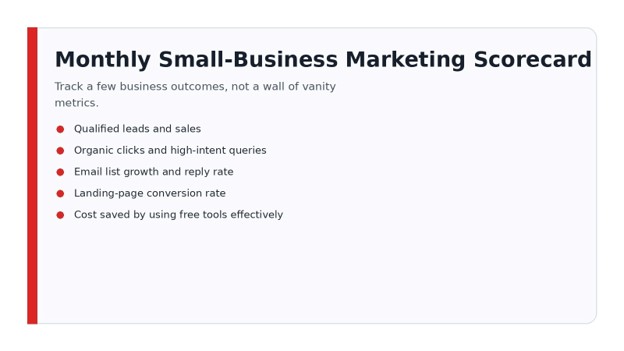
Review a short list of outcomes each month so your free marketing stack stays tied to revenue, leads, and customer behavior.
Troubleshooting and Maintenance Guide
“We Have Traffic, but No Leads”
Check the offer before buying more traffic. Use Clarity to watch sessions on the page, then compare the page message with the search query or campaign promise. Make the CTA specific and visible. Reduce unnecessary form fields.
“Our SEO Is Not Growing”
In Search Console, compare the last three months with the previous period. Look for pages losing impressions, queries sitting just outside the top results, and pages with low CTR. Run Ahrefs Free or another audit to rule out technical problems, then improve the pages closest to page-one visibility.
“Social Media Takes Too Much Time”
Batch content. Use Canva templates, write three to five posts at once, then schedule them in Buffer. Reserve live platform time for replies, conversations, and community engagement.
“Our Email List Is Not Growing”
Improve the reason to subscribe. “Join our newsletter” is weak. Offer a useful outcome: a calculator, checklist, pricing guide, monthly deal, insider update, free assessment, or downloadable template.
“We Have Too Much Data”
Delete or hide metrics that do not affect decisions. Your monthly scorecard can often fit on one page: qualified leads, conversion rate, organic clicks, email growth, top pages, top campaigns, and next experiment.
Ongoing Maintenance Schedule
Weekly: check leads, critical campaign results, Search Console changes, and obvious website issues.
Monthly: review conversion rates, traffic sources, top content, email performance, local profile activity, and Clarity recordings from important pages.
Quarterly: remove unused tools, audit tracking, refresh top pages, review customer questions, and decide whether any free-plan limit is now costing more time than a paid upgrade would save.
Frequently Asked Questions
What are the best free marketing tools for a new small business?
A strong starter combination is Google Business Profile for local visibility, Canva for creative work, Search Console for SEO, Google Analytics for traffic, Buffer for scheduling, and HubSpot for contact management. Add email and advanced SEO tools only when those channels become active priorities.
Can a small business do digital marketing completely free?
Yes, you can start many core marketing activities without software fees. The trade-off is time, lower usage limits, fewer automation features, and less advanced support. Free tools work best when the business has a simple strategy and a disciplined process.
What is the best free tool for SEO?
There is no single winner for every SEO task. Search Console is essential for your own Google performance data; Google Trends helps with demand direction; Keyword Planner helps research search terms; and Ahrefs Free adds auditing and limited backlink/keyword visibility for verified sites.
What is the best free tool for social media marketing?
Canva is excellent for creating visual assets, while Buffer is useful for scheduling and maintaining consistency. For local businesses, Google Business Profile should also be part of the social/local publishing routine because it reaches customers directly in Search and Maps.
Are free marketing tools safe for business use?
Reputable platforms can be suitable for business use, but you should still review permissions, privacy settings, data processing terms, user access, and account security. Use two-factor authentication where available and avoid giving every employee full administrator rights.
When should I upgrade from a free marketing tool?
Upgrade when a specific limitation is clearly costing you revenue or significant time. The Best free marketing tools for small business are a starting point, not a rule that you must stay on free plans forever. Examples include hitting email send limits, needing more social channels, requiring multiple team members, needing advanced automation, or losing hours to manual reporting. Do not upgrade simply because a paid feature looks interesting.
Final Takeaway
The Best free marketing tools for small business are not valuable because they cost nothing. They are valuable because they let a small business research demand, publish consistently, capture leads, understand customer behavior, and improve performance before committing to expensive software.
Start with the smallest stack that supports your current goal. The Best free marketing tools for small business should make that stack easier to maintain and measure. Review results every week, document what you learn, and add or upgrade tools only when the next bottleneck is obvious. That discipline is what turns free software into a real growth advantage.
Which marketing task is wasting the most time in your business right now: content creation, SEO, social posting, lead follow-up, email, or analytics? Share it in the comments and use that answer to decide which tool to implement first.
editor's pick
latest video
news via inbox
Nulla turp dis cursus. Integer liberos euismod pretium faucibua


