
How to Make a Resume With AI for Free: 7 Easy Tools 2026
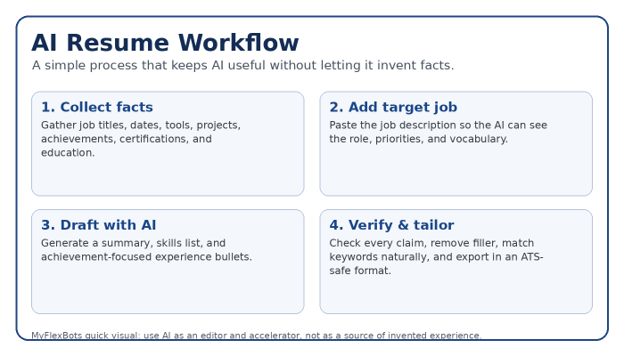
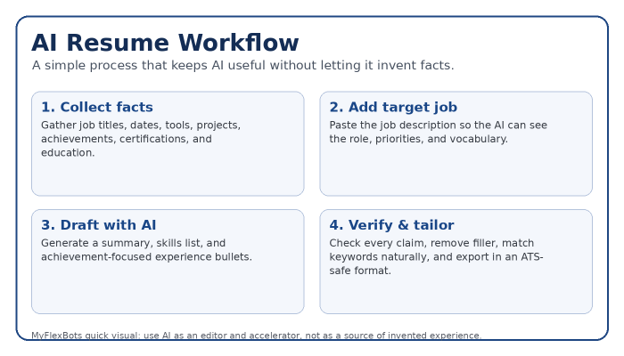
A blank resume can turn a simple job application into a two-hour writing project. If you are searching for how to make a resume with AI for free, the fastest approach is not to ask an AI to invent a complete career story—it is to give it your real facts, a target job description, and clear rules so it can help you organize, rewrite, and tailor what is already true.
This guide shows seven practical free or free-tier options, the prompts that produce stronger results, the formatting choices that keep a resume readable by applicant tracking systems, and the checks you should run before sending the file to an employer. You will also learn how to turn plain job duties into evidence-based achievement bullets without making up numbers.
Quick Answer: How Can You Make a Resume With AI for Free?
How to make a resume with ai for free by collecting your real career facts, pasting the target job description into a free AI tool, asking it to draft ATS-friendly sections, and then verifying every claim. Use a simple single-column layout, match relevant keywords naturally, add measurable achievements you can prove, and export in the employer’s requested file format.
Essential Tools & Materials Breakdown
| What you need | Purpose | Estimated cost | Skill level | Best practice |
| Current resume or career notes | Source of verified facts | $0 | Beginner | Include dates, titles, tools, education, projects and certifications. |
| Target job description | Keyword and priority source | $0 | Beginner | Save the complete posting before it disappears. |
| Free AI assistant or resume builder | Drafting, rewriting and tailoring | $0 on free tier | Beginner | Check current free limits and export rules. |
| Word / Google Docs / equivalent editor | Final formatting and proofing | $0-$varies | Beginner | Use a clean one-column structure for online applications. |
| Plain-text editor | Quick ATS-readability check | $0 | Beginner | Paste your resume into Notepad/TextEdit and check reading order. |
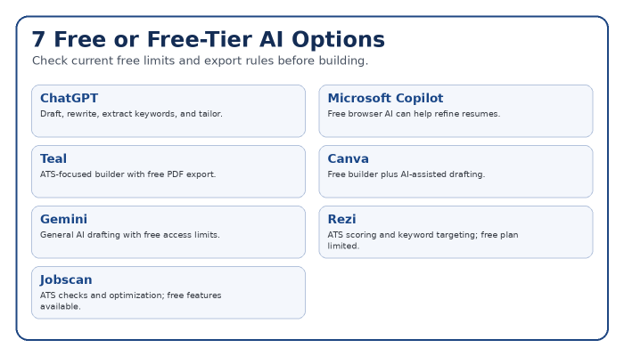
Free-plan details change frequently. In September 2026, Teal describes free resume creation and PDF export, Canva continues to offer a free resume builder with AI-assisted content tools, Microsoft says the browser version of Copilot can be used to refine a resume without a subscription, and ChatGPT has a free tier. Treat limits, credits, templates, exports, and watermarks as time-sensitive rather than permanent promises.
Before You Use AI: Build a “Career Fact Sheet”
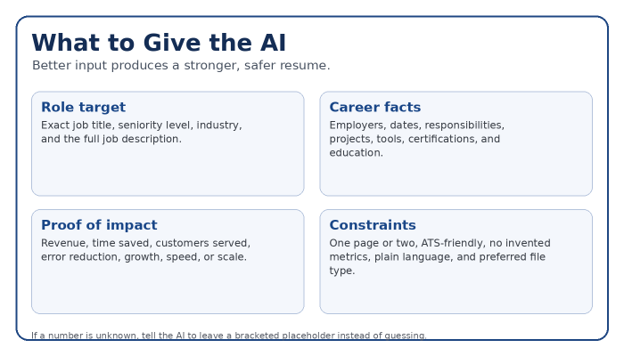
The safest way to learn How to make a resume with ai for free is to separate facts from wording. AI is excellent at reorganizing and improving language, but it can also fill gaps with plausible-sounding details if your prompt is vague.
Full name, phone, professional email, city/region, LinkedIn or portfolio URL.
Exact job titles, company names, locations, and employment dates.
Five to eight meaningful responsibilities or projects for each relevant role.
Tools, software, platforms, methods, certifications, and languages you genuinely use.
Real proof of impact: revenue, leads, tickets resolved, turnaround time, cost reduction, customer count, project scale, accuracy, speed, or quality improvements.
Education, training, licenses, awards, publications, volunteer work, or side projects that support the target role.
💡 Quick Hack: If you cannot remember an exact metric, write the context instead of guessing. Tell the AI to insert “[add verified number]” anywhere a metric would strengthen the bullet. Replace the bracket only after you confirm the figure.
The Master Prompt: Turn Your Facts Into a Strong Resume Draft
Use a prompt that defines the role of the AI, provides source material, prohibits invented facts, and specifies the output structure. This makes the result easier to review.
Copy-ready prompt:
Act as an expert resume editor. Use only the facts I provide. Do not invent employers, dates, job titles, certifications, tools, metrics, responsibilities, or achievements. I am applying for [TARGET JOB TITLE]. First extract the 10-15 most important skills and requirements from the job description. Then rewrite my resume into a concise ATS-friendly structure with: Professional Summary, Core Skills, Work Experience, Education, and Certifications if relevant. Use strong action verbs, natural job-description keywords, and measurable results only when I provide the numbers. Keep the tone specific and credible. Flag missing information with brackets rather than guessing.
Use ChatGPT to Draft and Tailor Your Resume
One flexible route for How to make a resume with ai for free is ChatGPT. OpenAI maintains a free tier, although model access and usage limits can change. The strength of a general AI assistant is control: you can build the resume section by section, ask for alternatives, and keep revising until the wording accurately reflects your experience.
Paste the target job description and ask for the most important responsibilities, tools, credentials, and repeated terminology.
Paste your career fact sheet. Explicitly tell the model to use only those facts.
Generate a two- or three-sentence professional summary tied to the target role.
Rewrite each experience entry as three to six concise bullets. Ask for action + task + scope + outcome.
Compare the draft against the job description and identify missing keywords that are genuinely supported by your experience.
Copy the final text into Word or Google Docs and apply simple formatting.
Pro-Tip: Ask for three versions of important bullets: conservative, achievement-focused, and concise. Choose the one that sounds most like you instead of automatically using the most dramatic wording.
Microsoft Copilot for Fast Resume Rewriting
Microsoft’s own guidance says the free browser version of Copilot can help generate a professional resume layout, improve phrasing, and align content with a job description. That makes it useful if you already work in the Microsoft ecosystem.
Start with your existing resume or career facts.
Ask Copilot to identify weak, vague, or repetitive bullets.
Provide the job description and request keyword alignment without keyword stuffing.
Ask it to shorten long paragraphs into one- or two-line bullets.
Move the polished content into Word and use a simple resume template or clean blank document.
Microsoft: Refine your resume with Copilot
Teal for an ATS-Focused Resume Builder
If your definition of How to make a resume with ai for free includes a guided resume builder, Teal is one of the more practical free-tier options. Its current product pages describe ATS-friendly templates, multiple resume versions, resume analysis, job matching, and free PDF downloads, while advanced AI and matching features have plan limits.
Create or import a base resume.
Attach or paste a job description.
Review matching and analysis feedback instead of blindly chasing a score.
Adjust the summary, skills, and top experience bullets to emphasize supported qualifications.
Export a clean version and proof it outside the builder.
Canva for a Polished Resume — With an ATS Warning
Canva offers a free online resume builder and AI-assisted writing tools, making it attractive for visual roles, portfolios, direct networking, or a second “human-facing” resume. Its templates can look excellent, but elaborate columns, icons, graphics, and text boxes may be less reliable in some applicant tracking systems.
For an online application, choose the simplest template you can find. Keep your core information in ordinary text, use standard headings, and avoid depending on icons or visual timelines to communicate dates or skills.
Choose a minimal one-column resume template.
Replace all placeholder content with verified career facts.
Use Magic Write or another AI feature only for drafting/rephrasing, not fact creation.
Remove decorative graphics that do not add hiring value.
Export and run the plain-text readability test before applying.
Canva free online resume builder
💡 Quick Hack: Keep two versions: a plain ATS version for job portals and a more visual version for networking, portfolio pages, or direct email when design matters.
Google Gemini for Resume Drafting and Interview Preparation
Gemini can work as a general AI writing partner for resume summaries, bullet rewrites, keyword extraction, and interview practice. Google provides free access to Gemini apps with usage limits, while expanded limits are available through paid plans.
A useful workflow for How to make a resume with ai for free is to use Gemini for the content layer, then move the text into a resume editor. Keep the same guardrail: only use verified details and ask the model to flag missing facts rather than filling gaps.
Paste the job description and ask for a structured requirement checklist.
Paste your verified experience and ask which examples best support those requirements.
Generate targeted bullets and a summary.
Ask Gemini to interview you about missing evidence so you can add real examples.
Finalize the resume in a standard document editor.
Rezi for Structured ATS Writing and Scoring
Rezi focuses on ATS-aware writing, structured scoring, and keyword targeting. Current 2026 comparisons indicate that its free plan is limited, so it is best treated as a focused option for one resume or a small number of exports rather than an unlimited free workspace.
Use scoring as a diagnostic tool, not as a command to stuff every keyword into the page. A resume can become awkward and less credible if optimization replaces clear writing.
Pro-Tip: If a tool says you are “missing” a keyword, first ask whether you actually possess that skill. If yes, add it where it naturally belongs. If not, leave it out.
Jobscan for ATS Checks and Job-Specific Optimization
Another route for How to make a resume with ai for free is to write the base resume elsewhere and use Jobscan for ATS-oriented checks. Its 2026 guidance emphasizes simple formatting, standard headings, clean fonts, and job-specific keyword alignment. Free features are available, while broader optimization is paid.
Finish a clean base resume first.
Compare it with one specific job description.
Review formatting and keyword feedback.
Prioritize missing hard skills, certifications, tools, and role-specific terminology that are genuinely true.
Ignore suggestions that would force unnatural repetition or unsupported claims.
How to Make the Resume ATS-Friendly After AI Writes It
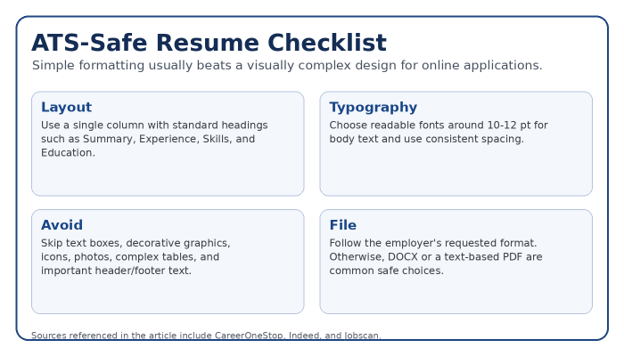
CareerOneStop advises a clean, consistent, single-column layout, standard section headings, readable fonts, and avoiding tables, text boxes, logos, columns, images, and graphics when ATS compatibility matters. Indeed and Jobscan publish similar guidance for online applications.
Figure 4. ATS-safe formatting choices for a resume submitted through an online application system.
Use standard headings: Professional Summary, Work Experience, Skills, Education, Certifications.
Prefer a single-column reading order for portal applications.
Keep body text around 10-12 points with a standard professional font.
Avoid placing essential contact details only in headers or footers.
Avoid decorative icons, charts, photos, skill bars, text boxes, and complex tables.
Use ordinary bullets and consistent date formatting.
Follow the job portal’s requested file type. If none is specified, a DOCX or text-based PDF is commonly used.
How to Tailor a Resume to One Job in 10 Minutes
Once you understand How to make a resume with ai for free, the biggest productivity gain comes from tailoring a strong base resume instead of rewriting from zero. Save one “master resume” with your full history, then create a focused copy for each target role.
Minute 1-2: Highlight the target title, core responsibilities, required tools, certifications, and repeated skills in the posting.
Minute 3-4: Rewrite the headline and summary around the exact role and your strongest matching proof.
Minute 5-7: Reorder or rewrite the top three to five bullets in your most recent relevant role.
Minute 8: Update the skills section with truthful, job-relevant terminology.
Minute 9: Remove low-value content that competes for space.
Minute 10: Run spelling, plain-text, and file-name checks.
💡 Quick Hack: Keep a “bullet bank” in a separate document. Store every verified achievement you have ever written. For each job application, choose the bullets that best match the role rather than asking AI to recreate them from memory.
A Better Way to Write Achievement Bullets With AI
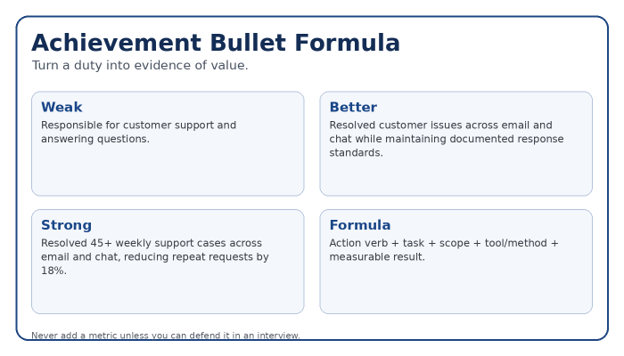
Generic AI text often sounds polished but empty: “Collaborated with cross-functional teams to drive success.” That sentence could describe almost anyone. Strong resume writing adds scope, tools, constraints, and outcomes.
Marketing — Weak: Managed social media. Stronger: Planned and published weekly content across three social platforms, using monthly performance reports to refine topics and posting times.
Software — Weak: Developed backend services. Stronger: Built and maintained REST APIs for payment workflows, improving service reliability through structured logging, monitoring, and automated tests.
Sales — Weak: Helped customers. Stronger: Managed inbound customer inquiries, qualified needs, and prepared quotes while maintaining accurate CRM follow-up.
Operations — Weak: Improved processes. Stronger: Standardized a recurring reporting workflow, reducing manual handoffs and giving managers a consistent weekly status view.
Pro-Tip: Ask AI to question you like a resume coach: “What changed because of this work? How many users, customers, files, locations, transactions, or projects were involved? What tool did you use? What problem did you solve?” Answering those questions creates genuine evidence.
Five Common Mistakes to Avoid
- Letting AI invent metrics
A made-up 30% improvement may sound impressive, but it becomes a credibility problem when a recruiter asks how it was calculated. Use only figures you can explain. - Sending the first draft
AI often uses predictable phrases, bloated summaries, and repetitive action verbs. Edit for your natural voice and remove anything that says little. - Keyword stuffing
Repeating the same keyword in every section can make the resume awkward. Match the employer’s language naturally where it reflects real experience. - Choosing design over readability
Multi-column layouts and graphics can be attractive but risky for some ATS workflows. Keep a plain application version. - Building one resume for every job
A generic resume forces the recruiter to do the matching work. Tailor the headline, summary, skills, and top bullets for the target role.
Advanced Tips and Next-Level Hacks
After you have mastered How to make a resume with ai for free, use AI to build a repeatable job-search system rather than a one-off document.
Create a master resume: Store your complete work history, every certification, all major projects, and a long bullet bank. Tailored resumes are filtered versions of this source.
Build role-specific variants: Maintain one base version for each job family you target—for example, marketing manager, SEO specialist, and content strategist.
Generate an evidence map: Give AI the job requirements and ask it to map each requirement to one verified example from your career facts. Empty rows show genuine gaps.
Use AI for interview prep: After finalizing the resume, ask the AI to generate likely interview questions for each bullet. If you cannot explain a bullet confidently, rewrite or remove it.
Track versions: Name files clearly: FirstName_LastName_Role_Company_Resume.docx. This prevents sending the wrong version.
💡 Quick Hack: Run a “skeptical recruiter” review. Prompt: “Read this resume as a recruiter with 20 seconds. List the five strongest signals, five vague claims, and three questions you would ask before recommending an interview.”
Troubleshooting Guide: Fix Problems Before You Apply
The AI made up experience
Stop using the draft. Re-prompt with “Use only the facts below; if information is missing, insert a bracketed question.” Compare the final version line by line with your source facts.
The resume sounds robotic
Ask for shorter sentences and plain language. Replace phrases such as “dynamic professional,” “results-driven,” and “leveraged synergies” with specific evidence.
The resume is too long
Prioritize the most relevant 10-15 years, shorten older roles, combine repetitive bullets, and cut low-value duties. CareerOneStop notes that resumes are commonly one to two pages.
ATS text order looks wrong
Paste the resume into a plain-text editor. If sections are scrambled, rebuild with a single column and remove text boxes or complex tables.
AI keeps forcing keywords
Tell it to use each priority keyword only where supported by a real example. Keywords are not a substitute for evidence.
The free tool asks for payment at export
Test the export path early using a sample document. If the tool locks your preferred format, move the text into Word, Google Docs, or another editor and format it manually.
The Final 12-Point Resume Quality Check
Every employer, date, title, skill, certification, and achievement is accurate.
The target job title is clear near the top.
The summary is specific and no longer than necessary.
The strongest relevant achievements appear in the top half of page one.
Bullets begin with clear actions and include scope or outcomes where possible.
Important job-description terms appear naturally and truthfully.
Formatting is consistent and easy to scan.
Contact details are in the main document body, not hidden only in a header/footer.
The document reads correctly when pasted into plain text.
Spelling, grammar, punctuation, dates, and capitalization are consistent.
The file name is professional and role-specific.
The file type matches the employer’s instructions.
💡 Quick Hack: Read the resume backward, one bullet at a time, from the bottom to the top. This breaks your familiarity with the story and makes repeated words, typos, and inconsistent punctuation easier to notice.
Frequently Asked Questions
Can AI create my entire resume for free?
Yes, you can use free tiers and free resume builders to draft most or all of a resume. The important part of How to make a resume with ai for free is understanding that “free” often includes limits on AI credits, templates, exports, or usage. Always test the download path before investing time.
Is it safe to use ChatGPT for a resume?
It can be useful for drafting and editing, but review every statement. Avoid sharing unnecessary sensitive information, and never accept invented achievements or credentials. A resume should remain a factual representation of your background.
What is the best free AI resume builder in 2026?
There is no single best option for every person. Teal is useful for an ATS-oriented resume-building workflow, Canva is strong for design, ChatGPT and Copilot offer flexible drafting, and tools such as Rezi or Jobscan focus more heavily on ATS analysis. Free-plan limits can change.
Can employers tell that AI wrote my resume?
Employers are more likely to notice generic, repetitive, or exaggerated writing than the mere use of an AI tool. Make the document specific to your work, remove canned phrases, and be prepared to explain every line in an interview.
Should I use a PDF or Word file for my resume?
Follow the employer’s instructions first. If no format is specified, many resume experts recommend DOCX or a text-based PDF. The key is that the file must contain selectable text and preserve a clear reading order.
How many times should I tailor my resume?
For serious applications, tailor it for each role. Once you know How to make a resume with ai for free, tailoring usually means adjusting the headline, summary, top experience bullets, and skills—not rebuilding the entire document.
Learning How to make a resume with ai for free can save hours, especially when you use AI for the work it does best: organizing information, improving wording, extracting job requirements, and producing alternatives quickly. The strongest resume still depends on human judgment. Your facts must be accurate, your achievements must be defensible, and your final document must make sense to both software and a recruiter scanning it under time pressure.
editor's pick
latest video
news via inbox
Nulla turp dis cursus. Integer liberos euismod pretium faucibua


