
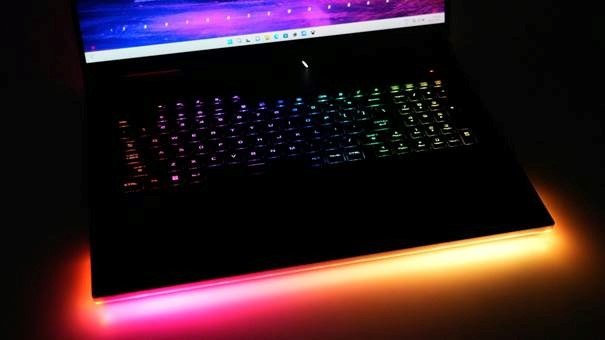
Best Gaming Laptops 2026: Top Picks for Every Gamer
Buying a gaming laptop feels simple until you compare the same GPU inside three different machines and see three different frame-rate results. This guide cuts through the spec sheet noise and shows you how to choose the best gaming laptops 2026 for real games, real budgets, and real desk setups.
You will learn which specs matter, where brands hide compromises, how to read cooling and display claims, and how to set up a new machine so it performs like the hardware you paid for. The goal is not to chase the most expensive laptop. The goal is to buy the right one once.
Featured Snippet: What Are the Best Gaming Laptops in 2026?
The best gaming laptops 2026 combine a modern dedicated GPU, strong cooling, at least 16GB of RAM, a fast SSD, and a display that matches the graphics power. For most buyers, the sweet spot is a 15- or 16-inch laptop built for 1440p gaming, not the thinnest or most expensive model.
What Actually Makes a Gaming Laptop “Best” in 2026?
A gaming laptop is not a desktop tower with a hinge. It is a controlled compromise between heat, power, weight, screen quality, noise, battery life, and upgrade access. The wrong compromise can make a powerful-looking laptop feel disappointing within weeks.
The best gaming laptops 2026 should be judged by full-system balance. A top GPU trapped in a thin chassis may lose performance under heat. A gorgeous OLED screen is wasted if the GPU cannot feed it. A cheap model can be a smart buy if the display, cooling, and upgrade slots are honest.
Use this simple rule: buy the laptop for the games and settings you actually use, not the highest number printed on the box. Competitive shooters, open-world AAA games, ray-traced titles, emulation, streaming, and video editing all stress the machine differently.
Essential Tools & Materials Breakdown: Your Buyer’s Toolkit
This article is a buying and setup guide, so the “tools” are the checks, accessories, and upgrade items that help you get the most from the laptop. Do not treat these as optional extras after spending your entire budget on the machine. A small amount of planning can extend performance and lifespan.
| Item / Check | Why It Matters | Estimated Cost Impact | Skill Level | Smart Buying Advice |
| GPU tier and wattage | Determines real FPS more than the laptop name. | $0-$800+ depending on tier | Beginner | Compare the exact GPU and power limit, not just RTX branding. |
| CPU class | Affects streaming, strategy games, editing, and background tasks. | $100-$500 | Beginner | Prioritize HX or high-performance chips for desktop-replacement systems. |
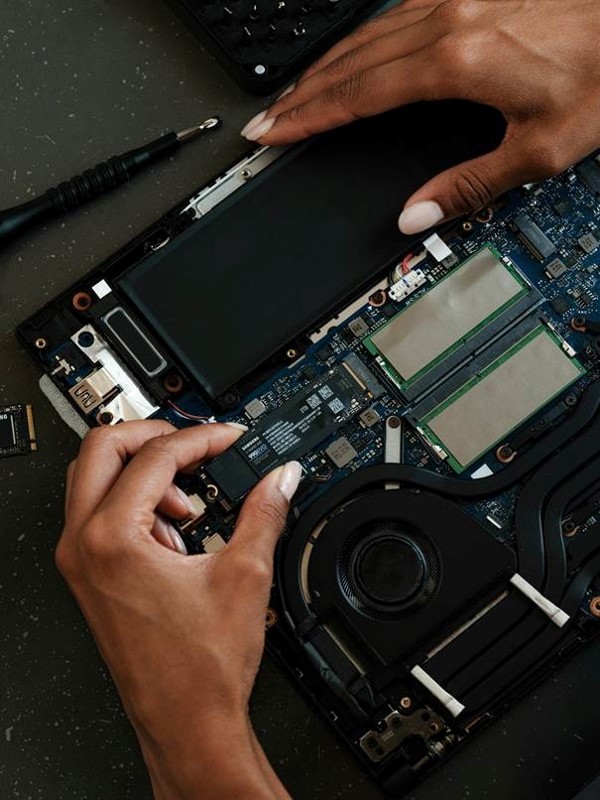
| RAM | 16GB is the practical floor; 32GB is better for heavy multitasking. | $40-$160 upgrade | Easy if accessible | Check whether RAM is soldered or upgradeable before buying. |
| SSD storage | Modern games can consume huge storage quickly. | $60-$200 upgrade | Easy to medium | Buy 1TB minimum if possible; confirm second M.2 slot for future expansion. |
| Display | Controls how smooth and sharp the laptop feels. | $100-$600 | Beginner | Match refresh rate and resolution to the GPU tier. |
| Cooling pad / stand | Improves airflow and ergonomics. | $20-$80 | Beginner | A simple raised stand often beats a flashy cheap fan pad. |
| External mouse/headset | Laptop trackpads and speakers are not ideal for gaming. | $30-$200 | Beginner | Budget for these if you play FPS, racing, or multiplayer games. |
| Warranty and return window | Protects against coil whine, heat issues, dead pixels, or loud fans. | $0-$250 | Beginner | Buy from a seller with a clear return policy and test hard during week one. |
Set Your Real Gaming Target Before You Shop
Most bad gaming laptop purchases start with a vague goal: “I want something powerful.” That is not enough. You need a target resolution, game type, frame-rate goal, portability requirement, and realistic budget.
Choose Your Performance Target
If you play esports titles such as Valorant, CS2, Fortnite, Apex Legends, or Rocket League, smooth frame pacing and a high-refresh display matter more than ultra graphics. A mid-range GPU paired with a 144Hz to 240Hz screen can feel faster than an expensive machine with a sharper but slower panel.
If you play cinematic AAA titles, you need more GPU headroom, more VRAM, and stronger cooling. Games with heavy ray tracing or large open worlds punish weak GPUs and low power limits. This is where the best gaming laptops 2026 with strong RTX 50-series configurations start to make sense.
If you edit videos, stream, run AI tools, or use 3D software, do not shop like a pure gamer. You need more RAM, a better CPU, a color-accurate display, and storage expansion. A gaming laptop can be a strong creator laptop, but only if the screen and memory are good enough.
Pick Your Size Class
- 14-inch laptops: best for travel, school, and mixed work/gaming, but thermals and keyboard comfort can be limited.
- 15- to 16-inch laptops: the best balance for most buyers because cooling, display size, ports, and portability are all reasonable.
- 17- to 18-inch laptops: best for desktop replacement use, maximum wattage GPUs, larger screens, and long sessions at a desk.
💡 Quick Hack: Write down your top five games and search benchmarks for those exact titles at your desired resolution. A laptop that wins in synthetic tests may not be the best fit for your actual library.
Understand GPU Tiers Before You Pay More
The GPU is the heart of a gaming laptop. In 2026, many shoppers will compare NVIDIA RTX 50-series laptops, remaining RTX 40-series deals, and AMD-powered designs. NVIDIA describes its RTX 50 laptop GPUs as Blackwell-based chips with AI-enhanced graphics features, while AMD and Intel continue pushing stronger integrated graphics and AI-focused processors in lighter machines.
For background while editing this article in WordPress, link the phrase RTX 50 Series Laptop GPUs to NVIDIA’s official page when discussing current laptop GPU features.
Do not buy by GPU name alone. Laptop GPU performance depends heavily on wattage, cooling, chassis size, and the manufacturer’s power tuning. A high-wattage mid-tier GPU can beat a restricted higher-tier GPU in sustained gaming.
1080p Gaming: Budget and Esports Sweet Spot
For 1080p gaming, you do not need the most expensive graphics chip. You need a stable GPU, a fast panel, and enough cooling to avoid sudden frame drops. Budget gaming laptops can work well here if you accept lower screen brightness, louder fans, or a plastic chassis.
1440p Gaming: The Practical Premium Zone
A 1440p or 1600p laptop display is the modern sweet spot. It is sharper than 1080p, easier to drive than 4K, and ideal for 16-inch laptops. Many of the best gaming laptops 2026 aim for this zone because it delivers the best mix of image quality and frame rate.
4K and Mini-LED Gaming: Buy Only If You Know Why
4K panels, mini-LED screens, and ultra-premium OLED displays look stunning, but they demand far more GPU power. If you mainly play competitive shooters, the extra pixels may be less useful than a faster 1440p panel. If you create content, edit photos, or connect to power most of the time, a premium display may be worth the cost.
Pro-Tip: When two laptops list the same GPU, search for the GPU wattage or “TGP.” If the brand hides it, read reviews before buying. Hidden power limits often explain why one laptop scores far lower than another.
Choose the CPU and RAM Without Overspending
The CPU matters, but it should not steal money from the GPU in a pure gaming build. Most games still lean heavily on graphics performance once you move above basic settings. The CPU becomes more important when you stream, record, run Discord, play simulation games, or edit content.
Intel’s current Intel Core Ultra processors emphasize AI features, stronger graphics on selected chips, and power efficiency. AMD’s AMD Ryzen processors for laptops line also focuses on gaming, multitasking, integrated graphics, and battery-aware performance.
For serious gaming, pair the CPU with at least 16GB RAM. For 2026, 32GB is the safer choice if you keep many apps open, mod games, stream, edit, or want the laptop to stay useful longer. Storage should start at 1TB unless you play only a handful of lightweight titles. The best gaming laptops 2026 for creators and streamers should feel fast outside the game, not only inside it.
- Minimum practical spec: 16GB RAM and 1TB SSD for mainstream gaming.
- Better long-term spec: 32GB RAM and a second M.2 slot for storage expansion.
- Creator-friendly spec: 32GB to 64GB RAM, 1TB to 2TB SSD, and a display with good color coverage.
💡 Quick Hack: If a laptop has a strong GPU but only 16GB of RAM, check whether the RAM is upgradeable. Buying the cheaper configuration and adding RAM later can save money without sacrificing performance.
Judge the Display Like a Gamer, Not a Casual Laptop Buyer
A bad display can ruin a powerful gaming laptop. Look beyond refresh rate. You also need brightness, response time, color quality, resolution, panel type, and adaptive sync support.
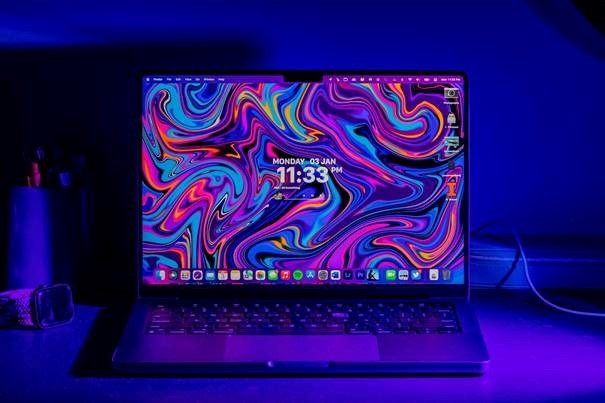
For most buyers, a 16-inch 2560 x 1600 display at 165Hz to 240Hz is a strong target. It gives you more workspace than 1080p, excellent sharpness, and enough refresh rate for fast games. OLED offers deep contrast and excellent response, but consider burn-in risk and brightness behavior if you use static windows for long hours.
Mini-LED can be excellent for HDR gaming, but it often raises the price and power draw. A good IPS panel is still completely valid when the budget is tight. The best gaming laptops 2026 should make the screen match the GPU tier instead of using a flashy panel to distract from weak cooling.
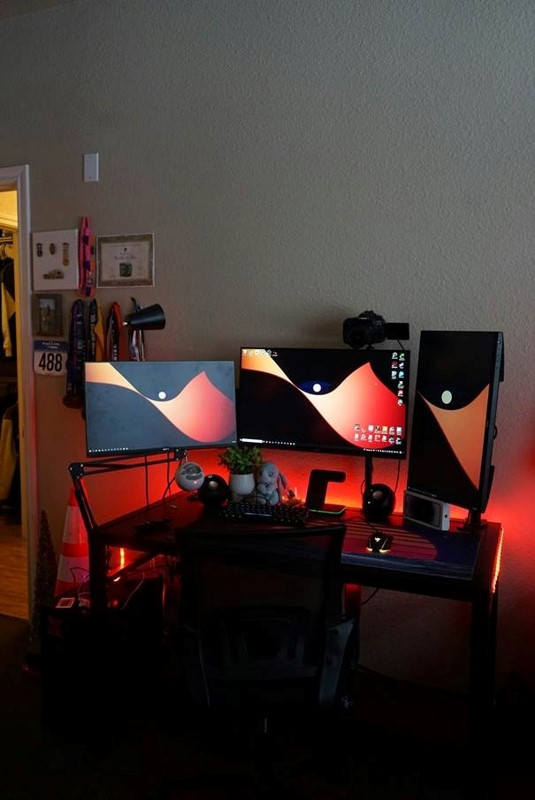
Pro-Tip: If you plan to connect an external monitor, you can save money by buying a laptop with a good but not perfect internal screen. Put the savings into GPU tier, RAM, or a quality 1440p external monitor.
Evaluate Cooling, Noise, Ports, and Battery Life
Cooling is where spec sheets become reality. A laptop that runs hot will throttle, get loud, and feel unpleasant during long sessions. This is especially important if you live in a warm climate or play in a room without strong airflow. The best gaming laptops 2026 control heat without turning every session into a noise problem.
Look for large rear and side vents, multiple heat pipes or vapor-chamber cooling, user profiles for fan control, and reviews that test sustained performance. A laptop can score well in a short benchmark and still struggle after an hour of gaming.
- Ports to prioritize: HDMI 2.1 or USB-C display output, Ethernet if you play competitively, enough USB-A ports for mouse/headset/controller, and USB-C charging for travel convenience when available.
- Battery reality: gaming on battery is usually limited. Expect the best performance when plugged in, and treat battery life as a productivity and travel feature, not a full-power gaming feature.
- Noise reality: thin high-power laptops can sound like small fans under load. If you share a room, record audio, or stream, read noise measurements before buying.
💡 Quick Hack: Use a simple laptop stand before buying an expensive cooling pad. Raising the rear of the laptop improves intake airflow and also makes the screen more comfortable at a desk.
Step 6: Match Your Budget to the Right Laptop Category
The best laptop category depends on budget and use case. Do not compare a budget model to a luxury metal chassis and feel disappointed. Compare it to what it is supposed to do.
| Buyer Type | Best Fit | Specs to Target | Models to Compare | Avoid This |
| Budget gamer | 1080p value laptop | RTX 5050/5060 class, 16GB RAM, 512GB-1TB SSD | MSI Katana, HP Victus, Acer Nitro style models | Dim panels and 8GB RAM configurations |
| Mainstream gamer | 16-inch 1440p all-rounder | RTX 5060/5070 class, 16-32GB RAM, 1TB SSD, 165Hz+ | Lenovo Legion, Asus TUF/ROG, Alienware Aurora style models | Thin chassis with weak cooling |
| Competitive esports player | High-refresh 1080p/1440p machine | 240Hz display, strong CPU, low-latency networking | ROG Strix, Legion Pro, MSI Vector style models | Slow response panels and poor Wi-Fi |
| Creator/gamer hybrid | Color-accurate laptop with GPU power | 32GB RAM, OLED or strong IPS, 1TB-2TB SSD | Razer Blade, Asus Zephyrus, Lenovo Legion Slim style models | Gaming-only displays with poor color |
| Desktop replacement buyer | 17-18 inch high-wattage machine | RTX 5080/5090 class, HX CPU, advanced cooling | ROG Strix Scar, MSI Raider/Titan, HP Omen Max style models | Buying for travel; these are heavy |
Review outlets such as Tom’s Hardware and RTINGS test gaming laptops with real games, benchmarks, and display measurements, which is useful because identical-looking specs can perform differently. Use those reviews to narrow your shortlist, then confirm the exact configuration sold in your region.
For third-party validation, compare your shortlist with tested roundups from Tom’s Hardware gaming laptop reviews, RTINGS gaming laptop testing, and WIRED gaming laptop recommendations.
Do not treat any single article as the final answer. The exact best gaming laptops 2026 will change as prices shift, new BIOS updates improve performance, and older high-end models go on clearance. Your winning move is to understand the buying framework, then apply it to today’s deals.
Use This Pre-Purchase Checklist
Before you click buy, run through this checklist. It takes ten minutes and can prevent the most common buyer regrets.
- Confirm the exact GPU, not just the series name.
- Find the GPU wattage or read a review that tests sustained performance.
- Check RAM capacity and whether it is upgradeable.
- Check SSD capacity and whether there is a second M.2 slot.
- Verify display resolution, refresh rate, brightness, and panel type.
- Look for real photos of the port layout.
- Read user feedback on fan noise, coil whine, keyboard feel, hinge quality, and heat.
- Check warranty length, return window, and service availability in your country.
- Compare price history before assuming a discount is real.
First-Day Setup for Maximum FPS and Stability
A new laptop is not fully ready when you take it out of the box. First-day setup matters because drivers, power profiles, firmware, and bundled software can affect performance. Do not judge the laptop until you update and test it properly.
- Update Windows, GPU drivers, chipset drivers, and the manufacturer control software.
- Plug in the original power adapter before gaming or benchmarking.
- Choose the correct performance mode in the laptop control app.
- Install your core games and test them at native resolution and your target settings.
- Monitor CPU and GPU temperatures during a 30- to 60-minute session.
- Check for dead pixels, keyboard issues, trackpad problems, fan grinding, and coil whine while still inside the return window.
💡 Quick Hack: Create a “baseline test” folder with screenshots of temperatures, frame rates, and settings from week one. If performance drops months later, you will know whether the issue is dust, drivers, thermal paste, or a game update.
Common Mistakes to Avoid
1. Buying the Highest GPU Name Without Checking Wattage
This is the classic trap. A laptop GPU name does not guarantee the same performance across machines. A restricted GPU in a thin chassis can lose to a lower-tier chip with better cooling and higher sustained power.
2. Ignoring the Display
Gamers often obsess over FPS and forget the screen. A weak, dim, washed-out panel makes every game look worse. If you care about immersion or content creation, do not accept a poor display just to save a small amount.
3. Buying Too Little Storage
Game installs are large, and launchers multiply the mess. A 512GB SSD can fill up quickly after Windows, updates, a few AAA games, and clips. If the laptop has no second storage slot, that small drive becomes a long-term annoyance.
4. Trusting Marketing Photos Over Real Reviews
Marketing photos hide fingerprints, cable placement, bottom vents, and port limitations. Real reviews and user photos show whether the charger blocks a port, whether the keyboard flexes, and whether the laptop feels too bulky for travel.
5. Spending the Whole Budget on the Laptop Alone
A gaming laptop without a good mouse, headset, desk height, and cooling plan can feel incomplete. Set aside money for the setup around the machine. The best gaming laptops 2026 deliver more value when the environment supports them.
Advanced Tips and Next-Level Hacks
Use External Monitors Strategically
If your laptop supports direct display output from the dedicated GPU, an external monitor can sometimes improve performance and reduce latency. It also makes long sessions more comfortable. This is especially useful for people who use the laptop as a portable desktop replacement.
Understand MUX Switches and Advanced Optimus
A MUX switch lets the display connect directly to the dedicated GPU instead of routing frames through integrated graphics. That can improve performance in some games. Advanced Optimus can switch more intelligently, but implementation varies, so check the review for the exact model.
Buy Last Year’s High-End Model When the Price Drops
New-generation laptops get the attention, but older high-end models can become excellent buys when retailers clear inventory. A discounted premium chassis with a strong GPU, better cooling, and a high-quality screen may beat a brand-new budget model at the same price.
Pro-Tip: Refurbished or open-box gaming laptops can be excellent, but only from sellers with a strong return policy. Test thermals, battery health, keyboard, screen, ports, and charger immediately.
Prioritize Repairability If You Keep Laptops for Years
A laptop with accessible screws, replaceable RAM, multiple SSD slots, and available parts is more practical for long-term ownership. Thin premium laptops may feel luxurious but can be harder or more expensive to service. The best gaming laptops 2026 for long-term owners make upgrades and cleaning possible instead of locking everything down.
Tune Games Instead of Running Ultra Everything
Ultra settings are often inefficient. Shadows, ray tracing, crowd density, and volumetric effects can cost massive FPS for small visual gains. A tuned “high” preset can look nearly identical while running cooler and smoother.
💡 Quick Hack: In many games, lower shadows and ray tracing first, keep textures high if you have enough VRAM, then use upscaling carefully. This usually improves FPS without making the game look cheap.
Troubleshooting and Maintenance Guide
Problem: The Laptop Is Hot and Loud
First, confirm you are gaming while plugged in and using the intended performance mode. Next, raise the rear of the laptop to improve airflow. If temperatures remain high, clean vents carefully and check whether a background process is loading the CPU.
Long-term, dust is the enemy. Keep the laptop on a hard surface, avoid beds and blankets, and clean the intake areas regularly. If the laptop is older and temperatures rise sharply, thermal paste or pads may need service by a qualified technician.
Problem: FPS Is Lower Than Expected
Check the power mode, GPU mode, driver version, resolution, and whether the game is using the dedicated GPU. Some laptops default to quiet or balanced profiles that limit performance. Also confirm that the laptop is not running on battery or a low-watt USB-C charger.
Problem: Games Stutter Even When FPS Looks High
Stutter can come from shader compilation, background apps, low RAM, a nearly full SSD, thermal throttling, or poor game optimization. Close launchers and overlays, update drivers, leave at least 15 to 20 percent of SSD space free, and test one game at a time.
Problem: Battery Life Is Bad
That is normal during gaming. For non-gaming use, switch to hybrid graphics, lower brightness, use balanced mode, disable unnecessary RGB, and close game launchers. A gaming laptop will rarely behave like an ultrabook, but good settings can make travel use much better.
Problem: The Laptop Feels Slower After Several Months
Check dust buildup, driver changes, startup apps, SSD free space, and Windows background tasks. Compare against your week-one baseline if you made one. If temperatures are higher than before at the same settings, airflow or thermal service is likely the cause.
Maintenance is not glamorous, but it protects the investment. The best gaming laptops 2026 will still disappoint if vents are blocked, drivers are neglected, or the SSD is packed to the last gigabyte.
Frequently Asked Questions
What specs should I look for in a gaming laptop in 2026?
For most buyers, look for a modern dedicated GPU, at least 16GB RAM, a 1TB SSD, strong cooling, and a 144Hz or faster display. If you want the laptop to last longer, step up to 32GB RAM and a 1440p/1600p display with a GPU strong enough to drive it.
Are gaming laptops worth it compared to desktops?
Gaming laptops are worth it when you need portability, a compact setup, or one machine for school, work, travel, and gaming. Desktops usually win on upgradeability, cooling, noise, and raw performance per dollar. Choose based on lifestyle first.
How much should I spend on a gaming laptop?
Budget buyers can start around the lower mid-range if they accept 1080p gaming and some compromises. The strongest value often sits in the mid-range 16-inch category. Ultra-premium desktop replacements are worth it only if you need the extra power and will use the laptop mostly plugged in.
Is 16GB RAM enough for gaming in 2026?
Yes, 16GB is still workable for many games, but it is no longer the comfortable long-term choice for heavy users. If you stream, mod games, edit videos, keep many browser tabs open, or want the laptop for several years, 32GB is a smarter target.
Should I buy an OLED gaming laptop?
Buy OLED if you want excellent contrast, fast pixel response, and a premium media experience. Be cautious if you use many static windows for long hours. For pure competitive play, a fast IPS or mini-LED panel may be the better balance depending on brightness, refresh rate, and price.
When is the best time to buy a gaming laptop?
The best times are major sale periods, back-to-school events, Black Friday, Cyber Monday, and clearance windows after a new generation launches. The best deal is not always the biggest discount. When comparing the best gaming laptops 2026 during a sale, choose the machine with the right specs, good reviews, and a price that matches its real performance.
Conclusion: Buy the Right Laptop, Not the Loudest Spec Sheet
The best gaming laptops 2026 are not defined by one brand, one GPU, or one marketing label. They are defined by balance: real-world gaming performance, smart cooling, the right display, upgrade options, and a price that makes sense for your games.
Start with your target resolution and games, choose the GPU tier that fits, check cooling and display quality, then verify the exact configuration before buying. That process will save you more money than chasing every “ultimate” laptop headline.
Which matters more for your next gaming laptop: maximum FPS, portability, quiet cooling, or the best screen? Share your priority in the comments on MyFlexBots so readers can compare real buying situations.
editor's pick
latest video
news via inbox
Nulla turp dis cursus. Integer liberos euismod pretium faucibua


