
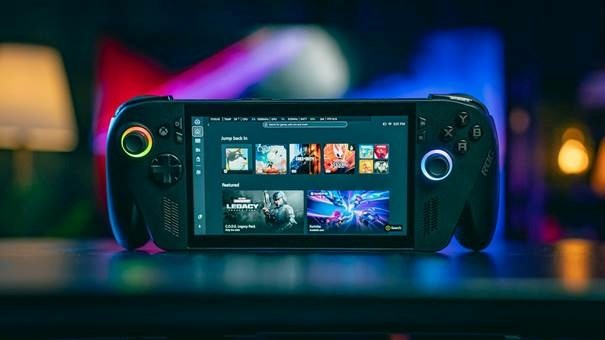
Best Mobile Games 2026: A Complete Guide
Mobile gaming is crowded, noisy, and full of copycat apps that promise fun but drain your storage, battery, and patience. This guide cuts through the clutter and shows you how to choose the best mobile games 2026 without wasting hours downloading titles that look good in ads but feel empty after ten minutes.
You will learn which genres are strongest right now, which games are worth trying first, how to judge free-to-play monetization, how to optimize your phone for smoother play, and how to avoid the common traps that frustrate beginners and experienced players alike.
Featured Snippet Box: What Are the Best Mobile Games to Play in 2026?
The best mobile games 2026 combine fast loading, fair monetization, regular updates, strong replay value, and smooth performance on Android and iOS. Start with a mix of Roblox, Block Blast!, PUBG Mobile, Genshin Impact, Royal Match, Minecraft, Clash of Clans, and a premium offline pick such as Stardew Valley.
Essential Tools & Materials Breakdown
Choosing games is easier when you treat your phone like a gaming setup instead of a random app drawer. The table below shows what you need, why it matters, the estimated cost, and the skill level required.
| Tool / Material | Why It Matters | Estimated Cost | Skill Level |
| Android or iPhone with 6GB+ RAM | Gives better stability for 3D shooters, RPGs, and open-world games. | Already owned / varies | Beginner |
| Stable Wi-Fi or 5G connection | Reduces lag in multiplayer games and prevents failed updates. | Existing plan | Beginner |
| 8GB-20GB free storage | Large games need room for updates, maps, voice packs, and cache. | Free if you clean storage | Beginner |
| Bluetooth controller | Improves comfort in racers, shooters, cloud titles, and premium games. | $20-$80+ | Easy |
| Power bank or cooling fan | Helps during long sessions and reduces thermal throttling. | $15-$50+ | Easy |
| App Store / Google Play wish list | Lets you track updates, prices, and premium game discounts. | Free | Beginner |
| Parental controls | Protects kids from unsuitable content, chat risks, and impulse purchases. | Free | Beginner |
| Headphones | Improves awareness in shooters and creates better immersion in RPGs. | $10-$100+ | Beginner |
How We Picked the Best Mobile Games for 2026
A mobile game can be popular and still not be worth your time. Download charts often reward short-lived ad campaigns, while revenue charts reward strong monetization. A useful guide has to balance both signals with real player value.
For this best mobile games 2026 guide, the selection criteria are practical: gameplay depth, update frequency, performance, accessibility, monetization fairness, community size, genre variety, offline usefulness, and long-term replay value.
That means a quick puzzle title can rank beside a huge open-world RPG. They solve different needs. One is perfect for five-minute breaks, while the other is for players who want progression, exploration, and deeper systems.
Industry ranking sources are useful because they show what players are downloading and spending on. For example, Sensor Tower reported that Honor of Kings led worldwide mobile game revenue in May 2026, while Arrows Puzzle Escape, Block Blast!, Roblox, and Free Fire were among the download leaders for that period.
💡 Quick Hack: Do not judge a mobile game by installs alone. Check update frequency, recent reviews, storage size, offline mode, and whether the first 30 minutes feel enjoyable without spending money.
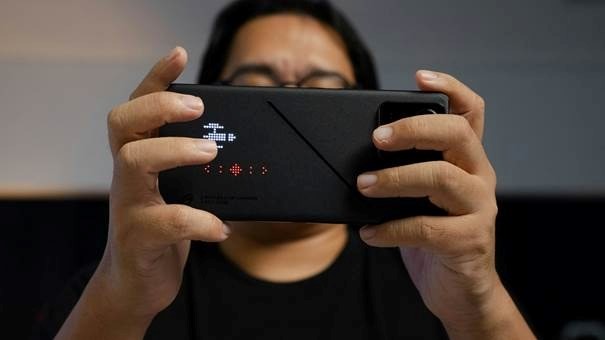
The Best Mobile Games 2026 by Player Type
Instead of forcing every player into one ranking, use this section as a smart shortcut. Pick the category that matches your mood, device, and play style.
Best for Social Play: Roblox
Roblox remains one of the strongest mobile gaming ecosystems because it is not just one game. It is a library of user-created worlds, mini-games, roleplay servers, tycoon modes, racing experiences, and competitive challenges.
It earns a place in the best mobile games 2026 conversation because the content never feels static. New experiences appear constantly, and the best ones spread through social sharing faster than traditional app store discovery.
The downside is quality control. Some experiences are excellent, while others feel unfinished. Parents should also pay attention to chat, spending, and age suitability.
Best Quick Puzzle Fix: Block Blast!
Block Blast! is the kind of game that succeeds because it is instantly understandable. You place block shapes, clear lines, chase a higher score, and restart quickly when the board fills up.
It deserves attention in a best mobile games 2026 list because short-session games are still essential. Not every player wants a 12GB download, daily quests, guilds, or a complex battle pass.
The best use case is simple: play during short breaks, keep sound off, and use it as a low-pressure brain game rather than a main hobby.
Best Battle Royale: PUBG Mobile / Free Fire
Battle royale remains one of mobile gaming’s most durable genres. PUBG Mobile and Free Fire work because they transform a phone into a competitive arena with quick matchmaking, squad play, seasonal events, and skill-based progression.
PUBG Mobile feels more tactical and visually grounded, while Free Fire is lighter, faster, and friendlier to mid-range devices. Both are strong choices if you enjoy competitive mobile play.
The main tradeoff is storage and attention. These games need updates, stable internet, and enough focus to avoid frustrating teammates.
Best Open-World RPG: Genshin Impact
Genshin Impact remains a benchmark for ambitious mobile RPG design. It offers exploration, elemental combat, characters, quests, events, and console-style production values on a phone.
It is one of the strongest 2026 mobile RPG picks for players who want a full adventure rather than a snackable time-killer. The game is huge, beautiful, and generous with content, but it can also demand storage and patience.
The smartest approach is to play it slowly. Treat it like a long-term RPG, not a race to pull every new character.
Best Casual Match Game: Royal Match
Royal Match is a polished match-3 game that keeps casual players engaged with level design, events, and satisfying progression. It is easy to understand but gradually gets stricter with moves and boosters.
It belongs in this guide because casual puzzle games are not going away. They dominate downtime: commuting, waiting rooms, lunch breaks, and evenings when players want low-stress entertainment.
The warning is monetization. If a level starts pushing boosters too hard, take a break instead of buying your way through frustration.
Best Premium Sandbox: Minecraft
Minecraft is still one of the strongest paid mobile games because it gives players a real creative sandbox rather than a narrow progression loop. You can build, explore, survive, craft, and play with friends.
For families, creators, and players who dislike aggressive free-to-play monetization, Minecraft is one of the strongest choices because the upfront purchase often creates better long-term value.
It works especially well on tablets and with controllers. On small phones, adjust the UI scale and sensitivity before judging the experience.
Best Strategy Habit: Clash of Clans
Clash of Clans continues to work because it combines base building, raids, clan cooperation, upgrades, and seasonal goals in a way that fits daily routines.
The game is not new, but longevity is a feature. A strong strategy game survives because players return for planning, social connection, and incremental improvement.
For the best experience, join an active clan early. The social layer is what turns a simple base-building game into a long-term habit.
Best Sports and Local Flavor: Cricket and Football Games
For South Asian audiences, cricket games deserve a serious look. Titles like Real Cricket and Hitwicket-style cricket strategy games speak to local sports culture, short match formats, and competitive pride.
Football games such as eFootball and Dream League Soccer also remain strong for players who want familiar teams, quick matches, and skill progression without learning a fantasy world.
This category is especially important for MyFlexBots readers in Pakistan and nearby markets, where sports gaming often beats global charts in actual daily interest.
Comprehensive Step-by-Step Execution Guide: How to Pick, Install, and Optimize Mobile Games
Decide What You Want From the Session
Before opening the app store, decide the job you want the game to do. Are you trying to relax for five minutes, compete with friends, build something creative, progress through a story, or play offline during travel?
This one decision prevents the biggest mistake in mobile gaming: downloading a famous game that does not match your actual time, mood, or device. A busy student may get more value from Block Blast! than a massive RPG. A competitive player may prefer PUBG Mobile over a cozy farming game.
When readers search for a gaming recommendation, they often want a single answer. The smarter answer is a shortlist matched to the moment.
💡 Quick Hack: Create three folders on your phone: Quick Games, Deep Games, and Offline Games. You will open the right game faster and delete weak installs sooner.
Check Storage Before You Install
Large mobile games often download additional files after installation. A store page may show one size, then the game pulls extra maps, voice packs, HD textures, or seasonal event data after launch.
Keep at least 8GB free if you play big shooters or RPGs. If your phone has less than 64GB total storage, avoid installing three massive games at once. One heavyweight title plus two light games is usually the better setup.
Delete old screen recordings, duplicate videos, and abandoned games before installing a new title. Performance problems are often storage problems disguised as game problems.
Read the Latest Reviews, Not the Lifetime Rating
A game with a 4.5-star lifetime rating can still be broken after a bad update. Always sort reviews by most recent and look for repeated complaints: crashes, login issues, paywalls, server lag, lost accounts, or intrusive ads.
Do not panic over one angry review. Look for patterns. If dozens of recent players mention battery drain or forced ads after every match, that is a signal.
This is especially important when evaluating live-service games because they change monthly. A title that felt generous last year may become grindier, while a struggling game may improve after updates.
Pro-Tip: On Google Play or the App Store, scan the one-star reviews and five-star reviews together. The truth usually sits between them.
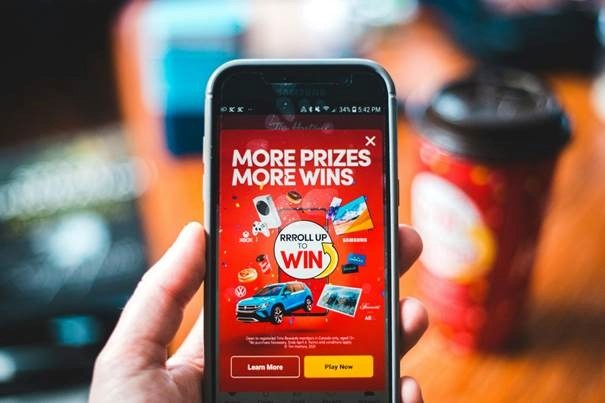
Test the First 30 Minutes Without Spending
The first half hour reveals almost everything. You will see how fast the game loads, whether menus are clean, how aggressive ads are, whether tutorials waste time, and whether the core loop feels satisfying.
Do not buy starter packs immediately. Good games feel good before you spend. If the game withholds basic fun until after payment, it is not a bargain; it is a funnel.
For top mobile games this year, a fair first session should offer clear goals, smooth controls, readable menus, and a reason to return tomorrow.
💡 Quick Hack: Use a 30-minute timer for every new free-to-play game. If you are bored, confused, or annoyed by ads before the timer ends, delete it.
Tune Graphics, FPS, and Controls
Most players leave performance settings untouched, then blame the game for lag. Start with medium graphics and stable frame rate instead of max settings. Smooth gameplay usually beats sharper shadows on a small phone screen.
For shooters, lower sensitivity until aim feels controlled, then increase gradually. For racing games, test tilt, touch, and controller input. For RPGs, move UI elements if the game allows it.
A budget phone can still play many modern mobile games well if you choose sensible settings. Heat, stutter, and battery drain often come from overloading the GPU for visual effects you barely notice.
Pro-Tip: If your phone gets hot after 10 minutes, reduce shadows, anti-aliasing, and frame rate before lowering resolution. Those settings often make the biggest thermal difference.
Decide Whether the Game Belongs on Your Home Screen
After one day, ask a simple question: does this game deserve a home screen spot? If not, move it into a folder or delete it. Your phone should not become a graveyard of games you may never open again.
Keep one quick game, one social game, one deep game, and one offline game. This balance covers most moods without cluttering your storage or attention.
The strongest mobile games are not just the games that trend. They are the games that keep earning a place on your phone after the novelty fades.
Common Mistakes to Avoid
Mistake 1: Installing Only What Ads Show You
Mobile ads often exaggerate gameplay. Some show puzzle mechanics that barely appear in the real game. Verify with recent reviews, gameplay videos, and store screenshots before installing.
Mistake 2: Ignoring In-App Purchases
A free game can cost more than a premium game if it pressures you with boosters, energy timers, cosmetics, and battle passes. Check whether purchases are optional or quietly necessary.
Mistake 3: Playing Competitive Games on Weak Connections
Shooters, MOBAs, and sports games need stable latency. If your Wi-Fi spikes, you will lose fights that had nothing to do with skill.
Mistake 4: Maxing Out Graphics on Mid-Range Phones
High graphics can cause heat, throttle performance, and drain the battery. Start lower and increase only if the phone stays cool.
Mistake 5: Letting Kids Play Without Controls
Some mobile games include chat, ads, purchases, and user-generated content. Use parental controls, age ratings, and spending restrictions before handing over the device.
For families, ESRB recommends using ratings and parental controls to manage what kids play, with whom they play, how long they play, and whether they can spend money. Google also provides Play Store parental control steps for filtering apps and games by content rating.
Advanced Tips and Next-Level Hacks
Build a Two-Tier Game Library
Keep lightweight games for daily breaks and large games for dedicated sessions. This reduces decision fatigue and helps you avoid uninstalling a great RPG just because you needed a quick puzzle game.
Use Controller Support Strategically
Controllers are excellent for racing, platformers, cloud gaming, shooters, and premium adventure games. They are less useful for tap-first puzzle and strategy games.
Track Seasonal Events
Live-service games often become more generous during anniversaries, holidays, and collaboration events. Save premium currency for these windows instead of spending randomly.
Use Cloud Saves Before Switching Phones
Before deleting a game or changing devices, confirm whether your progress is linked to Google, Apple, Facebook, publisher account, or another login.
Separate Kids’ Games From Your Payment Account
Use device-level controls, purchase approvals, and a separate child profile where possible. This prevents accidental spending and unsuitable installs.
💡 Quick Hack: Add expensive premium games to your wish list and check during holiday sales. Paid mobile games often drop in price, and one good premium title can be better value than months of microtransactions.
Troubleshooting and Maintenance Guide
Game lags or stutters
Lower graphics settings, close background apps, restart the device, clear game cache if supported, and make sure storage is not nearly full.
If the issue appears after an update, check recent reviews and the game’s official social channels. Sometimes the problem is server-side or patch-related, not your phone.
Game drains battery too quickly
Reduce frame rate, dim brightness, disable unnecessary vibration, and avoid playing while charging in a hot room. Heat is a battery enemy.
For heavy 3D games, use shorter sessions and let the device cool between matches.
Multiplayer feels delayed
Switch from mobile data to stable Wi-Fi, move closer to the router, stop downloads on other devices, and choose the correct server region if the game offers one.
Latency matters more than download speed. A slower but stable connection can feel better than a fast connection with spikes.
Game crashes on launch
Update the game, update your operating system, restart the phone, free storage, and reinstall only after confirming your account is backed up.
If your device is older, check minimum requirements before reinstalling repeatedly.
Progress disappeared
Check whether you are logged into the same account used previously. Many games have guest modes that do not sync safely.
Contact support with your player ID, screenshots, purchase receipts, and device details. Keep records for games you spend money on.
Genre-by-Genre Buying and Download Advice
For Kids and Families
Choose games with clear age ratings, minimal chat exposure, low ad pressure, and strong parental control options. Minecraft can be excellent with supervision, while Roblox needs closer attention because user-generated content varies widely.
Avoid giving children unrestricted access to your main payment method. The best family-friendly mobile games are not just fun; they are manageable, understandable, and safe to supervise.
For Budget Players
Focus on games that provide meaningful progress without forced payments. Puzzle games, older premium titles on sale, and skill-based multiplayer games can be very affordable.
Do not buy every battle pass. Choose one main live-service game at a time and ignore the rest.
For Competitive Players
Prioritize frame rate, touch response, matchmaking health, server location, and community size. A beautiful game with weak servers is a bad competitive experience.
Shooters and MOBAs benefit from headphones, stable Wi-Fi, and consistent settings. Do not constantly change sensitivity; build muscle memory.
For Offline Travel
Look for premium or offline-friendly games before you travel. Download all required assets at home, launch the game once, and confirm it works in airplane mode.
Offline games are often hidden gems in a smart mobile gaming setup because they work when the internet does not.

Frequently Asked Questions
What are the best free mobile games in 2026?
The best free mobile games in 2026 include strong picks such as Roblox, Block Blast!, PUBG Mobile, Free Fire, Royal Match, Clash of Clans, and Genshin Impact. The right choice depends on whether you want quick puzzles, social worlds, shooters, strategy, or long-form RPG progression.
What are the best offline mobile games for travel?
Premium and offline-friendly games are usually best for travel because they do not depend on servers. Look for titles such as Stardew Valley, Dead Cells, Monument Valley-style puzzle games, offline racing games, and downloaded Netflix or Apple Arcade games when available in your region.
Are paid mobile games better than free games?
Paid mobile games are not automatically better, but they often offer cleaner design, fewer ads, and less pressure to buy boosters. Free games can be excellent when spending is optional and gameplay remains fun without constant purchases.
Which mobile games are best for low-end phones?
For low-end phones, choose lightweight puzzle, card, word, runner, and 2D strategy games. Block Blast!, Subway Surfers-style runners, Ludo games, and simple offline games usually run better than huge 3D RPGs or battle royale titles.
How much storage do modern mobile games need?
Small games may need less than 500MB, but large shooters and RPGs can require several gigabytes plus additional update data. Keep at least 8GB free for a smoother experience if you regularly play high-end games.
How do I stop kids from spending money in mobile games?
Use parental controls, require purchase approval, set content restrictions, remove saved payment methods from shared devices, and talk with children about ads, coins, gems, loot boxes, and limited-time offers before they start playing.
Conclusion: Build a Smarter Mobile Game Library
The best mobile games 2026 are not defined by one chart, one platform, or one viral ad. They are the games that match your device, mood, budget, and available time while still delivering fair, satisfying gameplay.
Start with a balanced library: one quick puzzle game, one competitive multiplayer game, one deep RPG or strategy game, one social title, and one offline option. Test each game for 30 minutes without spending, adjust settings, and keep only what earns its place.
Which mobile game deserves the top spot on your phone in 2026? Share your pick in the comments so other MyFlexBots readers can discover what is actually worth downloading.
editor's pick
latest video
news via inbox
Nulla turp dis cursus. Integer liberos euismod pretium faucibua


