
Best Habit Tracking Apps (2026): 8 Picks That Actually Stick
Most habit trackers fail for the same reason diets and complicated planners fail: the system asks for too much attention after the initial excitement wears off. The best habit tracking apps make logging almost frictionless, remind you at the right moment, and show enough progress to help you adjust without turning your life into a spreadsheet.
This guide compares the strongest options for different people – Apple users, Android users, data lovers, gamers, busy professionals, and anyone who needs a gentler self-care approach. You will also learn how to set up a tracker so the app supports the habit instead of becoming another habit you forget to maintain.
What Are the Best Habit Tracking Apps?
The best habit tracking apps in 2026 are Habitify for cross-platform tracking, Streaks for Apple users, Loop for free Android tracking, Habitica for gamification, TickTick for all-in-one productivity, Strides for detailed goal analytics, Way of Life for simple behavior journaling, and Finch for gentle self-care routines.
That shortlist matters because there is no single “best” tracker for everyone. A useful app matches your platform, the number of habits you track, how much data you want, and the type of motivation that keeps you returning.
How We Evaluated These Habit Trackers
A habit app can have dozens of features and still be annoying to use every day. For this guide, the leading trackers were judged on seven practical criteria that matter after the novelty wears off:
Logging speed: Can you record a habit in a few seconds?
Scheduling flexibility: Can the app handle daily, weekly, selected-day, and quantity-based goals?
Reminders: Are notifications useful without becoming noise?
Progress visibility: Can you understand streaks, completion rates, and trends at a glance?
Platform fit: Does it work on the devices you actually carry or use at work?
Motivation style: Does it use streaks, analytics, gamification, social support, or gentle encouragement effectively?
Cost and friction: Is the free version useful, and does the paid plan solve a real limitation?
We also favored apps with clear official product information and long-term utility over novelty features. Pricing can vary by country and app store, so this guide focuses on pricing models rather than temporary sale prices.
Essential Tools & Setup Breakdown
You do not need expensive equipment to build a habit system. In fact, adding too many tools usually creates more maintenance than motivation.
| Tool or Material | Why You Need It | Estimated Cost | Skill Level |
| Smartphone, tablet, or browser | Runs the tracker and reminders | $0 if already owned | Beginner |
| Habit tracking app | Records completion, streaks, notes, or metrics | $0-$10/month typical planning range | Beginner |
| Calendar or alarm app | Supplies time-based cues when the tracker alone is not enough | Free | Beginner |
| Optional smartwatch/wearable | Automates steps, workouts, sleep, or health-related completion | $0-$300+ optional | Beginner |
| Notes app or small notebook | Stores weekly reviews, obstacles, and habit redesign decisions | $0-$10 | Beginner |
| Accountability partner or group | Adds social pressure and encouragement when useful | Free | Beginner |
💡 Quick Hack: Start with the free tier for seven days. Upgrade only when you can name the exact premium feature that removes a real obstacle, such as unlimited habits, calendar integration, better reminders, or health-data automation.
Best Habit Tracking Apps at a Glance
| App | Best For | Platforms | Cost Model | Standout Strength | Main Limitation |
| Habitify | Best overall cross-platform tracker | iOS, Android, web, desktop and more | Free tier + paid upgrades | Clean interface, reminders, analytics, integrations | Best features require paid access |
| Streaks | Best for Apple users | iPhone, iPad, Apple Watch, Mac, Vision Pro | Paid app | Apple Health automation and fast streak tracking | Apple ecosystem only; up to 24 tasks |
| Loop Habit Tracker | Best free Android option | Android | Free, open source | Ad-free, private, detailed statistics | Android only; intentionally minimal |
| Habitica | Best gamified tracker | Web, iOS, Android | Free + optional subscription | RPG rewards, parties, quests, accountability | Can feel busy if you want simplicity |
| TickTick | Best all-in-one productivity system | Major mobile and desktop platforms | Free + premium | Tasks, calendar, focus and habits in one system | More features than a minimalist tracker needs |
| Strides | Best for goals and analytics | Apple mobile ecosystem | Free + Plus options | Four tracker types and flexible progress views | Not the best fit for Android users |
| Way of Life | Best for breaking bad habits | Mobile | Free + paid options | Fast color-coded logging, notes, trend charts | Less suited to complex project-style goals |
| Finch | Best for gentle self-care | iOS and Android | Free + optional paid features | Supportive pet-based motivation and small goals | Lighter analytics than data-first trackers |
- Habitify: Best Overall for Cross-Platform Habit Tracking
Habitify is the strongest general recommendation for people who want a dedicated tracker that works across several devices. Its interface is built around habits rather than projects, so you can create a routine, assign a schedule, add reminders, and review progress without wading through a full project-management system.
Habitify is especially useful if your habits live in different parts of the day. You can group routines, use reminders, review streaks and completion data, and – on supported plans and platforms – connect health or productivity data so some habits require less manual logging.
The free tier is enough to test whether the workflow fits you. Paid plans become more attractive when you need more habits, advanced reminders, integrations, or deeper automation.
Best for: Professionals, students, mixed-device users, and anyone who wants a dedicated tracker with enough depth to grow.
Skip it if: You want a completely free unlimited system or you prefer a game rather than a dashboard.
Pro-Tip: Do not create 15 habits on day one just because the interface makes it easy. Start with three visible behaviors: one health habit, one productivity habit, and one personal habit. Add more only after you can maintain the first three for two weeks.
- Streaks: Best Habit Tracker for Apple Users
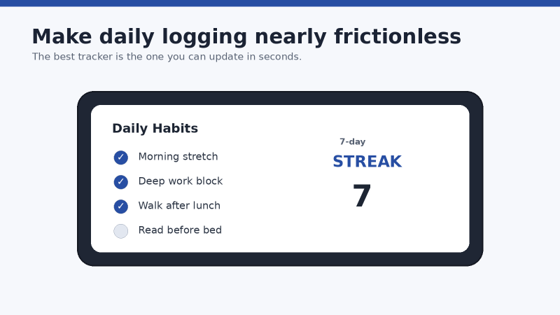
Streaks is built around a simple idea: complete a task and extend the chain. The app currently supports up to 24 tasks and works across iPhone, iPad, Apple Watch, Mac, and Apple Vision Pro. It can also use Apple Health data to automatically complete certain fitness and health goals.
That tight Apple integration is its biggest advantage. If your phone or watch already measures steps, running, heart rate, or related activity, automation removes the “I did it but forgot to log it” problem.
Streaks also handles non-daily schedules. A habit can be assigned to particular days or a target such as several times per week, which is more realistic than forcing every behavior into a seven-day streak.
Among the best habit tracking apps, Streaks is one of the easiest to recommend when the user is fully inside Apple’s ecosystem and values a fast, polished experience over cross-platform access.
Best for: iPhone and Apple Watch users, fitness habits, and people motivated by visible chains.
Skip it if: You use Android, need more than 24 tracked tasks, or want elaborate journaling and project planning.
- Loop Habit Tracker: Best Free Habit Tracker for Android
Loop Habit Tracker is the budget pick that does not feel like a compromise. Its Google Play listing emphasizes that the app is ad-free, open source, privacy-respecting, and designed around clear charts and habit statistics.
Loop is excellent for users who want a tracker to do one job well. Create a habit, set the frequency, log it, and use the habit score and charts to see whether your consistency is improving. There is no RPG layer and no sprawling productivity suite competing for attention.
That restraint is a feature. It is also why Loop is one of the best habit tracking apps for people who have already abandoned feature-heavy systems.
Best for: Android users, privacy-conscious users, students, and anyone who wants a free long-term tracker.
Skip it if: You need first-class iOS support, cross-device cloud workflows, or social accountability.
💡 Quick Hack: Pair Loop with the Android home-screen widget so logging happens where you already look. The fastest habit log is the one that does not require opening an app, navigating to a tab, and hunting for the right row.
- Habitica: Best Gamified Habit Tracker
Habitica turns real-life tasks into a role-playing game. You create habits, daily tasks, and to-dos; completing them earns rewards and progress for your character. Parties, quests, pets, equipment, and challenges create a social layer that makes routine work feel more like a game loop.
This can be remarkably effective for people who understand what they should do but struggle to feel any immediate reward for doing it. “Read for 20 minutes” may not provide instant gratification, but earning progress, gold, or a group reward can make the action feel more concrete.
The tradeoff is complexity. If a tracker filled with game systems feels distracting, Habitica will probably create more friction than motivation. If game mechanics pull you back in, it can make dull routines surprisingly sticky.
Best for: Gamers, friend groups, families with older children or teens, and people motivated by rewards and social accountability.
Skip it if: You want a calm minimal interface or detailed health-style analytics.
- TickTick: Best for Tasks, Calendar, Focus, and Habits Together
TickTick is not only a habit tracker. It combines to-do lists, calendars, focus tools, and habits in one cross-platform productivity system. Its help center currently offers a habit gallery with more than 60 habit ideas across life, health, exercise, and mentality categories.
That makes TickTick a strong fit when habits are connected to a larger workload. For example, you can keep “write 300 words” as a habit while managing the actual article deadline as a task, or track “review finances Friday” alongside bills and calendar events.
The danger is overbuilding. A person who only wants to drink more water and walk after dinner may not need a full productivity suite. But if you already live in a task manager, consolidating routines can reduce the number of apps you maintain.
For readers who want a single productivity hub, TickTick belongs near the top of the best habit tracking apps list because habit tracking is part of a broader daily planning workflow rather than an isolated feature.
Best for: Busy professionals, students, freelancers, and anyone who wants habits and tasks on the same system.
Skip it if: You want a tracker that opens straight to habits and nothing else.
- Strides: Best for Goal Types and Detailed Progress Analytics
Strides is designed for people who want to track more than yes-or-no daily habits. Its official site highlights four tracker types: Habit, Target, Average, and Project. That structure lets you track actions, quantities, deadlines, and longer outcomes without forcing everything into the same format.
This is valuable when your goal is measurable but not necessarily daily. “Save $5,000 by December” is different from “floss every night.” “Average seven hours of sleep” is different from “practice guitar four times per week.” Strides gives each type a more appropriate progress model.
If you enjoy dashboards and want habit data to answer questions, Strides is one of the best habit tracking apps for turning vague intentions into measurable targets.
Best for: Data-driven users, goal setters, and people tracking both habits and numeric outcomes.
Skip it if: You use Android as your main phone or want a playful reward system.
- Way of Life: Best for Breaking Bad Habits and Spotting Triggers
Way of Life focuses on very fast color-coded logging. A few seconds each day can create a clear visual history of what went well and what did not. Its diary function is particularly useful for recording triggers around unwanted behavior.
Suppose you are trying to reduce late-night snacking, doomscrolling, or impulse spending. A plain streak tells you that you missed the goal. A note can tell you why: poor sleep, stress, a specific location, boredom, or a recurring time of day.
That is where the app becomes more than a scoreboard. Patterns create a basis for changing cues and environments, which aligns well with the cue-routine-reward habit loop described by the UNC Learning Center.
Best for: Breaking unwanted habits, quick daily logging, and users who want notes plus trend charts.
Skip it if: You need project management, deep social features, or complex automation.
- Finch: Best for Gentle Self-Care and Low-Pressure Motivation
Finch takes a different approach: you care for a virtual pet by completing self-care goals and small routines. The tone is deliberately supportive rather than competitive, which can be helpful when harsh streaks or red “failed” days make you want to abandon the tracker entirely.
Finch works best for small, personal actions: drink water, step outside, breathe, tidy one surface, message a friend, prepare for sleep, or complete a tiny piece of a larger routine. It is less appealing if your main requirement is spreadsheet-like analysis or detailed numeric reporting.
For people who respond better to encouragement than pressure, Finch earns its place among the best habit tracking apps because the motivational design is fundamentally different from streak-first tools.
Best for: Self-care routines, beginners, and people who prefer gentle motivation.
Skip it if: Your priority is detailed trend analysis, business goals, or highly customized metrics.
How to Choose the Right Habit Tracker App
The app ranking is only useful if it helps you make a decision. Use this process instead of downloading five trackers and testing none of them long enough to learn anything.
Choose Your Motivation Style
Ask what actually pulls you back after three boring weeks.
Streak pressure: Streaks, Loop
Clean progress and reminders: Habitify
Game rewards and social play: Habitica
All-in-one productivity: TickTick
Data and targets: Strides
Behavior notes and trigger awareness: Way of Life
Gentle encouragement: Finch
The best habit tracking apps are not the ones with the most features. They are the ones whose feedback style matches your psychology without becoming annoying.
Decide Whether You Need Cross-Platform Access
If you log habits on a phone but review progress at a laptop, cross-platform support matters. If you only tap a widget on one Android phone, paying for a broad ecosystem may add no value.
Write down the devices you will realistically use: phone, watch, tablet, work computer, home computer. Eliminate apps that do not fit before comparing cosmetic features.
Separate Habits From Goals
A habit is a repeated behavior. A goal is an outcome. “Walk after lunch” is a habit; “lose 10 pounds” is an outcome. “Write for 20 minutes” is a habit; “publish a book” is a goal.
The systematic review of habit formation timelines published through the National Library of Medicine found substantial variation in how long habits take to become automatic, with medians in the roughly two-month range in the studies that reported them and much longer averages in some cases. That is a strong reason to design for repetition rather than chase a fixed “21-day” promise.
Test the Logging Friction
Create three sample habits and log them for two days. Time how many taps it takes. Check whether you can log from a widget, watch, notification, or home screen.
If you resent logging after 48 hours, the app will not become easier on day 40. Switch early.
Check the Free Limit Before Subscribing
Some free plans are excellent long-term; others are mainly trials. Look at habit limits, reminders, analytics, integrations, and export options.
💡 Quick Hack: Use a “one subscription rule.” Pay for only one habit or productivity app at a time. If a second app looks attractive, test its free tier first and cancel the old paid plan before upgrading the new one.
Step-by-Step: Build a Habit Tracking System That Actually Works
Downloading one of the best habit tracking apps is the easy part. The setup below is what turns the app into a useful behavior system.
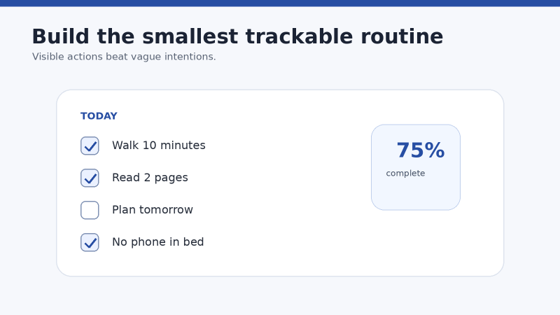
Start With One Behavior You Can See
Do not start with “be healthier,” “be productive,” or “read more.” Those are intentions, not trackable actions.
Use a behavior with a visible finish line:
Walk for 10 minutes after lunch.
Read two pages before bed.
Put $5 into savings every weekday.
Practice vocabulary for five minutes after breakfast.
Put the phone outside the bedroom at 10:30 p.m.
The CDC’s three steps to building a healthy habit recommends making a clear plan and using SMART goals – specific, measurable, achievable, relevant, and time-bound. That same logic works for non-health routines.
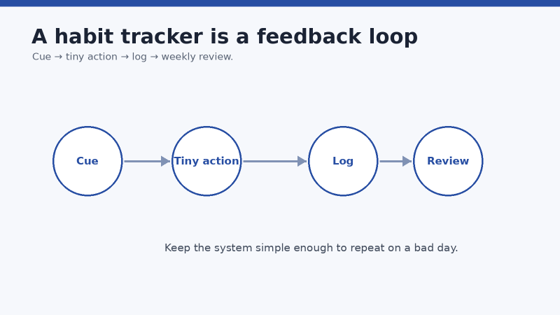
Attach the Habit to a Reliable Cue
Time-based reminders are useful, but event-based cues are often stronger because they are tied to something already happening.
Instead of “meditate at 7:00 a.m.,” try “after I pour my first coffee, I will meditate for two minutes.” Instead of “review tomorrow’s tasks at 9:00 p.m.,” try “after I plug in my phone for the night, I will review tomorrow.”
A good cue is:
Already consistent.
Easy to notice.
Close to the behavior in time and place.
Set a Minimum Version
Every important habit needs a version you can complete on a bad day.
Workout: put on shoes and walk five minutes.
Reading: read one page.
Writing: write 50 words.
Language practice: review five cards.
Cleaning: reset one surface.
This is not lowering your standards forever. It protects continuity when energy, travel, illness, deadlines, or family obligations disrupt the ideal routine.
Pro-Tip: Track the minimum as the official habit and treat extra effort as a bonus. A habit system should reward showing up, not punish you for failing to perform at your best every day.
Choose the Right Frequency
Not every habit should happen daily. Strength training three times per week, calling family weekly, meal planning twice per week, or reviewing finances every Friday are perfectly valid habits.
Daily streaks can distort behavior by making frequency more important than recovery or quality. Pick the schedule that serves the outcome.
Configure Reminders Sparingly
One meaningful reminder beats six ignored notifications.
Use reminders when the cue would otherwise be easy to miss. If the action happens after a strong existing event – such as brushing your teeth – you may not need a notification at all.
If your phone has become a wall of alerts, disable nonessential app notifications first. Habit reminders cannot work when every buzz feels the same.
Decide What Counts as “Done”
Ambiguous rules create arguments with yourself.
“Exercise” is vague. “Walk 10 minutes or complete one planned workout” is clear. “Read” is vague. “Read at least two pages” is clear.
For quantity goals, decide whether partial progress counts. For avoidance habits, decide how you will record slips without erasing the rest of the day.
Review Weekly, Not Constantly
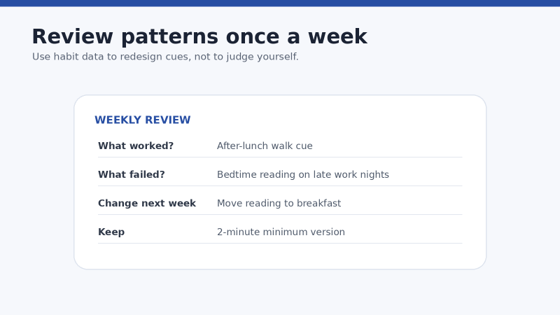
A habit dashboard is useful feedback, but staring at it every few hours adds no value. Set one weekly review – Friday afternoon, Sunday evening, or another reliable time.
Ask four questions:
Which habit was easiest to complete?
Which habit failed most often?
What cue, location, or situation caused the failure?
What one change would make next week easier?
This is where tracking earns its keep. You are not collecting checkmarks; you are running a small experiment on your environment and routines.
💡 Quick Hack: If a habit fails three times for the same reason, change the system before blaming motivation. Move the time, shrink the action, change the cue, prepare equipment earlier, or remove one competing behavior.
Five Common Habit Tracking Mistakes to Avoid
- Tracking Too Many Habits at Once
A fresh tracker makes it tempting to add hydration, reading, exercise, meditation, journaling, vitamins, sleep, stretching, budgeting, language study, and ten other ambitions. That list becomes a daily guilt dashboard.
Start with one to three habits. Expand only when the current routine feels boringly manageable.
- Treating a Broken Streak as Failure
A missed day is data, not a reset of your identity. Long streaks can motivate, but they can also create an all-or-nothing response: “I broke it, so the month is ruined.”
Use completion rate, weekly targets, or rolling trends when appropriate. The important question is how quickly you return.
- Logging After the Fact From Memory
Backfilling a week on Sunday produces unreliable data and weakens the connection between action and reward. Log immediately or at a fixed daily check-in.
If manual logging is the problem, use widgets, shortcuts, watch complications, or health integrations.
- Confusing Measurement With Improvement
Checking a box does not make the behavior better. A reading streak can survive on one page a day forever; a workout streak can survive on token effort.
After consistency is stable, add a second metric such as minutes, distance, weight, pages, or quality – but only if the extra data will change a decision.
- Letting Notifications Become Background Noise
Too many reminders train you to swipe them away. Reserve habit notifications for behaviors that truly need a prompt.
If you ignore the same reminder for a week, change its timing or delete it. A reminder that never causes action is clutter.
Advanced Tips and Next-Level Habit Tracking Hacks
Once the basics are stable, the best habit tracking apps can become lightweight personal analytics tools rather than simple streak counters.
Use Leading and Lagging Metrics
A lagging metric is the outcome you want: weight, revenue, savings, grades, race time. A leading metric is the behavior likely to influence it: workouts, sales calls, deposits, study sessions, training miles.
Track leading behaviors daily or weekly. Review lagging outcomes less often. This keeps attention on actions you can control.
Use “Never Miss Twice” as a Recovery Rule
You do not need perfection; you need a fast return. If you miss Monday’s walk, Tuesday becomes the recovery day. If travel breaks your morning routine, resume the smallest version at the first reasonable opportunity.
This turns maintenance into a design rule instead of an emotional decision.
Create a Habit Ladder
Build three levels:
Floor: the minimum version you can do on a terrible day.
Target: the normal version.
Stretch: the ambitious version when time and energy are high.
For reading, that might be 1 page / 10 pages / 30 pages. For exercise, 5 minutes / 30 minutes / full training plan.
The tracker records whether you cleared the floor. Notes or quantities can record the higher level.
Automate Only Mature Habits
Automation is useful after you know what you want to measure. Apple Health, wearables, and app integrations can mark steps or workouts automatically, but automation can hide context.
First learn the behavior manually. Then automate repetitive logging once the metric is stable and trustworthy.
Run a Monthly Habit Audit
Every 30 days, classify each habit:
Keep: still valuable and appropriately challenging.
Upgrade: consistent enough to increase the target.
Shrink: valuable but failing because the minimum is too large.
Replace: no longer connected to an important goal.
Graduate: automatic enough that you no longer need to track it.
Pro-Tip: Graduation is success. If brushing after breakfast or reviewing tomorrow’s calendar has become automatic, remove it from the tracker and use that attention for the next behavior.
Troubleshooting & Long-Term Maintenance Guide
“I Keep Forgetting to Open the App”
Move logging closer to the action. Add a home-screen widget, watch complication, shortcut, or notification action. If the app requires six taps every time, choose a simpler workflow.
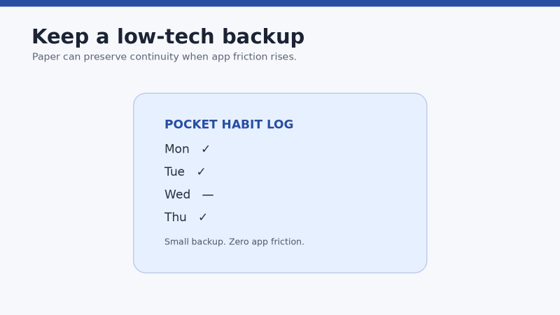
A paper checkmark on the fridge is better than a sophisticated app you never open.
“I Missed Several Days and Do Not Want to Restart”
Do not rebuild the entire system. Pick one habit and complete the minimum version today. Then reduce the next seven days to a recovery schedule.
The goal is to re-establish the cue-action connection, not to make up for missed volume.
“My Streak Is High but I Am Not Improving”
Your habit may be too easy for your current level. Keep the cue and routine structure, but gradually raise the target.
For example, keep “study after dinner” but move from five minutes to fifteen. Keep “walk after lunch” but add distance or pace once consistency is solid.
“I Have Too Many Reminders”
Delete every habit notification for one day. Add back only the two or three that genuinely change behavior. Use existing cues for the rest.
Notification scarcity makes the remaining alerts meaningful again.
“The App Feels Like Homework”
Switch motivation models. If analytics feel sterile, try Habitica or Finch. If gamification feels childish or distracting, try Loop, Habitify, Streaks, or Way of Life.
A well-matched tracker should reduce cognitive load. If maintaining the tracker feels harder than doing the habit, the tool is mismatched.
“I Am Paying but Barely Using Premium Features”
Cancel auto-renewal now; you can usually continue using the remaining paid period. Export data if the app supports it, identify the one feature you actually used, and see whether a free alternative provides it.
A habit tracker should save attention, not become a recurring guilt bill.
A Simple Maintenance Schedule
| Frequency | Action | What It Prevents |
| Daily | Log habits immediately or at one fixed check-in | Forgotten or reconstructed data |
| Weekly | Review completion rate and one recurring obstacle | Repeating the same failure pattern |
| Monthly | Keep, upgrade, shrink, replace, or graduate habits | Tracker clutter and stale goals |
| Quarterly | Review app subscription, exports, and platform fit | Paying for unused features or staying locked into the wrong tool |
Frequently Asked Questions
What is the best habit tracking app overall?
Habitify is the best general-purpose choice for many users because it is dedicated to habit tracking, works across multiple platforms, and combines reminders, organization, and analytics without requiring a full task-management system. Apple-only users may prefer Streaks, while Android users wanting a free option should consider Loop.
What is the best free habit tracker app?
Loop Habit Tracker is one of the strongest completely free choices for Android because it is open source, ad-free, privacy-focused, and includes useful charts and habit scoring. Habitica also offers substantial free functionality if you prefer gamification, while other apps provide free tiers with varying limits.
Are habit tracking apps actually effective?
They can be effective as feedback and reminder tools, but the app does not create the habit by itself. Repeating a specific behavior in a stable context is more important than collecting streaks. Use the tracker to make repetition visible, identify obstacles, and adjust cues or difficulty when the routine breaks.
How many habits should I track at once?
For a beginner, one to three habits is usually enough. Tracking too many behaviors increases daily friction and makes it harder to see which change is actually working. Add new habits only after the existing ones feel stable for at least a couple of weeks.
Is it better to track habits daily or weekly?
Track according to the behavior, not the app’s default. Hydration or medication may need daily tracking; strength training may make more sense three times per week; finance reviews may be weekly. A realistic schedule is more useful than a perfect daily streak that encourages overtraining or meaningless checkmarks.
What should I do when I break a habit streak?
Resume with the smallest version of the behavior at the next appropriate cue. Do not wait for Monday or the first day of a new month. Review what caused the miss, change the system if the same obstacle repeats, and focus on recovery speed rather than a flawless streak.
Conclusion: Pick the Tracker You Will Still Use in 60 Days
The best habit tracking apps are not the ones with the longest feature lists. They are the ones that make the desired behavior easier to remember, easier to record, and easier to improve after an imperfect week.
For most people, start with Habitify if you need cross-platform depth, Streaks if you live in the Apple ecosystem, Loop if you want a free Android tracker, Habitica if games motivate you, or TickTick if habits belong inside a larger productivity workflow. Then keep the setup small: one to three habits, clear cues, realistic frequencies, and one weekly review.
If you are building a broader digital system, continue with MyFlexBots’ guide to best productivity apps 2026. Android users can also explore the best free apps for Android in 2026, while readers focused on exercise can compare the best free fitness apps in 2026.
editor's pick
latest video
news via inbox
Nulla turp dis cursus. Integer liberos euismod pretium faucibua


