
Best Free Fitness Apps in 2026: Top Picks for Every Workout
A fitness app should remove friction, not create another monthly bill, confusing dashboard, or abandoned account. This guide compares the best free fitness apps for home workouts, running, strength training, activity tracking, and nutrition, then shows you how to build a routine that survives beyond the first enthusiastic week.
You will see what each free tier genuinely does, where the paywalls begin, which app fits each goal, and how to set up a simple four-week system without buying a smartwatch, gym membership, or premium plan.
| Safety note: Fitness apps provide general wellness guidance, not medical diagnosis or individualized treatment. Start conservatively, use pain-free movement, and speak with a qualified healthcare professional when health conditions, pregnancy, injury, or recovery may change what is safe for you. |
Featured Snippet: What Are the Best Free Fitness Apps in 2026?
| Direct answer: The best free fitness apps in 2026 are Nike Training Club for guided workouts, FitOn for class variety, Nike Run Club for coached running, Strava for outdoor tracking, Hevy for gym logging, Boostcamp for strength programs, and Samsung Health for an all-in-one activity dashboard. |
How We Chose the Winners
Free download does not automatically mean useful. Many apps display a generous home screen but lock programming, history, analytics, or basic convenience behind a trial. Our evaluation focuses on what a person can keep using after the trial banners disappear.
Free-tier usefulness: Can the app support a real weekly routine without payment?
Workout quality: Are exercises, plans, cues, and progressions clear enough for the intended user?
Setup friction: Can a beginner start a session quickly without building a complex profile?
Tracking depth: Does the app record the metrics that matter for its category?
Platform and device fit: Does it work on common iPhone and Android setups, with reasonable wearable support?
Privacy and account control: Are permissions understandable, and can the user limit unnecessary data sharing?
Long-term value: Is the app still useful after motivation drops and novelty wears off?
App features and free tiers were checked against official product and support pages available on July 29, 2026. Availability, pricing, and regional features can change, so confirm the current store listing before publishing future updates.
Quick Comparison: Top Free Fitness Apps
The table below gives the fastest answer. Choose by training job first; downloading the highest-ranked app for the wrong job usually leads to frustration.
| App | Best for | Useful free features | Main limitation | Platforms |
| Nike Training Club | Guided home and gym workouts | Large free workout library and programs | Limited detailed lifting log | iOS, Android |
| FitOn | Home classes and variety | Free guided cardio, strength, yoga, Pilates | Some convenience extras are paid | iOS, Android, web/TV options |
| Nike Run Club | Beginner to intermediate running | Guided runs, plans, GPS tracking | Not a complete gym tracker | iOS, Android |
| Strava | Outdoor activity and community | Record and share activities | Routes and advanced analysis are paid | iOS, Android, web |
| Hevy | Simple strength logging | Unlimited workout tracking; four routines | Longer analytics history is paid | iOS, Android, web |
| Boostcamp | Structured lifting programs | Thousands of programs plus a full tracker | Advanced analytics and select programs are paid | iOS, Android |
| Caliber | Science-based strength planning | Strength plans, logging, progress metrics | Personal coaching costs extra | iOS, Android |
| JEFIT | Exercise library and custom routines | Large exercise database and planner | Interface can feel dense; premium upsells | iOS, Android, web |
| MyFitnessPal | Nutrition plus exercise logging | Food, exercise, weight, and macro tracking | Many advanced nutrition tools are paid | iOS, Android, web |
| Samsung Health | All-in-one Android wellness dashboard | Activity, sleep, food, stress, and workouts | Best experience needs compatible hardware | Android; device support varies |
Essential Tools & Materials Breakdown
The app may cost nothing, but a good setup still needs a few practical pieces. Most are optional; the goal is to remove excuses, not build a home gym before the first workout.
| Tool or material | Why it helps | Estimated cost | Skill level | Priority |
| Smartphone | Runs the app, plays cues, tracks GPS, and stores workout history. | $0 if already owned | Beginner | Essential |
| Reliable internet or downloaded sessions | Loads videos, maps, exercise demos, and sync data. | $0-$60/month | Beginner | Essential for most apps |
| Exercise mat | Improves comfort for floor work, mobility, yoga, and bodyweight sessions. | $15-$35 | Beginner | Helpful |
| Resistance band | Adds scalable resistance without heavy equipment or much storage. | $10-$25 | Beginner | Optional |
| Adjustable or basic dumbbells | Supports progressive strength training at home. | $20-$80+ | Beginner to intermediate | Optional |
| Phone stand or tripod | Keeps exercise demonstrations visible and prevents constant screen handling. | $10-$30 | Beginner | Helpful for guided classes |
| Wearable tracker | Adds heart-rate, sleep, and wrist-based activity data. | $30-$300+ | Beginner | Optional |
| Notebook or simple spreadsheet | Creates a backup of key lifts, measurements, and weekly notes. | $0-$8 | Beginner | Recommended |
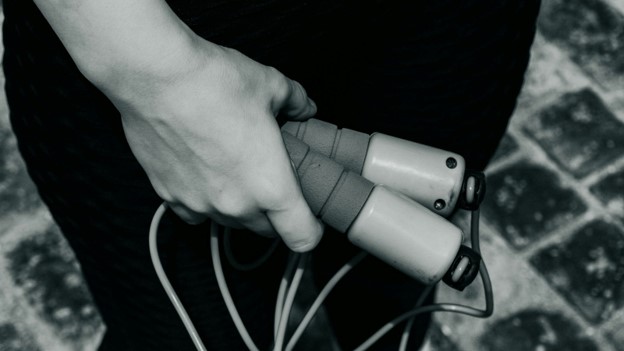
| 💡 Quick Hack: Start with your phone, comfortable shoes, floor space, and one towel. Do not buy equipment until the app has helped you complete at least six sessions; consistency is a better buying signal than excitement. |
Step-by-Step: Choose and Set Up the Right App
Define One Primary Goal
Write a single sentence that describes what the app must help you do during the next four weeks. “Get fit” is too broad. A useful target sounds like “complete three 25-minute home workouts each week,” “run continuously for 20 minutes,” or “log every strength session and add reps safely.”
One primary goal prevents app-hopping. You can improve several things at once, but the app needs one job so you can judge whether it works.
Match the App Category to the Goal
Guided workouts: Choose Nike Training Club or FitOn when you want to press play and follow instructions.
Running: Choose Nike Run Club for coaching and plans; add Strava when social accountability or outdoor history matters.
Strength programming: Choose Boostcamp or Caliber when you need a plan, not only a blank log.
Strength logging: Choose Hevy or JEFIT when you already know what you want to perform and need records.
Nutrition and weight trend: Choose MyFitnessPal as a food and exercise diary, not as the sole source of workout programming.
All-day wellness: Choose Samsung Health when steps, sleep, activity, and basic workout records belong in one dashboard.
Inspect the Free-Tier Boundary Before Registering
Open the official pricing or support page before entering payment details. Look for limits on saved routines, workout history, offline access, custom plans, GPS routes, analytics, and device syncing. A free tier is strong when it supports the core job permanently; premium should improve convenience or depth rather than unlock the basic workout.
| Pro-Tip: Avoid starting a trial on day one. Use the permanent free tier for a week first. You will learn whether the app fits your habits before a countdown pressures you into a subscription. |
Review Permissions and Privacy
Fitness apps may request motion, location, Bluetooth, camera, contacts, notifications, and health-data access. Grant only what the feature needs. A running app needs location during a recorded run; a simple lifting log usually does not need continuous location or your contacts.
Use “while using the app” location permission when available. Turn off marketing notifications, contact syncing, and automatic social sharing unless you actively want them. For a broader privacy workflow, link to the MyFlexBots guide on best free apps for Android and use the same permission-checking habit before every install.
Secure the Account and Data
Use a unique password, enable two-factor authentication when offered, and avoid displaying full birth dates, precise home routes, or public workout times. Outdoor apps can reveal routines if every activity starts and ends at the same address. Use privacy zones or hide map endpoints where the platform supports them.
Connect only the services you need. Every extra link between a phone, wearable, nutrition app, social network, and coaching platform creates another place where data can duplicate, fail to sync, or become visible.
Complete a Baseline Week
For seven days, use the app without chasing a dramatic transformation. Record your normal steps, run pace, workout volume, or class completion. Note which sessions felt manageable, which screens slowed you down, and whether reminders helped or annoyed you.
Baseline data gives the app context and gives you a realistic starting point. Progress measured from an honest week is more useful than progress measured from one unusually hard session.
Build a Four-Week Test Plan
Use the same days and approximate times each week. A beginner plan might include two strength sessions, one easy cardio session, and short walks on other days. The exact mix depends on your goal, but the schedule should be easy to remember and recover from.
Public-health guidance commonly recommends a weekly mix of aerobic activity and muscle strengthening. Use the WHO physical activity recommendations, CDC physical activity basics, and the Physical Activity Guidelines for Americans as general reference points, then scale the plan to your ability and circumstances.
| 💡 Quick Hack: Schedule the smallest version of the workout. Put “10-minute start” on the calendar rather than “perfect 60-minute session.” Once you begin, you may continue; when energy is low, the minimum still protects the habit. |
Track Only the Metrics That Change Decisions
A dashboard can display dozens of numbers. Most beginners need three: sessions completed, one performance metric, and one recovery note. For running, use sessions, time or distance, and effort. For strength, use sessions, weight/reps, and whether technique stayed controlled. For home classes, use completion, duration, and difficulty.
Do not treat calorie-burn estimates as exact measurements. Different phones and wearables can produce different numbers for the same session. Use estimates as trends within the same device, not as precise permission to eat or train more.
Review the App After Four Weeks
Keep the app when it helped you start on time, complete sessions, and see useful progress. This four-week review is how you separate the best free fitness apps from downloads that only looked promising. Replace the app when the interface creates friction, the free tier blocks the main job, or the program does not match your equipment and ability. Delete unused apps so reminders and duplicate data do not compete for attention.
The 10 Best Free Fitness Apps Reviewed
The best free fitness apps are not interchangeable. Each winner below solves a different problem, and the limitations matter as much as the headline features.
- Nike Training Club — Best Overall for Guided Workouts
Nike Training Club is the strongest all-round starting point for people who want professional-looking guided sessions without committing to a subscription. Nike advertises more than 185 free workouts across strength, endurance, yoga, mobility, and equipment levels, with sessions ranging from quick routines to fuller training blocks.
Its biggest advantage is low decision fatigue. You can filter by time, muscle group, equipment, and workout type, then follow video and coaching cues. This suits beginners at home, travelers, and gym users who want variety without programming every set.
Best for: guided workouts, mobility, yoga, general fitness, and no-equipment sessions.
Free-tier strength: the workout library and programs are genuinely usable without a paid membership.
Watch out for: it is not a detailed progressive lifting log, so serious strength trainees may want a separate tracker.
| 💡 Quick Hack: Cast the workout to a television or prop the phone at eye level. Better visibility reduces pauses, keeps the floor clear, and makes technique cues easier to follow. |
- FitOn — Best for Home Workout Variety
FitOn is designed for users who get bored easily. Its free workout catalog spans cardio, strength, Pilates, yoga, mobility, dance-style sessions, low-impact options, and short routines that fit a busy day. The service promotes free access to its workouts, while optional paid features add conveniences and extras.
The app feels closer to an on-demand class platform than a spreadsheet-style tracker. That makes it useful for households where several people prefer different workout styles, or for someone still discovering what they enjoy.
Best for: home classes, mixed training, short sessions, and users who need variety.
Free-tier strength: broad guided content with many no-equipment choices.
Watch out for: class variety can encourage random workouts. Pick a repeated weekly pattern instead of choosing only by mood.
- Nike Run Club — Best Free Running Coach
Nike Run Club combines GPS run tracking with guided audio sessions, training plans, pace information, and encouragement. It is especially useful for a new runner who needs structure but does not want to pay for a separate coaching subscription.
Guided runs are the standout feature. A coach speaks during the session, helping with pacing, effort, and mindset. That can be more useful than staring at numbers while trying to build confidence outdoors.
Best for: first runs, returning runners, 5K preparation, and coached audio sessions.
Free-tier strength: running guidance and tracking are available without a premium upgrade.
Watch out for: runners who want deep route tools, club competition, or advanced analysis may pair it with Strava.
- Strava — Best for Outdoor Tracking and Community
Strava remains one of the most useful social activity platforms for running, cycling, hiking, walking, and other GPS-based exercise. The free version records and shares activities, connects with many devices, and creates an ongoing history that can motivate users who enjoy community.
The social feed is both the advantage and the risk. Encouragement and clubs can improve consistency, but leaderboards and polished highlight posts can push beginners toward comparison. Treat the feed as accountability, not a test of worth.
Best for: outdoor activity history, social motivation, and multi-device syncing.
Free-tier strength: activity recording and sharing remain free.
Watch out for: route creation, deeper analysis, and several performance tools sit behind the subscription.

- Hevy — Best Simple Free Gym Workout Tracker
Hevy is built around fast workout logging. The free version supports unlimited tracking and up to four saved routines, with exercise history and social features presented in a clean interface. It is a practical choice when you already have a training plan and need a reliable log.
Logging speed matters more than decorative analytics during a hard session. Hevy makes sets, reps, weight, rest timers, and previous performance easy to find, reducing the temptation to skip records between exercises.
Best for: gym users, repeat routines, progressive overload, and straightforward logs.
Free-tier strength: unlimited workout tracking with four routines is enough for many three- or four-day programs.
Watch out for: longer historical analytics and additional routine capacity require Pro.
- Boostcamp — Best for Free Strength Programs
Boostcamp is the standout choice for lifters who need a structured program rather than an empty workout template. Its official site lists more than 11,000 programs, including coach-designed and community routines, plus set-by-set tracking, rest timers, RPE/RIR logging, and progressive-overload tools.
The enormous library is useful only when filtered carefully. Start with beginner, equipment, schedule, and duration filters. A popular advanced program is not automatically appropriate for a new lifter or a small home setup.
Best for: hypertrophy, strength, powerlifting, beginner barbell programs, and structured progression.
Free-tier strength: core programs and tracking remain useful without Pro.
Watch out for: advanced analytics and selected exclusive programs are paid; the large catalog can overwhelm undecided users.
- Caliber — Best for Science-Based Strength Planning
Caliber combines strength routines, exercise logging, and progress metrics in a free app, while offering paid one-to-one coaching separately. Its strength-focused design suits people who want clearer programming principles and a more guided structure than a basic notebook.
Caliber is a good middle ground between a video class app and a pure logger. You can follow a plan, record performance, and review strength progress without turning every session into a complicated analytics project.
Best for: beginners building a repeatable strength routine and users interested in measurable progression.
Free-tier strength: useful planning and tracking exist without buying coaching.
Watch out for: personalized human coaching is a paid service, and users seeking large class libraries should choose another app.
- JEFIT — Best Exercise Library and Custom Planner
JEFIT offers a large exercise library, routine builder, training logs, progress tools, and web access. Its official planning pages describe more than 1,500 exercises, making it useful for experienced gym users who want to customize routines around available equipment.
The tradeoff is density. JEFIT exposes more options than a minimalist logger, so setup can take longer. Build one routine first, hide unused features, and learn the interface during a rest day rather than at the gym.
Best for: custom gym plans, exercise substitutions, detailed logs, and users who like data.
Free-tier strength: the exercise database and core planning tools cover real workouts.
Watch out for: ads, premium prompts, and a busier interface than Hevy.
- MyFitnessPal — Best for Nutrition and Exercise Logging
MyFitnessPal is primarily a nutrition tracker, but its free version also logs exercise, body weight, measurements, foods, meals, recipes, and macronutrients by percentage. It belongs in this guide because training results often depend on consistent habits beyond the workout screen.
Use it as a diary and trend tool, not a medical authority or a reason to obsess over exact daily numbers. Food databases contain user-generated entries, serving sizes can be wrong, and wearable calorie estimates can create false precision.
Best for: food awareness, weight trends, meal patterns, and combined exercise records.
Free-tier strength: basic food and exercise logging remains functional.
Watch out for: barcode scanning, advanced reports, data export, and several planning tools may require Premium.
- Samsung Health — Best Free All-in-One Android Dashboard
Samsung Health is a broad wellness platform for activity, workouts, sleep, nutrition, stress, and device data. Samsung states that the app is free and can run on supported Android phones from Samsung and other manufacturers, although specific features depend on device, region, and connected hardware.
It is a strong dashboard for someone who wants fewer apps. Basic step tracking and workout records can work with a phone, while a compatible watch or ring adds richer sleep and heart-related measurements. Treat advanced readings as wellness information and follow device guidance about medical use.
Best for: Android users, Galaxy device owners, all-day activity, sleep, and connected wellness data.
Free-tier strength: the main app is free, with broad tracking and insight features.
Watch out for: the strongest experience depends on compatible Samsung hardware, and some services vary by region.
Best App Stacks by Goal
One app is often enough. When two apps clearly divide the work, a small stack can be useful. Avoid linking three trackers that all write the same workout data.
Beginner home fitness: Nike Training Club + Samsung Health — Use NTC for sessions and Samsung Health for daily activity. Keep only one source writing workout data to the health dashboard.
Running improvement: Nike Run Club + Strava — Use NRC for guided plans and Strava for community/history. Check that runs do not import twice.
Structured strength: Boostcamp alone — It already combines programs and logging. Add another tracker only when a specific feature is missing.
Custom gym routine: Hevy or JEFIT — Choose one primary log. A duplicate log adds work without improving results.
Weight-management awareness: MyFitnessPal + a movement app — Use MyFitnessPal for food trends and one training app for workouts. Avoid eating back every estimated exercise calorie automatically.
| 💡 Quick Hack: Use one “source of truth” for workouts and one for daily wellness at most. When two apps can both write calories, steps, or sessions, disable one direction to prevent duplicates. |
Common Mistakes to Avoid
Even the best free fitness apps fail when the setup encourages inconsistency, comparison, or data overload. These five errors create most beginner frustration.
Mistake 1: Downloading Too Many Apps
Three workout libraries, two step trackers, and a nutrition diary create notifications and duplicate records before they create progress. Pick one primary training app for four weeks. Add a second only when it has a clearly different job.
Mistake 2: Choosing by Features Instead of Behavior
A sophisticated strength platform is useless if you prefer follow-along classes. A beautiful video app is weak if your goal is adding weight to a barbell program. Choose the interface you will open at the scheduled time, not the one with the longest marketing page.
Mistake 3: Treating Calorie Estimates as Exact
Phones and wearables estimate energy use from motion, heart rate, body details, and algorithms. The number may be useful as a trend but should not become an exact food budget or proof that a session was effective. Performance, consistency, recovery, and longer-term body trends are more useful.
Mistake 4: Starting Too Hard
The first week should leave room for the second. Repeating advanced sessions, chasing daily personal records, or doubling a plan because motivation is high can create soreness and burnout. Follow the easier starting option and progress only when technique and recovery remain solid.
Mistake 5: Ignoring Privacy and Route Exposure
Public maps can reveal home, work, and routine times. Hide start/end points, review default audience settings, and avoid posting live location publicly. Do not sync contacts simply because the onboarding screen makes it look required.
Advanced Tips and Next-Level Hacks
After four consistent weeks, use these upgrades to get more from the best free fitness apps without turning the routine into a second job.
Use Progressive Overload Without Chasing Failure
For strength work, improve one variable at a time: add a repetition, use slightly more weight, improve range of motion, reduce unnecessary rest, or perform the same work with better control. Record the change in Hevy, Boostcamp, Caliber, or JEFIT so the next session has a clear target.
Create a Minimum, Standard, and Bonus Session
Build three versions of the same training day. The minimum version lasts 10 minutes, the standard version follows the plan, and the bonus version adds optional mobility or easy cardio. This prevents an all-or-nothing choice when work, travel, or poor sleep disrupts the schedule.
Turn Off Motivation Spam and Keep One Reminder
Too many badges and push alerts become background noise. Keep one reminder tied to the planned start time and turn off generic marketing, friend suggestions, product offers, and daily streak pressure that does not improve action.
Prepare Offline Before Travel
Download sessions when the app supports it, save screenshots of the workout outline, and keep a lightweight backup routine in your notes. A travel plan can be five movements: squat variation, push, pull or band row, hinge, and core. The backup protects consistency when Wi-Fi or roaming fails.
Review Trends Weekly, Not Hourly
Choose one weekly review time. Check completed sessions, performance, effort, and recovery. Make one adjustment for the next week. Constantly checking step rings, calories, or rankings can turn useful feedback into distraction.
Export or Back Up Important Training Data
Apps can change ownership, pricing, or features. When export is available, save a periodic copy. At minimum, keep your main routine, personal records, and recent progress in a note or spreadsheet. This prevents a platform change from erasing the practical history you need.

| Pro-Tip: Create a “friction audit” after every missed session. Write the real reason in one line—no space, no plan, low energy, app confusion, equipment unavailable—then change the setup rather than blaming motivation. |
Troubleshooting and Long-Term Maintenance
The best free fitness apps need occasional maintenance because phones update, permissions reset, GPS drifts, and connected services change. Use the fixes below before deleting a routine that otherwise works.
Problem: Steps or Distance Look Wrong
Confirm motion and location permissions are enabled for the correct app.
Use precise location during GPS workouts when the phone offers that setting.
Disable battery optimization for the tracker only if background recording stops repeatedly.
Carry the phone consistently; a bag or desk cannot record steps you take without it.
Compare several sessions rather than judging one route with tall buildings, trees, or poor satellite visibility.
Problem: The Same Workout Appears Twice
Duplicate workouts usually come from two apps writing to Apple Health, Health Connect, Samsung Health, or another hub. Choose one app as the writer for each data type. For example, let Nike Run Club write runs while Strava imports them, but do not also allow a watch app to create a second version.
Problem: Video Buffers or the App Uses Too Much Data
Lower video quality, download sessions on Wi-Fi when supported, or use an audio-guided option. Close background downloads and cast only when the network is stable. Keep a screenshot or written backup of the routine for weak-signal locations.
Problem: Battery Drains During Outdoor Workouts
Charge before long sessions and close unnecessary background apps.
Turn down screen brightness and rely on audio cues when safe.
Download music or podcasts instead of streaming both media and GPS data.
Review continuous heart-rate, live location, and always-on display settings.
Do not disable essential safety or navigation features merely to save a small amount of battery.
Problem: The App Crashes or Will Not Sync
Update the app and operating system, restart the phone, check storage space, and confirm the service is online. Sign out only after confirming data is synced. Before reinstalling, record recent workouts or export data so a local-only entry is not lost.
Problem: A Previously Free Feature Is Now Paid
Check whether the core job still works. A new paywall on advanced analytics may not matter; a paywall on the routine or history you rely on does. Compare official feature pages, export your data, and move to a stronger permanent free tier when necessary. Do not subscribe from frustration before testing an alternative.
Problem: Motivation Drops After Two Weeks
Reduce the plan before abandoning it. Keep the same days but cut duration by one-third for a week. Choose easier sessions, remove optional metrics, and train with a friend or simple calendar checkmark. The routine should become easier to start as life gets busier, not more complicated.
Monthly Maintenance Checklist
Review permissions and connected apps.
Delete duplicate or abandoned fitness apps.
Update body weight or training settings only when useful and comfortable.
Check that saved routines still match available equipment.
Back up personal records and important plans.
Inspect subscription settings so a trial does not renew unexpectedly.
Adjust the next month based on completed sessions and recovery, not guilt.
Frequently Asked Questions
What is the best free fitness app overall?
Nike Training Club is the strongest overall choice for most beginners because it offers a large free guided-workout library across strength, mobility, yoga, cardio, and different equipment levels. Runners should choose Nike Run Club, while lifters who need a structured program may prefer Boostcamp.
Which free fitness app is best for beginners?
Nike Training Club and FitOn are easy starting points for guided home workouts. Nike Run Club is a better fit for beginner running, while Caliber provides a clearer path for someone learning a repeatable strength routine. The right beginner app minimizes decisions and offers easier versions.
Are free fitness apps really free?
Some are fully useful without payment, while others use a freemium model. Check whether workouts, logging, history, and essential plans remain available after any trial. Optional premium analytics are reasonable; a free tier is weak when the core routine becomes inaccessible.
Can I get fit using a free app without equipment?
Yes. Bodyweight strength, walking, running, mobility, yoga, and low-impact cardio can build a consistent routine without purchased equipment. A mat or resistance band can increase comfort and variety, but neither is required to begin.
Which free app is best for weight loss?
No app guarantees weight loss. MyFitnessPal can help with food and body-weight awareness, while Nike Training Club, FitOn, walking, or running apps support activity. Choose habits you can repeat, review trends over several weeks, and seek qualified guidance when medical or nutritional needs are complex.
How accurate are fitness app calories and step counts?
They are estimates. Step counts are often useful for trends when the phone or wearable is carried consistently, while calorie estimates can vary substantially by device and activity. Compare progress within the same setup and avoid treating a single number as an exact measurement.
Should I use a fitness app and a smartwatch together?
A smartwatch can improve convenience for heart rate, GPS, sleep, and wrist-based activity, but it is optional. Begin with the phone app. Add a wearable only after you know which data will change your decisions and which device works with your chosen platform.
Conclusion: Pick One App and Run a Four-Week Test
The best free fitness apps succeed because they make the next useful action obvious. Choose the app that matches one goal, review the permanent free tier, protect your privacy, schedule a manageable week, and track only the numbers that guide the next session.
Start with one app today and keep the plan simple for four weeks. Which goal are you working on first—home workouts, running, strength, daily activity, or nutrition? Share your choice in the comments and explain which feature makes the routine easier to follow.
editor's pick
latest video
news via inbox
Nulla turp dis cursus. Integer liberos euismod pretium faucibua


