
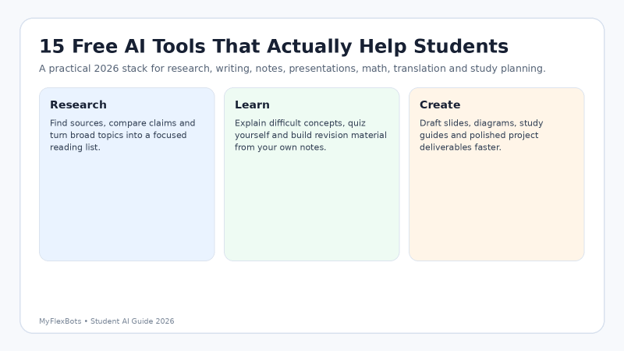
Best Free AI Tools for Students 2026: Top 15 Tools for Study & Productivity
A student can now lose more time choosing AI tools than actually studying. The useful question is not which app is most impressive; it is which free tool helps you understand a topic, find trustworthy evidence, produce better work, and stay inside your school’s academic-integrity rules. This guide to the best free AI tools for students 2026 gives you a practical stack, clear use cases, current free-tier caveats, and workflows you can use today without turning your study routine into a pile of subscriptions.
You will learn which tools are strongest for tutoring, research, note-taking, writing, presentations, math, transcription, and translation; how to combine them without duplicating work; and how to verify AI output before it reaches an assignment. Free plans change often, so treat the limits below as a September 2026 snapshot and check the provider’s current plan page before relying on a tool for a deadline.
What are the best free AI tools for students in 2026?
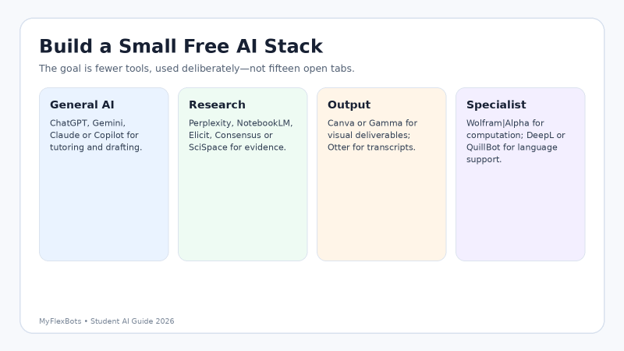
The best free AI tools for students combine a general tutor, a source-grounded research tool, and one specialist. Start with ChatGPT, Gemini, Claude, or Copilot; use Perplexity, NotebookLM, Elicit, or Consensus for evidence; then add Canva, Gamma, Wolfram|Alpha, DeepL, Quillbot, or Otter only when the task requires it.
For students comparing the best free AI tools for students in 2026, the most important distinction is not “Which model is smartest?” It is whether the tool matches the job and gives you a reliable way to inspect the answer.
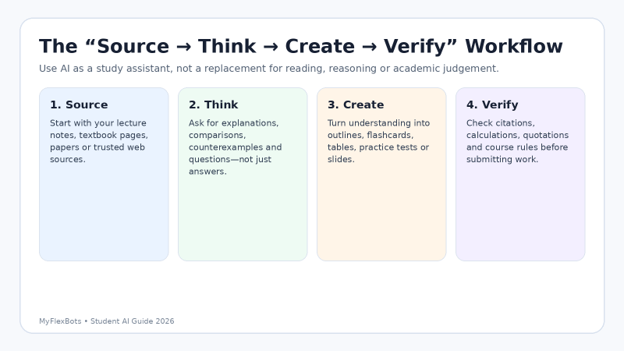
Essential AI tools & cost breakdown
You do not need all fifteen tools. Use this table as a routing map. “Free” means a usable no-cost tier or free basic account existed when this guide was checked; limits, model access, and regional availability can change.
| Tool | Best use | Free access | Skill | Watch for |
| ChatGPT | Tutoring, drafting, files | Free tier | Beginner | Verify facts; limits vary. |
| Gemini | Google-centric study work | Standard free access | Beginner | Limits are compute-based. |
| Microsoft Copilot | Chat, files, images | Free with limits | Beginner | Capacity limits apply. |
| Claude | Long reading and drafting | Free plan | Beginner | Usage varies by workload. |
| Perplexity | Web research + citations | Standard free | Beginner | Open every important source. |
| NotebookLM | Study from your sources. | Free baseline | Beginner | Usage caps apply. |
| Quillbot | Paraphrase and grammar | Free tools | Beginner | Avoid meaning drift. |
| Canva AI | Slides and visual projects | Free AI allowance | Beginner | Monthly AI usage limit |
| Gamma | Fast presentations | 400 starter credits | Beginner | Free credits do not refresh. |
| Elicit | Literature research | Basic free | Intermediate | Use original papers. |
| Consensus | Evidence search | Free tier | Beginner | Read study context. |
| SciSpace | Paper reading / formatting | Basic free | Intermediate | Feature limits vary. |
| Otter | Lecture/meeting transcripts | Basic free | Beginner | Check consent and accuracy. |
| DeepL | Translation / language support | Free version | Beginner | Review terminology. |
| Wolfram|Alpha | Math and computation | Basic free | Intermediate | Step-by-step is paid |
💡 Quick Hack: Pick one tool from each of only three buckets—general assistant, evidence/research, and specialist output. A small stack is easier to learn, easier to verify, and less likely to scatter your notes across five accounts.
How we evaluated the tools
A useful student tool should save review time, not merely generate lots of text. We evaluated the best free AI tools for students in 2026 against five practical questions:
Does the free tier let a student complete a meaningful task, rather than only see a demo?
Can the answer be checked against sources, uploaded course material, calculations, or visible edits?
Does the tool help understanding and revision—not just produce a polished final answer?
Can a beginner correct the output without learning a complicated workflow?
Are the main free-tier limits understandable enough to plan around before an assignment deadline?
Build your AI study stack by job.
The fastest way to waste time is to compare fifteen tools on the same vague prompt. Define the job first. A research question, a calculus problem, a presentation, and a language exercise need different strengths.
For explaining difficult concepts
Use a general assistant as a tutor. Give it your course level, the exact concept, and the material you are allowed to use. Ask for an explanation in layers: one-sentence intuition, a simple example, a formal definition, and then practice questions. That sequence forces the model to teach rather than simply dump an answer.
For research and citations
Use a research-first tool to locate material, then open the primary sources yourself. Perplexity is good for a broad web map; Elicit, Consensus, and SciSpace are stronger when the question lives in academic literature; NotebookLM is strongest when your own PDFs, notes, and source pack should be the boundary.
For creating the final deliverable
Use Canva or Gamma for slides and visual summaries, Quillbot for sentence-level refinement, DeepL for translation support, Otter for transcripts, and Wolfram|Alpha for computation. Specialist tools reduce the temptation to force one chatbot to do everything.
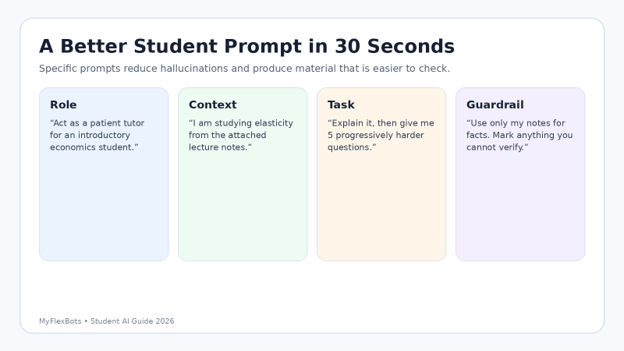
Use a prompt structure that makes answers easier to trust.
The quality of AI help often depends more on the prompt’s constraints than on clever wording. Use this four-part pattern: role, context, task, and guardrail.
Role: Tell the tool what kind of help you need: tutor, editor, quiz maker, research assistant, or coding explainer.
Context: State your level, course, topic, and source material. “First-year biology” is much better than “explain cells.”
Task: Define the output: comparison table, five practice questions, outline, flashcards, error diagnosis, or presentation plan.
Guardrail: Say what the tool must not invent. Ask it to use only uploaded sources, label uncertainty, and separate facts from suggestions.
Pro-Tip: Ask for a “misconception check.” After an explanation, request: “List three mistakes a beginner commonly makes here and show me how to detect each one.” This turns AI from an answer machine into an active study partner.
- ChatGPT—best all-round free study assistant
Open official tool—ChatGPT is the broadest starting point for students who want one place for explanations, brainstorming, writing feedback, file work, and practice questions. OpenAI continues to offer a free plan with basic limits; exact model and feature allowances change over time. For study use, its biggest advantage is flexibility: the same conversation can move from “teach me this concept” to “quiz me” to “show me where my answer is weak.”
Best for: concept explanations, revision plans, practice questions, draft feedback, and mixed-format tasks.
Five-minute test: paste a paragraph of your own notes and ask for a 10-question retrieval quiz with answers hidden below a divider.
Watch for confident factual errors, made-up citations, and over-reliance on polished wording.
- Google Gemini—best for Google-based schoolwork
Open official tool—Gemini is attractive when your study life already revolves around Google services. Google’s current consumer documentation shows standard access without a paid AI plan, with usage limits that can vary according to model, prompt complexity, and demand. Use it for explanations, brainstorming, and multimodal questions, but evaluate it on how well it fits your actual files and workflow rather than on one-off trivia.
Best for: students already using Google Docs, Drive, and other Google tools.
Five-minute test: ask it to turn a topic into a study plan with checkpoints, then manually compare the plan with your syllabus.
Watch for changing limits and assuming a connected source is automatically correct or current.
- Microsoft Copilot—best free option for Microsoft users
Open official tool—Microsoft says the Copilot app can still be used free for chat, image creation, file uploads, and more, subject to capacity and usage limits. For a student on Windows or already living in the Microsoft ecosystem, that makes Copilot a low-friction second assistant. Its value is convenience: you can use it for quick explanations, rewriting, brainstorming, and file-based questions without building a new workflow.
Best for: Windows users, everyday Q&A, file questions, and quick writing help.
Five-minute test: upload a non-sensitive study handout and ask for a one-page revision sheet plus five questions that target the hardest ideas.
Watch for free-capacity limits and answers that still require fact-checking.
- Claude—best for long reading and careful drafting
Open official tool—Claude is particularly useful for long documents, structured explanations, and thoughtful editing. Anthropic has continued to maintain a free plan; in 2026 it also made Sonnet 4.6 the default model for free and pro users at launch. Students can use Claude to compare chapters, restructure an essay outline, explain code, or turn a long reading into questions—while still checking every factual claim against the original material.
Best for: long PDFs, careful prose, essay structure, code explanation, and document comparison.
Five-minute test: provide two short readings and ask for a table of agreements, disagreements, and evidence quoted only from the supplied text.
Watch for elegant prose that can make weak evidence sound stronger than it is.
- Perplexity—best for fast web research with sources
Open official tool—Perplexity is useful when you need to understand a topic quickly and see where claims come from. Its standard plan is free; current support documentation lists practically unlimited basic searches, a small daily allowance for Pro searches, limited file uploads, and a very small research allowance. That is enough for source discovery, especially when you treat every citation as a link to inspect rather than proof.
Best for: current topics, preliminary literature scans, source discovery and terminology.
Five-minute test: ask for three primary sources that disagree or differ on a topic, then open all three and compare the cited passages yourself.
Watch for: citation mismatch, weak secondary pages and outdated sources.
- NotebookLM — best for studying from your own sources
Open official tool — NotebookLM is one of the strongest student tools when the goal is to stay grounded in material you provide. Upload lecture notes, readings or a source pack, then ask questions, create study guides and explore connections without constantly mixing in unrelated web material. Google introduced compute-based usage limits for its notebook experience in September 2026, so heavy use may require waiting for limits to refresh.
Best for: exam revision from your own notes, source-grounded Q&A and reading synthesis.
Five-minute test: upload one lecture and ask for the five most testable ideas, each linked to the relevant source section.
Watch for: incomplete source packs—AI cannot use a reading you never supplied.
- QuillBot — best for rewriting and sentence-level cleanup
Open official tool — QuillBot remains useful for students who need language support rather than a full research assistant. Its free paraphraser includes Standard and Fluency modes with a 125-word limit per pass, and its AI Chat is free with daily limits for new users. Use it after you have your own argument; do not let paraphrasing replace understanding or turn a cited idea into wording whose meaning you no longer recognize.
Best for: sentence clarity, grammar, paraphrasing practice and translation support.
Five-minute test: rewrite one paragraph of your own draft, then compare line by line and reject any change that alters your claim.
Watch for: accidental meaning shifts and academic-integrity rules on AI rewriting.
- Canva AI — best for student presentations and visual projects
Open official tool — Canva is the easiest tool on this list for turning ideas into editable visual work. Canva’s Free plan currently includes a monthly AI allowance—up to 20 uses across eligible Standard or Premium AI tools, depending on the task. That is enough for occasional slide concepts, graphics, image generation and layout help. The key advantage is editability: you can keep fixing the design after AI produces a first pass.
Best for: class presentations, posters, social projects, visual summaries and diagrams.
Five-minute test: generate a five-slide visual outline, then rebuild the strongest slide using your own wording and sources.
Watch for: generic template look, weak hierarchy and overuse of decorative AI imagery.
- Gamma — best for turning an outline into slides quickly
Open official tool — Gamma can create presentations, documents and webpages from a prompt or outline. The Free plan includes 400 starter credits and can generate up to 10 slides per prompt; importantly, free credits do not refresh automatically. Students should therefore use Gamma after the thinking is done. Prepare the outline first, then spend credits on layout and presentation rather than repeatedly regenerating basic content.
Best for: fast presentations when you already know the story you want to tell.
Five-minute test: paste a six-point outline and ask Gamma to produce an 8-slide deck with one idea per slide.
Watch for: burning non-refreshing credits on vague prompts and accepting AI-written claims without citations.
- Elicit — best for academic literature discovery
Open official tool — Elicit is built for research work. Its Basic plan is free and currently offers unlimited search across a very large paper index, unlimited summaries and chat with papers where full text is available, while advanced research-agent usage is limited. For students writing literature reviews, it can compress the early discovery phase dramatically—provided you still read the papers that support your final claims.
Best for: literature searches, paper screening, research questions and evidence tables.
Five-minute test: search one narrow research question, identify five relevant papers, then read the abstracts and methods before accepting any AI summary.
Watch for: using summaries as substitutes for the original study.
- Consensus — best for evidence-first research questions
Open official tool — Consensus is useful when the question can be answered from research literature rather than general web pages. Its current Free tier includes unlimited basic paper searches, limited Pro messages, a small number of deep reviews and study snapshots. It is especially helpful for seeing what research exists around a claim and where results converge or differ.
Best for: “what does research say about…?” questions and finding studies to read.
Five-minute test: ask a yes/no research question, then inspect the design, sample and date of the studies behind the answer.
Watch for: treating a synthesized answer as stronger than the underlying evidence.
- SciSpace — best for understanding dense papers
Open official tool — SciSpace combines research discovery with paper-reading assistance and academic-writing utilities. Its Basic editor plan remains free with limited previews and downloads. Students can use it to decode unfamiliar terminology, explore a paper and organize references, but the same rule applies as with every research assistant: the paper—not the AI explanation—is the source you cite.
Best for: reading technical papers, literature workflows and academic formatting support.
Five-minute test: open one difficult paper and ask for explanations of three technical terms, then verify them against the paper and a trusted textbook.
Watch for: confusing an AI-generated explanation with the author’s actual conclusion.
- Otter.ai — best for transcribing permitted lectures and group work
Open official tool — Otter offers a Basic free plan with transcription, AI chat and automated summaries. It can be excellent for study groups, interviews and lectures where recording is permitted. The workflow matters more than the transcript: tag unclear moments, correct names and technical terms, then turn only the verified transcript into notes or flashcards.
Best for: permitted lecture recordings, interviews, meetings and study-group notes.
Five-minute test: record a short practice discussion, correct the transcript and compare the summary against what participants actually said.
Watch for: privacy, consent, institutional rules and transcription errors.
- DeepL — best for translation and language study
Open official tool — DeepL’s free version remains useful for students reading or writing across languages. Current plan comparisons show a free translation allowance and limited file translation. It is strongest as a comprehension and comparison tool: translate a passage, then inspect terminology and tone rather than copying the result into assessed work without understanding it.
Best for: translation support, language learning and checking alternative phrasing.
Five-minute test: translate a paragraph both directions and note where meaning or register changes.
Watch for: specialized terminology, course rules and false confidence in a fluent translation.
- Wolfram|Alpha — best free tool for computation checks
Open official tool — Wolfram|Alpha is not a general chatbot, and that is exactly why it belongs in a student stack. Its Basic account is free with sign-in and can handle many factual computations, equations, units and data queries. Step-by-step solutions are a Pro feature, so the free version is best used to check an answer you have attempted yourself rather than to outsource the reasoning.
Best for: algebra, calculus checks, units, formulas, scientific calculations and factual computation.
Five-minute test: solve a problem on paper, enter the final expression in Wolfram|Alpha and investigate any mismatch.
Watch for: entering the wrong expression and assuming the output proves your method.
If you are choosing among Best free ai tools for students 2026, start with the tool that reduces the largest friction point in your current week—not the tool with the longest feature list.
Another way to compare Best free ai tools for students 2026 is to measure how much checking each tool requires. A fast answer that takes twenty minutes to verify may be worse than a slower tool that stays grounded in your sources.
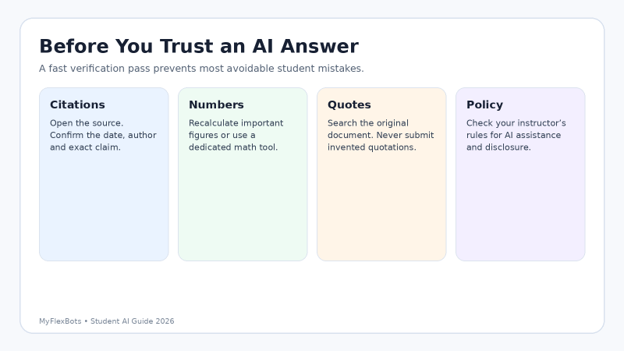
Common mistakes students make with free AI tools
The most expensive mistakes are rarely about money. They cost marks, time and trust. Avoid these five patterns.
- Asking AI to write the assignment before you understand the question — You get polished text but cannot defend it in class, correct its errors or adapt it to the rubric. Fix: explain the task in your own words first, then use AI for planning, questioning and feedback.
- Treating citations as automatically valid — A citation link can be irrelevant, outdated or only loosely related to the sentence. Fix: open the source, find the passage and decide whether it actually supports the claim.
- Using too many overlapping tools — Moving the same text through five apps creates version confusion and privacy exposure. Fix: keep one primary assistant and add specialists only for tasks the primary tool handles poorly.
- Uploading sensitive or restricted material — Course portals, unpublished research, personal data and confidential group work may be inappropriate to upload. Fix: follow institutional rules, remove unnecessary personal information and use approved systems for sensitive content.
- Ignoring your instructor’s AI policy — Different courses can have completely different rules. Fix: check the syllabus and assignment instructions; if required, disclose where AI helped and keep a record of prompts and edits.
💡 Quick Hack: Keep a tiny “AI work log” in your notes: tool used, date, prompt purpose, sources checked and what you changed. It takes under a minute and makes it much easier to explain your process if a teacher asks.
Advanced tips: turn AI into a learning system
The strongest students use AI to create feedback loops. They do not stop at a generated summary. They make the tool test understanding, expose weak spots and force retrieval.
Use the “closed-book first” rule: Before opening an AI assistant, spend three minutes writing what you remember. Then ask AI to check the gaps. Retrieval strengthens memory; immediate AI answers can hide what you do not actually know.
Convert notes into progressive questions: Ask for five easy questions, five medium questions and three transfer questions that apply the idea in a new context. Answer before revealing the key.
Ask for counterexamples: For any rule, theory or argument, ask the AI to produce a case where it fails or where another explanation is stronger. This builds exam-ready nuance.
Use two-tool verification selectively: For high-stakes facts, find sources with a research tool, then give those exact sources to your general assistant for synthesis. Do not use a second chatbot as “proof” of the first chatbot.
Create a personal error bank: Paste your own incorrect practice answers and ask the tool to categorize the mistake: concept gap, calculation, reading error, missing assumption or weak structure. Review the categories weekly.
Pro-Tip: The best free AI tools for students are the ones that make you do more useful thinking. If a workflow removes every moment of recall, judgement and checking, it may increase output while reducing learning.
Troubleshooting: what to do when AI goes wrong
The answer sounds right but you cannot verify it — Ask the tool to separate each factual claim into a table with a source field. Then replace AI-provided citations with sources you personally opened. If a claim remains unsupported, remove or rewrite it.
The tool invented a quotation — Do not ask it to “fix” the quote from memory. Search the original PDF, book or webpage. If you cannot locate the exact wording, paraphrase the idea accurately and cite the real source.
The summary misses an important section — Tell the tool what source range to cover and ask for a checklist of headings or pages processed. For long documents, summarize in chunks, then synthesize the chunk summaries.
Free limits hit right before a deadline — Maintain a fallback: your notes plus one general free assistant. Export important study material periodically so a temporary limit does not lock you out of your own work.
AI keeps giving generic essays — Stop asking for prose. Ask for thesis options, evidence gaps, counterarguments, a paragraph plan or questions a skeptical examiner would ask. Write the final prose yourself.
Math output disagrees with your answer — Check notation, units and parentheses first. Rework the problem independently, then use Wolfram|Alpha or a calculator to test specific steps rather than asking a language model which answer “looks right.”
💡 Quick Hack: When a chatbot gives a suspicious fact, do not ask “Are you sure?” That often produces confident repetition. Ask: “What evidence would verify this claim? Give me the primary source I should open and the exact detail I should check.”
How to maintain your AI study workflow long-term
AI tools change faster than most study habits. A sustainable setup is based on roles, not brand names. Once a month, review your stack and ask whether each tool still earns its place.
Delete duplicate tools that solve the same job but add no clear advantage.
Review privacy and data settings, especially before a new semester or research project.
Export important notes, transcripts and study guides so they do not live only inside one service.
Re-check free-tier limits before exam periods or major project deadlines.
Update your prompt templates based on the mistakes you repeatedly see in AI output.
Keep human source-reading and retrieval practice in the workflow even when AI gets faster.
This maintenance mindset is why a list of Best free ai tools for students 2026 should be treated as a toolkit, not a permanent ranking. The best setup is the smallest combination that reliably improves your actual learning process.
Frequently asked questions
Which free AI tool is best for students in 2026?
There is no single best tool for every subject. ChatGPT, Gemini, Claude and Copilot are strong general assistants; NotebookLM is excellent for learning from your own sources; Perplexity, Elicit and Consensus help with research; Wolfram|Alpha is useful for computation; Canva and Gamma are better for visual deliverables.
Are free AI tools safe to use for homework?
They can be useful when your course allows them and you verify the output. Do not upload sensitive information or restricted course material, and do not submit AI-generated work as your own when your instructor or institution prohibits it.
What are the best free AI tools for research students?
Elicit, Consensus, SciSpace, Perplexity and NotebookLM cover different parts of research. Use Elicit/Consensus/SciSpace for literature discovery and paper reading, Perplexity for broader web discovery, and NotebookLM for analysis grounded in your own source collection.
Can students use AI to write essays?
AI can help brainstorm, challenge a thesis, improve structure and give feedback, but whether it may draft assessed prose depends on course rules. The safest learning-focused workflow is to build your own argument and use AI as a reviewer rather than a ghostwriter.
What is the best free AI tool for math students?
Wolfram|Alpha is especially useful for computation checks, while general assistants can explain concepts and generate practice problems. For important work, solve the problem yourself first and use tools to diagnose mistakes rather than copying a final result.
How do I avoid AI hallucinations in schoolwork?
Ground prompts in trusted sources, demand uncertainty labels, verify quotations, recalculate important numbers and open every source you plan to cite. Never assume that a confident tone, a URL or a citation marker proves the claim.
If your main goal is finding Best free ai tools for students 2026 for exam revision, start with one source-grounded tool such as NotebookLM plus one general tutor, and spend the rest of your time doing retrieval practice rather than configuring apps.
Conclusion: choose fewer tools and use them better
The real advantage of Best free ai tools for students 2026 is not automatic homework. It is faster feedback, clearer explanations, more efficient source discovery, better practice questions and quicker production of study material—when you keep verification and academic judgement in the loop.
Start with one general assistant, one evidence-focused tool and one specialist that matches your subject. Run the same real study task through that stack for a week. Keep what saves time without weakening understanding; remove what creates more checking than value.
Which tool saves you the most study time right now—and which one still creates more work than it removes? Share your experience in the comments so other MyFlexBots readers can compare real student workflows.
Responsible AI use: three authoritative resources
For readers comparing Best free ai tools for students 2026, responsible use is part of tool quality: check your course rules and the privacy requirements that apply to your school before using AI in assessed work. These resources provide useful context.
editor's pick
latest video
news via inbox
Nulla turp dis cursus. Integer liberos euismod pretium faucibua


