
Best Free Streaming Sites Legal in 2026
Paying for five streaming subscriptions every month feels normal until the bill looks like cable again. If you are searching for best free streaming sites legal, the real goal is simple: watch movies, shows, live channels, documentaries, and family content without risking malware, piracy, or sketchy pop-ups.
This guide shows you how to choose truly legal free streaming platforms, how to check whether a site is safe, how to set up your devices, and how to build a no-cost entertainment system that still feels premium. You will also get practical troubleshooting steps, privacy tips, and money-saving shortcuts that work for everyday viewers.
Featured Snippet Answer: What Are the Best Legal Free Streaming Sites?
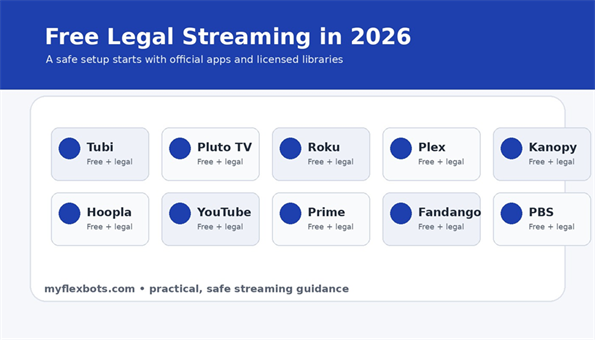
The best free streaming sites legal options are official ad-supported or library-backed platforms such as Tubi, Pluto TV, The Roku Channel, Plex, Kanopy, Hoopla, YouTube Movies & TV, Prime Video free-with-ads, Fandango at Home, and PBS. They are free because ads, library funding, or licensed free catalogs pay the bill.
Why Legal Free Streaming Matters More in 2026
Free streaming is no longer a tiny corner of the internet. It is now a serious category with licensed catalogs, live channels, originals, documentaries, classic TV, children’s programming, and niche channels that feel surprisingly close to cable.
The catch is that the phrase “free streaming” attracts two completely different worlds. One world is legal, ad-supported, licensed, and available through official websites or app stores. The other is built on clone domains, unauthorized uploads, aggressive pop-ups, fake play buttons, browser hijackers, and risky app downloads.
A legal free streaming site normally has a recognizable operator, a published privacy policy, official apps in major app stores, clear advertising, and content that appears through licensed distribution deals. A shady site usually promises every new theatrical release instantly, asks you to disable browser protection, or pushes you to install an unknown player.
That difference is why a smart best free streaming sites legal guide should not just list apps. It should teach you how to evaluate a platform before you trust it with your device, your data, and your family’s viewing habits.
Essential Tools & Materials Breakdown
You do not need expensive hardware to stream legally for free, but a few basic tools make the experience smoother, safer, and easier to manage across the whole household.
| Tool / Material | Estimated Cost | Skill Level | Best Use |
| Reliable internet connection | $0 if already installed | Beginner | Aim for stable Wi-Fi first; raw speed matters less than consistency. |
| Smart TV or streaming stick | $25-$60 optional | Beginner | Roku, Fire TV, Android TV, Apple TV, and many smart TVs support legal free apps. |
| Official app store access | $0 | Beginner | Install apps only from built-in device stores or official websites. |
| Free account/email address | $0 | Beginner | Some services work without an account, but watchlists and parental controls usually require one. |
| Library card | $0 in many regions | Beginner | Unlocks Kanopy or Hoopla if your local library participates. |
| Password manager | $0-$3/month optional | Beginner | Useful for separate streaming logins and stronger passwords. |
| Parental controls/PIN | $0 | Beginner | Important for kids profiles and mature content filters. |
| HDMI cable or Ethernet cable | $5-$15 optional | Beginner | A cable can fix weak Wi-Fi or old smart TV issues. |
| Search/availability tracker | $0 | Beginner | Use official app search or a reputable guide to find where a title streams legally. |
How to Choose the Right Legal Free Streaming Site
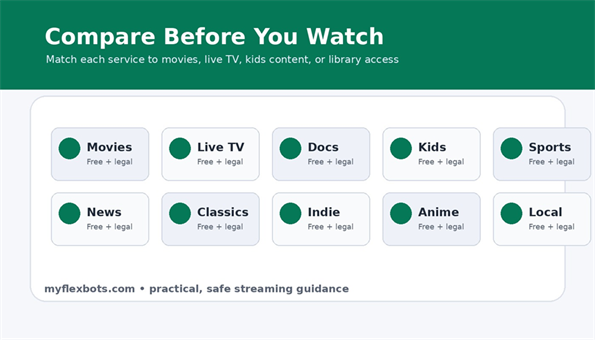
The best choice depends on what you actually watch. A movie-heavy household needs a different setup than a live-news viewer, a parent with kids, or someone who mostly wants documentaries and classic films.
| Service | Best For | Account Needed? | Ad Load | Watch-Out |
| Tubi | Large on-demand movies and TV library | Optional in many regions | Moderate | Catalog changes often by region. |
| Pluto TV | Live TV-style channels and lean-back viewing | Usually no | Moderate | Search is weaker than subscription apps. |
| The Roku Channel | Free movies, live channels, Roku Originals | Helpful | Moderate | Best experience on Roku devices. |
| Plex | Free movies, shows, live channels, and personal media users | Recommended | Moderate | Plex Pass does not remove ads from free Plex-provided content. |
| Kanopy | Indie films, documentaries, classics, education | Library/university login | Often ad-free | Availability depends on participating library. |
| Hoopla | Borrowed movies, TV, audiobooks, comics, music | Library login | Often ad-free | Monthly borrow limits vary by library. |
| YouTube Movies & TV | Free-with-ads films and studio uploads | Recommended | Variable | Avoid random unauthorized uploads. |
| Prime Video: Watch for Free | Former Freevee-style free titles with ads | Amazon login | Moderate | Availability varies; not all Prime titles are free. |
| Fandango at Home | Free-with-ads movies plus rentals/purchases | Recommended | Moderate | Free titles sit alongside paid rentals. |
| PBS | Documentaries, news, education, public TV episodes | Optional/station-based | Low to moderate | Some content may require Passport or local station access. |
Step-by-Step Execution Guide: Build a Legal Free Streaming Setup
Start With Your Viewing Goal
Before installing ten apps, write down what you actually watch in a typical week. Movies, live news, sitcom reruns, sports highlights, documentaries, anime, kids shows, and local public television all point to different services.
For movie nights, start with Tubi, Plex, Fandango at Home, and YouTube Movies & TV. For channel surfing, start with Pluto TV, The Roku Channel, Sling Freestream, and Plex live channels. For documentaries and thoughtful films, check Kanopy, Hoopla, PBS, and public media apps.
This is the point where most best free streaming sites legal lists fail: they rank every site as if every viewer has the same habits. A better system is to pick two primary apps, two backup apps, and one specialty app such as a library service.
Confirm the Site Is Official
Type the service name directly into your browser or use your device’s official app store. Do not click the first random result if it looks like a mirror, unofficial downloader, or modified app.
Check the domain carefully. Tubi should be on tubitv.com. Pluto TV should be on pluto.tv. Roku should be on roku.com or therokuchannel.roku.com. Plex should be on plex.tv or watch.plex.tv. Library services should connect through Kanopy, Hoopla, or your library’s official website.
Be suspicious of websites that combine a famous streaming brand with extra words such as “free-new-movies-HD-watch-now.” These sites often copy logos to look legitimate while sending users through unsafe redirects.
💡 Quick Hack: Search for the app inside your TV’s built-in app store first. Official app stores are not perfect, but they remove many of the worst clone-site risks before you even start watching.
Install Only What You Will Use
App clutter creates decision fatigue. A lean setup is faster, easier for family members, and less likely to collect unused accounts.
Use this simple starter stack: one movie app, one live TV app, one library/public-interest app, and one backup app for when a title disappears. For example: Tubi for movies, Pluto TV for live channels, Kanopy for documentaries, and Plex as the backup catalog.
On a Roku or Fire TV device, move your top apps to the front row. On a smart TV, delete outdated apps you no longer use. On mobile, place the legal free streaming apps in one folder so you are not tempted by random browser links.
Pro-Tip: Do a 30-day app audit. If no one in the house opened an app for a month, remove it and keep the login saved in your password manager in case you need it later.
Create Accounts Carefully
Many legal free streaming apps can be used without paying, but accounts unlock watchlists, continue-watching rows, parental controls, and cross-device syncing. Use a dedicated entertainment email if you want to keep your main inbox cleaner.
Never enter payment details just to “verify” a free account unless the official service clearly explains why. A legal free streaming platform may offer paid rentals or subscriptions next to free content, but it should not force a credit card for basic ad-supported access unless a particular partner requires it.
Use unique passwords. Free services are still accounts, and reused passwords can become a problem if a service or unrelated website suffers a breach.
Set Up Parental Controls Before Kids Start Browsing
Free platforms often include a wide mix of family titles, older shows, crime documentaries, horror films, and mature-rated movies. Do not assume “free” means family-safe.
Create kids profiles where available, enable PIN protection on your streaming device, and use the platform’s maturity filters. If the service does not offer strong profile controls, keep it on the adult account and launch specific titles for children yourself.
Library services such as Kanopy Kids can be especially useful for families because their children’s sections are more curated than many broad ad-supported catalogs.
💡 Quick Hack: Put the safest kids app first in your TV home screen row and hide adult-focused apps deeper in the menu. This small layout change reduces accidental browsing into mature categories.
Build a Watchlist Rotation
Free catalogs rotate. A movie available this week may disappear next month because licensing windows change. Treat free streaming like a library shelf, not a permanent ownership locker.
When using best free streaming sites legal resources, build a monthly watchlist. Add three movies, one new show, one documentary, and one family option. Watch those first before scrolling endlessly through new rows every night.
If a service supports favorites, use them. If not, keep a simple note on your phone with the title, service, and date added. Delete watched titles at the end of each month so the list stays useful.
Use Library Streaming Like a Premium Upgrade
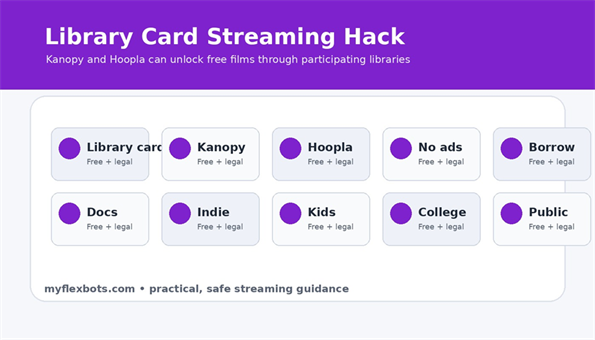
A library card can be the most underrated streaming tool in your house. Kanopy often focuses on classic cinema, international films, indie releases, educational videos, and documentaries. Hoopla adds movies and TV alongside audiobooks, eBooks, comics, and music.
The main limitation is availability. Not every library participates, and borrow limits vary. Some libraries offer generous monthly credits; others restrict views to control costs. Still, for thoughtful films and educational content, library streaming can feel more premium than many ad-supported movie apps.
To use it, visit your local library website, search for digital resources, choose Kanopy or Hoopla if offered, and create an account with your library card number and PIN. Then install the app on your TV or mobile device.
💡 Quick Hack: If your nearest library does not offer Kanopy or Hoopla, check whether a county, city, or regional library system allows residents to get a free digital card. Rules vary, but many people never check beyond one branch.
Understand Ads Without Getting Tricked
Ads are the tradeoff on most legal free streaming platforms. Normal ads appear before or during content and do not require you to install anything, call a number, or enter payment details to continue watching.
Danger signs include pop-ups that claim your phone is infected, fake browser update prompts, “download this player” buttons, adult pop-unders, gambling redirects, and pages that open five tabs before the video starts.
A legitimate app may show repetitive ads, but it should keep playback inside the app or official website. If the ad environment feels like a trap, close the page and return through the official app.
Pro-Tip: On a shared TV, use device-level privacy settings to limit ad personalization where possible. You may still see ads, but you can reduce unnecessary tracking and clean up recommendations.
Step 9: Avoid the VPN Mistake
A VPN can protect privacy on public Wi-Fi, but it should not be treated as a magic legal switch. If a streaming service licenses content only for certain regions, using tools to bypass that restriction may violate the service terms and can create access problems.
For a legal setup, use the service available in your actual region, read the platform terms, and avoid advice that tells you to jump between countries just to unlock catalogs. Legal streaming is about permission, not just whether a video player loads.
For readers comparing best free streaming sites legal choices across countries, the safest recommendation is simple: check the official availability page, app store listing, and local licensing terms before promising a service to your audience.
Score Each Platform Before Keeping It
After one week, give every app a quick score from 1 to 5 in four areas: catalog quality, search experience, ad tolerance, and household fit. Keep the top three and remove the rest.
Catalog quality means you actually found something worth watching, not just a large number of titles. Search experience means you can find genres, actors, channels, and saved titles without frustration. Ad tolerance means the interruptions feel acceptable for a free service. Household fit means the app works for the people who use the TV most.
This simple scorecard prevents free streaming from turning into a messy collection of apps no one enjoys.
Recommended Legal Free Streaming Shortlist for 2026
Here is a practical, no-nonsense shortlist. Availability can change by country, device, licensing window, and local rules, so always confirm inside the official app before publishing a title-specific recommendation.
- Tubi: Start here for a large free movie and TV catalog. It is one of the easiest recommendations for general entertainment because the app is simple and the library is broad.
- Pluto TV: Best for people who miss flipping channels. It works well for live-style TV, background viewing, news streams, themed channels, and casual discovery.
- The Roku Channel: Strong for Roku device owners and anyone who wants a mix of free movies, live news, shows, and Roku-branded content.
- Plex: Useful for both free licensed movies and personal media users. It is also good as a backup search destination when a title is missing elsewhere.
- Kanopy: Excellent for documentaries, classics, festival films, educational content, and ad-light viewing through a library or university.
- Hoopla: Best for library users who want more than video. The same account can often borrow audiobooks, eBooks, comics, movies, TV, and music.
- YouTube Movies & TV: Good for free-with-ads films and official studio uploads. Use the official Movies & TV area rather than random uploads with suspicious titles.
- Prime Video Watch for Free: Amazon’s free-with-ads section is worth checking, especially after the Freevee brand was folded into Prime Video-style access.
- Fandango at Home: A helpful free-with-ads option that sits beside rental and purchase choices, especially for people who already use digital movie libraries.
- PBS: Best for public TV, documentaries, news, science, history, and educational shows; some content may depend on station, location, or membership benefits.
The cleanest best free streaming sites legal setup for most homes is not “install everything.” It is Tubi or Plex for movies, Pluto TV or The Roku Channel for live channels, Kanopy or Hoopla for curated library content, and YouTube or Fandango at Home as a title-specific backup.
Common Mistakes to Avoid
Mistake 1: Trusting Search Results Without Checking the Domain
Search engines can show lookalike pages, ads, scraped pages, outdated lists, and unofficial download pages. Always verify the domain and app publisher before installing or signing in.
Prevention: Bookmark the official services you use. On TVs, launch from the app row instead of typing the service name into a browser every time.
Mistake 2: Installing Unknown APKs or “Modded” Apps
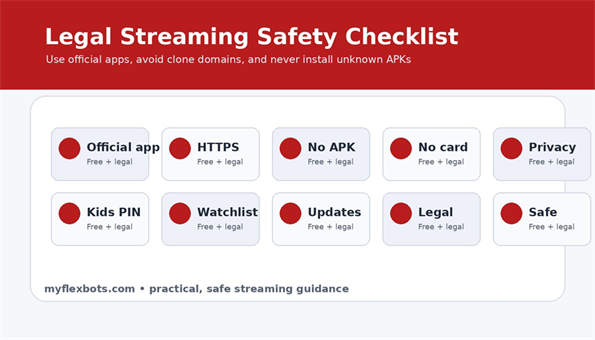
Side-loaded streaming apps can be risky because they bypass normal app-store checks. A modified app promising premium access for free is often a piracy or malware risk.
Prevention: Use official app stores. If a service is not available on your device, watch through the official website or choose another legal platform.
Mistake 3: Assuming Free Means No Tradeoff
Free legal streaming is usually funded by ads, library budgets, promotional licensing, or public media support. That means you may see commercials, rotating catalogs, region restrictions, or monthly borrow limits.
Prevention: Set expectations. Free is excellent for saving money, but it is not the same as owning every title forever.
Mistake 4: Ignoring Regional Availability
A site can be legal in one country and unavailable in another. A movie can be free in one region and paid in another. This is normal because streaming rights are licensed territory by territory.
Prevention: When publishing recommendations, include a note that availability varies and readers should check the official app in their country.
Mistake 5: Letting Kids Browse Adult Catalogs
Some free catalogs include horror, crime, mature comedy, and true-crime documentaries next to family titles. The platform may be legal but still not kid-safe by default.
Prevention: Use profiles, PINs, kids modes, and device-level restrictions. Review watch history every week if children use shared devices.
Advanced Tips and Next-Level Hacks
1. Build a “Free First” Search Habit
Before renting a movie, search your free apps first. Many viewers pay for titles that are already available free with ads somewhere else.
Check Tubi, Plex, Fandango at Home, YouTube Movies & TV, The Roku Channel, and Prime Video Watch for Free before spending money. If the movie is not free today, add it to a watchlist and check again next month.
💡 Quick Hack: Create a “free first” folder on your phone with only legal apps. When someone mentions a movie, search that folder before opening a paid rental store.
2. Use Theme Nights to Reduce Scrolling
Endless scrolling ruins the benefit of free streaming. Theme nights make the choice easier: classic movie Monday, documentary Wednesday, family Friday, and live channel Sunday.
Theme nights also help you use multiple services with purpose instead of bouncing between apps for half an hour.
3. Stack Free Services Around One Paid Subscription
If your household keeps one paid service, let free legal streaming fill the gaps. Rotate paid subscriptions monthly and rely on free apps for background TV, older films, documentaries, and kids reruns.
This is where best free streaming sites legal content becomes genuinely useful for budget planning. The goal is not to replace every premium original; the goal is to stop paying for subscriptions you barely open.
4. Use Library Streaming for “Quality Over Quantity”
A giant free catalog is not always better. Kanopy and Hoopla can be more satisfying because the libraries feel curated, especially for documentaries, world cinema, independent films, and educational titles.
If you write for myflexbots, library streaming also gives your article a strong trust angle because it is legal, practical, and underused by many readers.
5. Keep a Legal Streaming Source List
Content changes quickly. Keep a small source list with official pages for every service you mention. Review the list every quarter, remove discontinued apps, and update screenshots or instructions if the interface changes.
This matters for SEO because outdated free-streaming articles often recommend services that have shut down, rebranded, or moved inside another platform. Freshness is a ranking advantage in this niche.
Pro-Tip: Add a “last checked” line near the top of the article. Readers trust free-streaming guides more when they can see the recommendations are maintained.
Troubleshooting & Maintenance Guide
Problem: The App Buffers or Drops Quality
Start with the boring fixes first. Restart the app, restart the TV or streaming stick, and reboot the router. If the device is far from the router, test with a phone near the TV to see if the Wi-Fi signal is weak in that room.
If possible, use Ethernet for your main TV. Free streaming apps still need steady bandwidth, and a weak Wi-Fi signal can make a perfectly legal service feel broken.
Problem: A Title Disappeared
This is usually a licensing change, not an error. Free catalogs rotate often. Search the same title across your other legal apps and check again later.
For articles, avoid promising that a specific movie will stay free forever. Instead, recommend the platform and explain that title availability changes.
Problem: The App Wants Payment
Some platforms mix free content with paid rentals, purchases, or subscriptions. Look for labels such as “Free with ads,” “Watch for Free,” or “Live TV.” If the title asks for payment, choose another free title or another service.
When writing about best free streaming sites legal, make this distinction clear: the platform may be free to use, but every title on that platform may not be free.
Problem: Too Many Ads
Ad load varies by service, title, device, and region. If one app feels too aggressive, move the title to a different legal source or use a library-backed service like Kanopy or Hoopla where available.
Do not install suspicious ad-blocking streaming apps that promise to remove all ads from free TV services. Those tools can break playback, violate terms, or introduce security risks.
Problem: Captions or Audio Are Wrong
First check the platform’s caption menu, then check the device-level accessibility settings. Some apps inherit TV settings while others use their own controls.
If a specific title has broken captions, try the same title on another platform or report the issue through the official help page. Public media and library services may have better accessibility options for educational content.
Problem: The App Is Not Available in Your Country
Do not force a workaround just because a guide says the app is free somewhere else. Use official apps available in your country, check local broadcasters, and look for public-domain or library-based options where supported.
For international readers, YouTube’s official free-with-ads section, public broadcaster apps, and local ad-supported services may be more reliable than U.S.-only recommendations.
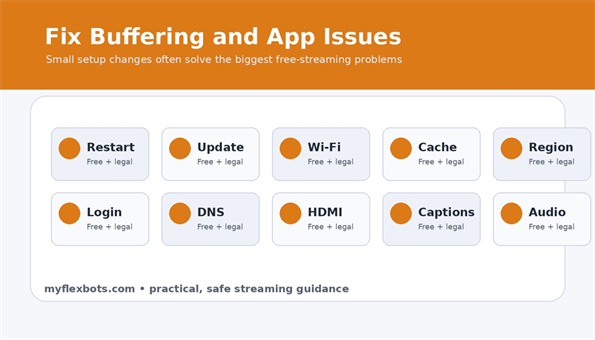
Quarterly Maintenance Checklist
- Update all streaming apps and the device operating system.
- Remove apps no one uses.
- Review kids profiles, PINs, and watch history.
- Check whether any recommended service has changed branding, pricing, or availability.
- Refresh your article screenshots and internal links if publishing on myflexbots.
- Revisit the watchlist and delete expired or watched titles.
Frequently Asked Questions
Are free streaming sites actually legal?
Yes, some free streaming sites are legal when they license content, operate through official apps, and fund access through ads, libraries, public media, or promotional free catalogs. Tubi, Pluto TV, Plex, Kanopy, Hoopla, The Roku Channel, and similar platforms are examples of legal models. Avoid sites that offer every new movie without clear licensing or official ownership.
What is the safest way to watch free movies online?
Use official apps, trusted device app stores, and recognizable domains. Avoid unknown APKs, clone sites, fake play buttons, and pages asking for browser extensions. Keep your device updated, use strong passwords, and do not enter payment details unless you are knowingly renting or buying content.
Which best free streaming sites legal option is best for movies?
For general movies, start with Tubi, Plex, Fandango at Home, YouTube Movies & TV, and The Roku Channel. For classics, documentaries, international films, and independent titles, check Kanopy or Hoopla through your library. The best option changes by country and by monthly licensing windows.
Can I watch live TV for free legally?
Yes. Pluto TV, The Roku Channel, Plex live channels, Sling Freestream, and some public broadcaster apps offer legal free live or live-style channels. These channels are usually ad-supported and may not include the same sports, premium news, or local channels as cable.
Do I need a VPN for free streaming?
You do not need a VPN to use legal free streaming sites. A VPN may help protect privacy on public Wi-Fi, but using one to bypass location-based licensing can violate platform terms. The safest approach is to use services officially available in your region.
Why do legal free streaming apps have ads?
Ads pay for licensing, bandwidth, app development, and platform operations. That is why viewers can watch without a subscription. If you want fewer ads, try library-based services, public media apps, or rotate one paid subscription alongside free legal apps.
Conclusion: Build a Free Streaming Setup That Is Safe, Simple, and Worth Using
The smartest best free streaming sites legal strategy in 2026 is not about chasing every site that says “watch now.” It is about using official apps, understanding how free-with-ads and library-backed streaming work, and building a small rotation that matches your household’s real viewing habits.
Start with two or three reliable services, add a library card if you can, avoid unofficial downloads, and review your setup every few months. You will save money, reduce subscription fatigue, and stay away from the malware and legal risks that come with pirate sites.
Which legal free streaming app do you use the most right now, and what kind of content do you wish more free services offered? Share your experience in the comments so other myflexbots readers can build a better watchlist.
editor's pick
latest video
news via inbox
Nulla turp dis cursus. Integer liberos euismod pretium faucibua



[…] you are trying to spend less, read MyFlexBots’ guide to best legal free streaming sites and use free services between paid months. The strongest savings usually come from reducing […]