
How to Grow a YouTube Channel: Step-by-Step Guide
Most new creators do not fail because their camera is weak; they fail because every upload targets a different viewer, makes a vague promise, or loses attention before delivering value. This guide explains how to grow a YouTube channel through a repeatable system built around audience demand, strong packaging, viewer retention, and disciplined analysis.
You will learn how to choose a focused niche, validate topics before recording, design clickable titles and thumbnails, structure videos for watch time, publish without burnout, and use YouTube Studio to decide what to improve next. The goal is not a lucky viral hit. It is a channel that becomes easier to grow with every useful video you publish.
How Do You Grow a YouTube Channel? (Featured Snippet)
| To learn how to grow a YouTube channel, choose one clear audience, publish videos that solve repeatable problems, package each idea with an accurate title and thumbnail, hold attention with a fast opening, and review impressions, click-through rate, retention, and returning viewers. Improve one weak point after every upload. |
Essential Tools and Materials Breakdown
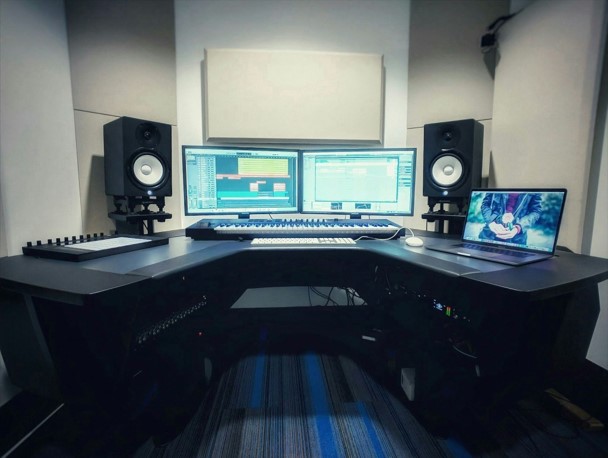
A sustainable channel needs fewer tools than most beginners expect. Spend first on clear sound, reliable lighting, and a production workflow you can repeat. Upgrade camera bodies only when your current gear creates a specific limitation that viewers can notice.
The cost ranges below are practical estimates, not shopping rules. A smartphone, a quiet room, daylight from a window, and free software can produce strong results when the idea and delivery are useful.
| Tool / Material | Purpose | Budget Option | Estimated Cost (USD) | Skill Level |
| Smartphone or camera | Record clear 1080p or 4K video | Current smartphone | $0–$800 | Beginner |
| Microphone | Capture understandable speech | Wired lavalier or USB mic | $15–$150 | Beginner |
| Lighting | Control exposure and skin tones | Window light + white reflector | $0–$200 | Beginner |
| Tripod / phone clamp | Keep framing stable | Desk stand or basic tripod | $10–$60 | Beginner |
| Editing software | Cut, mix audio, add text and B-roll | CapCut, DaVinci Resolve, iMovie | $0–$300/year | Beginner–Intermediate |
| Thumbnail design tool | Create clear 16:9 packaging | Canva, Photopea, mobile editor | $0–$120/year | Beginner |
| Research system | Track ideas, titles, competitors, comments | Spreadsheet or Notion | $0–$100/year | Beginner |
| YouTube Studio | Measure reach, engagement, and audience | Included with channel | $0 | Beginner–Intermediate |
| External drive / cloud backup | Protect footage and project files | Existing storage + organized folders | $0–$150 | Beginner |
| Teleprompter (optional) | Support concise delivery | Phone app beside lens | $0–$100 | Intermediate |
| 💡 Quick Hack: Before buying anything, record a 60-second test with your current phone. Move closer to a window, place the phone at eye level, and record audio under a blanket or near soft furnishings. Fixing distance, light, and echo can make existing gear look and sound dramatically better. |
How YouTube Growth Actually Works
YouTube does not reward channels simply for uploading often, using many tags, or reaching a certain subscriber count. Its systems try to match viewers with videos they are likely to choose, watch, and value. The official explanation of the YouTube recommendation system describes recommendations as a way to help people find videos they want to watch and that provide value.
That means channel growth is a sequence, not a single metric: the right viewer sees an impression, understands the promise, clicks, receives what was promised, continues watching, and chooses another video or returns later. Weak performance at any stage limits the next stage.
A practical diagnostic model is: Demand × Packaging × Satisfaction × Continuation. Demand determines whether enough people care about the subject. Packaging earns the click. Satisfaction keeps the viewer. Continuation moves that viewer into another video, playlist, subscription, or future visit.
The real answer to how to grow a YouTube channel is to improve this chain one link at a time. A small channel does not need to beat the largest creators everywhere; it needs to become the clearest, most useful choice for a specific viewer in a specific moment.
Define One Audience and One Channel Promise
Start with a person, not a broad topic. “Technology” is too wide. “Simple mobile editing tutorials for small-business owners” is a usable audience because the viewer, problem, and expected outcome are visible.
When deciding how to grow a YouTube channel, write a one-sentence promise: “I help [specific person] achieve [specific outcome] through [specific type of videos].” This sentence becomes a filter for topics, examples, language, thumbnails, and collaborations.
A strong promise has three parts: a recognizable viewer, a repeatable need, and a credible transformation. Avoid promises based only on your personal interests unless those interests solve a consistent audience problem.
Audience: Who should immediately feel that this channel is for them?
Problem: What frustration, aspiration, or curiosity returns every week?
Format: Will you teach, compare, document, entertain, review, investigate, or combine formats?
Outcome: What becomes easier, faster, cheaper, safer, or more enjoyable after watching?
| Pro-Tip: Read the comments under five successful videos in your niche. Copy recurring questions into a spreadsheet using the viewers’ exact words. Those phrases often reveal better video ideas and stronger title language than a generic keyword tool. |
Build Three Content Pillars
Content pillars keep a channel focused without making every video identical. Choose three categories that serve the same viewer at different stages of the journey.
For a channel about mobile video creation, the pillars might be: beginner tutorials, app comparisons, and creator workflow fixes. A viewer who watches one pillar should reasonably care about the other two.
Give each pillar a job. One can attract search traffic, one can build authority with deeper videos, and one can create timely or shareable content. The channel remains coherent because every pillar supports the same promise.
Pillar A — Discovery: Answers clear questions people already search for.
Pillar B — Authority: Deep guides, case studies, comparisons, or experiments.
Pillar C — Loyalty: Series, opinions, behind-the-scenes lessons, or recurring challenges.
Research Topics Before You Record
Topic selection is where many channels quietly lose momentum. To understand how to grow a YouTube channel, stop asking only “What do I want to upload?” and ask “What would my target viewer choose today, and what evidence supports that choice?”
Use YouTube autocomplete to collect real query patterns. Type a seed phrase slowly and note the completions. Then inspect the first page of results: video age, view range, format, title patterns, thumbnail styles, and unanswered questions in the comments.
Open the Trends tab in YouTube Analytics to see what your audience and viewers across YouTube are searching for. The official YouTube Analytics overview explains that the Trends tab can surface content gaps and ideas for videos and Shorts. Use Google Trends for YouTube Search to compare interest by region and time period.
Do not reject a topic just because large channels rank for it. Instead, narrow the angle. “Video editing tips” is broad; “7 CapCut edits that make talking-head videos feel faster” is specific, demonstrable, and easier to package.
Search-led topics: Tutorials, fixes, definitions, comparisons, and buying decisions.
Browse-led topics: Curiosity, transformation, experiments, stories, and surprising lessons.
Suggested-video topics: Natural follow-ups to videos already watched by your ideal audience.
Shorts topics: One useful moment, quick demonstration, myth, result, or strong opinion.
| 💡 Quick Hack: Create a “proof score” before filming. Give each idea one point for clear search demand, one for strong competitor views, one for a fresh angle, one for visual demonstration, and one for relevance to an existing video. Prioritize ideas scoring four or five. |
Turn Research into a 30-Video Plan
A channel becomes easier to understand when related videos are published close together. Build clusters instead of random lists. Each cluster should include one broad cornerstone video and several narrower follow-ups.
For example, a cornerstone titled “Complete Smartphone Video Editing Guide” could connect to videos about removing background noise, adding captions, correcting color, compressing exports, and choosing an editing app. Every follow-up can link back to the main guide, while the main guide can send viewers to the relevant tutorial.
Plan 30 videos as six clusters of five. This is enough to reveal patterns without locking you into a year-long schedule. Mark each idea by traffic goal: Search, Browse, Suggested, Shorts, or Community support.
10 dependable videos: evergreen questions with proven demand.
10 differentiation videos: your method, experiment, test, case study, or contrarian angle.
5 follow-up videos: direct extensions of your strongest existing topics.
5 flexible slots: emerging news, audience requests, seasonal moments, or collaborations.
Package the Video Before Filming
A strong video with weak packaging often remains invisible. Decide the title and thumbnail concept before writing the script because packaging clarifies the promise the video must fulfill.
This is one of the most important lessons in how to grow a YouTube channel: the title and thumbnail should create one clear idea together, not repeat the same words. The title can provide context while the thumbnail shows the result, contrast, emotion, object, or unanswered question.
YouTube notes that thumbnails compete with other videos across Home, Up Next, Search, and subscription feeds. Its impressions and click-through-rate guidance also warns that click-through rate varies by audience, content, and traffic source, so compare videos in context rather than chasing one universal benchmark.
Write at least ten title options. Then design three thumbnail sketches at very small size. If the idea is unclear when the thumbnail is the size of a postage stamp, simplify it.
Specific result: “Edit Talking-Head Videos 2x Faster”
Strong constraint: “I Grew With Only 2 Hours a Week”
Comparison: “CapCut vs VN: Which Is Faster for Beginners?”
Mistake prevention: “7 Thumbnail Errors Killing Your Clicks”
Curiosity with accuracy: “The Retention Fix I Wish I Used Earlier”
| Pro-Tip: Use a “one-second test.” Show the thumbnail to someone for one second, hide it, and ask what the video promises. If the answer is vague, reduce the number of objects, enlarge the main subject, or sharpen the contrast between before and after. |
Script the First 30 Seconds for Retention
The opening must confirm the click. Viewers should immediately feel that the video matches the title and thumbnail. Long greetings, animated logos, channel history, and repeated explanations of what the viewer already knows create avoidable exits.
Use a four-part opening: state the result, show evidence, explain what will happen, and begin. A useful template is: “By the end of this video, you will be able to ___. I tested ___, and this approach produced ___. We will start with ___ because it controls everything that follows.”
The official audience-retention report highlights how many viewers remain after the first 30 seconds and identifies dips, spikes, and top moments. A dip is not a personal failure; it is an editing note for the next video.
Build the Rest of the Script Around Payoffs
Every section should answer a question or create a reason to continue. Remove lines that do not help the viewer understand, decide, or act. When a concept is abstract, add a demonstration, screen recording, example, comparison, diagram, or before-and-after result.
Place the most valuable material earlier than feels natural. Do not save every useful point for the final minute because audience size usually declines over a video. You can still create anticipation by previewing a later test or bonus, but the opening must deliver real value immediately.
Open loop: Preview a later result without withholding the core answer.
Pattern change: Switch from talking head to screen, example, graphic, or close-up.
Progress marker: Tell viewers where they are and what the next step unlocks.
Micro-summary: Restate the decision before moving to the next phase.
Next-video bridge: Mention the adjacent problem your linked video solves.
Record Clean Audio and Usable Video
Viewers may accept an ordinary picture, but harsh echo, clipping, wind noise, or inconsistent volume makes information tiring to follow. Put the microphone close to the speaker, soften reflective rooms with curtains and furnishings, and record a short test before the full take.
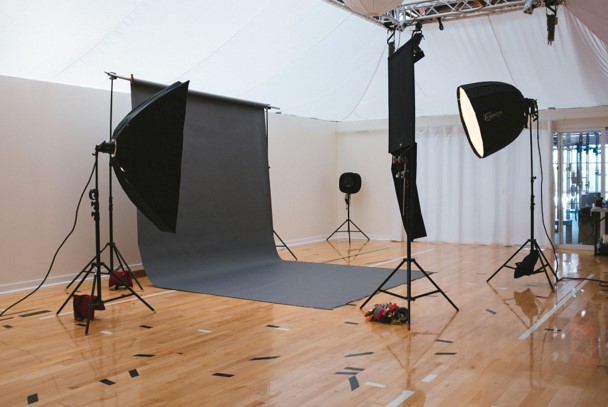
For lighting, face a large window or place a soft light slightly above eye level and about 45 degrees to one side. Avoid mixing strong daylight with warm room lights unless you can control white balance. Keep the background simpler than the subject.
Record in short sections rather than forcing a perfect 20-minute take. This improves energy, reduces editing difficulty, and makes reshoots faster.
Phone settings: Clean the lens, lock focus/exposure when possible, and use the rear camera for best quality.
Framing: Leave safe space for captions and avoid placing key details near screen edges.
Audio safety: Record 10 seconds of room tone for smoother edits.
Screen recordings: Increase cursor size and zoom in so mobile viewers can follow.
B-roll: Capture hands, tools, menus, results, and mistakes while the setup is ready.
| 💡 Quick Hack: A wired lavalier microphone or inexpensive USB microphone placed close to the speaker often improves clarity more than a major camera upgrade. The cheapest effective audio treatment is usually distance: move the mic closer and lower the gain. |
Edit for Clarity, Not Constant Stimulation
Creators studying how to grow a YouTube channel often over-edit because they assume every second needs an effect. The better goal is friction removal: cut repetition, dead air, confusing detours, weak examples, and visual delays.
Start with a “radio edit.” Listen without looking at the screen and tighten the spoken explanation until it makes sense on its own. Then add visuals only where they clarify, prove, demonstrate, or reset attention.
Use music carefully. It should support pace without competing with speech. Normalize volume, remove obvious noise, and check the final export on phone speakers and headphones.
Cut on meaning: Remove pauses after the idea is understood, not every natural breath.
Show the evidence: Put results on screen when you claim them.
Use text selectively: Highlight numbers, steps, warnings, and decisions rather than transcribing every sentence.
Protect mobile readability: Large type, short lines, and clear interface zooms.
Preserve authenticity: Minor imperfections are preferable to a robotic delivery.
| Pro-Tip: Create a reusable editing template with intro music levels, caption styles, lower thirds, export settings, and an end-screen frame. Templates reduce decision fatigue and make consistent publishing far easier. |
Optimize the Upload Without Keyword Stuffing
YouTube optimization helps the platform and viewer understand the video, but metadata cannot rescue weak demand or poor satisfaction. Use the primary phrase naturally in the title when it fits search intent, then explain the outcome and scope in the first lines of the description.
Add chapters when a video has distinct sections. The official video chapters guide says manual chapters begin at 00:00, use at least three timestamps in ascending order, and require each chapter to be at least 10 seconds.
Review automatic captions and correct important errors, names, numbers, and technical terms. The YouTube captions guide explains the available methods for adding subtitle tracks. Captions improve accessibility and make the content easier to follow in sound-sensitive environments.
Place the video into a relevant playlist, add a pinned comment that advances the discussion, and use end screens to recommend the most logical next video. YouTube’s end-screen documentation supports videos, playlists, subscriptions, and other eligible elements.
Title: Clear promise first; unnecessary branding last or omitted.
Description: Two useful opening lines, supporting detail, resources, disclosure, chapters, and related links.
Thumbnail: High-resolution, accurate, simple, readable at small size.
Captions: Correct key terms and add translated tracks when justified by audience data.
Playlist: Organize by viewer goal, not vague categories.
End screen: One primary next video plus a subscribe option is often clearer than four competing choices.
Choose a Publishing Schedule You Can Sustain
Consistency matters because it creates learning cycles, viewer expectations, and production discipline. It does not mean uploading daily. A practical answer to how to grow a YouTube channel is to choose the fastest schedule that still protects topic quality, packaging, and viewer satisfaction.
For many solo creators, one strong long-form video every one or two weeks is more sustainable than several rushed uploads. Shorts and community posts can support the main schedule, but each should serve the same audience rather than chase unrelated reach.
Batch similar tasks. Research several topics together, outline multiple scripts in one session, record two or three videos while the lighting is set, and create thumbnails from planned frames. Batching saves setup time without forcing identical content.
| 💡 Quick Hack: Maintain a two-video buffer. Publish one video while the next is already edited and the following one is outlined. This small buffer prevents missed weeks when client work, illness, travel, or technical problems appear. |
Promote Videos Without Spamming
Promotion works when the video solves a problem for the community where it is shared. It fails when a creator drops links without context. Write a useful summary, answer the question directly, and share the video as optional depth.
Repurpose one long video into several native assets: a Short demonstrating one result, a text post summarizing the framework, a carousel of steps, an email with the main lesson, and a community poll about the next topic. Each asset should work on its own.
Collaborations are most effective when audiences overlap and the idea benefits both channels. Start with creators of similar size or complementary expertise. Propose a clear concept, division of work, and viewer benefit instead of asking for a generic shout-out.
Step 12: Use Analytics as a Decision System
Do not stare at real-time views without a question. Review analytics in layers: first reach, then engagement, then audience quality and continuation. The official YouTube Analytics guide separates Reach, Engagement, Audience, and other reports for this reason.
Compare each video with similar videos on your own channel. A searchable tutorial, a broad entertainment idea, and a Short behave differently. Context matters more than a single internet benchmark.
Use a 48-hour check for obvious packaging or technical problems, a 7-day check for early patterns, and a 28-day check for durable performance. Avoid changing titles and thumbnails repeatedly in the first few hours unless there is a clear mistake.
Low impressions: The topic may be narrow, the audience match may be unclear, or the channel lacks related content.
Healthy impressions but weak clicks: Improve the title-thumbnail promise and audience relevance.
Clicks but steep early drop: The opening did not match the promise or reached the value too slowly.
Good retention but weak continuation: Strengthen playlists, series, end screens, and next-video bridges.
Views but few returning viewers: The video may be useful but disconnected from a repeatable channel promise.
Subscribers but weak future views: The subscription came from a one-off topic that does not match later uploads.
A Simple Weekly Analytics Review
Create one spreadsheet row per video. Record the topic pillar, traffic goal, title style, thumbnail concept, impressions, click-through rate, average view duration, average percentage viewed, first-30-second retention, subscribers gained, and end-screen click rate.
Then write three sentences: what attracted viewers, where viewers lost interest, and what the next video will change. This turns analytics into production decisions rather than emotional judgment.
| Pro-Tip: Change one major variable at a time. If you alter the niche, video length, title style, thumbnail design, upload day, and editing pace simultaneously, you will not know what caused the result. |
Common Mistakes to Avoid
Beginners researching how to grow a YouTube channel often copy visible tactics while missing the underlying strategy. Avoid these five errors because each one breaks a different part of the viewer journey.
Mistake 1: Choosing a Niche That Is Too Broad
A broad niche creates weak viewer overlap. Someone who subscribes for a laptop review may ignore an unrelated productivity vlog, travel Short, and coding tutorial. Narrow the viewer promise first; expand only after the audience repeatedly follows adjacent topics.
Mistake 2: Copying Topics Without Adding a Reason to Choose You
A proven topic is useful evidence, but a near-duplicate title and thumbnail gives the viewer no reason to choose a smaller channel. Add a clearer audience, stronger test, new constraint, updated result, regional angle, or more practical format.
Mistake 3: Asking for Subscriptions Before Delivering Value
A generic request in the opening interrupts the viewer before trust exists. Earn the call to action. Ask after a useful result, and explain what future videos will help the viewer accomplish.
Mistake 4: Treating Every Low-View Video as an Algorithm Problem
Low views can result from limited demand, weak packaging, poor audience fit, disappointing retention, or insufficient channel context. Diagnose the stage instead of assuming suppression. Use Reach and Engagement reports to separate exposure problems from satisfaction problems.
Mistake 5: Quitting Before a Useful Sample Exists
Five unrelated uploads are not a strategy test. Publish enough focused videos to evaluate a content pillar, packaging style, and production process. Thirty intentional videos provide a far better learning sample than three polished experiments followed by silence.
Advanced Tips and Next-Level Growth Hacks
Once the basics are stable, growth comes from compounding systems. The following tactics help a channel turn isolated successful videos into a connected library.
Build Viewer Paths, Not Just Playlists
Design a sequence of videos for the same person. A beginner guide should lead to a setup tutorial, then a mistake-prevention video, then an advanced workflow. Mention the next step verbally and link it with an end screen and pinned comment.
Create Sequels From Retention Spikes and Comments
If viewers rewatch a specific section or repeatedly ask about one detail, that moment has earned a dedicated video. Use the audience-retention graph and comments as a development pipeline.
Test Titles and Thumbnails With Watch Time in Mind
Eligible creators can use YouTube Studio’s A/B testing for titles and thumbnails to compare up to three options. The winning result is based on watch-time share, which discourages misleading packaging that earns clicks but produces disappointed viewers.
Test genuinely different concepts: result-focused versus mistake-focused, close-up object versus before-and-after, or direct search title versus curiosity-led title. Tiny font or color adjustments rarely create a useful learning.
Use Shorts as a Bridge, Not a Separate Identity
YouTube describes Shorts as a way to connect with new audiences through short-form video. Use Shorts to demonstrate one idea from a long video, answer a recurring question, or introduce a series. Keep the audience promise consistent so discovery can convert into deeper viewing.
Develop Recognizable Intellectual Property
Create a named framework, scorecard, recurring test, visual style, challenge, or series format that viewers associate with the channel. Recognition lowers the effort required to understand future videos and makes recommendations feel familiar.
Refresh Strong Evergreen Videos
Update thumbnails, titles, descriptions, pinned comments, and end-screen destinations when a useful older video has declining clicks or points to outdated resources. When the content itself is obsolete, publish a clearly improved version rather than hiding the age.
Troubleshooting and Long-Term Maintenance
Even a sound strategy will produce uneven results. The troubleshooting side of how to grow a YouTube channel is learning to identify the bottleneck without overreacting to one upload.
Problem: Impressions Are Very Low
Check whether the topic has evidence of demand, whether it fits the channel’s recent audience, and whether related videos exist on the channel. New channels may need a cluster of connected uploads before YouTube and viewers can understand the audience match.
Action plan: publish two or three closely related follow-ups, improve the title’s clarity, add the video to a relevant playlist, and link to it from a stronger related video. Do not solve low impressions with misleading clickbait.
Problem: Impressions Are Fine but CTR Is Weak
The promise may be unclear, generic, visually crowded, or aimed at the wrong audience. Compare traffic sources. A thumbnail can perform differently on Search than on Home because viewer intent is different.
Action plan: write five clearer titles, sketch three distinct thumbnail concepts, and test the strongest alternatives. Make sure the video delivers exactly what the new packaging promises.
Problem: Viewers Leave in the First 30 Seconds
The opening may repeat the title, delay the answer, begin with branding, or introduce background before the result. Compare the title and thumbnail with the first spoken sentence. They should feel like one continuous promise.
Action plan: re-edit future intros to show the result, proof, and first step sooner. Use the current video’s retention dips to identify specific sentences or segments to avoid.
Problem: Retention Is Good but Views Stay Small
A satisfying video can still address a very narrow subject or have weak packaging. Strong retention does not automatically create unlimited demand.
Action plan: create a broader entry-point video that links to the narrow tutorial. Keep the precise video as part of the library because it can convert high-intent viewers.
Problem: Shorts Get Views but Long Videos Do Not
The Shorts may attract a different audience or provide complete entertainment with no reason to continue. A random viral Short can grow visible numbers without strengthening the core channel.
Action plan: align Shorts with long-form topics, use recurring formats, reference the deeper video naturally, and compare returning-viewer behavior rather than celebrating views alone.
Problem: Production Takes Too Long
Track time spent on research, scripting, recording, editing, thumbnail design, and upload. The slowest stage is often caused by unclear standards, perfectionism, or repeated decisions.
Action plan: create templates, batch setup-heavy tasks, limit revision rounds, and define a minimum publishable standard. Upgrade tools only when the cost is lower than the time they reliably save.
Monthly Channel Maintenance Checklist
Review the top five videos by watch time, subscribers gained, and returning viewers.
Update end screens and pinned comments on videos that still receive steady traffic.
Group unorganized videos into goal-based playlists.
Refresh thumbnails on evergreen videos with strong impressions but weakening clicks.
Correct broken resource links, old disclosures, outdated pricing, and obsolete instructions.
Collect comment questions and retention spikes for the next content plan.
Remove channel-home clutter and feature the best starting video for new visitors.
Back up project files, thumbnail templates, raw audio, and brand assets.
Frequently Asked Questions
How long does it take to grow a YouTube channel?
There is no fixed timeline. A focused channel with proven topics and strong execution may gain traction quickly, while a broad or inconsistent channel can publish for years without building repeat viewers. Measure progress by improving impressions, clicks, retention, and returning viewers across a meaningful sample of videos.
How often should a beginner upload to YouTube?
Choose a schedule that protects quality and can continue for at least three months. For many beginners, one well-planned long-form video every one or two weeks is realistic. A slower reliable schedule is more useful than daily uploads followed by burnout.
Do tags help YouTube videos get more views?
Tags can provide context for misspellings or variations, but they should not be the center of a growth strategy. Topic demand, title-thumbnail packaging, viewer satisfaction, and connected content deserve far more attention than filling the tag field.
Should a new creator make Shorts or long-form videos?
Use the format that best serves the idea. Shorts can test hooks, demonstrate quick results, and reach new viewers. Long-form videos build deeper authority, watch time, and viewer journeys. A strong channel can use both when they target the same audience and promise.
What is a good click-through rate on YouTube?
YouTube reports that half of channels and videos may have an impressions click-through rate between 2% and 10%, but performance varies by audience, content, traffic source, and placement. Compare similar videos on your own channel and evaluate CTR alongside watch time and retention rather than treating one number as a universal target.
Can I grow a YouTube channel without expensive equipment?
Yes. A modern phone, clear audio, controlled light, useful ideas, and understandable editing are enough to begin. Upgrade when a specific limitation prevents the viewer from seeing, hearing, or understanding the content—not because another creator owns more gear.
Conclusion: Build a System That Improves Every Upload
The most reliable way to master how to grow a YouTube channel is to replace random publishing with a feedback loop: choose a clear viewer, validate the topic, package a specific promise, deliver value quickly, connect the next video, and study the result.
Your first objective is not perfection or a viral spike. It is evidence that the right viewers are clicking, staying, and returning. Which part of your current channel needs the biggest improvement—topic selection, thumbnails, retention, or consistency? Share it in the comments and use that answer as the focus of your next upload.
editor's pick
latest video
news via inbox
Nulla turp dis cursus. Integer liberos euismod pretium faucibua


