
12 Email Marketing Tips for Beginners 2026
A new business can have an excellent product and still lose potential customers because visitors leave without a reason to return. Email marketing fixes that problem when every message offers value rather than noise. These Email marketing tips for beginners 2026 show how to build a permission-based list, send campaigns people want, and measure what actually drives results.
What Are the Best Email Marketing Tips for Beginners in 2026?
The best Email marketing tips for beginners 2026 start with a clear audience, a useful signup incentive, a reputable email platform and explicit permission. Send a short welcome sequence, write one-purpose emails, segment by interest, test carefully and measure clicks and conversions. Maintain authentication and easy unsubscribes to protect deliverability.
Essential Tools, Costs and Skill Levels
Email marketing needs a few reliable components, not a complicated technology stack. Prices vary by platform, contacts, usage and billing region, so these are planning bands rather than current vendor quotes.
| Tool / asset | Purpose | Budget planning | Skill |
| Email platform | Forms, campaigns, analytics | Free tier or ~10–50+/month | Beginner |
| Business domain and inbox | Consistent recognizable sender | Existing domain + mail costs | Beginner |
| Landing page / signup form | Captures informed opt-ins | Often included; otherwise 0–25+/month | Beginner |
| Lead magnet | Gives a reason to subscribe | $0 with existing expertise | Beginner |
| Basic CRM or tags | Keeps interests organized | Usually included initially | Beginner |
| Analytics + UTM links | Connects emails to business outcomes | Often free | Intermediate |
| DNS record access | SPF, DKIM, DMARC configuration | Usually no extra DNS fee | Intermediate |
| Design assets | Readable brand-consistent emails | Free templates or optional subscription | Beginner |
Start with one platform that offers compliant signup forms, simple automation, domain authentication and exportable subscriber data. Migration is easier when consent records and segment labels remain portable.
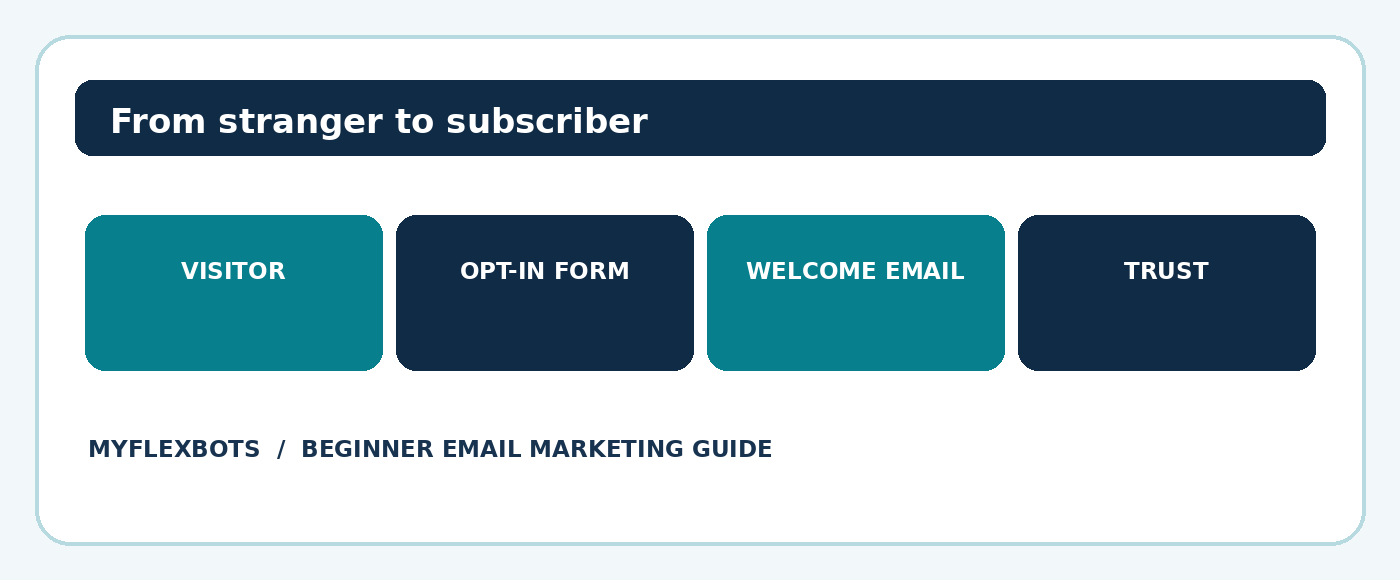
Figure 1. A simple subscriber journey starts with permission and useful expectations.
Tip 1: Define a Specific Audience and One Measurable Goal
The first of these Email marketing tips for beginners 2026 is deliberately unglamorous: decide who the emails serve. “Everyone interested in business” is too broad. “Freelancers who want to win their first three clients” is a clear audience with a recognizable problem.
Write a one-sentence promise: “Every Tuesday, subscribers receive one practical technique for finding freelance work.” This creates an editorial filter; ideas that do not support that promise stay out of the newsletter.
Choose one primary 30-day result. That might be 100 confirmed subscribers, 20 qualified product-page visits, or five consultation requests. Track a baseline and avoid changing all variables at once.
💡 Quick Hack: Read the last ten customer questions or support conversations and turn the recurring questions into a welcome email and three newsletter topics. This provides useful copy without paying for research tools.
Tip 2: Pick a Beginner-Friendly Email Service
A reliable email service provider handles subscriptions, bulk delivery, personalization, opt-outs and reporting. Compare platforms using your actual workflow, not the longest feature list. Ask whether the free plan permits automation, whether list size or monthly sends trigger charges, and whether a domain can be authenticated.
Evaluate the signup editor, automation builder, suppression management, integrations and export options. Run a practice campaign to two test addresses before committing. An attractive interface is irrelevant if a new user cannot locate bounce logs or edit an unsubscribe footer.
Avoid using a personal Gmail inbox to blast newsletters. A dedicated email platform is designed for campaign sending and helps apply unsubscribe controls. Keep transactional notifications separate from marketing when the service and infrastructure support it.
Pro-Tip: A 15-minute pilot is more useful than ten feature-comparison videos. Import only your own test addresses, build a form, create a welcome email and unsubscribe from it. Score the experience before purchasing.
Tip 3: Build a Permission-Based List From Day One
Many Email marketing tips for beginners 2026 focus on growth volume, but consent quality matters more. Put forms on relevant pages, explain the subject and frequency, identify the sender, link the privacy notice and avoid pre-ticked consent boxes. Confirm local rules before emailing people in different jurisdictions.
A subscriber should understand the bargain before submitting an address. “Get one email each Thursday with automation tutorials and free templates” is stronger than “Subscribe for updates.” When useful, use double opt-in to reduce typing errors and document a clear confirmation step.
Never buy a general list or scrape addresses from social profiles. Such contacts do not necessarily expect messages from you; the practice can damage trust and violate applicable marketing rules. Store opt-in source, timestamp and consent wording where your platform permits.
💡 Quick Hack: Instead of installing aggressive popups everywhere, place a short signup box immediately after a useful tutorial. A reader who has already benefited from the article has a clear reason to ask for more.
Tip 4: Offer a Lead Magnet People Can Use Immediately
A downloadable resource can turn anonymous readers into subscribers, but only when the resource solves a real problem. Choose a checklist, calculator, mini-template, decision tree or five-day lesson rather than an oversized generic ebook.
Make the promise concrete: “A one-page weekly content calendar you can fill out in ten minutes” beats “The ultimate marketing bundle.” Deliver the item promptly, make it mobile-readable and explain what other emails people will receive.
For a MyFlexBots audience, practical choices include an AI prompt checklist for small-business content, a simple newsletter planning sheet or a social-media repurposing map. These are proposed editorial ideas rather than claims about existing website pages.
Pro-Tip: Turn the most saved section of an existing article into a printable worksheet. The strongest lead magnet often requires editing and design, not fresh research.
Tip 5: Write an Honest, Compelling Signup Form
A form succeeds when it asks for the minimum information necessary. An email address is often enough for a general newsletter. Ask for a first name only when personalization genuinely adds value; every additional required field creates another decision.
Use a benefit-led heading, a short explanation and a specific button label. Example: “Get weekly beginner marketing experiments” followed by “One tested tactic and a quick template every Friday. No daily promotions.” The button might say “Send me the Friday guide.”
Place the form in the article body, on a relevant landing page and near a natural site exit point. Check how it behaves on a narrow screen and confirm that a success message explains what happens next.
Tip 6: Set Up a Welcome Email Sequence
Email marketing tips for beginners 2026 work best when onboarding starts immediately after signup. New readers are most aware of their decision right after subscribing, so the first email should deliver exactly what was promised and set expectations. Avoid making the first message a hard sell.
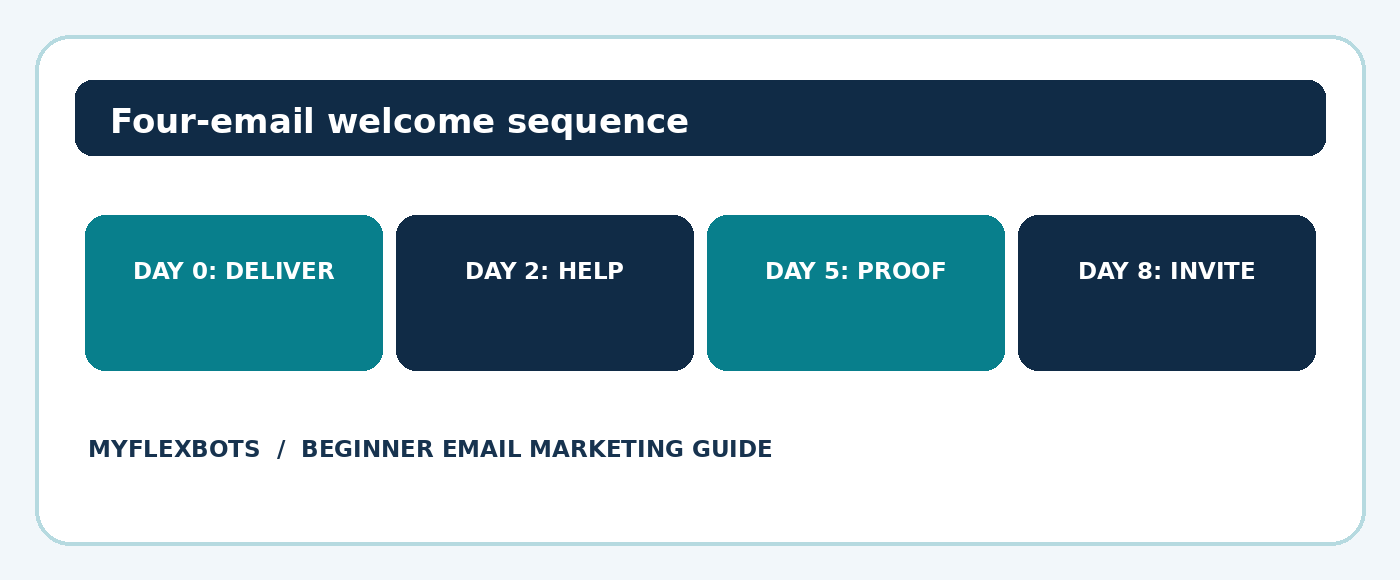
A practical four-message sequence is: Day 0, provide the resource and introduce the newsletter; Day 2, solve a common problem; Day 5, show a short example or lesson; Day 8, invite one low-pressure next action. Treat these intervals as a starting test rather than universal best timing.
Each email needs one job. For example, the second email could ask subscribers to select their main challenge, which gives you a natural interest tag. The final email can link to a relevant service or tutorial without pretending that every subscriber is ready to purchase.
Figure 2. A short welcome sequence builds familiarity before a sales request.
💡 Quick Hack: Draft welcome emails by answering four questions: Why did I sign up? What should I do first? Can I trust this sender? What should I read or try next? That structure prevents filler.
Tip 7: Create Subject Lines That Respect the Reader
Effective subject lines promise a relevant benefit and deliver it. Avoid misleading urgency, unnatural punctuation and bait that the body fails to satisfy. A subject such as “Three fixes for a newsletter nobody clicks” tells the recipient what problem is addressed.
Keep the main point near the beginning so mobile previews still make sense. The preheader should complement, not duplicate, the subject: subject “Your first email sequence, mapped out”; preheader “A four-message plan you can adapt today.”
Make the sender name familiar and stable. If a person authors the newsletter, a format such as “Maya at Example Brand” can work when consistently used. Do not impersonate another company or forge reply addresses.
Tip 8: Design Mobile-Friendly Emails With One Clear CTA
Another core principle in Email marketing tips for beginners 2026 is clarity. A useful layout has a recognizable sender, opening line, one central idea, short supporting text, one prominent call to action and a transparent footer. A single-column design usually adapts more easily to mobile.
Use descriptive link text rather than vague “click here” instructions. Ensure readable contrast, meaningful alt text for important images and enough whitespace around buttons. Include a working unsubscribe mechanism and required sender details.
Text-only or lightly styled emails often communicate better than heavy visual templates. Images may be blocked, so never hide the essential offer or instructions inside an image. Send test messages to multiple inboxes and check the final version on a phone.
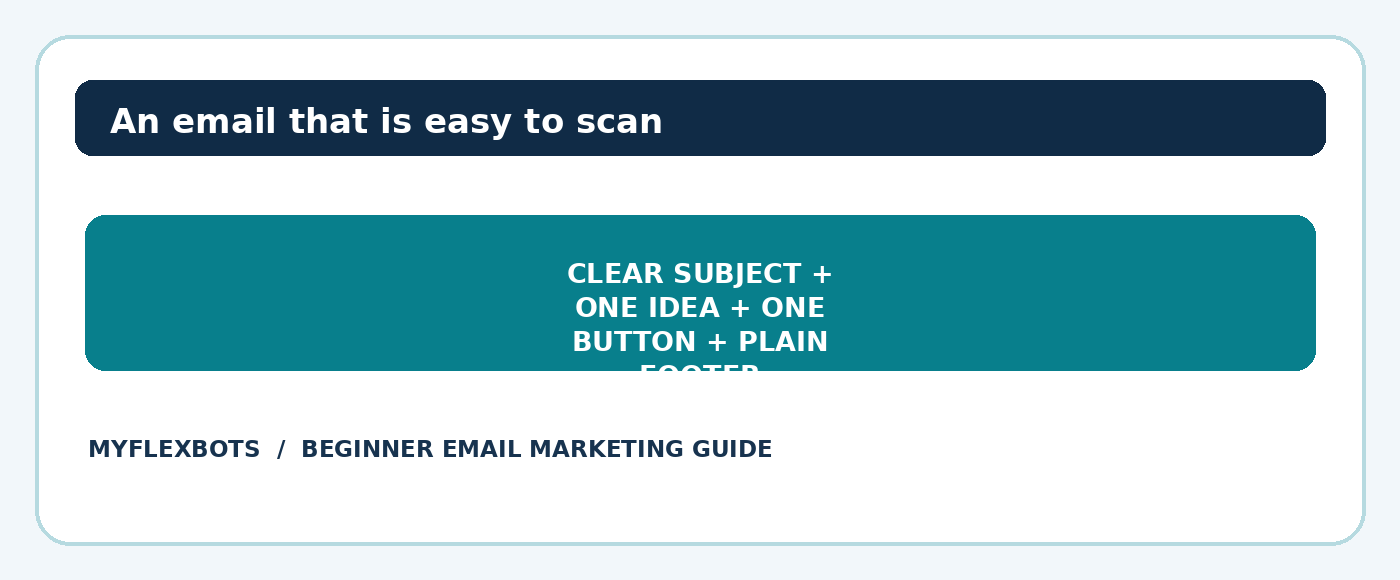
Figure 3. A readable email gives readers one next step and keeps opt-out details visible.
Pro-Tip: Before pressing Send, remove every paragraph that does not help the subscriber understand, trust or act on the main point. Many beginner campaigns improve more from subtraction than from new design.
Tip 9: Segment Subscribers Based on Useful Signals
Segmentation means sending different content to people with meaningfully different needs. Start with one or two questions rather than dozens of tags: Is the subscriber interested in SEO, AI tools or social media? Is the contact a new learner or an existing customer?
Use explicit preferences when possible, such as a signup checkbox or click-based topic selector. Activity-based segments can help, but interpret data carefully: privacy features can inflate apparent opens, so do not assume everyone who appears to open a message actually read it.
A simple rule might be: people who click a beginner automation tutorial receive a follow-up with implementation instructions; people who click a campaign analytics guide receive a measurement checklist. Give subscribers ways to change preferences.
Tip 10: Schedule Consistently Without Overemailing
Email marketing tips for beginners 2026 do not require daily newsletters. A dependable fortnightly email can outperform an inconsistent daily campaign if it consistently helps the same audience. Pick a sustainable frequency before announcing it publicly.
Use an editorial calendar with four columns: send date, reader problem, promised takeaway and final CTA. Batch idea collection and drafts, then check facts and links near send time. Schedule based on audience time zones and test timing rather than copying universal “best day” claims.
Monitor unsubscribes, complaint signals and replies after changing cadence. If a group receives both a promotion and an automation on the same day, set exclusions or send caps to avoid flooding that subscriber.
💡 Quick Hack: One strong long-form blog post can provide a newsletter summary, a short tip, a checklist and a response-based question. Repurposing saves time while keeping the emails distinct from the full article.
Tip 11: Measure Clicks, Conversions and List Health
The most practical Email marketing tips for beginners 2026 distinguish attention from impact. An open-rate trend can provide some directional context, but automated privacy protections can distort it. Clicks, replies, lead quality and verified sales usually explain usefulness more directly.
Track delivered messages, unique clicks, click-through rate, conversion rate, unsubscribes, bounces and complaints where available. Define the denominator clearly: click-through rate often means unique clickers divided by delivered messages; click-to-open is a different metric.
Use tagged URLs (UTM parameters) so analytics can attribute visits to newsletter campaigns. For a simple baseline, record sends, delivered messages, unique clicks, completed goals and revenue or qualified leads in one spreadsheet each week.
For example, 40 unique clickers from 2,000 delivered emails is a 2% unique click-through rate. If four of those readers complete the goal, that is a 10% click-to-conversion rate among clickers. Those numbers are illustrative, not industry benchmarks.
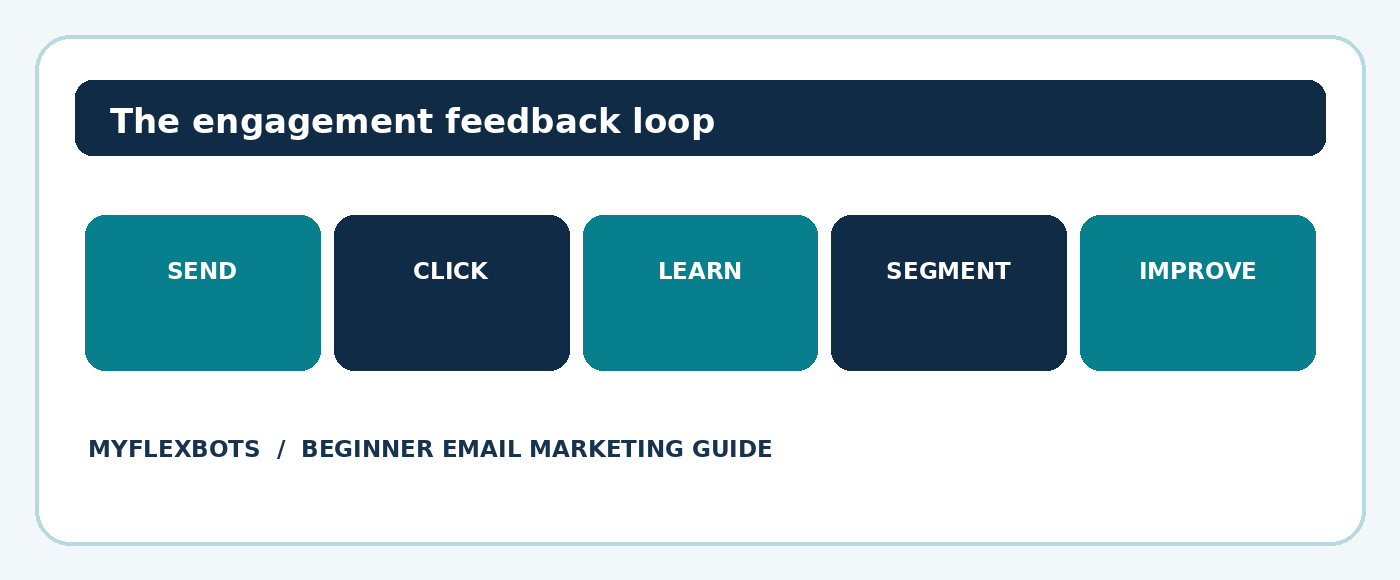
Figure 4. Use clicks, replies and real outcomes to improve subsequent campaigns.
Tip 12: Improve One Variable at a Time
Email marketing tips for beginners 2026 become powerful when campaigns generate learning. Compare subject lines, offer framing, CTA wording or content length, but do not change all four simultaneously and attribute an improvement to one cause.
When the platform supports randomized A/B tests, choose a success metric in advance, split recipients fairly and keep audience and send conditions comparable. Very small lists produce noisy results; collect directional feedback rather than declaring a winning headline from a few extra clicks.
Document the hypothesis and result in plain English. Example: “We expect a problem-led subject to generate more qualified tutorial visits than a curiosity-led subject.” Next time, change only the subject while keeping the destination and offer stable.
Pro-Tip: If your list is too small for meaningful statistics, interview three engaged subscribers about which emails they saved, ignored or forwarded. Qualitative input often explains numbers that cannot yet be trusted.
Email Authentication, Legal Basics and Deliverability
These Email marketing tips for beginners 2026 also rely on trustworthy technical setup. A campaign cannot work if it never reaches a usable inbox. Configure the platform’s recommended sending-domain settings. SPF identifies permitted mail sources, DKIM uses signatures to validate messages, and DMARC helps recipients evaluate domain alignment and establish a policy for suspicious mail.
Google’s sender rules require SPF or DKIM for all senders to Gmail, with additional SPF, DKIM and DMARC requirements for senders above its bulk-sender threshold. Bulk marketing and subscribed messages also face one-click unsubscribe requirements. Consult the official guidance because technical policies evolve.
Reference: Google email sender guidelines (official)
Legal rules vary by destination and recipient. In the United States, CAN-SPAM imposes requirements on commercial emails, including truthful routing and subject information, a postal address and an effective opt-out mechanism. It also applies to commercial business-to-business messages.
Reference: FTC CAN-SPAM compliance guide (official)
For UK recipients, electronic marketing is subject to PECR and potentially UK GDPR. Permission requirements differ for individuals and corporate subscribers, and limited exceptions may apply. A consent-based program is a sensible beginner default, but it does not substitute for local legal review.
Reference: ICO electronic mail marketing guidance (official)
Maintain an accurate suppression list, honor opt-outs promptly, and never re-import unsubscribed contacts as new leads. Authenticate your domain before the first campaign, then monitor bounce and complaint reports instead of assuming that a successful “send” guarantees placement.
Five Beginner Mistakes That Waste Money
Buying a list: purchased contact data seldom represents informed interest. Build your own permission-based audience and preserve consent records.
Sending without a specific promise: broad updates are easy to ignore. State exactly what subscribers will receive and deliver it consistently.
Writing five competing calls to action: too many paths dilute attention. Choose one primary action for each campaign.
Ignoring testing on mobile: broken buttons, oversized images and clipped text make campaigns unusable. Review actual test messages before each launch.
Measuring only opens: privacy protections make the metric unreliable on its own. Connect clicks and downstream outcomes to your chosen objective.
Advanced Email Marketing Hacks for Sustainable Growth
Advanced Email marketing tips for beginners 2026 are less about complex software and more about useful decisions. Start with a preference center that lets a subscriber pick topics or frequency. This may reduce unnecessary unsubscribes and creates direct feedback about what the audience wants.
Create a content ladder. A beginner receives a glossary and setup tutorial; a more experienced reader gets a checklist and a case study. Trigger follow-ups from meaningful actions, not every page view. Set reasonable automation exit conditions to prevent a subscriber from remaining in a stale sequence.
Audit your landing pages against your email promise. A message claiming “Download the checklist” should lead directly to a page where the checklist is easy to obtain. A high click-through rate followed by poor conversion can indicate a mismatched promise or confusing landing page.
Use reply invitations to collect first-party research. A question such as “What is the hardest part of your first email campaign?” makes the newsletter a two-way learning channel. Summarize recurring answers in later issues without sharing private details.
Finally, build reusable quality controls: a pre-send checklist, a naming standard for campaigns, approved footer text, link checking and a monthly review. Consistency makes the operation easier to hand over or scale.
Troubleshooting: Fix the Problems Beginners Actually Face
Emails land in spam or never arrive
Check domain authentication and any provider rejection codes first. Confirm that the sending domain, envelope identity and DKIM configuration match the email service instructions. Review complaint levels, list acquisition sources, links and sudden volume changes. Do not attempt to “warm up” a bad purchased list.
Plenty of opens but few clicks
Because opens can be inflated, verify the problem with unique clicks. If clicks are genuinely low, inspect the relevance of the offer, the placement of the CTA and how quickly the email communicates the benefit. Send a short, focused variant to a comparable segment and examine results.
Subscribers join but do not engage
Review the signup promise and welcome sequence for mismatch. Ask what readers expected, allow topic selection, and reduce promotional volume where necessary. Do not aggressively resend the same email to apparent non-openers; privacy tools make open-based assumptions unreliable.
An automation stops or repeats unexpectedly
Check entry triggers, wait conditions, timezone settings, exclusions and exit rules. Use internal test contacts to walk through the exact path. Document the expected sequence in a small flowchart so a teammate can compare it with the automation builder.
A campaign produces clicks but no sales
Test the landing page independently on mobile. Confirm the offer, payment form, page speed and analytics events work. Segment visitors by intended audience and inspect whether the message attracted curious readers rather than qualified buyers. Sometimes the next change belongs on the page, not in the email.
Monthly maintenance routine
Weekly: check failed sends, broken links, replies and unusual unsubscribe activity.
Monthly: review conversions by campaign and confirm consent records remain accessible.
Monthly: test the welcome sequence, signup form, mobile templates and opt-out flow.
Quarterly: evaluate subscriber preferences, inactive segments, content topics and integration permissions.
After any DNS or ESP migration: retest SPF, DKIM, DMARC and sender alignment before a live campaign.
A Practical 30-Day Launch Plan
This Email marketing tips for beginners 2026 plan deliberately separates setup from optimization. In week one, define the audience, choose the platform, authenticate the domain, write signup language and document consent. Do not send a marketing campaign to unverified old contacts.
In week two, publish one relevant signup page and create a lead magnet that takes less than ten minutes to use. In week three, build the welcome sequence, send your first genuinely helpful campaign and test the mobile version. In week four, review clicks, replies and goals, then improve the weakest step.
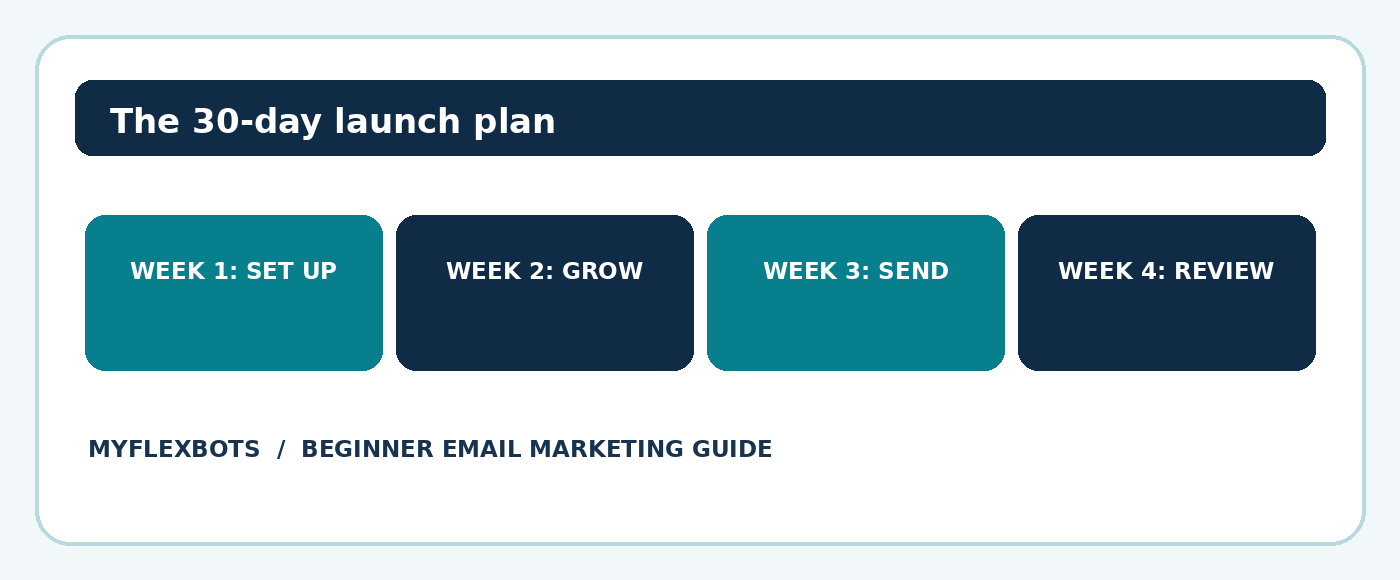
Figure 5. A manageable month-long plan for getting a first newsletter running.
Frequently Asked Questions
- Can someone start email marketing for free?
Yes. Many platforms offer limited free sending or contact allowances, and a basic lead magnet can be created with existing expertise. A domain and professional inbox may still cost money. Read the current limits carefully, particularly automation and branding restrictions.
- How often should a beginner send marketing emails?
Email marketing tips for beginners 2026 should guide a sustainable rhythm rather than pressure someone to send every day. Choose a schedule the audience can predict and the publisher can sustain. Weekly or every two weeks is a reasonable testing point for educational newsletters, but results depend on what people agreed to receive. Adjust using replies, unsubscribes, complaints and goal completion.
- What is a good email open rate in 2026?
There is no universal threshold that accurately predicts business value. Audience mix, topic, software and privacy behaviors all affect reported opens. Compare your own campaigns consistently while prioritizing clicks, qualified leads and conversions.
- How do beginners grow an email list without buying contacts?
Publish a helpful resource, place honest signup forms alongside relevant content, mention the newsletter in appropriate owned channels and encourage readers to share a public subscription page. Never upload personal contact details without an appropriate legal basis.
- What should the first marketing email say?
Thank the subscriber, deliver the promised resource, introduce the sender and explain the expected topic and frequency. Include one easy next step, such as reading a starter tutorial or choosing an interest. The email should also include required identification and unsubscribe information.
- Is email automation necessary for a small list?
No. A consistent manual newsletter can establish demand. Automation becomes useful when the same subscriber journey repeats, such as a welcome series or requested resource delivery. Start with one dependable automation and expand only when the data and workload justify it.
Conclusion: Build the Habit Before the Funnel
The strongest Email marketing tips for beginners 2026 all lead to the same discipline: earn permission, keep promises, make the message useful and improve from observed outcomes. A small list with real interest is more valuable than a huge list of strangers. Launch one form, one welcome sequence and one thoughtful newsletter before buying more software.
Which part of starting an email newsletter feels hardest right now: finding subscribers, writing useful messages or tracking results? Share the challenge in the comments, and use this guide as the checklist for your first month.
editor's pick
latest video
news via inbox
Nulla turp dis cursus. Integer liberos euismod pretium faucibua


