
Best AI Apps 2026: Top Tools to Boost Productivity & Creativity
AI apps can save hours, but the wrong subscription can create more work than it removes. The best AI apps 2026 are not simply the tools with the loudest launch or the longest feature list; they are the apps that complete a repeatable job with less friction, fewer errors, and a result you can actually use.
This guide compares the strongest options for general assistance, research, writing, coding, design, meetings, knowledge management, and automation. You will learn what each app does well, where it breaks down, how much skill it requires, and how to test it before adding another monthly bill.
Featured Snippet: What Are the Best AI Apps in 2026?
The best AI apps in 2026 are ChatGPT for versatile work, Claude for deep writing and analysis, Gemini for Google workflows, Perplexity for cited research, Microsoft Copilot for Microsoft 365, Grammarly for editing, Canva for design, Otter for meetings, GitHub Copilot for coding, Notion for knowledge work, and Zapier for automation.
Essential Tools and Subscription Breakdown
You do not need every category. Most people need one general assistant, one specialist tied to their main job, and an automation tool only after the workflow is stable. Prices and plan names change, so verify current pricing on each official website before purchasing.
| Category | Suggested Tool | Typical Cost | Skill Level | Best Use |
| General assistant | ChatGPT / Claude / Gemini | $0 to paid plan | Beginner | Drafting, analysis, files |
| Research | Perplexity | $0 to paid plan | Beginner | Current, cited discovery |
| Writing polish | Grammarly | $0 to paid plan | Beginner | Grammar, clarity, tone |
| Design | Canva | $0 to paid plan | Beginner | Editable graphics and decks |
| Meetings | Otter | $0 to paid plan | Beginner | Transcripts and action items |
| Coding | GitHub Copilot | $0 to paid plan | Intermediate | Code suggestions and chat |
| Knowledge | Notion AI | Workspace-dependent | Intermediate | Team search and reports |
| Automation | Zapier | $0 to paid plan | Intermediate | Cross-app workflows |
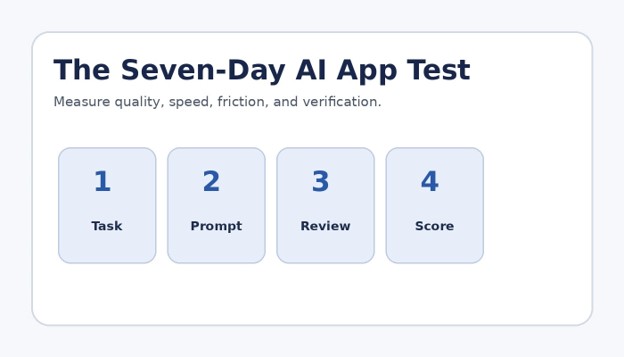
Figure 2. A consistent seven-day test reveals the true cost of editing and verification.
The Best AI Apps 2026: Detailed Reviews
The following picks are organized by job rather than hype. The best ai apps 2026 shortlist should help you decide what to test first, not pressure you to subscribe to everything.
ChatGPT — Best Overall AI App
Primary job: General writing, analysis, brainstorming, file work, images, research, and multi-step deliverables.
Why it stands out: The broadest option for people who want one app to handle many kinds of work. It is especially useful when a task moves from idea to outline, draft, table, file, or visual without switching tools.
Watch-outs: It can still make confident mistakes. Results improve when you provide source material, define the audience, request a format, and verify important claims.
Who should use it: Best for freelancers, marketers, students, managers, and small teams that want one flexible starting point.
Claude — Best for Long Documents and Careful Drafting
Primary job: Long-form analysis, document review, structured writing, coding, and complex reasoning.
Why it stands out: Claude is a strong choice when the input is large and the output needs a calm, organized structure. It is useful for policy documents, research notes, reports, and editing work where tone consistency matters.
Watch-outs: A polished answer can still contain unsupported assumptions. Ask it to separate source facts, interpretations, and recommendations.
Who should use it: Best for writers, analysts, researchers, consultants, and teams reviewing substantial documents.
Google Gemini — Best for Google Users
Primary job: Writing, planning, multimodal questions, Google Workspace context, travel planning, and Android assistance.
Why it stands out: Gemini becomes more valuable when your daily work already lives in Gmail, Drive, Docs, Calendar, Maps, and other Google services. The convenience is not merely chat quality; it is reduced copying between apps.
Watch-outs: Connected access can tempt users to skip review. Check permissions, confirm which account is active, and never assume a summary captured every exception in a source document.
Who should use it: Best for Android users, students, Google Workspace teams, and people who organize life in Google services.
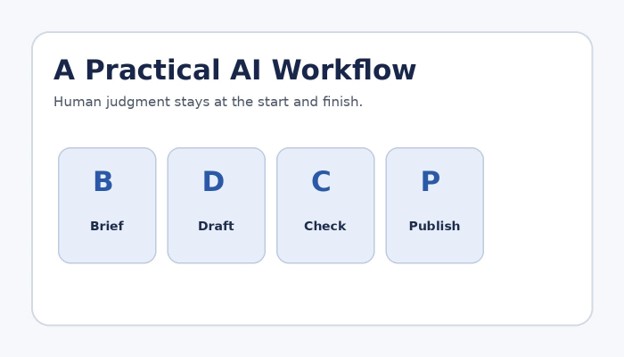
Figure 3. AI works best as a controlled workflow with human judgment at both ends.
Perplexity — Best for Fast, Cited Research
Primary job: Web research, source discovery, comparisons, current-topic exploration, and follow-up questions.
Why it stands out: Perplexity is designed around answers backed by links. That makes it useful for building an initial source map, learning unfamiliar terminology, and locating primary material faster than a traditional search session.
Watch-outs: A citation does not guarantee that the sentence accurately represents the source. Open the original page, inspect dates, and confirm key numbers before publishing.
Who should use it: Best for researchers, journalists, content teams, shoppers, and anyone who needs a fast evidence trail.
Microsoft Copilot — Best for Microsoft 365 Workflows
Primary job: Drafting, summarizing, presentations, spreadsheets, workplace chat, and Microsoft ecosystem tasks.
Why it stands out: Copilot earns its place when Word, Excel, PowerPoint, Outlook, and Teams are already the center of work. Its practical advantage is contextual assistance inside familiar business tools.
Watch-outs: Value depends heavily on plan, permissions, and company setup. A personal user should not assume every enterprise feature is included.
Who should use it: Best for Microsoft-heavy organizations, office professionals, finance teams, and managers.
Grammarly — Best for Everyday Editing
Primary job: Grammar, clarity, tone, rewriting, drafting, and writing support across websites and desktop apps.
Why it stands out: Grammarly works in the last mile of communication: the email, proposal, post, or document that must sound clear before it leaves your screen. Its cross-app presence reduces the need to paste every paragraph into a separate chatbot.
Watch-outs: Do not accept every suggestion. Brand voice, technical terms, legal phrasing, and deliberate style choices may be weakened by automatic rewriting.
Who should use it: Best for professionals, non-native English writers, customer support teams, students, and frequent email users.
Canva — Best for Fast, Editable Design
Primary job: Social graphics, presentations, short videos, documents, brand templates, and AI-assisted content creation.
Why it stands out: Canva is often more useful than a pure image generator because the result remains editable. Teams can correct text, resize a design, apply brand assets, and reuse layouts without rebuilding from a flat image.
Watch-outs: AI-generated layouts can look generic. Replace stock wording, adjust hierarchy, check contrast, and review every small line of text.
Who should use it: Best for marketers, educators, small businesses, social media managers, and non-designers.
Otter — Best for Meeting Notes
Primary job: Recording, transcription, summaries, action items, searchable meeting history, and team follow-up.
Why it stands out: A meeting assistant is valuable when it reduces note-taking pressure and turns conversation into searchable records. The real gain comes from reviewing decisions and assigning actions quickly after the call.
Watch-outs: Transcripts can mishear names, numbers, accents, and specialized language. Obtain consent where required and confirm important commitments against the recording.
Who should use it: Best for sales calls, interviews, classes, project meetings, and remote teams.
GitHub Copilot — Best for Developers
Primary job: Inline code suggestions, chat, explanations, tests, documentation, and development workflow assistance.
Why it stands out: GitHub Copilot helps most when the developer already understands the problem and can judge the output. It can remove boilerplate, explain unfamiliar code, and accelerate tests or documentation.
Watch-outs: Generated code can be insecure, inefficient, outdated, or subtly wrong. Run tests, lint code, scan dependencies, and review authentication and data-handling logic manually.
Who should use it: Best for professional developers, learners with supervision, and teams with strong review practices.
Notion AI — Best for Team Knowledge
Primary job: Workspace search, drafting, summaries, meeting notes, project context, reports, and agent-style workflows.
Why it stands out: Notion AI is compelling when project knowledge is already organized in Notion. Instead of asking a general chatbot to guess context, teams can work closer to their notes, tasks, databases, and internal documentation.
Watch-outs: Poor workspace hygiene produces poor answers. Archive stale pages, define owners, label authoritative documents, and restrict sensitive areas.
Who should use it: Best for startups, agencies, product teams, operations groups, and personal knowledge systems.
Zapier — Best for No-Code AI Automation
Primary job: Connecting apps, triggering workflows, routing information, generating drafts, and automating repetitive tasks.
Why it stands out: Zapier is not the first AI app a beginner should buy. It becomes valuable after a task is predictable: an event starts the workflow, inputs follow a known structure, and the output can be checked or safely acted upon.
Watch-outs: Automating a messy process scales the mess. Build error paths, limits, logs, human approval, and a way to stop the workflow.
Who should use it: Best for small businesses, operations teams, marketers, sales teams, and no-code builders.
How to Choose the Right AI App: Step-by-Step
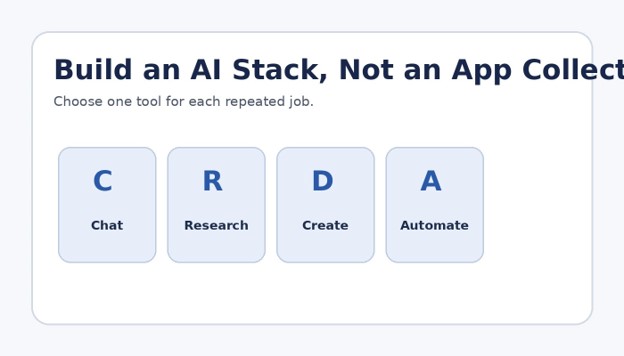
A good comparison starts with your workflow, not the app store. Use this process to turn a vague interest in AI into a measurable decision.
Name one repeated job
Write a specific task such as “turn a 45-minute meeting into action items,” “research five sources for an article,” or “draft a weekly client report.” Avoid goals like “be more productive.”
Capture your current baseline
Record how long the job takes, what inputs are required, where errors happen, and what “done” means. Without a baseline, a fast-looking demo can fool you.
Choose two candidates
Compare no more than two apps for the same job. The **best ai apps 2026** for someone else may be the wrong fit for your files, devices, language, team rules, or review process.
Use the same test packet
Give both apps the same instructions, source files, constraints, and expected format. Run at least three examples: an easy case, a normal case, and an edge case.
Score the full workflow
Rate accuracy, usefulness, speed, editing time, citation quality, export options, privacy fit, and cost. Count the minutes spent fixing the answer; generation speed alone is a weak metric.
Check integrations and ownership
Confirm where outputs are stored, whether you can export them, who owns shared workspaces, what happens when a team member leaves, and whether the app connects to your existing tools.
Keep or cancel
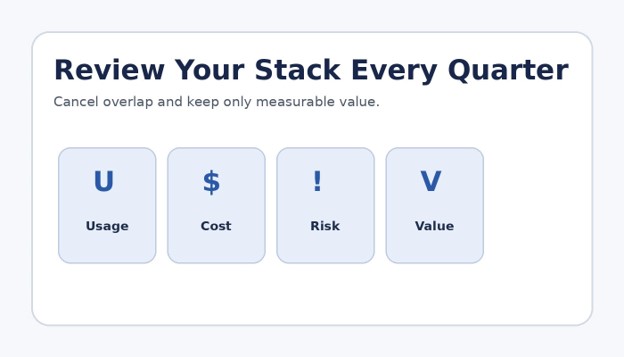
Keep the app only when it produces measurable value at least several times per month. Cancel overlapping tools and retest quarterly.
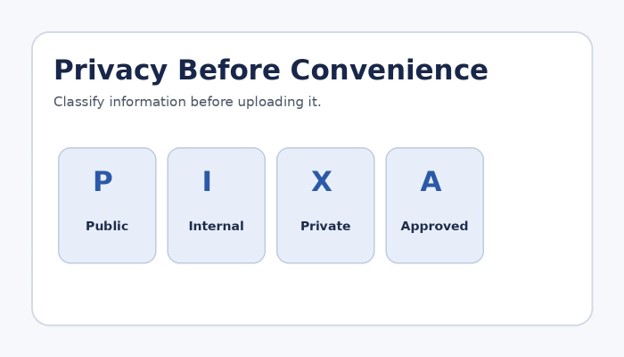
Figure 4. Classify information before connecting accounts or uploading files.
💡 Quick Hack: Use a Paid-Plan Trigger
Stay on the free plan until you can name the exact limit that blocks useful work. Upgrade because you need larger files, more runs, a team control, better exports, or a specific model—not because a banner says “Pro.” This simple rule prevents subscription creep.
Build a Lean AI App Stack
For most individuals, the most practical stack has three layers.
General assistant: ChatGPT, Claude, or Gemini for thinking, drafting, and file-based work.
Job specialist: Perplexity for research, Grammarly for editing, Canva for design, Otter for meetings, or GitHub Copilot for code.
Automation layer: Zapier only when the process is stable and the risk is controlled.
This structure keeps the best ai apps 2026 useful without creating five places to store the same notes. Choose one home for final documents, one source of truth for projects, and clear rules for what may be uploaded.
Common Mistakes to Avoid
- Buying before defining the job
A broad promise such as “work faster” is impossible to measure. Define a repeated deliverable first. - Comparing first drafts only
One tool may produce a flashy first answer but require more correction. Compare the final usable result and total editing time. - Trusting citations without opening them
Research apps can attach a relevant-looking link to a claim that the source does not fully support. Read primary sources. - Uploading sensitive information casually
Customer records, contracts, passwords, private financial data, medical information, and confidential strategy require approved handling. Follow your organization’s policy. - Automating without an exception path
Every automated workflow eventually meets a missing field, duplicate record, odd attachment, or bad input. Define what pauses, retries, alerts, or requires approval.
Pro-Tip: Create an AI Acceptable-Use Card
Write a one-page rule for your household or team with four columns: allowed data, restricted data, approved apps, and required review. Keep it beside your prompt templates. A simple card is easier to follow than a long policy nobody reads.
Advanced Tips and Next-Level Hacks
Build reusable prompt packets
Save the goal, audience, source requirements, examples, output format, checklist, and final review questions together. A strong packet makes performance more consistent across apps.
Separate generation from verification
Use one pass to create, another to challenge assumptions, and a final pass with primary sources or human expertise. Do not ask the same model to be the only judge of its own output.
Design for handoff
Ask for outputs in formats your next tool can use: a table with fixed columns, valid JSON, a clean outline, a checklist, or a document with named headings.
Track cost per usable result
A $20 subscription that saves four hours can be cheap. A free tool that creates avoidable errors can be expensive. Measure subscription cost plus review time and downstream mistakes.
Create an exit plan
Export prompts, notes, transcripts, project files, and automation documentation. The **best ai apps 2026** change quickly; your process should survive a tool change.
💡 Quick Hack: Use the 80/20 Review
Review the parts most likely to cause harm: names, dates, prices, calculations, quotations, legal or medical claims, links, permissions, and commitments. You do not need to distrust every comma, but you must inspect high-impact details.
Troubleshooting and Maintenance Guide
The answer is generic
Add a real audience, goal, examples, constraints, source material, and a measurable output. Ask the app to identify missing information before drafting.
The app invents facts
Require citations, provide authoritative files, ask it to mark uncertainty, and verify claims independently. For current information, check publication and event dates.
Results vary too much
Use a saved prompt template, fixed examples, a scoring checklist, and a lower-creativity instruction. Record the app and model used for important workflows.
The output is too long
Set a word limit, audience reading level, section count, and required format. Ask for a decision first and supporting detail second.
Automation creates duplicates
Add unique identifiers, search-before-create steps, idempotency rules, and a review queue. Test with copied data before using live records.
The team cannot find AI-created work
Store final outputs in the same project system used for human work. Add owners, dates, source links, and status labels.
Quarterly maintenance checklist
– Review app usage and cancel dormant subscriptions.
– Check plan changes, permissions, integrations, and export options.
– Retest three important workflows.
– Update prompt templates and examples.
– Remove stale connected accounts.
– Review incidents, mistakes, and time saved.
A quarterly review keeps the best ai apps 2026 from turning into an expensive pile of overlapping tools.
Figure 5. Quarterly maintenance keeps costs, access, and risk under control.
💡 Quick Hack: Run a Shadow Week
Before replacing a trusted process, run the AI-assisted version beside the old method for one week. Compare errors, speed, missed exceptions, and user confidence. Switch only after the new workflow proves itself.
Frequently Asked Questions
What is the best AI app for everyday use?
ChatGPT is the most flexible single-app choice for many users because it covers writing, brainstorming, files, images, and general problem solving. Gemini may be more convenient for Google-centered users, while Claude is often preferred for long documents and careful prose.
What are the best free AI apps?
Free tiers from ChatGPT, Gemini, Claude, Perplexity, Grammarly, Canva, and other major tools are enough for light testing. Limits vary. Use free access to validate a workflow before paying.
Which AI app is best for students?
The best choice depends on the task. Perplexity can help discover sources, Gemini or ChatGPT can explain concepts, Grammarly can improve writing, and Notion can organize notes. Students should follow school rules, cite sources, and do their own reasoning.
Which AI app is best for small businesses?
A lean combination often works best: one general assistant, Canva or Grammarly for customer-facing content, and Zapier for stable repetitive workflows. The **best ai apps 2026** for a small business are the ones tied to revenue, service quality, or measurable time savings.
Are AI apps safe for confidential information?
Safety depends on the app, plan, settings, contracts, and your policy. Do not upload confidential data by default. Review retention, training, access controls, and enterprise protections before use.
How many AI subscriptions do I need?
Most individuals need one or two. Teams may need a general assistant plus role-specific tools. Add another subscription only when it solves a distinct repeated job and does not duplicate an existing app.
Conclusion
The best ai apps 2026 are not a permanent ranking. They are a working toolkit built around your repeated tasks, your data rules, and your standard for a usable result. Start with one job, test two tools on the same packet, measure total editing time, and keep only the winner.
editor's pick
latest video
news via inbox
Nulla turp dis cursus. Integer liberos euismod pretium faucibua


