
Best Budget Laptops for Students 2026: Top 10 Picks
Buying a student laptop is harder than picking the cheapest machine on a sale page. The Best budget laptops for students 2026 need enough memory, storage, battery life, screen quality, and software compatibility to handle years of assignments without forcing you into an early replacement.
This guide focuses on practical value rather than headline specs. You will see ten strong Windows, ChromeOS, and refurbished macOS options, who each model fits, which configurations to target, and what corners are safe to cut when your budget is tight.
Quick Answer: What Are the Best Budget Student Laptops in 2026?
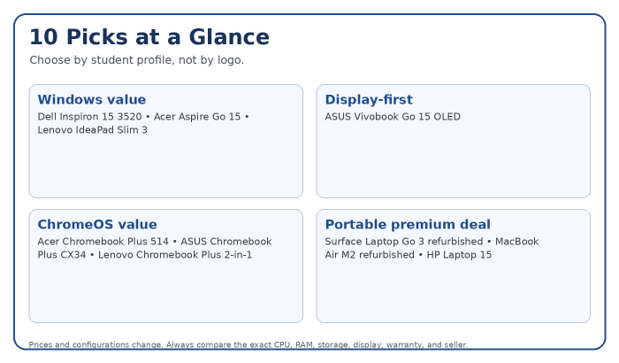
The Best budget laptops for students 2026 include the Acer Aspire Go 15, Lenovo IdeaPad Slim 3, ASUS Vivobook Go 15 OLED, Dell Inspiron 15 3520, HP Laptop 15, Acer Chromebook Plus 514, ASUS Chromebook Plus CX34, Lenovo Chromebook Plus 2-in-1, refurbished Surface Laptop Go 3, and refurbished MacBook Air M2. Choose by required software, RAM, storage, battery life, and portability.
Essential Tools & Buying Checklist
| What to check | Good budget target | Why it matters | Typical cost impact | Skill needed |
| RAM | 8GB minimum; 16GB preferred | Controls multitasking and long-term usability | Moderate | Beginner |
| Storage | 256GB SSD minimum; 512GB preferred | Space for coursework, apps, media, offline files | Low-moderate | Beginner |
| Display | 1080p/1200p IPS or OLED | Sharper text and more comfortable study sessions | Moderate | Beginner |
| Processor | Core i3/Ryzen 3 or better; Chromebook Plus-class CPU | Keeps everyday work responsive | Moderate-high | Beginner |
| Battery | 8+ hours real-world target | Reduces dependence on campus outlets | Varies | Beginner |
| Weight | Around 2.5-3.5 lb is easier for daily carry | Matters every day, not just on spec sheets | Varies | Beginner |
💡 Quick Hack: Compare configurations, not model names. The same laptop family may be sold with 4GB or 16GB RAM, 128GB or 512GB storage, and very different displays. A “deal” can be a poor buy if the exact configuration is weak.
How We Chose These Student Laptops
A budget laptop list is useful only if the selection criteria match student life. We prioritized five factors: useful performance per dollar, at least a Full HD-class screen where possible, practical battery life, portability, and enough ports or wireless capability for common school accessories.
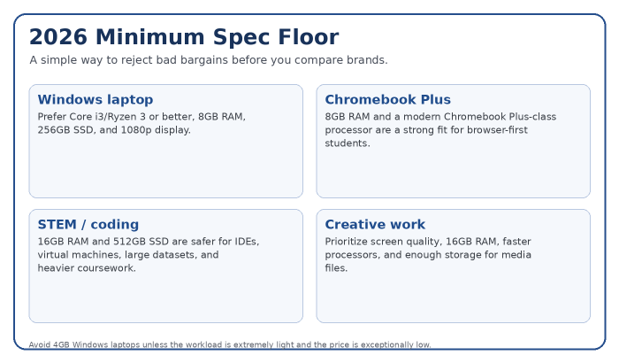
Windows models get extra credit for 8GB+ RAM and SSD storage because 4GB configurations can feel cramped once browsers, video calls, office apps, and background services run together.
Chromebooks are judged differently because ChromeOS is lighter and many student workflows live in the browser or Google Workspace.
Refurbished premium laptops are included only where the warranty and seller are trustworthy; the point is to buy more quality for the same money, not to gamble on an unknown marketplace unit.
Prices in this article reflect official pages and current listings checked on September 30, 2026 where available. Sale pricing can change daily.
- Acer Aspire Go 15 — Best All-Around Windows Value
For many buyers comparing the Best budget laptops for students 2026, the Acer Aspire Go 15 hits the easiest balance of price, screen size, storage, and everyday performance. Acer’s current AG15-21PT-R79L configuration pairs an AMD Ryzen 5 7520U with 8GB LPDDR5 memory, a 512GB SSD, and a 15.6-inch Full HD IPS touchscreen. Acer listed that configuration at $629.99 when checked.
Best for: general college work, business majors, online classes, research, Office apps, and light coding.
Why it works: 512GB storage is generous for a budget machine, and the Ryzen 5/8GB combination is adequate for normal multitasking.
Watch out for: 8GB memory is not ideal for heavy virtual machines, advanced engineering packages, or serious video editing.
Acer Aspire Go 15 official store
- Lenovo IdeaPad Slim 3 15 — Best for Balanced Performance
Lenovo’s IdeaPad Slim 3 is a practical student workhorse because it offers stronger processor choices than many ultra-cheap notebooks while staying relatively light. Lenovo lists Ryzen 5 7530U and Ryzen 7 options, up to 16GB DDR4 memory, a 512GB PCIe SSD, a 15.6-inch FHD IPS panel, Wi-Fi 6, USB-C, HDMI, and an SD card reader. Lenovo quotes up to 10 hours in its MM18 battery test and up to 12 hours of 1080p video playback.
Best for: business, accounting, humanities, general STEM, and students who want Windows without paying for premium build materials.
Why it works: the six-core Ryzen 5 7530U configuration is noticeably more comfortable for heavier multitasking than entry-level N-series chips.
Watch out for: some configurations have soldered memory, so buy the RAM you expect to need later.
Lenovo IdeaPad Slim 3 15 AMD official specs
- ASUS Vivobook Go 15 OLED — Best Budget Display
The ASUS Vivobook Go 15 OLED is the display-first pick. ASUS offers configurations with AMD Ryzen 3 7320U or Ryzen 5 7520U processors, 8GB or 16GB LPDDR5 memory, SSD options up to 1TB, and—most importantly—an optional 15.6-inch Full HD OLED panel rated at 400 nits with 100% DCI-P3 coverage.
Best for: students who read for hours, stream media, do light design work, or simply care about screen quality.
Why it works: OLED contrast and color can be dramatically better than the dim 250-nit panels common in budget laptops.
Watch out for: not every Vivobook Go 15 configuration includes OLED; verify the exact display before buying.
ASUS Vivobook Go 15 OLED official specs
- Dell Inspiron 15 3520 — Best Deal Hunter Pick
The Inspiron 15 3520 is an older platform, but aggressive discounts can make it a strong budget buy. Dell’s U.S. store recently listed a configuration with an 11th Gen Core i3-1115G4, 8GB DDR4 RAM, 512GB NVMe SSD, and a 15.6-inch 1080p 120Hz display for $299.99. At that price, it is far more useful than many new 4GB/128GB bargain notebooks.
Best for: students shopping under roughly $350 when a sale is active.
Why it works: 8GB RAM plus a 512GB SSD is an unusually practical combination at the observed sale price.
Watch out for: the dual-core Core i3 is dated. It is fine for documents, research, streaming, and Zoom, but not a performance machine.
Dell Inspiron 15 3520 official configuration
- HP Laptop 15 — Best for Students Who Want Easy Local Support
HP’s 15-inch line is sold in many configurations and is widely available through retail channels, which can make warranty service and replacement chargers easier to find. A September 2026 HP specification page for the 15-fd0154wm shows an Intel Core Ultra 5 125H and 8GB DDR5 memory, while another current 15-fd1899nr configuration pairs a Core 7 150U with 16GB RAM and a 512GB NVMe SSD.
Best for: students who value mainstream availability and want to choose from multiple price tiers.
Why it works: the better 16GB/512GB versions have enough headroom for years of everyday work.
Watch out for: the HP Laptop 15 name covers very different hardware. Compare the exact product number, not just the family name.
HP Laptop 15-fd1899nr specifications
- Acer Chromebook Plus 514 — Best Chromebook for Battery Life
Among the Best budget laptops for students 2026, the Acer Chromebook Plus 514 is a compelling choice for browser-first students. Acer’s current CB514-6HT configuration uses an Intel Core 3 N355, 8GB LPDDR5X memory, a 512GB SSD, a 14-inch 1920×1200 touch display, Wi-Fi 6, four USB ports, and a claimed maximum battery runtime of 15 hours. It weighs about 3.09 pounds.
Best for: Google Workspace, research, lectures, streaming, web apps, and students who live in Chrome.
Why it works: 8GB RAM, 512GB storage, a 16:10 1200p screen, and long claimed battery life make it more capable than basic Chromebooks.
Watch out for: ChromeOS is not a substitute for Windows if your course requires specialized Windows desktop software.
Acer Chromebook Plus 514 official specs
- ASUS Chromebook Plus CX34 — Best Lightweight ChromeOS Pick
ASUS’s Chromebook Plus CX34 starts at about 3.17 pounds and offers Core i3/i5-class processors, 8GB or 16GB LPDDR5 memory depending on configuration, a 14-inch Full HD display, Wi-Fi 6/6E, USB-C, USB-A, HDMI, and a 1080p webcam with privacy shutter.
Best for: students who want a compact Chromebook for lectures, writing, research, and web-based coursework.
Why it works: it has the ports and webcam quality many cheap Chromebooks cut.
Watch out for: some U.S. configurations use 128GB or 256GB UFS storage rather than a larger SSD.
ASUS Chromebook Plus CX34 official specs
- Lenovo Chromebook Plus 2-in-1 14 — Best for Note-Taking and Flexibility
Lenovo’s 14-inch Chromebook Plus 2-in-1 combines a 1920×1200 touch display with Lenovo Pencil support, 8GB or 16GB memory options, 128GB UFS or up to 512GB SSD storage, a spill-resistant backlit keyboard, and a 50Wh battery rated for more than 11 hours. At roughly 3.28 pounds, it stays portable enough for campus.
Best for: students who like touch, handwritten notes, reading PDFs in tablet mode, and Google Workspace.
Why it works: 2-in-1 flexibility can replace a separate tablet for note-heavy classes.
Watch out for: verify whether the pen is included with the exact bundle you buy.
Lenovo Chromebook Plus 2-in-1 14 datasheet
- Refurbished Surface Laptop Go 3 — Best Compact Windows Option
A certified-refurbished Surface Laptop Go 3 can be a smart way to buy a more premium-feeling Windows machine for less. Microsoft specifies a 12th Gen Core i5-1235U, 8GB or 16GB LPDDR5 RAM, 256GB SSD options, a 12.4-inch 3:2 touchscreen, about 2.49-pound weight, and up to 15 hours of claimed typical usage.
Best for: commuters, students with small desks, frequent travelers, and anyone who prioritizes weight.
Why it works: the 3:2 display is useful for documents, and 2.49 pounds is meaningfully easier to carry than a 15.6-inch notebook.
Watch out for: the screen is small and port selection is limited. Buy refurbished only from Microsoft or another seller with a clear warranty and return policy.
Microsoft Surface Laptop Go 3 official specs
- Refurbished MacBook Air M2 — Best Premium Refurbished Choice
A certified-refurbished MacBook Air M2 costs more than the average budget Windows notebook, but it can make sense for students who want excellent battery life, a sharp display, quiet fanless operation, and macOS. Apple specifies a 13.6-inch 2560×1664 display, M2 chip, 1080p camera, MagSafe charging, and up to 15 hours of wireless web use. Apple’s refurbished store recently showed an 8GB/512GB M2 model at $849, while inventory and prices vary.
Best for: writing-heavy majors, design students, media work, and students already in the Apple ecosystem.
Why it works: the M2 still offers strong everyday performance and efficiency.
Watch out for: 8GB memory can limit heavier future workloads, and some engineering or exam software may require Windows.
Apple MacBook Air M2 tech specs
Which Laptop Should You Buy for Your Major?
The strongest way to narrow the Best budget laptops for students 2026 is to start with coursework. A journalism student and an engineering student may have the same $600 budget but need completely different machines.
| Student type | OS preference | Spec priority | Good starting picks |
| Business / accounting | Windows preferred | 16GB RAM if heavy spreadsheets; 512GB SSD | IdeaPad Slim 3, Acer Aspire Go 15 |
| Computer science | Windows or macOS; Linux support useful | 16GB RAM, 512GB SSD, modern Core/Ryzen/M-series CPU | IdeaPad Slim 3, MacBook Air M2 |
| Engineering | Usually Windows | 16GB RAM minimum; verify CAD/engineering app requirements | Higher-spec Windows model; avoid low-end Chromebooks |
| Design / media | Windows or macOS | 16GB RAM; color-accurate display; larger SSD | Vivobook Go 15 OLED, MacBook Air M2 |
| Humanities / education | Any OS if course apps permit | 8GB RAM; good keyboard; long battery | Chromebook Plus 514, Surface Laptop Go 3 |
| Online study | Any OS | Good webcam, Wi-Fi 6, 8GB RAM, comfortable display | ASUS CX34, Acer Chromebook Plus 514 |
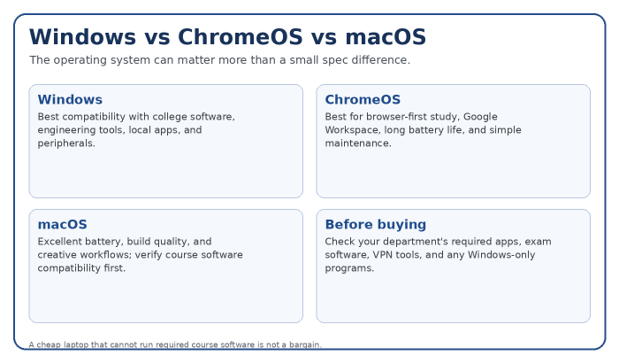
💡 Quick Hack: Email your department or check the course software list before buying. If your program requires Windows-only exam software, CAD tools, accounting software, or a specific VPN client, a Chromebook can become an expensive mistake even if the hardware looks excellent.
What Specs Matter Most on a Student Budget?
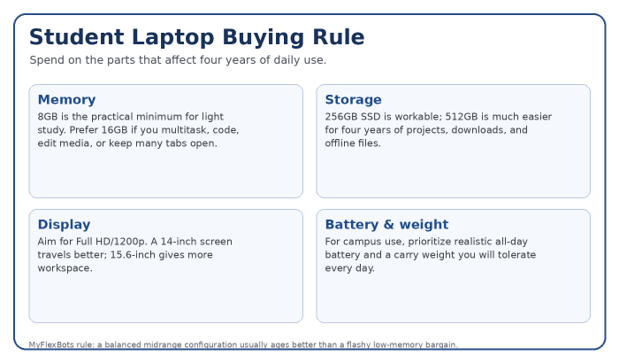
RAM: 8GB Is the Floor, 16GB Is the Comfort Zone
For basic notes, web research, video calls, and office work, 8GB remains workable. Students who code, run large spreadsheets, edit photos, open dozens of browser tabs, or keep multiple apps active should prioritize 16GB. Soldered memory is common, so an 8GB bargain may be impossible to upgrade later.
Storage: Do Not Confuse eMMC/UFS With a Full SSD
A 256GB SSD is enough for a cloud-heavy student; 512GB is much more comfortable. ChromeOS devices can work well with smaller UFS storage because more work lives online, but Windows users should be cautious with 128GB drives once system updates, apps, downloads, and offline files accumulate.
Display: 1080p Is Worth Paying For
A 1366×768 display is one of the first compromises you will notice every day. Full HD or 1920×1200 makes text sharper and gives more room for documents. Brightness matters too: many budget screens sit around 250 nits, which is usable indoors but not ideal beside bright windows.
Processor: Ignore Brand Names Without the Model Number
“Intel inside” or “Ryzen” tells you very little. A modern Core i3 or Ryzen 3 can outperform an older chip with a more impressive marketing label. For Windows, avoid extremely low-end processors if you expect to multitask. For ChromeOS, Chromebook Plus-class hardware is often enough for a smoother browser-first experience.
Battery and Portability
Battery claims are measured under controlled conditions, so treat them as comparison points rather than guarantees. For the Best budget laptops for students 2026, a machine that can realistically survive a lecture block, library session, and commute is more valuable than a slightly faster processor that forces you to carry a charger everywhere.
Pro-Tip: If two laptops cost the same, choose 16GB RAM over a small CPU upgrade for most student workloads. Memory pressure is one of the fastest ways to make an otherwise decent laptop feel slow.
Five Common Mistakes Students Make When Buying a Cheap Laptop
- Buying 4GB of RAM because the price looks unbeatable
Windows 11 plus a browser and video call can consume most of that memory quickly. The machine may technically run, but multitasking can become frustrating. - Ignoring the exact screen specification
Two laptops with the same name may have very different panels. Verify resolution, panel type, brightness, touch support, and refresh rate. - Assuming every application works on ChromeOS
ChromeOS is excellent for web-first students, but specialized desktop software, proctoring tools, or engineering packages can be a deal breaker. - Paying for CPU power while accepting tiny storage
A fast processor does not help when a 128GB Windows drive is constantly full. Balance the system. - Buying from an unknown refurbisher to save $80
Refurbished can be excellent value only when the battery, warranty, return window, and seller reputation are clear.
Advanced Money-Saving Tips
Buy during the academic discount window: Manufacturers such as Lenovo, Dell, Apple, and Microsoft often run student or education pricing. Compare the student price with normal sale pricing; sometimes the public sale is actually lower.
Look at last-generation premium hardware: A one- or two-generation-old premium laptop can have a better keyboard, trackpad, screen, battery, and chassis than a brand-new entry-level model.
Upgrade storage externally: If the laptop has enough RAM but storage is expensive, a small external SSD can be cheaper than jumping to the next factory storage tier.
Prioritize replaceable parts: When two models are close, prefer the one with a replaceable SSD, accessible battery, or RAM slot. Repairability can save money after the warranty ends.
Check open-box and certified refurbished stock: Certified refurbished Surface or MacBook models can stretch a student budget into a higher-quality class of machine.
💡 Quick Hack: Create a three-column comparison before checkout: exact laptop configuration, total price after tax, and warranty/return policy. This prevents a $50 “cheaper” machine from winning when it has half the storage or no useful return window.
Troubleshooting & Long-Term Maintenance Guide
Even the Best budget laptops for students 2026 can feel slow if storage is full, startup apps multiply, heat builds up, or browser extensions run out of control. A few maintenance habits can keep an inexpensive machine useful for longer.
Laptop feels slow after a few months
Check free storage, remove trialware, disable unnecessary startup applications, update the operating system, and inspect browser extensions. On Windows, Task Manager can reveal apps consuming memory or CPU.
Battery life is much worse than advertised
Lower screen brightness, use battery saver, close unnecessary background apps, and check battery health. Video calls and high screen brightness can cut runtime sharply.
Fan is loud during simple work
Place the laptop on a hard surface, clean vents, update firmware, and check for runaway background processes. Soft bedding can block airflow.
Storage is nearly full
Move archived lecture recordings and large media files to cloud storage or an external SSD. Keep at least roughly 15-20% free when possible.
Wi-Fi drops in lecture halls
Update wireless drivers on Windows, forget and reconnect to the network, and prefer Wi-Fi 6/6E capable hardware if your campus supports it.
Laptop cannot run required course software
Do not force a workaround during exam week. Use a campus computer lab, remote desktop service, or exchange/return the laptop if you are still inside the return window.
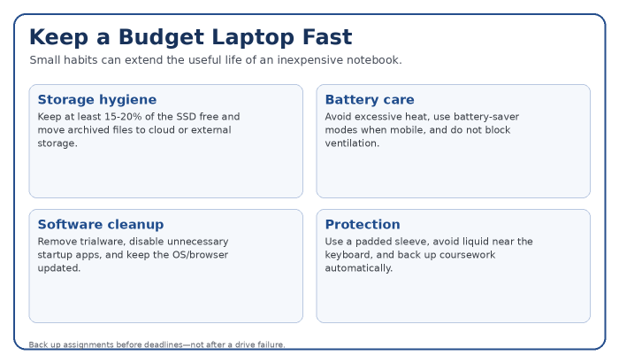
Pro-Tip: Turn on automatic cloud backup for your Documents/Desktop or school folder. A laptop is replaceable; the assignment due tomorrow morning may not be.
Frequently Asked Questions
How much should a student spend on a laptop in 2026?
For general study, roughly 350-700 is the value zone for Windows and Chromebook systems, depending on sales and configuration. Spending more can buy better battery life, build quality, display quality, or stronger performance, but many students do not need a $1,000 machine.
Is 8GB RAM enough for a college student?
Yes for web research, documents, video calls, streaming, and light coding. For computer science, engineering, creative work, heavy spreadsheets, virtual machines, or long-term use, 16GB is the safer target.
Should a student buy a Chromebook or Windows laptop?
Buy a Chromebook if your work is browser-first and your required apps support ChromeOS. Buy Windows when you need broad desktop software compatibility, engineering tools, accounting applications, specialized exam software, or gaming.
Is a refurbished laptop good for students?
Yes, if it comes from the manufacturer or a reputable refurbisher with a meaningful warranty and return policy. Certified-refurbished premium models can offer better screens, keyboards, battery efficiency, and build quality than new entry-level machines.
What is the best laptop for a computer science student on a budget?
A Windows or macOS laptop with at least 16GB RAM and a 512GB SSD is a safer long-term choice. Check whether your course uses virtual machines, Docker, Android Studio, local databases, or Windows-only tools before choosing ChromeOS.
Are cheap laptops under $300 worth it in 2026?
Sometimes. The Best budget laptops for students 2026 under $300 are usually sale-driven models or Chromebooks. A discounted machine with 8GB RAM and a 256GB or 512GB SSD can be excellent value; a full-price Windows laptop with 4GB RAM and 128GB storage is much harder to recommend.
Final Buying Checklist
Confirm your course software works on the operating system.
Choose at least 8GB RAM; buy 16GB when the budget allows.
Prefer 256GB SSD minimum for Windows; 512GB is better for a four-year device.
Verify the exact display resolution and panel type.
Check weight and charger size if you commute daily.
Compare USB-C, USB-A, HDMI, headphone jack, and SD card needs.
Read the warranty and return policy before paying.
Check whether RAM or storage is upgradeable.
Budget for a sleeve, backup drive/cloud storage, and any required adapters.
Re-check the exact SKU because one laptop family can contain very different configurations.
💡 Quick Hack: Search the exact model or SKU plus the word “specifications” before checkout. Retail listings sometimes hide panel type, RAM upgradeability, or port limitations that the manufacturer’s spec sheet reveals.
Conclusion: Buy for the Next Four Years, Not the Next Four Weeks
The Best budget laptops for students 2026 are not simply the cheapest laptops available. They are the machines that give students enough performance, memory, storage, battery life, and software compatibility to finish real coursework without creating daily friction.
For a straightforward Windows value pick, start with the Acer Aspire Go 15, Lenovo IdeaPad Slim 3, or a deeply discounted Dell Inspiron 15 3520. For ChromeOS, the Acer Chromebook Plus 514 and ASUS Chromebook Plus CX34 are strong browser-first options. Students willing to buy certified refurbished can stretch the budget toward a Surface Laptop Go 3 or MacBook Air M2.
editor's pick
latest video
news via inbox
Nulla turp dis cursus. Integer liberos euismod pretium faucibua


