
Best Budget Smartphones Under $300 2026: 10 Picks
Buying a cheap phone should not mean living with freezing apps, blurry photos, or a battery that dies before dinner. Best budget smartphones under $300 2026 shoppers have genuine choices—but the best deal depends on software support, reliable network coverage, and the final unlocked price, not flashy megapixel claims. This guide identifies ten defensible options, explains their compromises, and shows exactly how to buy without wasting money.
What Are the Best Budget Smartphones Under $300 in 2026?
The best sub-$300 choices include the Samsung Galaxy A26 5G for balanced features and long software support, Galaxy A17 5G for everyday value, and Moto G Power (2026) for durability and endurance. The CMF Phone 2 Pro is a compelling international option, while certified refurbished Pixel 7a models appeal to camera buyers. Availability and prices vary.
Bottom line: Start with the Galaxy A26 5G when it is truly at or below $300, choose the Galaxy A17 5G to spend less, or consider the Moto G Power (2026) if ruggedness matters more than display quality. A phone costing $279 plus a costly activation requirement is not a $279 bargain.
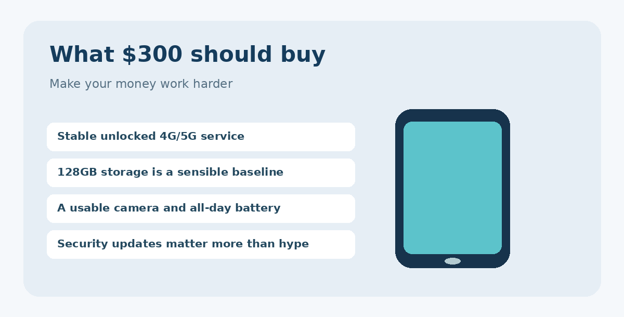
Figure 1. Four practical requirements to prioritize over promotional specifications.
Image alt text for CMS: budget smartphone features checklist
Top 10 Budget Smartphones: Quick Comparison
| Phone | Best for | Budget status / caveat |
| Samsung Galaxy A26 5G | Best overall balance | Official US list $299.99; stock varies |
| Samsung Galaxy A17 5G | Lower-cost all-rounder | US A-series listing varies by promotion |
| Motorola Moto G Power (2026) | Durability and battery | Around $299.99 launch/list; verify live offer |
| Motorola Moto G (2026) | Basic 5G value | Check unlocked US seller and variant |
| Motorola Moto G Play (2026) | Essentials on less | Price/stock vary; entry-level compromises |
| CMF Phone 2 Pro | AMOLED and versatile cameras | US Beta Program ended; international/import caveat |
| Google Pixel 7a (certified refurb) | Camera and compact size | Google refurb listed from $289 |
| Moto G Power (2025) | Discounted rugged alternative | Only if discounted below $300 |
| Samsung Galaxy A16 5G | Older-stock value | Only if new stock/warranty are sensible |
| TCL 60 XE NXTPAPER 5G | Eye-comfort display niche | Confirm US variant and live price |
Pricing method: Dollar figures are U.S. manufacturer list or identified refurbished program prices seen in the cited references, not guaranteed live offers. Deal-dependent entries are candidates rather than assured sub-$300 purchases. Avoid converting international prices directly into U.S. retail totals.
- Samsung Galaxy A26 5G — Best Overall for Most Buyers
Samsung’s Galaxy A26 5G combines a 6.7-inch Super AMOLED display, up to 120Hz refresh rate, a 5,000mAh battery, IP67 resistance, and an unusually long update commitment for this class. The display is the practical advantage: bright content, crisp reading, and deep contrast are noticeable every day, unlike an extra camera sensor you rarely use. Best budget smartphones under $300 2026 is a useful search starting point for readers who want an AMOLED display without flagship pricing.
Samsung lists the U.S. 128GB variant at $299.99, making the phone a legitimate ceiling-price candidate when stock is available. Its 50MP main camera is suitable for daylight photographs and casual family shots, but challenging night scenes still reward steady hands and realistic expectations.
Who should buy it: People who want an affordable phone to keep for several years. Who should skip it: Heavy mobile gamers expecting flagship graphics or anyone needing top-tier stereo audio. Verify which RAM/storage variant the retailer sells, then compare its installed software version and warranty.
💡 Quick Hack: A $30 sale on the A26 is more valuable than a “free” accessory bundle you would not otherwise buy. Track the phone-only checkout price and ignore inflated savings banners.
- Samsung Galaxy A17 5G — Best Practical Value
The Galaxy A17 5G targets the buyer whose daily routine is messaging, maps, banking, streaming, and family photos. Samsung advertises a 6.7-inch Super AMOLED display, optical image stabilization on the main camera, IP54 protection, and six years of OS/security support for the U.S. model. That support window is a stronger reason to purchase than small cosmetic upgrades. Best budget smartphones under $300 2026 also includes options focused on software longevity instead of raw processor speed.
Compared with a faster phone at the same price, the A17 makes sense if the savings are meaningful and app speed feels adequate in the store. Open the camera, switch between browser tabs, test keyboard responsiveness, and confirm there is no unusual lag before committing.
Who should buy it: Students, parents, and anyone who values predictable software upkeep. Trade-off: Entry-level performance; do not mistake a high-resolution camera label for flagship low-light photography.
- Motorola Moto G Power (2026) — Best for Everyday Toughness
Motorola’s 2026 Power model emphasizes a large 5,200mAh battery, a 6.8-inch FHD+ LCD, Gorilla Glass 7i, and IP68/IP69 durability ratings. Those ratings can be valuable for commuters, outdoor workers, and people who regularly use their phones near rain or dust. They are not a guarantee against every kind of water damage. Best budget smartphones under $300 2026 highlights why ruggedness and battery capacity should be considered together.
The LCD does not deliver the same deep blacks as a good AMOLED, and Motorola’s shorter platform-upgrade promise is a downside for someone planning to keep the phone for five years. If the A26 and Power cost exactly the same, choose based on the experience you care about most: Samsung’s screen/update horizon or Motorola’s reinforced hardware.
Who should buy it: Battery-focused commuters and demanding environments. Trade-off: Weaker long-term software value compared with some Samsung rivals.
- Motorola Moto G (2026) — Best Lower-Cost Everyday Android
The standard Moto G focuses on essentials rather than premium finishes. It can suit households buying several phones, first-time smartphone owners, or people who mostly call, message, and use navigation. A lower upfront price leaves room for a durable case and data plan without breaching a strict total budget. Best budget smartphones under $300 2026 recommendations should include genuinely inexpensive everyday devices, not only $299 models.
A key buying check is the memory configuration. If the device is routinely closing background apps, the small saving over an A17 may not be worth it. Always compare the exact U.S. unlocked model, not an attractively priced carrier-locked listing.
Who should buy it: Light users prioritizing price. Trade-off: Camera speed, multitasking, and screen sharpness may lag behind 250–300 models.
- Motorola Moto G Play (2026) — Best Bare-Bones Option
The Play series is designed for calls, texts, streaming at modest settings, and dependable basics. It deserves a place on a Best budget smartphones under $300 2026 shortlist only when its checkout price is clearly lower than the regular Moto G. For most buyers, paying a little more for better memory and a cleaner long-term experience is money well spent.
Confirm 5G support, display resolution, NFC payments, charging speed, and storage expansion on the exact retail listing: these details can differ between affordable phones even within one brand. Never assume every device advertised in 2026 includes contactless payments.
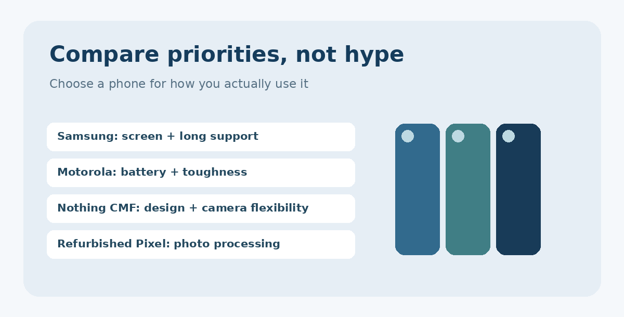
Figure 2. Each budget-phone family makes a different trade-off; identify your top two priorities first.
Image alt text for CMS: smartphone buying priorities samsung motorola pixel
- CMF Phone 2 Pro — Best Creative Alternative (Where Sold)
The CMF Phone 2 Pro stands out through a colorful design, a 6.77-inch AMOLED display, a Dimensity 7300 Pro processor, a 5,000mAh battery, and unusual camera flexibility that includes a telephoto option. The device can look and feel less generic than many inexpensive Android phones. Best budget smartphones under $300 2026 research needs a separate warning for region-restricted imports and discontinued offers.
Its U.S. availability requires a major disclaimer: Nothing’s official site says the U.S. Beta Program ended, and the earlier $279 program price no longer applies. This is therefore an attractive international-market phone or import consideration, not a guaranteed currently purchasable U.S. under-$300 pick.
Before importing, check LTE/5G bands, VoLTE, Wi-Fi calling, local warranty servicing, return shipping costs, and customs fees. A spectacular specification list is meaningless if your carrier cannot reliably receive calls indoors.
💡 Quick Hack: Ask the seller for the exact model number in writing and compare its band list against your carrier’s published network requirements before paying for any imported phone.
- Google Pixel 7a Certified Refurbished — Best Camera-First Value
A refurbished Pixel 7a offers a different kind of bargain: older flagship-like computational photography rather than brand-new entry-level hardware. Google’s Certified Refurbished store displayed the Pixel 7a from $289 in the checked listing, placing a qualifying configuration within budget before tax. Availability may be limited. Best budget smartphones under $300 2026 buyers can consider certified refurbished models when photography is the main requirement.
The trade-offs are older hardware, uncertain remaining battery capacity compared with a new phone, and a shorter remaining life on the original support calendar. Read the refurbishment program’s warranty and return terms carefully; a certified program is not automatically identical to a random marketplace seller labeling a phone “excellent.”
Who should buy it: Users who care most about point-and-shoot photography and comfortable one-handed handling. Trade-off: Less battery and software runway than some new Samsung choices.
- Motorola Moto G Power (2025) — Best Discount-Only Rugged Buy
Last year’s Power model remains worth watching if its price drops substantially below the 2026 version. This is a classic budget-saving move because a one-generation-old phone can offer a similarly useful battery and rugged build for less cash. But a nearly identical sale price favors the model with newer support and a fresh warranty.
Read the full product title carefully. A used, open-box, prepaid, and new unlocked model are different products with different financial risks. Demand a clear return policy and the ability to test your carrier before your return period closes.
Who should buy it: Bargain hunters seeing a genuine discounted unlocked unit. Trade-off: One year less product age and often a shorter remaining support horizon.
- Samsung Galaxy A16 5G — Best Older-Stock Samsung
The Galaxy A16 5G is an alternate way to access a big AMOLED screen and Samsung’s familiar interface without paying A26 money. By 2026, it should be assessed as an older-stock deal rather than an automatic top recommendation. The meaningful question is whether a reputable seller discounts it far enough below the A17 to justify buying an older launch.
Check manufacturing region, included warranty, security patch status, and battery condition if the package is not factory sealed. A $20 discount is rarely worth questionable sourcing; a meaningful discount with proper manufacturer coverage can be.
Who should buy it: Samsung buyers finding legitimate deeply discounted inventory. Trade-off: Less current hardware and potentially narrower availability.
- TCL 60 XE NXTPAPER 5G — Best Specialized Display Choice
TCL’s NXTPAPER concept appeals to people who read lengthy articles, documents, or e-books on their phones. The selling point is the distinct display presentation and eye-comfort-oriented experience, not winning every camera or benchmark chart. Readers should inspect the screen in person because preferences for matte-like displays are subjective.
Confirm the specific U.S. unlocked model, compatibility, product warranty, and today’s total price. If the NXTPAPER variant is unavailable or above budget, a mainstream Samsung A-series phone plus properly tuned dark mode and text size may be the smarter purchase.
Who should buy it: Reading-heavy users who prefer its screen appearance. Trade-off: A niche experience with potential availability limitations.
Essential Tools and Materials: What a Smart Buyer Needs
You do not need an expensive testing laboratory to compare cheap Android phones. Five or six basic items and a disciplined checklist can prevent the largest purchasing mistakes.
| Item / tool | Typical extra cost | Skill level | Purpose |
| Carrier compatibility page | $0 | Beginner | Check bands, activation and VoLTE |
| Wi-Fi connection + speed test | $0 | Beginner | Assess update and download performance |
| SIM or eSIM from current carrier | 0–15 | Beginner | Test real service during return window |
| Protective case | 10–25 | Beginner | Reduce drop-damage exposure |
| Screen protector | 5–15 | Beginner | Protect a frequently touched surface |
| USB-C charger if not included | 10–25 | Beginner | Use reputable compatible charging |
| Refurbished-phone inspection checklist | $0 | Intermediate | Catch IMEI, screen and battery issues |
The extra-cost ranges above are illustrative shopping budgets, not live verified offers. Look at what comes in the box before paying for a duplicate charging brick.
How to Choose the Right Phone: A Step-by-Step Buying Process
Build a real all-in budget
Set a cap for the total amount you will pay, including sales tax, case, charger, activation, shipping, and any refurbishment surcharge. A phone labeled $299.99 may already exceed $300 after tax; if your ceiling is absolute, search the 230–260 tier so there is room for essentials.
Write your final maximum spend, not simply the advertised handset target.
Decide whether refurbished devices are acceptable.
Subtract any necessary case, charger, carrier activation and tax estimates.
Ignore promotional prices requiring a costly plan unless the plan is one you already intended to buy.
💡 Quick Hack: For two nearly equal phones, divide the expected total ownership cost by the number of years you realistically plan to keep it. A $280 device used for four years is $70 per year; a $200 device replaced after two years costs $100 per year.
Confirm unlocked status and network compatibility
“Unlocked” is not a synonym for universal compatibility. Phones differ in LTE and 5G band support, eSIM availability, VoLTE provisioning, and Wi-Fi calling certification. U.S. carriers can reject imported devices even when they technically share several frequency bands.
Find the exact model code on the seller page.
Use the carrier’s BYOD/IMEI compatibility checker where available.
Confirm activation, VoLTE and emergency calling support, not merely a 5G icon.
Confirm whether the device supports a physical SIM, eSIM, or both.
Keep screenshots of the compatibility result and seller return policy.
This step deserves priority over processor benchmarks. A perfectly fast phone with unreliable voice calling is a failed purchase.
Prioritize display quality for everyday use
You look at the screen every time you use your phone, making a good display one of the most valuable upgrades. AMOLED generally provides stronger contrast, while a good LCD may still be perfectly pleasant. Screen resolution, outdoor visibility, touch response and font clarity matter more than a headline “120Hz” label in isolation.
A high refresh rate can make scrolling fluid, but it does not make a slow chip fast or improve a dim panel in sunlight. Test a white webpage outdoors or beside a bright window, then look at a dark video and judge whether the difference matters to you.
Evaluate processor, RAM, storage and longevity
For the average buyer, 128GB storage is a sensible starting target, especially when photos, offline maps, and messaging media accumulate. More RAM can help when switching among apps, but software optimization and chipset efficiency matter too. Do not pay extra for advertised “virtual RAM” as though it were physical memory.
Look beyond launch speed: install your normal apps, check whether the keyboard pauses, try a video call, navigate with maps, and switch back to a camera app. Buyers who use large games or edit video should look for real-world sustained performance tests instead of judging by CPU marketing labels.
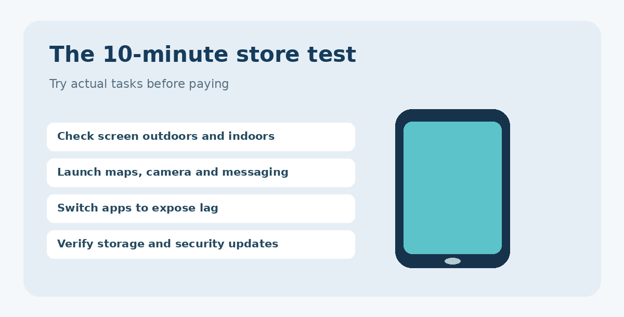
Figure 3. A short real-world test tells you more about suitability than several glossy feature badges.
Image alt text for CMS: smartphone store testing steps
Test camera performance realistically
The megapixel count describes image resolution, not photographic quality. Lens aperture, sensor size, optical stabilization, dynamic range, processing, autofocus reliability, and shutter delay contribute heavily to the final result. A good 12MP photo is often more useful than a blurry 50MP image.
Take a photo of a person indoors without flash to test skin tone and motion blur.
Photograph text at close range to check focus and edge sharpness.
Record a short video while walking and listen to microphone audio.
Zoom into a photo at 100% to check for aggressive smoothing.
Try a backlit subject to see whether bright windows destroy facial detail.
Best budget smartphones under $300 2026 comparisons should emphasize repeatable everyday camera results, not manufacturer sample photos. If photography drives your purchase, a properly warrantied refurbished Pixel may beat a new budget phone in difficult lighting.
Compare battery size with actual endurance
A 5,000mAh label is reassuring, but the chip, network signal, refresh rate, software, and screen brightness decide how long a device really lasts. A phone in a weak-signal area can drain significantly faster because the modem is working harder to stay connected.
Ask whether the device reliably lasts from breakfast to bedtime with your own routine—navigation, video calls, mobile data, and photography included. Charging speed is secondary to total endurance, and charger wattage must be supported by the phone rather than merely printed on an accessory.
💡 Quick Hack: If a new phone drains quickly, check Settings → Battery → Battery usage before assuming the hardware is defective. Background setup, cloud-photo syncing, and a misbehaving app can distort the first two days of battery performance.
Make software support a purchase requirement
An inexpensive phone may continue to turn on for years after its official support ends, but security patches help protect banking apps, stored credentials, and personal messages. Look for the manufacturer’s specific promised end date or number of upgrades, and remember those commitments may differ by region. Best budget smartphones under $300 2026 rankings should place remaining security support alongside display and camera quality.
Samsung’s A26 and A17 support commitments are competitive for new budget phones. Motorola’s 2026 Power option emphasizes rugged features but does not promise the same lengthy major Android-upgrade horizon according to comparative coverage. An older refurbished device also has less time remaining on the original clock.
Validate the seller and protect the transaction
Read the warranty document and confirm whether you are buying U.S. manufacturer stock or an imported variant. Photograph the unboxing and test the camera, touchscreen, speaker, microphone, USB port, cellular service and Wi-Fi promptly so any defect can be documented inside the return window. Best budget smartphones under $300 2026 evaluations must include carrier activation, seller transparency, and return rights.
Prefer a direct manufacturer or reputable retailer with transparent returns.
Check whether any listing is locked to a prepaid carrier.
For refurbished phones, check the IMEI and activation status using recognized channels.
Reject listings with vague model numbers, confusing grading, or no warranty information.
Keep the receipt and original packing until you have finished testing.
The Five Most Expensive Budget-Phone Mistakes
- Treating carrier bill credits as cash savings
A “free” phone may require a premium plan, long billing term, or trade-in. Calculate the incremental plan cost across the entire promotion and compare that with buying unlocked.
- Choosing by camera megapixels alone
Inspect photos taken indoors and with moving people. Stabilization and image processing matter much more to casual photography than a high megapixel number.
- Overlooking software-support dates
A phone sold in 2026 may have launched much earlier. Ask for remaining support from today, not the advertised support length at launch.
- Importing without band and warranty checks
International versions may lose Wi-Fi calling, certain 5G bands, or convenient U.S. repairs. Avoid importing merely to save a modest amount.
- Paying flagship-like prices for aging stock
Older-generation phones are attractive only with an appropriate discount. Compare the final price against current A17 or A26 options before buying.
Advanced Pro Tips: Stretch Your $300 Further
Pro-Tip: Cross-shop refurbished phones against new models. A certified refurbished Pixel 7a may deliver desirable photo quality for $289, but a new Galaxy might last longer on a single charge and come with a different support timetable. Compare warranty lengths and remaining updates as well as images.
Pro-Tip: Price-watch the storage upgrade separately. A 256GB variant sometimes costs only slightly more during a promotion; other times the jump is unreasonable. Cloud backups, free storage management, and microSD support—where provided—can be smarter than paying a large premium.
Pro-Tip: Separate essential features from nice-to-haves. Your mandatory list might be unlocked compatibility, NFC, 128GB storage, reliable video calls, and multi-year patches. Wireless charging or a specialty camera can remain optional. This prevents spending every available dollar on features you rarely touch.
Pro-Tip: Watch calendar-driven discounts, not random countdown timers. Major retailer sales can change handset prices, but fake urgency often appears on marketplace listings. Compare at least two legitimate sellers and record the exact SKU.
Pro-Tip: Reuse reliable accessories safely. If you own a standards-compliant USB-C charger that meets the new device’s charging requirements, you may not need another. Replace frayed cables and avoid unknown ultra-cheap power adapters.
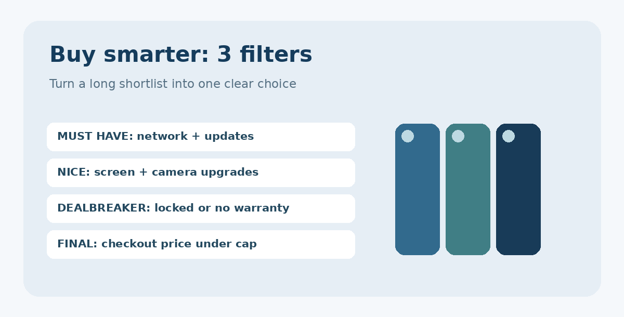
💡 Quick Hack: Use a three-column scorecard: Must have / Nice to have / Dealbreaker. List only three items in each column. A clear dealbreaker such as “no carrier compatibility” saves hours of spec-sheet research.
Figure 4. A simple scorecard prevents small marketing features from overriding important purchase conditions.
Troubleshooting and Long-Term Maintenance
If the phone is slow or freezes
Check free storage and system updates before installing “RAM booster” utilities. Restart the device, remove unused apps, and identify whether lag occurs only inside one demanding app. If the problem persists immediately after initial setup, benchmark it against another unit of the same model and consider using the return window.
If cellular data works but calls fail
Check carrier activation, VoLTE provisioning, software updates, and SIM settings. Restart the phone and contact the carrier with the exact IMEI/model code. Imported variants may be unsupported even when mobile data appears to function. Do not assume repeated factory resets can fix a carrier-level restriction.
If battery life is disappointing
Review per-app battery usage, display brightness, background location services, mobile signal strength, and device temperature. Poor signal and long screen-on time often matter more than a nominal battery-capacity difference. If sudden drain continues after updates settle, use manufacturer diagnostics or request warranty help.
If photos are blurry
Clean the lens with a soft microfiber cloth, remove low-quality lens protectors, and compare results in daylight. Tap the subject to focus; hold steady in dim lighting; and test whether camera stabilization behaves correctly. A persistently soft image from every distance may indicate a hardware issue.
If storage fills too quickly
Move original photos to a trusted cloud or computer backup, then verify the backup before deleting local copies. Review large videos, downloads and offline media, and clear cache only where appropriate. Do not install unfamiliar cleaning apps asking for excessive permissions.
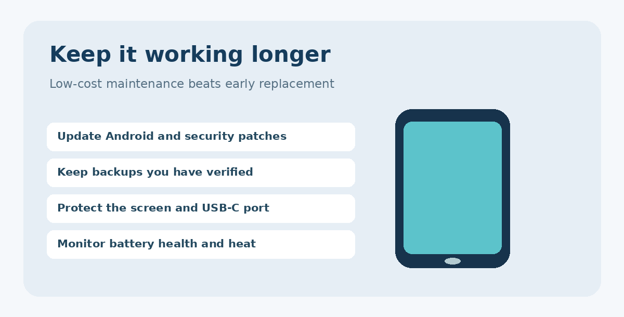
How to keep your budget smartphone useful for four years
Install security patches and major stable updates promptly after checking compatibility.
Use a quality protective case and keep charging ports clean and dry.
Avoid sustained heat—especially direct sun on a dashboard while charging.
Back up photos, two-factor recovery codes and key contacts regularly.
Review app permissions and uninstall unnecessary software every few months.
Replace a degrading battery through a qualified repair service when economically sensible.
A budget smartphone that stays secure and functional for four years is usually a much better deal than a cheaper model that has to be replaced after eighteen months. Best budget smartphones under $300 2026 buying guidance should prioritize long-term reliability as well as immediate savings.
Figure 5. Small routine checks reduce avoidable failures and extend useful life.
Frequently Asked Questions
- What is the best unlocked smartphone under $300 in 2026?
For most U.S. buyers, the Galaxy A26 5G is a well-balanced choice when available for $299.99 or less before tax. The Galaxy A17 5G is a better value when its lower cost matters more than the A26’s upgrades. Always verify carrier compatibility before checkout.
- Is a $200 Android phone good enough for daily use?
Yes, provided you mainly use messaging, maps, calls, social apps, banking, and light streaming. Check for adequate storage, responsive app switching, reliable software support, and a usable camera. Heavy video editing and demanding 3D gaming make stronger hardware more valuable.
- Which affordable smartphone has the best camera?
A Google-certified refurbished Pixel 7a, where available near its listed $289 starting price, deserves attention for processing and point-and-shoot photography. Among new budget models, test Samsung’s stabilized main cameras. Your preferred output may differ, so evaluate real indoor photos rather than megapixels.
- Is 5G necessary on a budget smartphone?
Not for everyone. Reliable 4G LTE can handle most messaging, navigation and video needs. Still, when buying a phone for multiple years, compatible 5G is a sensible feature if it is included without forcing expensive plan changes or sacrificing more important qualities.
- Are refurbished phones worth buying in 2026?
They can be, especially through transparent manufacturer-certified programs with testing and warranty terms. Inspect the exact warranty, battery condition policy, return period, remaining software support, IMEI status and cosmetic grading. Compare the complete price with a new model, not a crossed-out original MSRP.
- Can I get a good gaming phone under $300?
A modestly priced phone can handle casual games and some competitive titles at lower graphics settings. For demanding games, prioritize sustained chipset performance, adequate physical RAM, thermal behavior and reliable frame rates. Do not assume a 120Hz screen means the game runs at 120 frames per second.
Final Verdict: Which One Should You Buy?
The Best budget smartphones under $300 2026 purchase is not automatically the one with the most features. Choose the Galaxy A26 5G for the strongest mainstream blend of screen quality and software commitment, the Galaxy A17 5G when keeping more cash matters, or the Moto G Power (2026) when ruggedness and endurance outweigh a premium display. Consider the refurbished Pixel 7a for cameras and the CMF Phone 2 Pro only after resolving its regional availability and network limitations.
At MyFlexBots, the recommendation is to treat $300 as a total-spend discipline, not permission to ignore running costs and support. Verify the model number, carrier approval, warranty and final price. Then spend the remainder on protection or keep it in your pocket.
editor's pick
latest video
news via inbox
Nulla turp dis cursus. Integer liberos euismod pretium faucibua


