
Best Social Media Scheduling Tools: 2026
Posting to six networks from six browser tabs is not a social media strategy; it is a part-time admin job. The best social media scheduling tools turn that chaos into a repeatable workflow, but the wrong platform can add cost and complexity without saving much time.
This guide breaks down what to look for, which platforms fit different workloads, how to build a reliable publishing system, and how to avoid the scheduling mistakes that quietly kill reach, consistency, and reporting.
What Are the Best Social Media Scheduling Tools in 2026?
Featured snippet answer: The best social media scheduling tools combine reliable publishing, a visual content calendar, platform-specific editing, analytics, team approvals, and useful automation. Buffer is a strong simplicity-first choice, Metricool suits analytics-focused users, Hootsuite fits larger teams, Later is excellent for visual planning, and Sprout Social is built for advanced reporting and enterprise workflows.
The important point is that “best” is not a universal ranking. A solo creator with three accounts needs a very different system from an agency handling 30 client profiles.
Essential Tools & Materials Breakdown
Social scheduling is software work, but the workflow still benefits from a practical toolkit; this is where the best social media scheduling tools earn their place. Before comparing platforms, assemble the pieces that make any scheduler useful.
| Tool or resource | What it does | Typical cost | Skill level |
| Social scheduling platform | Queues and publishes posts | Free to $500+/month | Beginner–Advanced |
| Content calendar | Maps campaigns and publishing dates | Free–$30+/month | Beginner |
| Brand asset library | Stores approved logos, photos and templates | Free–$30+/month | Beginner |
| Analytics dashboard | Measures reach, clicks and conversions | Free–$300+/month | Intermediate |
| URL tracking system | Separates campaign traffic in analytics | Free | Intermediate |
| Design tool | Creates platform-ready visuals | Free–$15+/month | Beginner–Intermediate |
| Approval checklist | Prevents errors before publishing | Free | Beginner |
| Content brief | Defines audience, hook, CTA and goal | Free | Beginner |
| Spreadsheet backup | Keeps a portable content record | Free | Beginner |
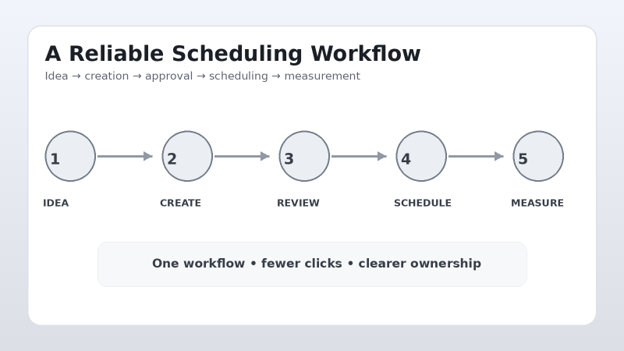
A scheduler is only one component, and the best social media scheduling tools work best when paired with a disciplined content process. A polished workflow needs a content source, a publishing calendar, an approval step and a measurement loop.
The five capabilities worth paying for
When evaluating a platform, prioritize:
Reliable direct publishing. A scheduler that constantly asks for manual notification publishing can erase the time savings.
Platform-specific customization. Cross-posting should not mean copying the exact same caption everywhere.
Visual planning. A calendar makes gaps, campaign clusters and over-posting obvious.
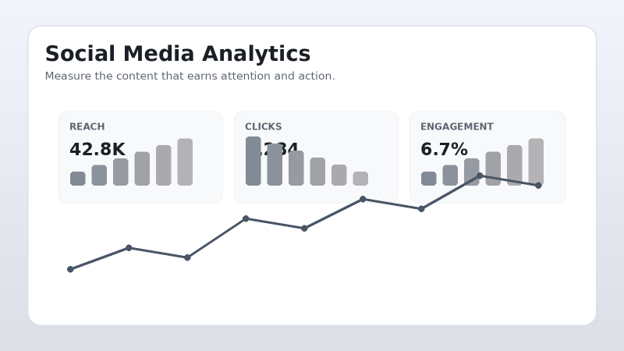
Analytics you will actually use. Ten dashboards are worthless if nobody checks them.
Workflow controls. Drafts, approvals, permissions and client review matter as soon as more than one person touches the account.
Quick Hack: Start with your bottleneck
Do not buy software because it has the longest feature list. Write down the three tasks consuming the most social-media time each week. If the answer is caption writing, prioritize content tools; if it is approvals, prioritize collaboration; if it is reporting, prioritize analytics.
The Best Social Media Scheduling Tools Compared
The strongest choices in 2026 are not interchangeable, and the best social media scheduling tools are the ones that match the actual workload. Each one has a different center of gravity.
- Buffer — Best for simplicity and small teams
Buffer is one of the easiest platforms to understand. It focuses on planning, scheduling, publishing and analytics without forcing a small business into an enterprise-style interface.
Buffer says it supports Instagram, TikTok, Facebook, X, Pinterest, LinkedIn, YouTube Shorts, Google Business Profile, Bluesky, Mastodon, Threads and other destinations from one dashboard. Its free plan supports up to three channels and ten scheduled posts per channel at a time, while paid plans expand scheduling capacity.
Best for: creators, freelancers, consultants and small businesses.
Strengths
Clean learning curve.
Visual calendar and queue.
Platform-specific post composition.
Free entry point.
Useful analytics for everyday decisions.
Broad social-channel coverage.
Limitations
Heavy agencies may outgrow the simpler workflow.
Advanced reporting and collaboration can require paid tiers.
Some platform features still have publishing restrictions.
Verdict: Choose Buffer when the main objective is getting a dependable publishing system running quickly.
- Metricool — Best for analytics-driven marketing
Metricool is particularly attractive when scheduling and measurement need to live in the same workspace. It combines a visual calendar with analytics, competitor research, reporting, bulk scheduling and additional marketing utilities.
Metricool’s current feature set includes multi-network scheduling, evergreen recycling, analytics, competitor analysis, Google Business Profile publishing, hashtag suggestions, AI assistance and bulk CSV upload.
Best for: marketers who want scheduling decisions tied closely to performance data.
Strengths
Strong analytics.
Competitor and benchmark features.
Bulk publishing.
Evergreen content recycling.
Reporting capabilities.
Useful visual planning.
Limitations
More features mean a steeper learning curve than a minimalist scheduler.
Some advanced capabilities are plan-dependent.
Users who only need basic scheduling may find it more than necessary.
Verdict: Metricool is a strong pick when the question is not just “Did it publish?” but “What happened after it published?”
- Hootsuite — Best for larger social operations
Hootsuite remains relevant for organizations that need structured social management, multiple users, broad integrations and more advanced monitoring.
It is a better fit when social media is a team function rather than a single person’s task.
Best for: established businesses, agencies and larger marketing teams.
Strengths
Mature social management workflow.
Team permissions and collaboration.
Scheduling across major platforms.
Monitoring and reporting.
Broad integration ecosystem.
Limitations
Cost can be difficult to justify for solo users.
The interface can feel excessive for simple publishing.
Feature depth means more setup.
Verdict: Buy Hootsuite for operational scale, not because a small account needs another dashboard.
- Later — Best for visual-first content planning
Later has historically been associated with Instagram and visual planning, making it useful for brands where feed appearance, creative sequencing and visual consistency matter.
Best for: creators, ecommerce brands and visually led Instagram strategies.
Strengths
Strong visual planning.
Feed-focused workflow.
Helpful media organization.
Good fit for image-heavy brands.
Limitations
Users needing deep enterprise analytics may prefer another platform.
The best value depends on the channels and features required.
Visual planning does not replace content strategy.
Verdict: Later is compelling when the calendar needs to answer both “When are we posting?” and “How will the feed look?”
- Sprout Social — Best for advanced reporting and enterprise workflows
Sprout Social is designed for organizations that need scheduling alongside social CRM, reporting, listening and more sophisticated workflows.
Its current product direction includes AI-assisted insights and automation alongside scheduling, analytics and engagement capabilities.
Best for: larger organizations, agencies and teams with serious reporting requirements.
Strengths
Advanced analytics.
Strong reporting.
Social inbox and engagement workflows.
Team collaboration.
Enterprise-oriented capabilities.
Limitations
High cost compared with lightweight schedulers.
More features than a small business may need.
Per-user pricing can become significant as teams grow.
Verdict: Sprout Social makes sense when social reporting and customer engagement are operationally important, not merely nice-to-have features.
- SocialBee — Best for evergreen content systems
SocialBee is attractive for businesses that want category-based queues and evergreen recycling. The appeal is less about having another calendar and more about building a repeatable content engine.
Best for: service businesses, consultants and brands with evergreen educational content.
Strengths
Category-based scheduling.
Evergreen recycling.
Content organization.
Useful for recurring campaigns.
Limitations
Recycling needs editorial control.
Not every post should be evergreen.
Teams with complex approval needs may need a more collaborative platform.
Verdict: SocialBee is useful when the business has a library of content that can be strategically reused.
- Planable — Best for approvals and client collaboration
Planable focuses heavily on the review side of social publishing. That makes it attractive to agencies and marketing teams where a post often needs approval before it can go live.
Best for: agencies and multi-person marketing teams.
Strengths
Draft and approval workflows.
Collaborative feedback.
Clear review process.
Good fit for client-facing work.
Limitations
It can be unnecessary for a solo creator.
Advanced scheduling and analytics needs should be checked against the chosen plan.
How to Choose the Right Scheduler
The best social media scheduling tools should be selected by workflow, not hype. Start with the accounts, content types and approval requirements you already have.
Audit your channels
Create a simple inventory:
Instagram account
Facebook Page
LinkedIn Page or profile
TikTok account
YouTube channel
Pinterest account
X account
Google Business Profile
Mark each channel as essential, useful or experimental.
A platform that supports eight networks is not automatically better than one that supports five. If the five are the ones driving revenue, coverage matters more than a long logo list.
Count your monthly publishing volume
Estimate:
Posts per week.
Reels or short videos.
Stories.
Carousels.
Text posts.
Promotional campaigns.
Evergreen posts.
Client or stakeholder approvals.
Then calculate the number of scheduled items you actually need.
This prevents a common buying mistake: paying for a plan based on an imaginary future workload.
Decide whether analytics are core or optional
For a personal creator, basic performance data may be enough.
For a marketing team, the platform should help answer:
Which content formats generate the most reach?
Which posts drive website clicks?
Which topics create saves or shares?
Which channels produce qualified traffic?
Which campaigns outperform baseline content?
Which posting patterns consistently underperform?
A scheduling platform should make these answers easier, not bury them behind decorative charts.
Test the approval workflow
For teams, simulate a real post.
Create the draft.
Assign an approver.
Request feedback.
Revise the caption.
Replace the creative.
Approve.
Schedule.
Check the final preview.
If the workflow feels awkward during the trial, it will feel worse after 300 posts.
Pro-Tip: Run a real-content trial
Never evaluate software using a fake sample post. Load 10–20 pieces of actual content, including a Reel, carousel, link post, image and promotional post. Real content exposes limitations much faster.
Building a Social Media Scheduling Workflow That Works
Software cannot fix an undefined process, even when the best social media scheduling tools are packed with automation. Build the workflow first, then let the tool automate the repetitive parts.
Create content pillars
Most businesses need three to five recurring categories.
A practical mix might include:
Education: tutorials, tips and explanations.
Authority: case studies, results and expertise.
Trust: behind-the-scenes content and customer proof.
Conversion: offers, services and product demonstrations.
Community: questions, opinions and conversation starters.
The exact percentages depend on the business. The important thing is that every scheduled post has a job.
Build a content bank
Keep a central repository containing:
Approved brand photos.
Short-form videos.
Logos.
Product screenshots.
Testimonials.
Customer questions.
Blog URLs.
Calls to action.
Reusable hooks.
Seasonal campaign notes.
Use consistent file names. “IMG_8392-final-final.jpg” is not a content system.
A better structure is:
`2026-08_Product-Tip_Instagram-Reel_v1.mp4`
Write platform-specific versions
Do not automatically paste one caption into every network.
Instead, preserve the idea while adapting the execution.
Instagram: stronger visual hook, concise caption, community CTA.
LinkedIn: professional context, lesson, evidence and discussion prompt.
Facebook: conversational explanation and easy-to-follow CTA.
X: sharp point, observation or thread structure.
TikTok: fast hook, spoken context and native video behavior.
Cross-platform efficiency should come from reusing the *idea*, not blindly duplicating the post.
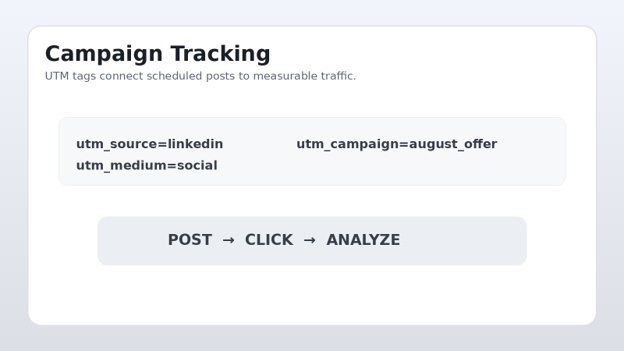
Add UTM tracking
For campaigns that drive website traffic, use consistent tracking parameters.
A simple convention is:
`utm_source=linkedin`
`utm_medium=social`
`utm_campaign=august_offer`
Keep the naming consistent across every campaign.
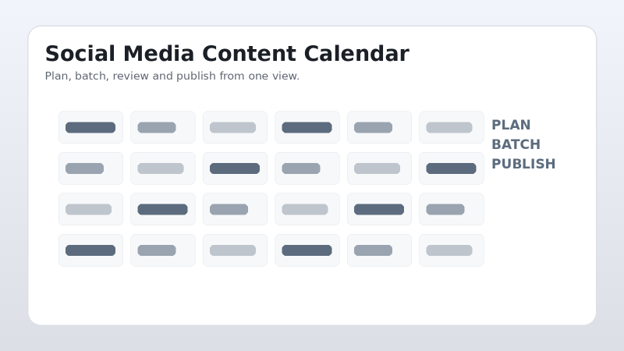
Phase 5: Schedule in batches
Instead of scheduling one post every day, reserve a focused block.
A practical weekly system:
Monday: research and content ideas.
Tuesday: create graphics and video.
Wednesday: write captions and add links.
Thursday: review analytics and revise the queue.
Friday: approve and schedule the next batch
How to Schedule Posts Without Losing the Human Element
Automation should remove repetitive clicks, not remove judgment.
Keep a live-content lane
Leave part of the calendar open for:
Breaking industry news.
Customer questions.
Trending conversations.
Product updates.
Community responses.
Unexpected opportunities.
A calendar that is 100% automated can become stale.
Create an emergency pause rule
Every business should know how to stop scheduled content quickly.
Pause the queue when:
A major crisis affects the brand.
A scheduled offer is no longer valid.
A product is unavailable.
A serious public event makes promotional content inappropriate.
A legal or compliance issue appears.
Pro-Tip: Keep the “pause scheduled posts” procedure in the team’s internal documentation. During a crisis, nobody should be searching through menus trying to remember how to stop the queue.
Common Mistakes to Avoid
- Choosing features instead of outcomes
A tool can have AI, listening, inboxes, reports and 50 integrations and still be wrong for the business.
Fix: define the outcome first: save five hours, improve approvals, increase reporting quality or publish consistently.
- Treating every network identically
Each platform has different audiences, formats and expectations.
Fix: build one campaign idea, then customize the execution for each channel.
- Scheduling too far ahead
A 90-day queue sounds efficient until a campaign becomes irrelevant.
Fix: schedule evergreen content ahead, but keep timely content closer to publication.
- Ignoring timezone settings
A perfectly written post can perform badly if it publishes when the audience is asleep.
Buffer documents that each connected channel can have its own timezone and posting schedule, which is especially important for teams serving multiple regions.
Fix: verify the timezone on every channel before loading a large queue.
- Never checking the published result
A scheduled post can technically publish while still looking wrong.
Check:
Image crop.
Link preview.
Mentions.
Hashtags.
Line breaks.
Video thumbnail.
CTA.
Tracking URL.
Advanced Tips and Next-Level Hacks
💡 Quick Hack: Build a “minimum viable calendar”
Start with a sustainable publishing baseline.
For example:
2 educational posts.
1 authority post.
1 promotional post.
1 community post.
That five-post framework is easier to maintain than promising daily content and abandoning the plan after two weeks.
💡 Quick Hack: Separate evergreen and timely queues
Use two queues.
Evergreen queue: tutorials, FAQs, checklists and durable advice.
Timely queue: announcements, trends, events and promotions.
This makes it easier to pause timely content without destroying the evergreen system.
💡 Quick Hack: Recycle winners, not everything
When a post performs exceptionally well, do not simply repost it unchanged.
Turn the winning idea into:
A carousel.
A short video.
A quote graphic.
A case study.
A newsletter section.
A FAQ.
A LinkedIn post.
One successful idea can become an entire mini-campaign.
💡 Quick Hack: Keep a “do not publish” list
Maintain a short list of topics, claims, outdated offers, expired promotions and sensitive phrases that should never be scheduled.
This is particularly useful when several people create content.
💡 Quick Hack: Measure time saved
Track how long social management takes before and after implementing the scheduler.
Measure:
Planning hours.
Creation hours.
Approval hours.
Publishing hours.
Reporting hours.
A $30 tool that saves eight hours per month may be more valuable than a $200 platform that saves only three.
Build a content score
Before scheduling, rate each post from 1–5 on:
Relevance.
Originality.
Clarity.
Visual quality.
CTA strength.
Brand fit.
Posts scoring below your minimum threshold go back into editing rather than entering the queue.
Troubleshooting and Maintenance Guide
Problem: A post failed to publish
Check:
Whether the social account is still connected.
Whether the authorization token expired.
Whether the content violates a platform format restriction.
Whether the media dimensions are supported.
Whether the scheduler reported an API or platform outage.
Whether the post requires manual notification publishing.
Do not repeatedly reschedule the same failed post without diagnosing the cause. That can create duplicate publishing later.
Problem: The wrong time was used
Check the channel timezone first.
Then review:
Account timezone.
Scheduler timezone.
Daylight-saving behavior.
Queue settings.
Team member location.
Whether the platform converted the scheduled time.
Time-zone errors are especially common in international teams.
Problem: Links are getting no clicks
Do not assume the scheduler is the problem.
Inspect:
Hook.
CTA.
Link destination.
Mobile page speed.
Offer clarity.
Tracking parameters.
Audience relevance.
The scheduler controls delivery. It does not automatically make a weak offer compelling.
Problem: Engagement falls after automation
Automation itself is rarely the whole explanation.
Look for:
Repetitive captions.
Excessive cross-posting.
Weak creative variation.
Too much promotional content.
Reduced comment responses.
Posting at the wrong times.
Ignoring current conversations.
A scheduled post still needs a human behind the account.
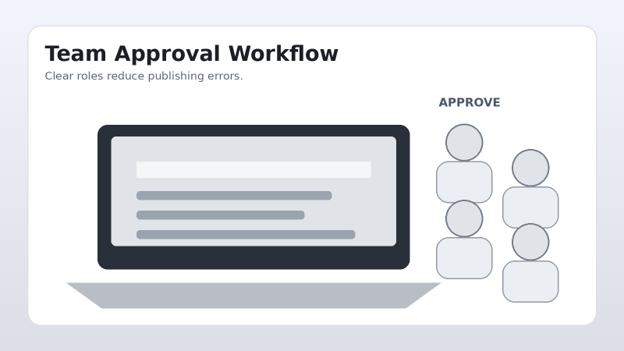
Problem: Team members overwrite each other’s work
Create clear roles.
A simple permission structure:
Creator: drafts content.
Editor: checks grammar, brand and accuracy.
Approver: signs off.
Publisher: handles final scheduling if required.
Maintenance: Keep the System Healthy
Review the scheduler every month.
Monthly checklist
Remove disconnected accounts.
Archive outdated campaigns.
Review top-performing posts.
Delete expired promotions.
Audit user permissions.
Check brand templates.
Verify tracking conventions.
Review publishing failures.
Check upcoming seasonal campaigns.
Compare tool cost against time saved.
Every quarter, review whether the platform still matches the business.
A scheduler that was perfect at five accounts may become inefficient at 25. Conversely, an enterprise platform can be unnecessary when a business has reduced its social footprint.
Which Tool Should You Choose?
Use this decision matrix to narrow the best social media scheduling tools for each workload:
| Situation | Strong choice | Why |
| Solo creator | Buffer | Simple scheduling and low friction |
| Small business | Buffer or Metricool | Balance of usability and analytics |
| Analytics-heavy marketer | Metricool | Strong reporting and performance tools |
| Visual Instagram workflow | Later | Visual planning focus |
| Agency approvals | Planable | Collaboration and review workflow |
| Evergreen content | SocialBee | Content categories and recycling |
| Large team | Hootsuite | Mature team-oriented management |
| Enterprise reporting | Sprout Social | Advanced analytics and workflows |
There is no prize for choosing the most expensive platform.
The best social media scheduling tools are the ones your team will actually use consistently, that support the channels that matter, and that produce enough time or insight to justify their cost.
Frequently Asked Questions
- Are social media scheduling tools worth paying for?
They can be, especially when a business manages multiple channels. The value comes from reduced administrative work, better consistency, easier approvals and clearer reporting.
A solo creator with one network may be perfectly happy with a free scheduler. A team publishing across several platforms can recover many hours each month through batching and automation.
- What is the best free social media scheduler?
Buffer is a strong starting point because it offers a free plan with limited channel and scheduling capacity. Native scheduling tools provided by individual networks can also be useful when only one or two platforms matter.
The best free option depends on the number of accounts, post volume and features required.
- Can one scheduler post to Instagram, Facebook, LinkedIn and TikTok?
Many modern platforms can publish across several of those networks, but exact capabilities vary by account type, post format and platform restrictions.
Before buying, test the specific content types that matter: Reels, carousels, Stories, videos, links and text posts.
- How far in advance should social media posts be scheduled?
For evergreen content, one to four weeks is a practical range for many businesses. Major campaigns can be planned further ahead, while trend-sensitive posts should stay closer to publication.
The right balance is a queue that protects consistency without making the account feel disconnected from current events.
- Do scheduled posts get less engagement?
Scheduling does not automatically make content worse. The bigger risks are poor timing, repetitive content, weak creative, excessive automation and failing to participate in conversations.
Use scheduling to create consistency, then use analytics and community management to keep the account human.
- Should a business use one scheduler for every platform?
Usually, yes, if the platform supports the required features reliably. One central workflow reduces duplicated work.
However, native platform tools can still be useful for features that third-party schedulers cannot fully support. The goal is not to eliminate every native tool; the best social media scheduling tools should reduce unnecessary manual work without forcing every task into one dashboard. it is to minimize unnecessary manual work.
Final Recommendation
The right social scheduler should make the marketing operation calmer, not more complicated.
Start by identifying the real bottleneck. For most businesses, the best social media scheduling tools are the ones that solve that bottleneck with the fewest extra steps. Choose a tool that solves that bottleneck, load real content during the trial, test publishing and approvals, then measure the time saved and the quality of the reporting.
For simple, dependable publishing, Buffer is an excellent starting point. For deeper analytics, Metricool is compelling. For larger operations, Hootsuite or Sprout Social can justify their additional complexity, while Later, SocialBee and Planable make more sense for specific workflow priorities.
Most importantly, remember that software is the delivery system—not the strategy.
Build strong content pillars, batch production, customize each platform’s execution, track results and keep a live human layer in the process. That combination will outperform a feature-heavy dashboard with no operating system behind it
editor's pick
latest video
news via inbox
Nulla turp dis cursus. Integer liberos euismod pretium faucibua


