
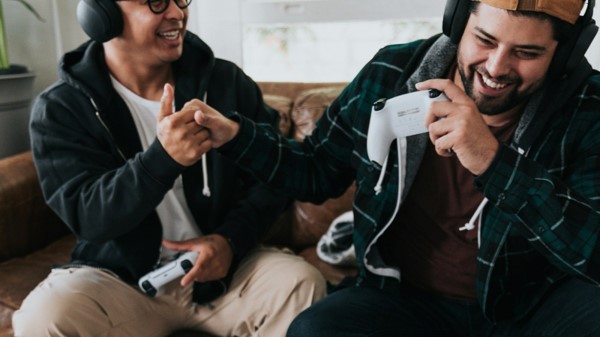
Best Multiplayer Games to Play with Friends: 2026
Finding one game that everyone owns, can run, and genuinely enjoys is often harder than winning the match. The best multiplayer games to play with friends remove that friction with clear team goals, reliable ways to join, and enough variety to entertain competitive players, casual beginners, couples, families, and long-distance groups.
This guide compares the strongest 2026 choices by group size, platform, learning curve, price, session length, and cross-play support. It also gives you a practical setup plan, troubleshooting checklist, and game-night system that prevents the usual “What should we play?” argument.
What Are the Best Multiplayer Games to Play with Friends?
The best multiplayer games to play with friends in 2026 include Fortnite, Minecraft Bedrock, Rocket League, Split Fiction, Helldivers 2, Baldur’s Gate 3, Monster Hunter Wilds, Marvel Rivals, Sea of Thieves, Overcooked! All You Can Eat, Among Us, Mario Kart World, Deep Rock Galactic, No Man’s Sky, and Fall Guys.
Quick Picks: Choose a Game in 60 Seconds
| Your group wants… | Best starting pick | Players | Why it works |
| A free cross-platform game | Fortnite | Flexible squads | Many modes, low entry cost, broad platform support |
| A long-term shared world | Minecraft Bedrock | Small groups to servers | Building, exploration, survival, and creative play |
| Short competitive matches | Rocket League | 2-6 in common party formats | Easy rules, high skill ceiling, fast rematches |
| A polished two-player story | Split Fiction | 2 | Designed entirely around coordination and shared puzzles |
| Four-player action co-op | Helldivers 2 | Up to 4 | Strong teamwork, dramatic missions, memorable mistakes |
| A slow strategic campaign | Baldur’s Gate 3 | Up to 4 online | Deep choices, role-playing, and persistent progression |
| A modern hunting challenge | Monster Hunter Wilds | Up to 4 on hunts | Build crafting, boss-style fights, and cross-play |
| Free team-based competition | Marvel Rivals | Team-based PvP | Recognizable heroes and fast tactical matches |
| Open-ended pirate adventures | Sea of Thieves | Crew-based | Exploration, stories, sailing, and unpredictable encounters |
| Couch chaos | Overcooked! All You Can Eat | 1-4 | Simple controls and immediate cooperative pressure |
| A social deduction party | Among Us | 4-15 online | Runs on many devices and creates conversation instantly |
| A Nintendo racing night | Mario Kart World | Up to 4 local; larger online rooms | Accessible racing with deep replay value |
| Replayable mission co-op | Deep Rock Galactic | 1-4 | Clear class roles and procedurally generated caves |
| Relaxed exploration | No Man’s Sky | Flexible online groups | Base building, discovery, missions, and cross-play |
| Light party competition | Fall Guys | Parties and custom groups | Free, silly, approachable, and cross-platform |
Bottom line: Start with Fortnite, Rocket League, Fall Guys, or Among Us when the group has mixed devices and mixed experience. Choose Split Fiction for two people, Overcooked for one-room chaos, and Baldur’s Gate 3 or Minecraft when you want a campaign that lasts for months. This is the fastest way to shortlist the best multiplayer games to play with friends without reading every review first.
Essential Tools, Accounts, and Costs
You do not need a premium gaming room, but every person needs a compatible version, a stable connection, and a working communication method. The table below replaces the usual “tools and materials” list with the practical pieces required for a smooth multiplayer session.
| Item | What it does | Typical cost | Skill level | Buying or setup advice |
| Compatible game copy | Gives each player access to the same game and edition | Free to about $70 per player | Beginner | Confirm the exact edition before anyone buys. Minecraft Java and Bedrock are not interchangeable for ordinary multiplayer. |
| PC, console, or supported mobile device | Runs the game | Existing device to premium upgrade | Beginner to advanced | Check official minimum requirements and storage before purchase. Do not assume an older laptop will run a new release smoothly. |
| Online console membership | Enables online multiplayer in many paid console games | Varies by platform and region | Beginner | Free-to-play games often have different rules. Check the store page for the exact title. |
| Controller, keyboard, and mouse | Provides input | $0 to about $80 | Beginner | Use what the player already knows unless the game strongly favors another input method. |
| Headset or earbuds | Keeps voice chat clear and reduces echo | $0 to about $120 | Beginner | A basic wired headset is often more reliable than a cheap wireless model. |
| Voice-chat app or in-game chat | Coordinates the group | Usually free | Beginner | Discord, console party chat, or in-game voice can work. Pick one before the session. |
| Stable internet connection | Handles matchmaking, voice, updates, and online play | Existing service | Beginner | Ethernet is ideal. Strong 5 GHz or 6 GHz Wi-Fi is the next best option when the router is nearby. |
| Free storage space | Allows installation, updates, shader files, and saves | Free cleanup to storage upgrade | Beginner to intermediate | Leave extra space beyond the listed installation size because patches need temporary working room. |
| Account security | Protects purchased games, saves, and friend lists | Free | Beginner | Use a unique password and two-factor authentication on gaming, email, and platform accounts. |
| 💡 Quick Hack: Before anyone spends money, create a shared note with four columns: player name, device, game edition, and subscription status. Five minutes of checking can prevent four separate refunds and an entire evening of failed invitations. |
How We Chose the Games
A famous title is not automatically a good group recommendation. We judged each option against the problems that end real sessions early:
Join friction: Can friends find, invite, and reconnect without a technical ritual?
Platform reach: Does it support the devices your group actually owns?
Learning curve: Can a beginner contribute within the first 20 minutes?
Session flexibility: Can you enjoy one hour, or does the game demand a full evening?
Group size: Does it support two people, a four-person squad, or a larger party?
Long-term value: Is there enough variety for repeat sessions?
Cost fairness: Does the whole group need to buy a full-priced copy?
Social quality: Does the design create cooperation, laughter, stories, or meaningful competition?
That framework matters because the best multiplayer games to play with friends are not simply the highest-rated games. They are the titles your particular group can start quickly and will still want to play after the first night.
The 15 Best Multiplayer Games for Friends in 2026
- Fortnite — Best Overall Free Cross-Platform Pick
Fortnite remains the safest first recommendation for a mixed group because it is free, widely available, and no longer limited to one battle-royale experience. Battle Royale works for competitive squads, Zero Build removes construction pressure, and creator-made experiences provide racing, social, survival, and party-style alternatives.
The real advantage is flexibility. A strong player can chase wins, a beginner can learn in lower-pressure modes, and a group can change activities without installing another game. Epic’s account system also makes cross-platform friend lists practical once everyone has linked the correct account.
Best for: Mixed-skill groups, teens and adults, short sessions, free game nights, and friends on different platforms.
Watch out for: Large updates, optional purchases, and the need to configure privacy or parental settings for younger players.
| 💡 Quick Hack: Start new players in Zero Build or a cooperative creator map. Dropping them directly into a high-skill Battle Royale lobby can make the game feel much harder than it really is. |
- Minecraft Bedrock — Best Long-Term Shared World
Minecraft Bedrock is a rare game that works as a survival challenge, digital building set, exploration game, classroom, and social space. Bedrock Edition supports cross-platform play across supported consoles, Windows, and mobile devices, while Java players normally need to remain within the Java ecosystem.
A private world is suitable for occasional sessions. A Realm is better when friends need to enter the same persistent world even when the original host is offline. The game’s low-pressure creative mode also makes it one of the easiest choices for players who dislike combat.
Best for: Families, creative groups, long-distance friends, younger players with supervision, and groups that want a world lasting months.
Watch out for: Edition confusion, account permissions, server settings, and optional Marketplace spending.
| Pro-Tip: Write three world rules before inviting everyone: whether player-versus-player damage is allowed, whether shared resources can be taken, and which area is reserved for communal building. Clear rules prevent surprisingly serious arguments over imaginary diamonds. |
- Rocket League — Best for Fast Competitive Rematches
Rocket League combines cars and football into rules almost anyone understands: move the ball into the other goal. The first match is funny even when no one can control the car, but the skill ceiling is high enough to support years of improvement.
Matches are short, rematches are instant, and teams can rotate without losing a campaign save. It is one of the strongest choices when your group enjoys competition but cannot commit to a three-hour session.
Best for: Two- to six-person groups, sports fans, quick weeknight sessions, and players who enjoy mechanical improvement.
Watch out for: Skill gaps. A highly ranked player can pull newer friends into tougher matches or dominate private games.
| 💡 Quick Hack: Use private matches with unusual settings—low gravity, a larger ball, or rumble-style power-ups—when skill levels are uneven. The chaos reduces the advantage of the most experienced player. |
- Split Fiction — Best Two-Player Co-Op Adventure
Split Fiction is built for exactly two people. Each player controls a different character, and progress depends on communication, timing, and solving complementary tasks. It is an excellent choice for couples, siblings, close friends, or a parent and older child who want a shared story rather than a competitive ladder.
Its Friend’s Pass is a major value feature: one owner can invite a partner using the free pass. EA also supports cross-play for the game across supported modern platforms, which removes the common problem of one person owning a console while the other uses PC.
Best for: Two committed players who want a polished, story-driven campaign.
Watch out for: It is not designed for a third friend, and both players need to be available to make meaningful progress.
- Helldivers 2 — Best Four-Player Cinematic Co-Op
Helldivers 2 turns teamwork into controlled disaster. Squads complete military objectives while dealing with swarms, limited resources, friendly fire, and powerful support attacks that can rescue the team or accidentally destroy it.
The game supports up to four online players and cross-play between supported platforms. Its missions have enough structure to provide a clear goal, but enough unpredictability to generate stories your group will repeat for weeks.
Best for: Adult groups that enjoy shooters, teamwork, difficulty, and dark comedy.
Watch out for: Friendly fire, intense action, mature content, and hardware requirements. Check the official age rating and system requirements before buying.
| Pro-Tip: Give each player one job before the drop: anti-armour, crowd control, support, or objective runner. A simple role plan is more useful than four players carrying the same powerful weapon. |

- Baldur’s Gate 3 — Best Deep Role-Playing Campaign
Baldur’s Gate 3 offers a very different kind of multiplayer. Up to four players can build characters, explore, negotiate, fight turn-based battles, and make decisions that reshape the story. Cross-play was added in Patch 8, making it easier for friends across supported PC and console platforms to share a campaign.
This is not a quick party game. It works best when the same group can meet regularly and accept that one person may want to inspect every chest while another wants to push the story forward. The reward is a campaign full of personal decisions, mistakes, and surprising consequences.
Best for: Patient groups, tabletop role-playing fans, strategic players, and long campaigns.
Watch out for: Mature themes, long sessions, save ownership, mods, and the need to agree on major decisions.
| 💡 Quick Hack: Let one person host and keep two rotating backups of the campaign save. Name saves by date and location, such as `2026-08-02_Act2_Inn`, rather than relying on a pile of identical autosaves. |
- Monster Hunter Wilds — Best Co-Op Boss Hunting
Monster Hunter Wilds is ideal for friends who enjoy learning a target, crafting stronger equipment, and returning to fight more efficiently. Hunts reward preparation and team composition without forcing every player into a rigid class.
The game supports cross-play across available platforms, but players may need to progress through early story steps before all multiplayer options become convenient. A veteran can help a new hunter, although carrying them too aggressively can prevent them from learning defensive timing.
Best for: Groups that enjoy action combat, gear progression, repeatable challenges, and large creatures.
Watch out for: A substantial learning curve, demanding hardware, long animations, and progression gates.
- Marvel Rivals — Best Free Hero Team Game
Marvel Rivals is a free team-based hero shooter built around recognizable characters with different movement, damage, protection, and support roles. It is approachable at a basic level because players can choose a familiar hero, yet team composition and positioning matter as competition increases.
Cross-platform play is available in non-ranked contexts, while competitive matchmaking may separate PC and console pools to protect fairness. That distinction is important for mixed groups that plan to climb ranks together.
Best for: Marvel fans, competitive teams, free-to-play groups, and players who enjoy character abilities.
Watch out for: Role imbalance, fast balance changes, competitive pressure, and optional purchases.
| Pro-Tip: Build a three-match rule. Do not change roles after one bad round. Play three matches, identify whether the problem is healing, protection, positioning, or target focus, then adjust one thing. |
- Sea of Thieves — Best for Unscripted Group Adventures
Sea of Thieves is at its best when friends treat the journey as the reward. A session might involve treasure hunting, story missions, fishing, ship combat, negotiation with strangers, or losing an hour of loot because someone forgot to repair a hole.
Cross-play connects supported Xbox, PC, and PlayStation players. Crews must divide jobs naturally: steering, sails, navigation, repairs, cannons, and boarding. The result feels cooperative even before combat begins.
Best for: Social groups, explorers, role-players, and friends who enjoy unpredictable stories.
Watch out for: Other crews can interrupt plans, sessions may run long, and losing treasure can frustrate players who expect guaranteed progress.
| 💡 Quick Hack: Sell valuable treasure before starting “one last mission.” The final mission is where tired crews make expensive mistakes. |
- Overcooked! All You Can Eat — Best Couch Co-Op Chaos
Overcooked! All You Can Eat combines the levels and content of the first two games with online features, cross-platform multiplayer, accessibility settings, and an assist mode. One person chops, another cooks, another washes dishes, and everyone discovers how quickly simple instructions collapse under pressure.
It is especially effective in the same room because reactions become part of the entertainment. Online play is also useful for long-distance groups, but clear voice chat is almost mandatory at higher levels.
Best for: Families, couples, couch co-op nights, and groups that enjoy communication puzzles.
Watch out for: Stress. Some groups laugh at failure; others start managing the kitchen like a workplace emergency.
| Pro-Tip: Assign stations instead of shouting individual tasks. “You control the left half and I control the right half” creates less confusion than changing jobs every ten seconds. |
- Among Us — Best Social Deduction Game
Among Us supports cross-platform online lobbies and works well on phones, consoles, and computers. Crewmates complete tasks while impostors create confusion and remove players. The mechanical controls are simple; the real game is observation, persuasion, and deciding which friend sounds suspicious.
It is a strong choice for larger groups because eliminated players remain involved as ghosts and rounds are short. Private lobbies also allow the host to tune speed, vision, roles, and discussion time.
Best for: Larger friend groups, virtual parties, mobile users, and people who enjoy conversation more than precise controls.
Watch out for: Public voice-chat risks, arguments that become personal, and settings that make one side unfairly powerful.
| 💡 Quick Hack: For a new group, use one impostor, slightly longer discussion time, and moderate movement speed. Extreme speed and multiple special roles are funny later but confusing during the first few games. |
- Mario Kart World — Best Nintendo Racing Party
Mario Kart World is the most accessible premium racing choice for Nintendo Switch 2 owners. It supports split-screen play on one system and larger online races, including events with up to 24 participants according to Nintendo’s official multiplayer information.
Items keep less experienced players involved, while racing lines, drifting, shortcuts, and vehicle choices provide depth. It also suits a mixed gathering because people can rotate controllers after each cup.
Best for: Families, local parties, Nintendo households, and players who want familiar competitive rules.
Watch out for: Platform exclusivity, the cost of additional controllers, and the Nintendo Switch Online requirement for internet play.
- Deep Rock Galactic — Best Replayable Four-Player Mission Co-Op
Deep Rock Galactic gives a four-person mining team distinct classes and drops them into procedural caves filled with resources, hazards, and hostile creatures. The Scout lights and reaches distant areas, the Driller reshapes terrain, the Engineer creates platforms and turrets, and the Gunner provides protection and heavy fire.
Its cross-play situation requires careful checking. The Microsoft Store PC and Xbox versions can play together, but Steam players cannot join that pool, and PlayStation is separate. This is a perfect example of why store version matters as much as the game title.
Best for: Four-player groups that enjoy clear roles, repeatable missions, progression, and cooperative shooters.
Watch out for: Limited cross-play, dark caves, class duplication, and friends buying from incompatible PC stores.
| Pro-Tip: Decide the store before buying. Do not let half the PC group purchase on Steam while the Xbox players assume every PC version connects to them. |
- No Man’s Sky — Best Relaxed Cross-Platform Exploration
No Man’s Sky supports cross-platform exploration across a broad range of devices and now also offers cross-save options through Hello Games’ account system. Friends can visit bases, explore planets, complete missions, trade, build, or simply travel without turning every session into a competition.
The game works best when the group agrees on a goal. Its enormous universe is freeing, but a new player can feel directionless when everyone flies away in a different direction.
Best for: Relaxed groups, explorers, builders, science-fiction fans, and players who prefer cooperation over pressure.
Watch out for: Tutorial time, inventory management, different progression levels, and occasional confusion about where the group is located.
| 💡 Quick Hack: End every session at the same named base or space station. A consistent meeting point makes the next session start in minutes instead of becoming a rescue mission. |
- Fall Guys — Best Low-Stress Free Party Game
Fall Guys is a free, cross-platform party game built around obstacle courses, survival rounds, races, and ridiculous physics. It is simple enough for a non-gamer to understand after one round, and failure is usually funny rather than punishing.
Cross-platform parties and progression use Epic accounts, which makes it a practical backup when a scheduled game fails to update or a fourth player joins unexpectedly.
Best for: Casual groups, children with suitable settings, quick parties, mixed platforms, and players who dislike combat.
Watch out for: Some rounds reward experience heavily, optional cosmetics, and the need to link the correct Epic account.
The best multiplayer games to play with friends should now be easier to narrow down: choose by group mood first, platform second, and price third. A technically perfect game will still fail if the group wants laughter and you choose a demanding ranked mode.
Step-by-Step Guide: Build a Multiplayer Night That Actually Starts on Time
Audit the Group
Ask every participant to send four facts:
- Their platform and exact model.
- Whether they can use voice chat.
- The maximum amount they are willing to spend.
- Whether they prefer cooperative, competitive, creative, or social play.
Do not start by asking everyone to name a game. That creates a list of personal favorites without revealing compatibility. Start with constraints, then shortlist titles that work for all players.
Use the Three-Filter Rule
A game qualifies only when it passes all three filters:
Access: Everyone owns it or can obtain it within budget.
Compatibility: The exact versions can join each other.
Energy: The game matches how serious or relaxed the group feels that night.
For example, a four-hour role-playing session may be perfect on Saturday and terrible after work on Tuesday. A free party game may be the smarter choice even when everyone owns a deeper title.
Pick a Primary Game and a Backup
Choose one main title and one lightweight backup. The backup should be installed already, support the same group, and require almost no explanation. Fall Guys, Rocket League, Fortnite, or Among Us often fill this role.
| 💡 Quick Hack: Never make the backup another 100 GB game. The purpose is to rescue the evening when the main title breaks, not to begin a second download. |
Confirm Editions, Regions, and Cross-Play
Before purchase or installation, verify:
The official store page lists the required platforms.
Cross-play supports your exact combination, not merely “cross-platform progression.”
Ranked modes do not separate PC and console friends.
Everyone has the same game generation or edition.
Region, child-account, or privacy settings will not block invitations.
Mods are disabled unless every player uses the same supported setup.
Cross-play means playing together across platforms. Cross-progression means carrying unlocks or saves between platforms. A game can offer one without the other.
Install and Update the Day Before
Each player should launch the game once after installation. This triggers account linking, terms, shader compilation, tutorial prompts, and additional downloads that do not always appear in the store queue.
Ask everyone to reach the main menu and send a simple “ready” message. That one step catches missing subscriptions, low storage, forgotten passwords, and broken updates before the scheduled start.
Set Up Voice and Privacy
Choose one voice system. Mixing Discord, in-game chat, Xbox party chat, and PlayStation chat creates echo and splits the group.
Use these settings:
Headphones or earbuds for anyone using a live microphone.
Input device selected manually instead of “default” when possible.
Microphone gain low enough to avoid keyboard and fan noise.
Push-to-talk for noisy rooms.
Friend-only invitations and private lobbies for younger players.
Parental controls and spending limits where appropriate.
Families should check the ESRB rating or understand PEGI age labels rather than judging suitability from cartoon graphics alone.
Run a Ten-Minute Lobby Test
The host creates a private lobby, invites everyone, starts one short round or tutorial, and confirms:
Every player can hear and be heard.
No one has severe lag or packet loss.
Controllers are mapped correctly.
Cross-play icons or friend codes are working.
The group knows how to leave and rejoin.
Do this before beginning a ranked match or story mission. A ten-minute test saves a campaign from being started without one friend.
Teach Only What Players Need Now
Do not deliver a 30-minute lecture about every weapon, class, currency, and menu. Explain the current objective, the three most important controls, and how a player can recover after failure.
New players learn faster when they can act. Give advice after a specific problem appears.
| Pro-Tip: Let the newest player make one meaningful choice—mission, map, character, or difficulty. Participation rises when beginners feel like members rather than passengers. |
Use Fair Rotation Rules
For local multiplayer or groups larger than the party limit, decide rotation before the first match:
Winner stays for one extra round, then rotates.
Rotate after every match.
Pair experienced and inexperienced players.
Use a small tournament bracket.
Give spectators a useful role, such as tracking scores or choosing modifiers.
Avoid rules that leave one player watching for an hour.
Phase 10: End With the Next Session Ready
Before everyone leaves:
- Agree on the next likely game.
- Save at a clear stopping point.
- Record who owns the host save.
- Note any required update, quest, or equipment goal.
- Schedule only when the group genuinely wants another session.
This final five-minute habit transforms occasional sessions into a reliable campaign.
Common Mistakes to Avoid
Mistake 1: Choosing for the Most Experienced Player
The strongest gamer often recommends a title they already understand. Everyone else enters with weaker equipment, no map knowledge, and no idea why they are losing.
Prevention: Choose the game for the least experienced willing player, then add difficulty after the group understands the basics.
Mistake 2: Assuming Every Version Can Connect
“Available on PC and Xbox” does not guarantee Steam-to-Xbox play. Deep Rock Galactic is the clearest example: Microsoft Store PC and Xbox connect, while Steam remains separate.
Prevention: Verify the exact storefront and cross-play matrix on the developer’s official support page.
Mistake 3: Waiting Until Game Night to Update
Modern games may require a large patch, launcher update, graphics-driver update, account relink, or fresh terms acceptance.
Prevention: Update and launch the game at least one day before a planned event.
Mistake 4: Using Competition to Solve Boredom
When a group becomes bored, some hosts make the match more serious. Ranked modes, punishments, and arguments usually make the mood worse.
Prevention: Change the format instead—custom rules, teams, a new map, a cooperative mode, or a different game.
Mistake 5: Ignoring Age, Communication, and Spending Settings
A colorful game may still contain open voice chat, user-generated content, or purchases. Younger players can encounter strangers even when the core game appears family-friendly.
Prevention: Use private lobbies, child accounts, parental controls, and rating guides. Disable or restrict purchases on shared devices.
The best multiplayer games to play with friends are enjoyable because the group controls the environment, not because every public lobby is automatically safe or welcoming.
Advanced Tips and Next-Level Game-Night Hacks
Build a Three-Lane Game Library
A balanced collection of the best multiplayer games to play with friends should cover more than one type of evening. Keep at least one title in each lane:
Quick lane: 10- to 20-minute matches, such as Rocket League or Fall Guys.
Main lane: 45- to 90-minute sessions, such as Helldivers 2 or Monster Hunter Wilds.
Campaign lane: Persistent progress, such as Minecraft, Baldur’s Gate 3, or No Man’s Sky.
This prevents one game from carrying every mood and schedule.
Use a Group Skill Handicap
Rather than telling strong players to “take it easy,” apply a visible rule:
Experienced players use unfamiliar characters.
Strong teams start with a score disadvantage.
Veterans take support roles.
New players choose the map or mission.
Random loadouts replace optimized builds.
A clear handicap feels fairer than hidden mercy.
Create a Zero-Cost Rotation
Free titles let a group test genres before buying premium games. Try Fortnite for squad coordination, Marvel Rivals for hero roles, Rocket League for mechanical competition, Fall Guys for party play, and the titles in MyFlexBots’ guide to the best free games to play before agreeing on the next purchase.
Match Hardware to the Game, Not the Hype
A group does not need identical devices, but each player needs stable performance. Lower settings are acceptable; severe frame drops and long loads harm teamwork.
Readers with older machines should prioritize games that run well on a low-end PC or use cloud options only when latency and regional availability are suitable. Anyone buying new hardware should choose a gaming laptop that matches your games instead of paying for specifications the group will never use.
Separate Social and Competitive Nights
Some friends want conversation; others want improvement. Label the session in advance:
Social night: No rank pressure, frequent breaks, flexible joining.
Campaign night: Same players, clear start time, saved progress.
Competitive night: Warm-up, stable teams, focused communication.
Clear expectations prevent a casual player from feeling trapped in a serious tournament.
Troubleshooting and Maintenance Guide
Friends Cannot See or Invite Each Other
Likely causes: Cross-play disabled, wrong account linked, privacy restrictions, blocked friend requests, different server regions, or an outdated game version.
Fix sequence:
- Confirm all players are online inside the game, not only on the console network.
- Enable cross-play in the game settings.
- Add friends through the game’s account system—Epic, EA, Larian, Microsoft, or another required network.
- Restart the game after changing account links.
- Check child-account and communication permissions.
- Have a different player create the lobby.
The Game Says the Versions Do Not Match
One player may be on an older patch, beta branch, previous console version, or modded build.
Fix: Fully close the game, check for updates, verify files, disable betas and mods, then compare the version number shown on the title screen.
Voice Chat Echoes or Cuts Out
Echo usually occurs when speakers feed sound back into a microphone or when one player is connected to two voice systems.
Fix: Use headphones, mute duplicate chat channels, lower microphone sensitivity, choose the correct input device, and disable automatic gain if it keeps raising background noise.
Online Play Lags but Offline Play Is Smooth
Graphics settings do not solve network delay. The cause may be weak Wi-Fi, congestion, distant servers, downloads, cloud backup, or packet loss.
Fix sequence:
- Pause downloads and video streams.
- Use Ethernet or move closer to the router.
- Restart the router and device.
- Select the nearest server region when available.
- Stop screen sharing or webcam video in voice chat.
- Test with another host.
- Use a wired controller if input delay is also present.
Frame Rate Drops During Busy Scenes
Reduce shadows, volumetric effects, crowd detail, reflections, and resolution scaling before lowering textures. Texture quality mainly affects graphics memory, while effects and shadows often hit the GPU harder during combat.
Close browsers and recording tools. On laptops, plug in the charger, use a performance mode, and keep vents clear.
A Controller Disconnects or Uses the Wrong Player Slot
Replace or recharge batteries, reconnect by cable, remove duplicate Bluetooth devices, and restart the game after the controller is active. For local play, connect controllers in the order the game expects.
Save Progress Is Missing
Cloud sync may have chosen an older file, the host may own the campaign, or a player may have logged into the wrong account.
Fix: Stop playing before creating more saves. Check the cloud-sync timestamp, local save folder, platform account, and host profile. Back up important campaign saves manually where the platform allows it.
The Group Keeps Quitting After One Session
This is often a design mismatch rather than a commitment problem. The game may be too difficult, too slow, too competitive, or too dependent on all members attending.
Fix: Ask one question: “What part felt like work?” Then change the friction—difficulty, session length, role, mode, or title.
Monthly Multiplayer Maintenance Checklist
Update frequently played games before the weekend.
Remove abandoned installations to recover storage.
Review account security and enable two-factor authentication.
Back up long campaign saves.
Test controllers and headset batteries.
Clean dust from accessible vents and keep consoles ventilated.
Review parental controls and purchase permissions.
Confirm the backup game still launches.
When technical problems appear, the best multiplayer games to play with friends are the ones with the least unresolved friction for your group. Reliability is a feature, even when it never appears in a trailer.
Frequently Asked Questions
What are the best free multiplayer games to play with friends?
Fortnite, Rocket League, Marvel Rivals, and Fall Guys are strong free choices across supported platforms. Each covers a different mood: squad action, sports competition, hero-based team play, and casual obstacle-course chaos. Confirm platform availability and account requirements in your region before downloading.
Which multiplayer game is best for two friends?
Split Fiction is the strongest dedicated two-player story choice because every major challenge is designed around cooperation, and its Friend’s Pass allows one owner to invite a partner. Overcooked, Minecraft, Baldur’s Gate 3, and No Man’s Sky also work well for pairs with different preferences.
What games can PC, PlayStation, and Xbox friends play together?
Fortnite, Split Fiction, Baldur’s Gate 3, Monster Hunter Wilds, Marvel Rivals in supported modes, Sea of Thieves, Overcooked! All You Can Eat, Among Us, No Man’s Sky, and Fall Guys support broad cross-play combinations. Always check official support because ranked pools, game editions, and account requirements can differ.
What is the best multiplayer game for a low-end PC?
Among Us is one of the easiest group games for modest hardware. Minecraft at sensible settings, Rocket League on supported lower settings, and selected free or older titles may also work. Check the exact processor, graphics chip, memory, storage, and operating system against official requirements rather than relying on the phrase “low-end.”
Are couch co-op games better than online multiplayer?
Neither format is universally better. Couch co-op creates immediate conversation and requires fewer online accounts, but it needs enough controllers and local player support. Online multiplayer is better for distance and individual screens, but it adds network, subscription, invitation, and voice-chat issues.
How do I choose from the best multiplayer games to play with friends?
Choose by the least flexible constraint: platform compatibility, group size, budget, session length, or age suitability. Then match the group mood. For a casual mixed-platform night, start free and simple. For a committed pair or regular squad, choose a campaign with persistent progression.
Conclusion: Choose the Group, Then Choose the Game
The best multiplayer games to play with friends are not defined by graphics, sales, or the loudest online community. They are defined by fit. Fortnite and Fall Guys solve mixed-platform access, Split Fiction gives two people a focused adventure, Overcooked creates couch chaos, and Minecraft or Baldur’s Gate 3 can support a shared world for months.
Start with the group’s devices, budget, time, and mood. Verify the exact versions, install early, keep a lightweight backup, and teach only the controls needed for the first round. That practical approach turns game night from an hour of updates and invitations into the reason everyone showed up.
editor's pick
latest video
news via inbox
Nulla turp dis cursus. Integer liberos euismod pretium faucibua


