
Most Anticipated Tech 2026: What Is Actually Worth Watching
Technology hype is cheap; a useful upgrade is not. The most anticipated tech 2026 is less about one magical gadget and more about a shift toward devices that can reason locally, understand context, work across screens, and increasingly act in the physical world.
This guide separates meaningful 2026 technology from marketing noise. You will learn which categories are already delivering practical value, which are still early-adopter territory, what they may cost, how to evaluate them before buying, and where the biggest compatibility, privacy, and longevity traps are hiding.
What Is the Most Anticipated Tech in 2026?
The most anticipated tech 2026 includes AI PCs with powerful NPUs, agentic AI assistants, smart glasses and XR, humanoid robotics, thinner foldables, next-generation AI chips, quantum-computing milestones, Matter-based smart homes, 5G-Advanced/6G research, and smarter EV energy systems. The best purchases are the ones with clear everyday use cases and strong platform support.
Essential Tools & Materials Breakdown: Your 2026 Tech Evaluation Kit
You do not need a lab to make smart technology decisions. You need a repeatable way to compare claims, verify compatibility, and estimate the true cost of ownership before you become an unpaid beta tester.
| Tool or resource | What it is for | Estimated cost | Skill level |
| Official product/newsroom pages | Confirm launch status, supported regions, specifications and update commitments | Free | Beginner |
| Independent benchmark databases | Compare CPU, GPU, NPU, battery and thermal performance | Free to $50/year | Beginner–Intermediate |
| Price-history tracker | Check whether a “launch deal” is actually a deal | Free | Beginner |
| Password manager + passkeys | Secure new devices and reduce account-recovery risk | Free to $40/year | Beginner |
| USB-C power meter | Verify real charging wattage and cable performance | $15–$35 | Beginner |
| Wi-Fi analyzer app | Diagnose congestion, signal strength and roaming problems | Free to $20 | Beginner |
| Smart-home compatibility checklist | Verify Matter/Thread/controller requirements before buying devices | Free | Beginner |
| Local backup drive or NAS | Protect data before major OS, AI-PC or phone migrations | $70–$400+ | Intermediate |
| Privacy settings checklist | Review microphones, cameras, cloud history and AI personalization | Free | Beginner |
| Return-window calendar | Gives early adopters a hard deadline for real-world testing | Free | Beginner |
💡 Quick Hack: Before buying any first-generation device, write down three jobs it must improve. If you cannot name three recurring tasks that will become faster, safer, cheaper, or more convenient, the purchase is probably entertainment rather than an upgrade.
Start With the Big Shift — AI Moves From Apps Into the Device
The headline story behind the most anticipated tech 2026 is the movement of AI from a separate chatbot tab into the operating system, processor, camera, microphone, browser and productivity stack.
Modern AI PCs are built around a dedicated neural processing unit, or NPU. Microsoft defines Copilot+ PCs around NPUs capable of more than 40 TOPS, allowing features such as local AI processing, real-time translation and image tasks to run without sending every operation to a distant data center. Intel’s Panther Lake generation also arrived with AI-PC positioning and broad availability beginning in 2026.
That matters because on-device AI can offer three practical advantages: lower latency, better offline behavior, and improved privacy for tasks that do not need the cloud. It can also reduce battery drain compared with forcing the CPU or GPU to perform every AI operation.
What to check before buying an AI PC
Do not shop by the “AI PC” sticker. Use this checklist instead:
NPU capability: Check the NPU performance and, more importantly, whether the software you use can actually use it.
Memory: For serious multitasking, local models and creative work, 16 GB should be treated as a practical floor; 32 GB gives far more breathing room.
Battery under mixed workloads: Marketing battery tests rarely resemble a browser-plus-video-call-plus-AI workflow.
App compatibility: Confirm your VPN, printer drivers, plugins, development tools and specialist business software.
Repairability and storage: A fast AI laptop with soldered storage or limited service options can become expensive to own.
Pro-Tip: If your current laptop is less than three years old and still meets your performance needs, do not upgrade solely for an NPU. Wait until one or two AI features you use every day demonstrate a measurable time saving.
Agentic AI Becomes More Useful Than “Chat With a Bot”
Generative AI answered questions. Agentic AI is designed to complete multi-step work: collect information, choose tools, take actions, check results and continue toward a goal.
That transition is visible across the industry. Apple previewed a more deeply integrated Siri AI architecture for its 2026 software cycle, while Microsoft continues to build AI deeply into Windows PCs. NVIDIA is designing its Vera Rubin platform around large-scale agentic inference, which tells you something important about where computing demand is heading: agents will require substantial reasoning capacity, memory and orchestration.
For ordinary users, the useful version of an agent is not “AI that does everything.” It is an assistant with narrow permissions and clear boundaries. Examples include preparing a meeting brief from approved files, creating a travel shortlist, organizing a photo library, or summarizing a project while preserving links to sources.
For businesses, agents can connect CRM records, email, support systems, analytics and documentation. But automation without controls can amplify mistakes faster than a human team can spot them.
To understand the concept in more depth, link this section internally to MyFlexBots’ guide on what is an AI agent.
A safe way to test agents
Start with read-only tasks, then increase capability gradually:
Phase 1: summarize information without changing anything.
Phase 2: draft actions for human approval.
Phase 3: execute low-risk actions with logs and undo options.
Phase 4: automate repeated workflows with monitoring.
💡 Quick Hack: Create a separate test account or sandbox workspace for new AI automations. It is much easier to evaluate an agent when it cannot accidentally edit production data, send customer messages or reorganize important files.
Smart Glasses and XR Move Closer to Everyday Use
Smart glasses have spent years looking like a technology searching for a reason to exist. In 2026, the category is getting more credible because the interface is becoming conversational and context-aware.
Google announced Android XR intelligent eyewear from partners including Gentle Monster and Warby Parker for fall 2026, with features such as directions, messaging and photos designed to work without constantly pulling out a phone. Android XR headsets also continue to add spatial features such as 2D-to-3D conversion, persistent windows and improved hand and eye tracking.
This does not mean everyone should rush to buy glasses with displays. The category still has hard problems: battery life, heat, prescription-lens support, social comfort, recording indicators, regional availability and privacy expectations.
Who should care first?
Smart glasses make the most sense for people whose hands are already occupied: field technicians, warehouse workers, creators, travelers, accessibility users and professionals who benefit from glanceable information.
For everyone else, 2026 is a good year to watch the category mature rather than assume it will replace the phone.
Pro-Tip: If you wear prescription lenses, calculate the full fitted cost before comparing smart-glasses prices. Lens options, coatings and replacement policies can change the total by hundreds of dollars.
Humanoid Robots Leave the Demo Stage — Slowly
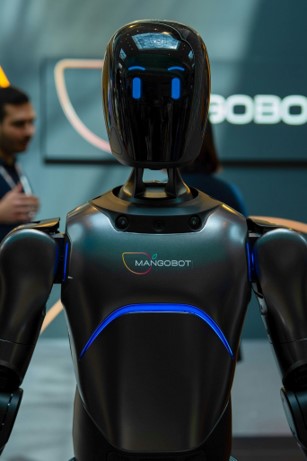
Robotics is one of the most visually exciting parts of the most anticipated tech 2026, but it also deserves the most skepticism.
NVIDIA’s 2026 robotics announcements emphasize “physical AI”: systems that can perceive, plan and act in the real world. Its ecosystem includes industrial robot makers and humanoid developers, with tools for simulation, robot learning and deployment. CES 2026 likewise highlighted humanoid robots moving toward collaborative roles in manufacturing, healthcare, logistics and service environments
The five questions that separate useful robots from demos
How long can it work between charges?
What percentage of tasks can it complete without human intervention?
How safely does it handle unexpected people, pets and objects?
What happens when the network goes down?
What is the total hourly cost after maintenance, supervision and downtime?
For consumers, the near-term win may come from specialized robots rather than humanoids: better lawn care, cleaning, mobility assistance, warehouse automation and inspection systems.
💡 Quick Hack: When you see a robot demo, watch the hands, the cuts in the video and the environment. Hands reveal manipulation quality; edits reveal intervention; a perfectly staged environment often hides the hardest autonomy problems.
Foldable Phones Become Less Experimental
Foldables are another part of the most anticipated tech 2026 that has moved from concept to increasingly mature hardware.
Samsung’s July 2026 Galaxy Unpacked introduced the Galaxy Z Fold8 Ultra, Z Fold8 and Z Flip8, continuing the category’s push toward thinner, lighter designs, larger workspaces and AI features adapted to flexible screens.
The reason foldables matter is not simply that the display bends. They force software to adapt between compact and expanded layouts. A foldable can act as a phone, a small tablet, a reading device, a split-screen workstation or a hands-free camera depending on posture.
Should you buy one?
A foldable is a strong fit when you regularly read documents, multitask, edit photos, handle email, navigate maps or watch video on a phone. It is a weaker value if your priority is the lowest price, easiest repair, longest battery life or maximum ruggedness.
Before buying, inspect:
hinge warranty and service coverage;
inner-screen replacement cost;
dust and water resistance;
app behavior in split-screen mode;
crease visibility at different angles;
thickness with a protective case;
trade-in value after 12–24 months.
Pro-Tip: Buy a foldable based on unfolded usefulness, not folded novelty. If you rarely need the larger screen, a conventional flagship often gives better value and simpler ownership.
Step 6: Next-Generation Chips Make AI Cheaper, Faster and More Local
The hidden engine behind the most anticipated tech 2026 is semiconductor progress. Better models get attention, but chips determine how much those models cost to run and where they can run.
NVIDIA announced that its Vera Rubin platform entered full production in 2026. The platform combines GPUs, CPUs, networking, storage acceleration and interconnects for large AI systems, with a focus on agentic inference and massive AI factories.
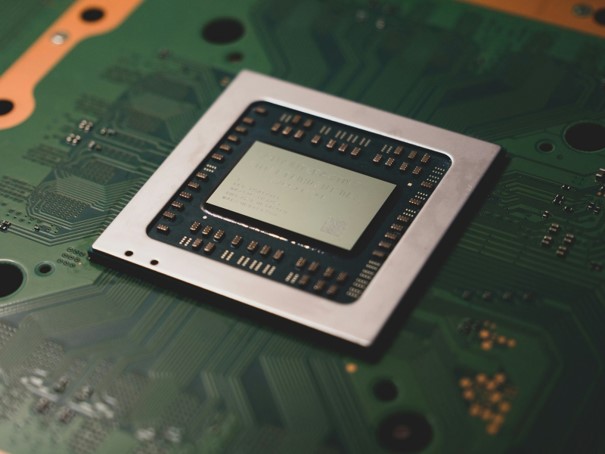
The same principle applies to phones and laptops: the winning chip is not simply the one with the highest peak benchmark. Efficiency, memory bandwidth, software support and sustained thermal performance can matter more in daily use.
A better chip-buying rule
Compare the workload you actually run:
creators: sustained GPU performance, media engines and memory;
developers: compile speed, virtualization, RAM and compatibility;
office users: battery life, NPU-supported features and responsiveness;
gamers: GPU performance, cooling and display pairing;
travelers: standby efficiency and charger size.
Quantum Computing Gets a More Concrete 2026 Milestone
Quantum computing belongs on a most anticipated tech 2026 list, but not because a quantum laptop is about to land on your desk.
IBM’s updated 2026 roadmap targets the first examples of quantum advantage using quantum systems together with high-performance computing. The company is also working toward real-time error-correction components and a fault-tolerant system later in the decade. Importantly, IBM labels these milestones as roadmap goals that can change.

The practical takeaway for businesses is crypto-agility. You do not need to panic-buy “quantum” products, but organizations with long-lived sensitive data should inventory cryptography and pay attention to post-quantum migration plans.
For consumers, quantum is a “learn now, buy later” technology.
💡 Quick Hack: Treat any consumer product marketed as “quantum powered” with suspicion unless the vendor can explain exactly what quantum hardware or verified quantum algorithm is involved. The word is often used loosely in marketing.
Smart Homes Finally Get Better at Working Across Brands
The smart-home problem has never been a lack of gadgets. It has been too many hubs, apps, accounts and incompatible ecosystems.
Matter 1.5 added support for cameras, closures, soil sensors and expanded energy-management features, while Matter 1.5.1 in 2026 refined camera performance and device flexibility. That makes interoperable security devices and more coordinated energy behavior more realistic.
For homeowners, this section of the most anticipated tech 2026 is less flashy than robots but potentially more useful. A reliable standard can extend device life because you are less dependent on a single vendor’s app or cloud integration.
How to build a smart home that does not become a maintenance hobby
Choose one primary ecosystem for day-to-day control.
Prefer Matter-certified devices when functionality is comparable.
Use Thread where appropriate for low-power devices.
Keep critical functions usable locally when possible.
Place IoT devices on an isolated or guest network if your router supports it.
Avoid buying ten devices before testing two.
Document reset procedures and account ownership.
Pro-Tip: The best smart-home upgrade is often boring: better Wi-Fi placement, fewer duplicate hubs and simpler automations. Reliability beats novelty at 2 a.m. when a sensor or lock stops responding.
5G-Advanced Improves While 6G Remains a Research Story
6G headlines can make today’s networks sound obsolete. They are not.
3GPP Release 20 covers 5G-Advanced technical work and early 6G studies. The standards body points toward later releases for normative 6G work, with the wider IMT-2030 process extending toward the end of the decade.
That means 2026 is important for 6G research, architecture and standards — not for buying a mainstream “6G phone.” If a retailer tries to sell you one today, ask which finalized 6G specification it supports.
For buyers, focus on what improves experience now: modem quality, carrier coverage, Wi-Fi performance, roaming, hotspot behavior and battery efficiency.
💡 Quick Hack: Before replacing a phone because “5G feels slow,” test the same location on Wi-Fi and another carrier SIM if possible. Congestion and coverage often matter more than the phone’s peak modem specification.
Step 10: EV Technology Becomes an Energy-System Story
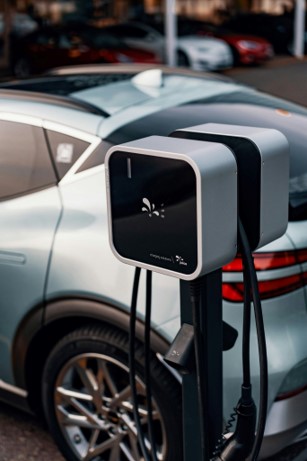
Electric vehicles remain part of the most anticipated tech 2026, but the interesting shift is wider than range. Charging speed, route planning, home energy management, bidirectional charging and battery-health software are becoming part of the ownership experience.
Matter’s energy-management work now includes capabilities relevant to EV charging, such as standardized energy information and support for bidirectional-charging scenarios. Meanwhile, solid-state batteries remain a future-facing development: Toyota and Idemitsu have publicly targeted 2027–2028 for initial solid-state battery production, so 2026 buyers should not delay a needed vehicle solely for a technology that is not yet broadly commercial.
Calculate the ownership system, not just the sticker price
Add these before comparing EVs:
home charger installation;
electricity tariff at your usual charging time;
public fast-charging price;
insurance;
tire replacement;
battery warranty;
expected resale value;
charging access on frequent routes.
A vehicle with slightly less headline range can be the better choice if its charging curve, network access and route-planning software are stronger.
Step 11: Use a Buy-Now vs. Wait Decision Framework
The best way to approach the most anticipated tech 2026 is to stop asking “Is this futuristic?” and start asking “Is this mature enough for my use?”
Use this five-step filter.
- Define the job
Write the exact task the product should improve. “I want AI” is not a job. “I want to summarize 30-page PDFs locally while traveling” is.
- Verify availability in your country
AI features, wireless bands, repair coverage and even headline features can vary by region. Do not assume a US launch page applies everywhere.
- Check the dependency stack
List the accounts, subscriptions, accessories, cloud services and companion devices required. A $299 device that requires a $20 monthly service is a very different purchase over three years.
- Read the update policy
Hardware lives or dies by software support. This matters especially for smart-home products, wearables, foldables and AI assistants whose capabilities may depend on cloud APIs.
- Set an exit plan
Know the return window, resale market and data-export process before you migrate everything.
For laptop buyers, this is a natural place to link internally to MyFlexBots’ how to choose a laptop guide. For budget-minded readers, also link to best tech gadgets under $50 as a lower-risk way to improve a setup without buying first-generation hardware.
Common Mistakes to Avoid
Mistake 1: Buying a promise instead of a shipped feature
Roadmaps change. A feature shown in a keynote may arrive later, in beta, in limited languages or only in certain regions.
Fix: Buy based on what works on the day your return window closes. Treat future features as a bonus.
Mistake 2: Ignoring the subscription layer
AI assistants, cloud storage, premium camera history and connected-car services can turn a one-time purchase into a recurring bill.
Fix: Calculate the three-year ownership cost before comparing products.
Mistake 3: Assuming “AI” means private
Some tasks run locally; others are uploaded to cloud infrastructure. The same device can use both.
Fix: Review privacy documentation, processing location, history controls, retention options and account permissions.
Mistake 4: Upgrading before your workflow is ready
New hardware may be faster while your essential plugin, printer, VPN or enterprise security tool still has compatibility problems.
Fix: Make a compatibility list before checkout. Business users should test on one device before fleet deployment.
Mistake 5: Paying early-adopter pricing without early-adopter tolerance
First-generation products often require firmware updates, workarounds and patience.
Fix: If you need something mission-critical, buy the mature generation. If you enjoy experimenting, protect yourself with a good return policy and keep your old device during the trial.
Advanced Tips and Next-Level Hacks
Use the most anticipated tech 2026 as a watchlist, not a shopping list. The goal is to identify technologies that can earn their place in your workflow after the launch excitement fades.
Build a “technology depreciation” budget
Assume exciting hardware will lose value quickly. Set a maximum first-year depreciation amount you are comfortable with, rather than focusing only on purchase price.
Track standards, not just brands
Standards such as Matter and 3GPP releases often tell you more about long-term interoperability than a flashy product launch.
Separate local AI from cloud AI
When comparing assistants, ask which features work offline, which require uploads, and what happens when the service is unavailable. This is especially important for travel, sensitive work and recurring costs.
Benchmark your current setup before upgrading
Time a real task: export a video, compile a project, process 500 photos, transcribe an interview or run your normal spreadsheet model. Repeat it on the new device. A measurable result is better than a synthetic score you cannot feel.
Buy accessories after the core device proves itself
Do not spend $300 on cases, docks, lenses or adapters during the first hour. Test the core product for several days first.
💡 Quick Hack: Put the money you would spend on launch-day accessories into a “second-week budget.” If the device survives real use and earns a permanent place in your workflow, buy the accessories then.
Troubleshooting and Maintenance Guide
Early-adopter technology is manageable when you diagnose problems in the right order. Random resets and repeated reinstallations often create more variables.
Problem: AI features are missing
Likely causes: unsupported region/language, staged rollout, account eligibility, outdated OS, insufficient hardware capability or disabled permissions.
Fix order:
Confirm the feature is officially available in your region.
Update the OS and relevant app.
Verify account and language settings.
Check required hardware specifications.
Review privacy/AI feature toggles.
Restart only after settings are confirmed.
Problem: New laptop or foldable battery life is poor
Likely causes: indexing after setup, background synchronization, high refresh rate, weak cellular signal, beta software or an app preventing sleep.
Fix order:
give a new device 24–48 hours to finish initial sync;
review battery-usage charts;
disable unnecessary startup apps;
test one day at adaptive or lower refresh settings;
remove beta software if stability matters;
check for firmware and chipset updates.
Problem: Smart-home devices keep dropping offline
Start with the network, not the device.
Check signal at the device location.
Reboot the router only after noting whether other devices are affected.
Avoid stacking multiple hubs in the same cabinet.
Update controller and endpoint firmware.
Verify Thread border-router availability if required.
Keep an offline copy of reset instructions.
Problem: An AI agent takes unwanted actions
Immediately revoke permissions or pause the automation. Then inspect the activity log and identify whether the failure came from the prompt, tool permissions, ambiguous data or an external service.
Reduce the permission scope before re-enabling it. High-impact actions should require approval until the workflow is proven stable.
Problem: A wearable or smart-glasses device feels uncomfortable
Stop treating fit as something you will “get used to” if it causes pressure, headaches or persistent eye strain. Adjust nose pads, straps, display alignment or prescription inserts according to manufacturer guidance, and use the return window when fit remains poor.
Long-term maintenance checklist
Install security and firmware updates on a predictable schedule.
Review app permissions every three months.
Export critical data before changing ecosystems.
Replace damaged USB-C cables instead of tolerating intermittent charging.
Check battery-health indicators where available.
Remove abandoned smart-home accounts and integrations.
Keep recovery codes for primary accounts offline.
Reassess subscriptions at least twice a year.
Frequently Asked Questions
What technology is most anticipated in 2026?
The most anticipated tech 2026 centers on practical AI: AI PCs, agentic assistants, smart glasses, physical AI and robotics, better foldables, more efficient AI chips, smart-home interoperability and important progress in quantum and next-generation connectivity. The most useful products are those that solve clear problems without locking buyers into immature ecosystems.
Are AI PCs worth buying in 2026?
Yes, when you are already due for a laptop upgrade and your software can use the NPU or new platform features. They are less compelling as an upgrade solely for the “AI PC” label. Prioritize battery life, memory, compatibility, display quality, and support over AI branding.
Will smart glasses replace smartphones in 2026?
Unlikely. Smart glasses are becoming more capable, especially for navigation, capture, translation, and context-aware assistance, but phones still offer better battery life, large displays, private interaction, and broad app compatibility. Think of glasses as a companion device rather than a universal phone replacement.
Can I buy a useful humanoid robot for home use in 2026?
Consumer humanoid robots remain early. Industrial and commercial pilots are more meaningful because businesses can constrain tasks and environments. Home buyers will generally get better value from specialized robots that clean, mow, inspect, or assist with a narrow job.
Is 6G available in 2026?
No mainstream finalized 6G consumer network standard is available in 2026. 3GPP Release 20 includes early 6G studies while broader standardization work continues. Buyers should focus on real 5G, 5G Advanced, and Wi-Fi performance instead of marketing claims about 6G-ready hardware.
Should I wait for solid-state batteries before buying an EV?
Not if you need a vehicle now and an existing EV fits your use. Major automakers are still targeting later years for initial solid-state commercialization. Evaluate today’s vehicle on charging access, battery warranty, efficiency, route needs, ownership cost, and resale rather than delaying for an uncertain mass-market timeline.
Conclusion: Follow Utility, Not Hype
The most anticipated tech 2026 is exciting because several long-running ideas are becoming more concrete at the same time. AI is moving into operating systems and processors, robots are learning more adaptable behaviors, smart glasses are getting context-aware interfaces, foldables are maturing, and standards are improving how connected devices work together.
The smart move is not to buy all of it. Pick the technology that removes a recurring frustration, verify that the feature is actually available where you live, calculate the three-year cost, and protect yourself with a return plan.
editor's pick
latest video
news via inbox
Nulla turp dis cursus. Integer liberos euismod pretium faucibua


