
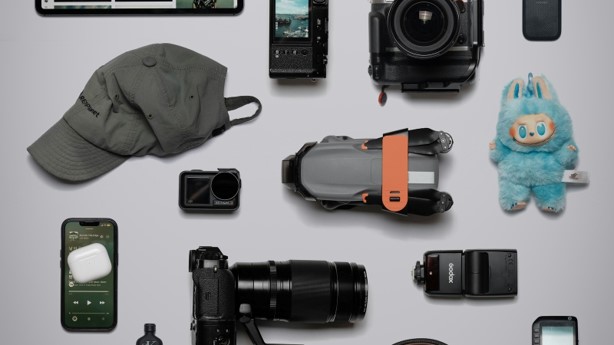
Trending Gadgets 2026: 13 Smart Devices Worth Watching
New devices arrive every week with bold AI labels, polished launch videos, and promises to change daily life. The real problem is not finding new technology; it is separating practical upgrades from expensive experiments that will be forgotten in a drawer.
This definitive guide to trending gadgets 2026 explains which categories are gaining real momentum, what each device is good for, the specifications that matter, and the warning signs that should stop a purchase. It also provides a step-by-step system for comparing, buying, testing, securing, and maintaining modern gadgets without wasting money.
What Are the Top Gadgets to Watch in 2026?
| Featured Snippet Answer The most important trending gadgets 2026 are AI smart glasses, advanced health wearables, spatial-computing headsets, home robots, Matter-compatible smart-home devices, Qi2 25W chargers, AI laptops, translation earbuds, portable projectors, and creator tools. Buy only when the device solves a repeated problem, fits your ecosystem, and has clear privacy, support, and return policies. |
Why the 2026 Gadget Market Feels Different
The trending gadgets 2026 market is being shaped by three forces: useful on-device AI, better interoperability, and sensors that understand context. The Consumer Technology Association’s CES 2026 materials place AI, robotics, digital health, personalized experiences, and new interfaces near the center of the industry’s direction.
For a broader industry view, review the CTA Tech Trends 2026 report, which maps major developments across AI, wearables, robotics, entertainment, mobility, and infrastructure.
CES also reported more than 3,600 applications for its 2026 Innovation Awards, with AI, digital health, and sustainability among the most active areas. That volume does not mean every product will succeed, but it shows where manufacturers are investing engineering and marketing resources.
The strongest products are moving beyond isolated features. A pair of glasses can interpret what the wearer sees, a ring can combine sleep and recovery data, a robot vacuum can understand rooms and obstacles, and a smart-home controller can share devices across multiple ecosystems. The benefit is convenience; the risk is deeper dependence on accounts, cloud services, subscriptions, and personal data.
Essential Buying Tools & Setup Materials Breakdown
A successful gadget purchase needs more than the device. The following toolkit helps buyers verify compatibility, protect equipment, test performance, and maintain secure accounts. Existing hardware may reduce the actual cost.
| Tool / Material | What to Check | Estimated Cost | Skill Level | Why It Matters |
| Compatibility checklist | Phone OS, laptop OS, Wi-Fi standard, ports, apps, account region | $0 | Beginner | Prevents buying a device that cannot fully work with existing hardware. |
| Reliable Wi-Fi router | Wi-Fi 6/6E or newer, strong coverage, guest network, firmware support | $80-$300 | Intermediate | Critical for cameras, robots, displays, and cloud-connected devices. |
| USB-C PD charger | 65W-140W with certified cable and enough ports | $35-$140 | Beginner | Replaces several weak adapters and powers phones, tablets, laptops, and accessories. |
| Qi2 magnetic charger | Qi2 or Qi2 25W certification, adequate power adapter, safe stand design | $35-$110 | Beginner | Adds reliable alignment and convenient charging for compatible phones and cases. |
| Surge protector or UPS | Overload protection, enough spacing, USB-C optional, replaceable battery for UPS | $25-$180 | Beginner | Protects expensive devices and prevents abrupt shutdowns. |
| Password manager and 2FA | Unique passwords, passkeys, recovery codes, authenticator app | $0-$40/year | Beginner | Reduces account takeover risk across multiple device apps. |
| Privacy and test log | Return deadline, serial number, permissions, battery tests, defects, receipts | $0 | Beginner | Turns the return window into a structured evaluation period. |
| Optional smart-home hub | Matter controller, Thread border router, local automation options | $50-$250 | Intermediate | Improves automation reliability and cross-brand control. |
How This Guide Evaluated the Market
A useful list of trending gadgets 2026 must measure more than launch-day excitement. Each category in this guide is judged by daily usefulness, maturity, compatibility, privacy, durability, subscription pressure, repair options, and the likelihood that the device will still receive support after the first year.
The rankings are category-based rather than brand-based. Product names, availability, and prices change quickly across countries. The buying criteria remain useful even when a specific model is replaced, delayed, or discounted.
- AI Smart Glasses: The Most Visible Shift Beyond the Phone
AI glasses are moving from novelty cameras toward hands-free assistants. Google’s 2026 Android XR announcement describes two broad forms: audio glasses that provide spoken help and display glasses that place useful information in the wearer’s view. Planned functions include navigation, messaging, photography, translation, visual questions, and app actions.
That combination makes smart eyewear one of the clearest trending gadgets 2026 categories. The practical appeal is not a tiny movie screen on the face. It is reducing the number of moments when a person must stop, unlock a phone, search, type, and look down.
Before buying, check weight, pressure points, prescription-lens support, camera indicators, microphone controls, battery life during real use, speaker leakage, water resistance, phone compatibility, and whether core functions require a paid AI plan. A beautiful frame is not enough if it becomes uncomfortable after thirty minutes.
Privacy deserves equal weight. Glasses with cameras and microphones affect bystanders, not only the owner. Choose devices with obvious recording indicators, simple hardware controls, clear data-retention policies, and the ability to delete recordings and cloud history.
| 💡 Quick Hack: Wear any candidate frame for at least 20 minutes before ordering prescription lenses. Comfort problems become expensive once custom lenses are fitted. |
- Smart Rings and Recovery Wearables: Smaller Devices, Better Context
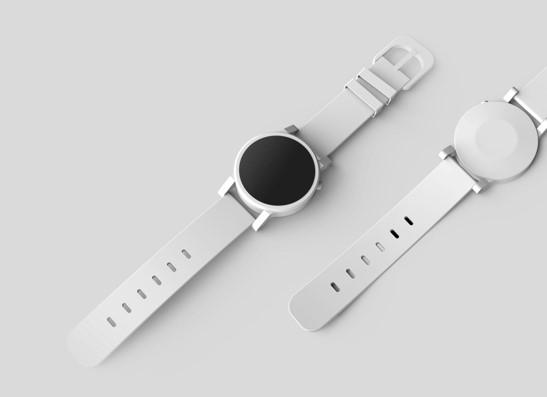
Health wearables are becoming less screen-focused and more continuous. Smart rings, lightweight watches, sensor patches, and sleep devices can combine heart rate, temperature trends, activity, sleep stages, recovery estimates, and stress signals into a daily picture.
This is another major trending gadgets 2026 area because buyers increasingly want passive tracking rather than another bright screen. A ring can be easier to wear overnight than a large sports watch, while a watch remains better for live workouts, maps, notifications, and safety features.
The buying decision should begin with the question, “What action will this data change?” Sleep scores are only useful when they lead to an earlier bedtime, better training load, less alcohol, a cooler room, or a medical conversation. Avoid paying for dozens of metrics that cannot be interpreted or exported.
Check sizing kits, battery life, charging method, subscription costs, data export, Android or iPhone compatibility, waterproofing, replacement policy, and whether the company explains the limits of its health claims. Consumer wearables can support awareness, but they are not substitutes for diagnosis or emergency medical care.
| Pro-Tip: Compare the full two-year cost, including membership fees and replacement chargers. A cheaper ring with a mandatory subscription may cost more than a premium device with core features included. |
- XR Headsets and Spatial Displays: Better for Focused Jobs Than Casual Use
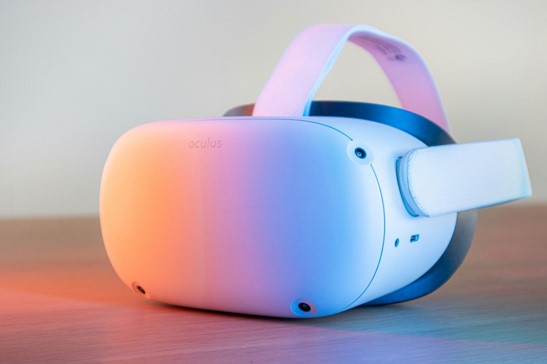
Extended-reality hardware continues to improve in display clarity, hand tracking, mixed-reality passthrough, productivity software, and entertainment. The category now includes fully immersive headsets, mixed-reality headsets, lightweight display glasses, and portable spatial monitors.
The smartest purchase is use-case specific. A designer may value 3D review, a gamer may prioritize tracking and content, a remote worker may want multiple virtual screens, and a traveler may want a private cinema. Buyers who cannot name a repeated task often stop using the headset after the novelty fades.
Check field of view, text clarity, weight balance, glasses accommodation, controller support, hand tracking, wired versus standalone operation, content library, motion comfort, repairability, and required room space. For work, confirm that company VPNs, keyboards, video calls, and desktop streaming work reliably.
Do not judge comfort during a five-minute store demo. Heat, facial pressure, neck strain, eye fatigue, and motion discomfort appear over longer sessions. A generous return policy is more valuable than a launch bundle.
| 💡 Quick Hack: Start with a used or previous-generation headset from a reputable seller. It is a low-risk way to discover whether spatial computing fits your routine before paying flagship prices. |
- Home Robots and Smarter Robot Vacuums: Automation That Saves Real Time
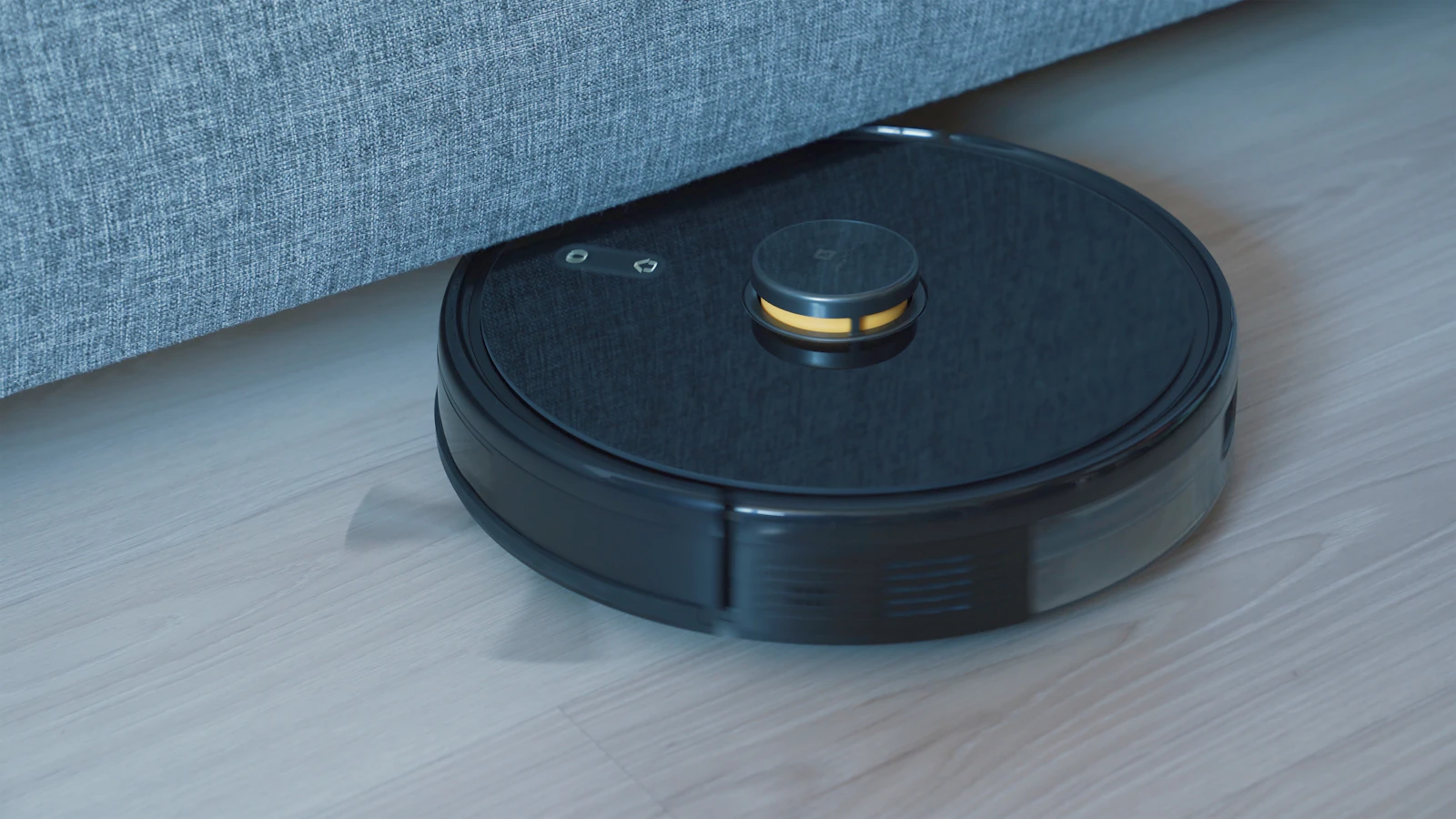
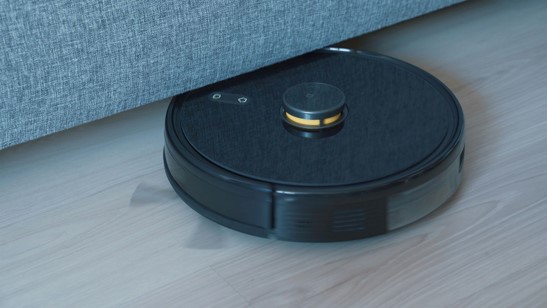
Home robotics is progressing through practical tasks first. Robot vacuums now combine mapping, object avoidance, self-emptying, mop washing, room-specific routines, carpet detection, and increasingly sophisticated docking stations. Lawn robots, pool cleaners, window cleaners, and companion robots are expanding the category.
These devices earn their place among trending gadgets 2026 when they remove a repeated chore, not when they imitate a human. A robot that cleans three times a week can deliver more value than a dramatic humanoid demo that has no stable household job.
For a vacuum, compare navigation type, obstacle handling, threshold height, brush design, hair resistance, mop-lifting ability, replacement-part cost, dock maintenance, noise, app quality, and local versus cloud controls. Homes with pets, dark floors, thick rugs, cables, or split levels require extra testing.
The owner still has maintenance work. Sensors need wiping, hair must be removed, filters and bags need replacement, dirty-water tanks must be cleaned, and the map occasionally needs correction. Automation reduces labor; it does not eliminate ownership.
| Pro-Tip: Run the robot during the first week with lights on and floors cleared. Once the map is stable, reintroduce chairs, pet bowls, and normal clutter to test obstacle avoidance before the return deadline. |
c
Caption: Practical home robots create value by completing frequent, narrow tasks reliably. Photo: Unsplash
- Matter-Compatible Smart-Home Devices: Compatibility Becomes a Buying Feature
Smart-home buyers have spent years dealing with separate hubs, apps, account permissions, and devices that work with only one voice assistant. Matter is designed to create a common, IP-based foundation across major ecosystems.
Matter 1.6, announced in June 2026, adds refinements for setup, multi-ecosystem sharing, status communication, and security. Earlier releases expanded support for cameras, closures, energy functions, and robot-vacuum behavior. Actual product adoption varies, so a standard version on paper does not guarantee that every feature is available in every app.
For consumers following trending gadgets 2026, the important habit is to look beyond the word “smart.” Check for Matter certification, the supported device type, Thread requirements, local control, firmware-update history, guest access, automation limits, and whether advanced features still depend on the manufacturer’s app.
Build slowly. Start with one controller, one room, and one useful automation. A reliable door sensor that turns on a hallway light is better than thirty devices that fail whenever an account token expires.
| 💡 Quick Hack: Create a separate IoT Wi-Fi network or guest network when the router supports it. It simplifies troubleshooting and limits how much access a compromised device may have. |
- Qi2 25W Chargers and Magnetic Accessories: A Small Upgrade With Daily Impact
Charging is not glamorous, but it affects every mobile device. The Wireless Power Consortium says Qi2 25W increases power over the original 15W Qi2 standard and improves magnetic alignment, convenience, and efficiency. Certified products began spreading across major accessory brands before and during CES 2026.
This makes chargers one of the most practical trending gadgets 2026 purchases. A good stand can keep the phone visible, reduce cable wear, support a bedside routine, and charge compatible earbuds or watches through a multi-device dock.
Certification matters. Check that both the phone and charger support the intended Qi2 level, that the power adapter can deliver enough wattage, and that the case is compatible. Heat, poor alignment, weak adapters, and decorative metal rings can reduce speed.
Buy fewer, better chargers. A certified multi-port USB-C power adapter, one magnetic stand, and two quality cables are usually more useful than a drawer full of weak, unlabeled accessories.
| Pro-Tip: Label high-wattage USB-C cables. Two cables can look identical while supporting very different charging speeds and data rates. |
- AI Laptops, Mini PCs, and On-Device Assistants: Buy for the Workload
AI-focused computers use neural processing units and optimized software to handle selected tasks locally. Potential benefits include transcription, background effects, search, image processing, battery-efficient inference, and privacy advantages when data stays on the device.
The label “AI PC” should never replace normal buying discipline. Memory, storage, display quality, battery life, ports, keyboard, cooling, software compatibility, and warranty still determine everyday satisfaction. A fast NPU cannot fix 8GB of memory or a dim screen.
Creators and professionals should verify whether their actual software uses the hardware accelerator. Marketing performance measured in TOPS is not the same as faster exports, better code builds, or smoother 3D work. Real application support matters more than the largest number on a product page.
Readers considering a computer upgrade should compare the site’s guide to the best laptops for work and study before buying a smaller accessory that does not solve the real bottleneck.
| 💡 Quick Hack: During the return window, repeat three real tasks on the old and new computer. Time the full workflow, not a synthetic benchmark. |
- Translation Earbuds and Open-Ear Audio: Useful When Context Matters
Wireless earbuds are becoming context devices. Beyond music and calls, they can support live translation, hearing assistance, adaptive noise control, voice assistants, spatial audio, and location-aware sound modes. Open-ear designs also remain popular for awareness during walking, cycling, and office use.
The best model depends on the environment. Travelers may prioritize translation and microphone quality. Commuters need strong noise cancellation. Runners need secure fit and awareness. Office workers may value multipoint pairing and all-day comfort more than deep bass.
Check fit options, codec support, microphone performance in noise, transparency naturalness, latency, multipoint behavior, case size, battery replacement policy, and whether translation requires a phone connection or paid service. Earbuds are easy to lose, so tracking features and replacement pricing matter.
Treat hearing features carefully. Consumer earbuds may improve audibility in some situations, but users with persistent hearing difficulty should seek a professional assessment rather than relying only on an app preset.
| Pro-Tip: Record a test call beside a fan or busy road. Playback exposes microphone weaknesses that music demos will never reveal. |
- Portable Projectors and Smart Displays: Flexible Screens Without Permanent Installation
Compact projectors and smart displays are benefiting from better autofocus, keystone correction, streaming software, battery options, and brighter light sources. They work well for bedrooms, rented homes, travel, outdoor movie nights, presentations, and occasional large-screen gaming.
Brightness claims require caution. Compare ANSI or ISO lumens when available rather than vague marketing lumens. Also check native resolution, input lag, throw distance, fan noise, focus uniformity, operating-system support, speaker quality, and whether streaming services work at full resolution.
A projector cannot defeat daylight physics. A moderate model in a dark room can look better than an expensive model facing a bright window. Budget for a suitable screen or a smooth, neutral wall before spending heavily on the projector itself.
Smart displays are better when the goal is calendars, recipes, cameras, calls, music, or home control. Projectors are better when image size is the priority. Do not pay for one expecting it to replace the other.
| 💡 Quick Hack: Use painter’s tape to mark the planned image size and projector position before ordering. This catches throw-distance and furniture conflicts immediately. |
- Foldables, Rollables, and Dual-Screen Devices: Productivity With Trade-Offs
Flexible displays continue to expand across phones, tablets, laptops, and concept devices. Their best advantage is not visual drama; it is carrying a larger workspace in a smaller footprint. A foldable phone can combine pocketability with a reading, multitasking, or navigation screen.
Buyers must accept trade-offs. Flexible screens can be softer, repairs can be expensive, cases can be awkward, hinges add weight, and app layouts may not use the extra space well. Dust resistance, water resistance, crease visibility, warranty coverage, and repair availability deserve close attention.
Test typing, camera use, one-handed operation, car mounts, wireless charging, and the apps used every day. A device that looks impressive open may feel bulky closed.
The value is strongest for people who frequently read documents, compare information, edit media, manage messages, or use two apps side by side. For simple calling, photos, social media, and messaging, a conventional phone may remain the better value.
| Pro-Tip: Price an accidental-damage plan before checkout. A foldable’s real cost includes the repair risk, not only the sale price. |
- Sleep Technology and Environment Sensors: Improve the Room, Not Only the Score
Sleep devices now include cooling systems, smart mattresses, bedside sensors, sunrise lights, air-quality monitors, noise machines, and wearables. The best tools improve the sleeping environment or reinforce a consistent routine.
Start with basics: schedule, darkness, temperature, noise, caffeine timing, and comfortable bedding. Technology should address a measured problem. An air-quality sensor is useful when it leads to ventilation; a temperature system is useful when heat repeatedly disrupts sleep.
Check recurring costs, cleaning requirements, noise, partner controls, data access, warranty, and what happens if the company’s cloud service closes. Avoid products that present medical-looking scores without explaining uncertainty or limitations.
Persistent insomnia, breathing problems, severe daytime sleepiness, or concerning heart-rate patterns require professional medical advice. Gadgets can support habits and observations, not replace care.
| 💡 Quick Hack: Run a two-week baseline before buying expensive sleep hardware. Track bedtime, wake time, room temperature, caffeine, and perceived rest to identify the likely bottleneck. |
- Creator Gadgets: Compact Cameras, Drones, Wireless Microphones, and Mobile Rigs
Creator hardware is becoming smaller and more automated. Pocket cameras offer strong stabilization, wireless microphone systems simplify clean dialogue, drones add obstacle sensing and subject tracking, and mobile rigs turn phones into compact production kits.
The best creator upgrade usually improves audio, lighting, or workflow before resolution. Viewers forgive a slightly softer image sooner than distorted sound, harsh shadows, or a video that takes hours to transfer and edit.
Check regional drone rules, storage formats, battery cost, heat limits, microphone backup recording, wind protection, phone compatibility, and editing-software support. A camera with excellent specifications can become frustrating when files are slow to move or accessories are proprietary.
Buy around a publishing routine. A compact camera used three times a week is more valuable than a cinema-style body that stays at home because setup is too slow.
| Pro-Tip: Spend the first accessory budget on audio and power: a reliable microphone, spare battery, fast card, and compact charger usually improve output more than a decorative cage. |
- Repairable and Lower-Waste Gadgets: Longevity Becomes a Premium Feature
Sustainability is becoming a practical buying issue rather than a slogan. Buyers are paying more attention to replaceable batteries, repair manuals, spare parts, long software support, recycled materials, trade-in value, and packaging waste.
A device that lasts five years can be cheaper and less disruptive than a low-cost gadget replaced every eighteen months. Longevity also protects account setups, accessories, learning time, and data migration.
Look for clear update commitments, published repair prices, available batteries, standard screws, replaceable ear cushions or filters, and responsible recycling options. Avoid products that permanently combine a short-life battery with an otherwise durable device.
The most sustainable purchase is often no purchase. Upgrade when a new device removes a real limitation, reduces waste elsewhere, or replaces several products—not simply because the newest version exists.
| 💡 Quick Hack: Search the product name plus “battery replacement,” “repair manual,” and “end of support” before buying. Ten minutes of research can reveal the true lifespan. |
Comprehensive Step-by-Step Gadget Buying and Setup Guide
Use this process for any category in the trending gadgets 2026 market. It is designed to reduce impulse buying, compatibility failures, security mistakes, and returns that happen too late.
Step 1: Define the repeated problem
Write one sentence describing what the device must improve: “I need hands-free navigation while walking,” “I want floors cleaned three times each week,” or “I need cleaner audio for client videos.” A specific job prevents feature shopping.
Step 2: Set a complete budget
Include accessories, subscriptions, replacement parts, insurance, tax, shipping, and possible repairs. Set both a target and a hard ceiling. Do not let a limited-time bundle erase the ceiling.
Step 3: Audit compatibility
List the phone model, operating-system version, Wi-Fi router, smart-home ecosystem, ports, accounts, region, prescription needs, and essential apps. Confirm every requirement on the manufacturer’s support pages.
Step 4: Compare three options, not twenty
Choose a value option, a balanced option, and a premium option. Score them on the five factors that matter most for the job. Too many options increase confusion without improving the decision.
Step 5: Verify availability and support
A prototype, preorder, and shipping product are different things. Confirm the actual release date, warranty provider, local service, return rules, replacement-part supply, and software-update commitment.
Step 6: Buy from a seller with a usable return window
The return policy is part of the product. Avoid final-sale listings for unfamiliar categories. Keep the box, protective films, accessories, serial number, and receipt until testing is complete.
Step 7: Test with real routines
Use the device where it will actually live. Test battery, comfort, Wi-Fi range, microphones, notifications, charging, app stability, and family access. Record failures instead of assuming they will disappear.
Step 8: Secure the device before deep setup
Install firmware updates, enable passkeys or two-factor authentication, remove unnecessary permissions, disable unused microphones or cameras, review cloud history, and create a recovery plan.
Step 9: Integrate one automation at a time
Add the gadget to a routine only after basic operation is stable. A small, dependable workflow is easier to troubleshoot than a web of triggers created on the first night.
Step 10: Decide before the deadline
Keep it only when it solves the original problem often enough to justify the total cost. Return devices that demand constant troubleshooting, duplicate existing tools, or create privacy discomfort.
Common Gadget-Buying Mistakes to Avoid
Beginners often lose money because they treat trending gadgets 2026 as a race to own the newest device. These five errors create most buyer regret.
- Buying the launch story instead of the daily job
A dramatic demo is designed to show possibility, not routine. Write down how often the feature will be used and what existing step it replaces. If the answer is unclear, wait.
- Ignoring ecosystem lock-in
A gadget may work only with one phone platform, cloud account, subscription, or smart-home controller. Check export options and what remains functional without the company’s server.
- Treating AI as proof of quality
AI can improve translation, search, automation, and personalization, but it can also produce errors, require cloud processing, or add subscription costs. Evaluate the output, latency, privacy, and correction process.
- Skipping return-window testing
Many flaws appear only after several days: pressure points, battery drain, weak microphones, Wi-Fi dropouts, false alerts, app crashes, and confusing family permissions. Use a written test plan.
- Forgetting maintenance and consumables
Robot bags, filters, ear tips, batteries, cables, subscriptions, cloud storage, and replacement lenses change the ownership cost. Price them before checkout.
Advanced Tips and Next-Level Hacks
Once the basic buying process is under control, use these methods to improve long-term value, reduce clutter, and make devices easier to manage.
Build a “one in, one out” rule. When a new device enters the home, sell, donate, recycle, or repurpose the item it replaces. This limits clutter and makes the upgrade’s value visible.
Prefer standards over promises. USB-C PD, Qi2, Matter, Thread, Bluetooth multipoint, and widely supported file formats reduce dependence on proprietary accessories and apps.
Create a gadget inventory with purchase date, serial number, warranty link, charger type, battery condition, and end-of-support estimate. This is especially useful for families and small teams.
Use a privacy hierarchy. Keep sensitive health, home-camera, and identity data on the most trustworthy devices and accounts. Disable analytics and cloud history that provide no clear benefit.
Buy one generation behind when the feature set is mature. Previous models often receive major discounts after a launch and have better-known reliability, accessories, and repair information.
The MyFlexBots guide to biggest tech trends shaping work can help business readers connect consumer devices with automation, cybersecurity, and physical AI before scaling purchases across a team.
Troubleshooting and Maintenance Guide
Most modern gadgets combine hardware, firmware, wireless networks, mobile apps, cloud accounts, and third-party integrations. Troubleshoot from the simplest layer outward instead of resetting everything immediately.
Device will not pair or repeatedly disconnects
Update the phone, device firmware, companion app, and router before resetting anything.
Remove the old Bluetooth or smart-home entry from every controller, then restart both devices.
Test close to the router or phone to separate range problems from software problems.
Disable VPN or aggressive battery optimization temporarily during setup.
Use the manufacturer’s complete factory-reset process only after recording settings.
Battery life is far below expectations
Measure from a full charge under one repeatable routine instead of relying on a feeling.
Check display brightness, always-on microphones, GPS, background sync, cellular use, and high-performance modes.
Inspect battery-health settings and confirm the charger, cable, and power adapter are compatible.
Allow two or three update cycles for indexing, but do not accept severe drain past the return window.
Smart-home automations are unreliable
Give devices clear names and fixed room assignments.
Check whether the automation runs locally or depends on the cloud.
Improve router placement and Thread border-router coverage.
Remove duplicate automations across different apps.
Test one trigger and one action before rebuilding a complex routine.
AI answers or detections are wrong
Treat AI output as assistance, not authority. Verify directions, health interpretations, translations, and purchases.
Improve lighting, microphone position, camera angle, or the clarity of the spoken request.
Review personalization and language settings.
Report repeated errors and disable actions that could create financial, safety, or privacy harm.
The device feels useful but creates too much friction
Remove optional notifications and permissions.
Create one home-screen shortcut or voice command for the main task.
Automate charging reminders or place the charger where the device is removed.
Return or sell the device when maintenance exceeds the time it saves.
Long-Term Maintenance Schedule
| Interval | Maintenance Tasks |
| Weekly | Wipe sensors and charging contacts, review failed automations, clear camera lenses, and recharge rarely used devices. |
| Monthly | Install firmware updates, review account logins and permissions, clean filters or ear tips, and export important health or creator data. |
| Quarterly | Test backup codes, inspect cables and batteries for damage, remove unused apps and integrations, and check subscription renewals. |
| Yearly | Review support status, battery health, repair cost, resale value, and whether each device still solves its original job. |
After setup, pair new Android hardware with a clean software stack from the MyFlexBots guide to the best free Android apps rather than filling the device with duplicate utilities.
Frequently Asked Questions
What gadgets are trending in 2026?
Among trending gadgets 2026, AI glasses, health rings, XR headsets, robot vacuums and other home robots, Matter-compatible smart-home devices, Qi2 25W chargers, AI laptops, translation earbuds, portable projectors, foldables, sleep technology, and compact creator tools are among the strongest categories. The most useful choices combine better sensors, on-device intelligence, and practical interoperability.
Which new gadget is most worth buying?
The best purchase is the device that removes a repeated frustration. For many people, a certified charger, capable earbuds, a robot vacuum, or a better laptop creates more daily value than an experimental wearable. Match the purchase to frequency of use, not social-media attention.
Are AI smart glasses safe and private?
They can be used responsibly, but camera and microphone features create privacy concerns for owners and bystanders. Prefer visible recording indicators, hardware controls, transparent retention policies, secure accounts, and simple deletion tools. Follow local recording laws and respect places where cameras are inappropriate.
How much should I spend on a modern gadget setup?
Start with a fixed problem and full ownership cost. A practical first upgrade may cost $40-$150 for charging or audio, $200-$800 for wearables or home devices, and much more for computers, foldables, or premium XR. Avoid financing short-life accessories unless the device directly supports income.
Should smart-home buyers choose one ecosystem?
A primary ecosystem simplifies control, but standards such as Matter can reduce lock-in. Choose one main controller for routines, then prefer certified devices that can be shared across platforms. Keep advanced manufacturer features in mind because they may still require the original app.
Is it better to buy now or wait for the next model?
Buy now when the current device solves a real problem, has stable reviews, and is fairly priced. Wait when the product is still a prototype, a major compatibility feature is missing, or the release date is close enough to affect price and support. A working current product is better than an indefinite promise.
Conclusion: Buy Technology That Earns Its Place
The best trending gadgets 2026 are not the products with the loudest AI claims. They are the tools that disappear into daily life: glasses that provide useful help without constant phone use, wearables that support better decisions, robots that remove repetitive chores, chargers that work reliably, and smart-home devices that cooperate instead of creating more apps.
Use the buying system in this guide: define the job, calculate the complete cost, verify compatibility, test during the return window, secure every account, and keep only the devices that earn their space. Which gadget category would make the biggest practical difference in your routine this year? Share the task you want technology to solve in the comments.
editor's pick
latest video
news via inbox
Nulla turp dis cursus. Integer liberos euismod pretium faucibua


