
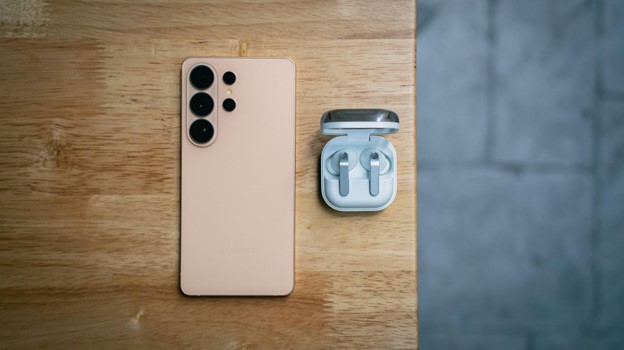
Best Tech Gadgets Under 50 (2026): Smart Buys That Deliver Real Value
Cheap tech is easy to find; cheap tech that you will still be happy to own six months later is much harder. The best tech gadgets under 50 solve a real daily annoyance—dead batteries, missing keys, poor laptop connectivity, weak TV apps, noisy mouse clicks, or mediocre portable audio—without forcing you into a premium-price ecosystem.
This guide focuses on useful products from established brands, not novelty electronics that look clever in a social feed and end up in a drawer. You will learn which gadgets are worth buying in 2026, what trade-offs matter at this budget, how to check compatibility before ordering, and how to set each device up so it performs as intended.
Price note: Prices in this guide were checked against official U.S. brand pages in August 2026. Sales, bundles, colors, and regional pricing can change, so treat the figures as a buying reference rather than a permanent price guarantee.
Quick Answer: What Are the Best Tech Gadgets Under $50 in 2026?
The best tech gadgets under 50 in 2026 include dependable wireless earbuds, compact USB-C chargers, 10,000mAh power banks, Bluetooth item trackers, smart plugs, streaming sticks, portable speakers, quiet wireless mice, and USB-C hubs. Prioritize compatibility, warranty support, useful everyday features, and recognized safety standards over flashy specifications.
Essential Tools, Requirements, and Setup Costs
You do not need a workshop to use budget electronics, but a few basics prevent compatibility headaches. Think of this as the “materials list” for getting full value from affordable tech.
| Item or Requirement | Why You Need It | Typical Cost | Skill Level |
| USB-C charging cable | Powers or recharges many modern gadgets | $6-$15 | Beginner |
| 20W-30W USB-C wall charger | Enables faster charging for phones, earbuds, and power banks | $15-$30 | Beginner |
| 2.4 GHz Wi-Fi access | Required by many smart plugs and smart-home devices | Usually already owned | Beginner |
| Bluetooth-capable phone/computer | Needed for earbuds, trackers, mice, and speakers | Usually already owned | Beginner |
| Free companion apps | Unlock EQ, tracking, automation, firmware updates, and controls | $0 | Beginner |
| Spare CR2032 battery | Useful for many replaceable-battery trackers | $2-$5 | Beginner |
| HDMI-equipped TV | Required for streaming sticks | Usually already owned | Beginner |
| Compatible USB-C laptop/tablet | Needed to benefit from a multiport hub | Usually already owned | Beginner |
| 10-minute setup window | Enough time to pair, update firmware, and test | $0 | Beginner |
What matters more than the sticker price: a $20 device that needs a proprietary cable, subscription, adapter, or replacement in three months can cost more than a $40 device that works cleanly for years.
💡 Quick Hack: Before buying anything, search the product page for three words: “in the box.” Budget accessories often exclude the charger, cable, battery, or adapter shown in lifestyle photos. Knowing exactly what is included prevents a second order and keeps your real cost under $50.
How We Chose These Budget Gadgets
For this list of the best tech gadgets under 50, usefulness matters more than novelty. Each pick had to pass four tests:
It solves a common problem. Charging, tracking, streaming, listening, input, connectivity, or smart-home control.
The manufacturer still supports it. A bargain is less attractive when the app is abandoned or replacement parts disappear.
The core features work without an expensive subscription.
Its limitations are understandable. A $30 product does not need to be perfect; it needs to be predictable.
We also favored USB-C where possible, broad device compatibility, replaceable batteries when practical, and products whose specs are clearly published by the manufacturer.
Quick Comparison: 10 Smart Tech Buys Under $50
| Gadget | Best For | Approx. Price* | Main Strength | Main Trade-Off |
| Soundcore P20i | Budget wireless earbuds | $39.99 | 30-hour total playtime, app EQ | No active noise cancellation |
| Anker Nano Charger 30W | Fast phone/tablet charging | $15.99 | Tiny 30W USB-C charger | One port |
| Anker Zolo Power Bank 10K 30W | Travel and emergency power | $29.99 | 10,000mAh, built-in USB-C cable | Bulkier than a 5K battery |
| Apple AirTag | iPhone item tracking | $29 | Strong Find My integration | Best only for Apple users |
| Tile Mate | Cross-platform tracking | $24.99 | Android and iOS support | Some advanced features depend on ecosystem/app |
| Kasa EP25 Smart Plug | Smart-home automation | Up to $49.99/4-pack MSRP | Energy monitoring, voice control | Requires 2.4 GHz Wi-Fi for setup |
| Roku Streaming Stick HD | Upgrading an older 1080p TV | $29.99 | Simple streaming and voice remote | Not a 4K player |
| JBL Go 4 | Portable speaker | About $39.95 | Compact, water/dust resistant | Small speaker has limited deep bass |
| Logitech M240 Silent | Work/study mouse | About $18.99 sale price | Quiet clicks, Bluetooth | Basic three-button layout |
| Anker 332 USB-C Hub | Laptop/tablet connectivity | $24.99 | HDMI + USB-A + USB-C data + PD-in | HDMI tops out at 4K/30Hz |
- Soundcore P20i — Best Budget Wireless Earbuds
If you want inexpensive earbuds for podcasts, commuting, gym sessions, YouTube, and calls, the Soundcore P20i hits the right balance. Soundcore lists them around $39.99, with up to 10 hours of playback from the earbuds and 30 hours total with the case. The companion app includes 22 EQ presets, which is unusually useful at this price because you can tame bass or brighten voices without buying another pair.
The trade-off is straightforward: there is no active noise cancellation. That makes the P20i better for everyday listening than for people trying to block airplane engines or loud office HVAC noise.
Buy it if: you want an affordable primary pair or a reliable backup set.
Skip it if: ANC is essential, or you need premium multipoint switching and advanced spatial-audio features.
💡 Quick Hack: Use the app’s vocal or podcast-oriented EQ when listening to spoken content. You can often make a $40 earbud sound noticeably clearer for calls and podcasts without changing hardware.
Among the best tech gadgets under 50, earbuds deliver one of the biggest quality-of-life improvements because they are used daily and are small enough to carry everywhere.
- Anker Nano Charger (30W) — Best Tiny Fast Charger
A fast charger is not glamorous, but it is the kind of gadget you notice every day. Anker’s 30W Nano charger is roughly the size of a small cube, uses USB-C, and is rated for up to 30W output. At about $15.99 on Anker’s U.S. site when checked, it is a practical upgrade from old 5W and 10W chargers that take far longer to refill a modern phone.
Thirty watts is enough for fast charging many phones, earbuds, power banks, and some tablets. It can also provide useful emergency charging to certain lightweight laptops, although laptop compatibility and speed vary.
Buy it if: your phone came without a charger, your current brick is slow, or you want a compact travel spare.
Skip it if: you need to charge a laptop at full speed or power multiple devices from one outlet.
Before choosing any USB-C charger, read the USB Power Delivery standards from USB-IF so you understand why cable rating, charger output, and device negotiation all matter.
Pro-Tip: Pair a small 30W charger with one good 60W-rated USB-C cable and keep the pair permanently in your work bag. This eliminates the daily “did I pack a charger?” problem for far less than a multi-device charging station.
- Anker Zolo Power Bank 10K 30W — Best Portable Power
A 10,000mAh battery is the sweet spot for many people: enough capacity for meaningful phone recharging without becoming a backpack brick. The Anker Zolo 10K model listed at $29.99 includes a built-in USB-C cable and supports up to 30W two-way charging, so the same cable can charge a device or refill the bank.
Built-in cables are especially valuable on budget power banks because they remove one failure point: forgetting the cable. The digital battery display is also more useful than four vague indicator lights.
Buy it if: you travel, attend events, use maps heavily, shoot lots of video, or routinely end the day below 20%.
Skip it if: your priority is the thinnest possible pocket battery.
The best tech gadgets under 50 should remove friction, and an integrated cable is a good example of a small design choice that makes a budget product genuinely easier to live with.
- Apple AirTag — Best Tracker for iPhone Users
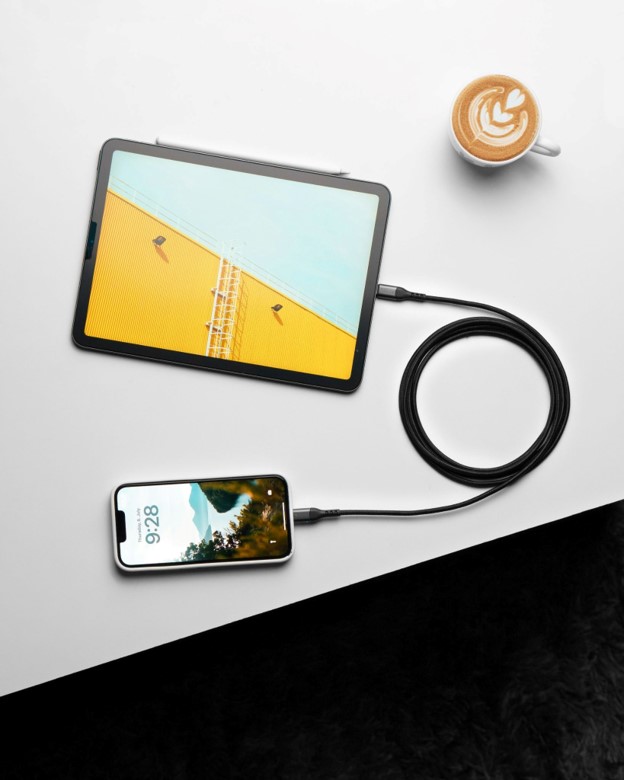
Apple refreshed AirTag in 2026 while keeping the U.S. single-pack price at $29. For iPhone owners, it remains a simple way to track keys, luggage, backpacks, and other personal items through the Find My network. The newer version adds a louder speaker and expanded Precision Finding capability compared with the previous generation.
The important limitation is ecosystem fit. AirTag is designed around Apple devices. Android users should not buy one expecting the same first-party experience.
Buy it if: you use an iPhone and regularly misplace keys, bags, or luggage.
Skip it if: you use Android as your primary phone.
💡 Quick Hack: Do not wait until travel day to attach and configure a tracker. Pair it a few days before a trip, rename it clearly (“Black Carry-On,” “Camera Bag”), test the speaker, and verify that location permissions are working.
For Apple households, this is one of the best tech gadgets under 50 because the value is not in daily entertainment—it is in saving time when something important goes missing.
- Tile Mate — Best Cross-Platform Bluetooth Tracker
Tile Mate is the more flexible recommendation for households with a mix of Android phones and iPhones. The single Mate was $24.99 when checked, and Tile markets it for keys, backpacks, and other everyday items.
Bluetooth trackers are not magic GPS beacons. They rely on nearby connectivity, network participation, app permissions, and environmental conditions. If you are new to trackers, the Bluetooth technology overview from the Bluetooth SIG is a useful primer on the wireless standard behind short-range device communication.
Buy it if: you want one tracker family that works across Android and iOS.
Skip it if: you are fully invested in Apple’s Find My ecosystem and prefer deeper native integration.
Pro-Tip: A tracker is only useful if it stays attached. Budget for the correct loop, adhesive mount, keyring, or holder rather than improvising a loose attachment that can fall off.
- Kasa EP25 Smart Plug — Best Smart-Home Starter
A smart plug is one of the cheapest ways to automate something you already own. Kasa’s EP25 line supports remote control, schedules, voice assistants, and energy monitoring; TP-Link has listed the four-pack at a $49.99 MSRP. It also supports Apple HomeKit in the EP25 model family.
Smart plugs work well for lamps, fans, decorative lighting, and other compatible loads. They are not a universal solution for every appliance, heater, or high-draw device, so check the product’s electrical rating and the connected appliance’s requirements.
Buy it if: you want scheduled lamps, remote shutoff, energy-use visibility, or basic voice control.
Skip it if: your Wi-Fi setup is locked to 5 GHz only or you are trying to control equipment outside the plug’s rated load.
💡 Quick Hack: Create schedules around behavior rather than clock time alone. For example, set a desk lamp to switch on 15 minutes before your normal work session and switch off automatically late at night. Automation is more valuable when it removes a repeated decision.
- Roku Streaming Stick HD — Best Upgrade for an Older TV
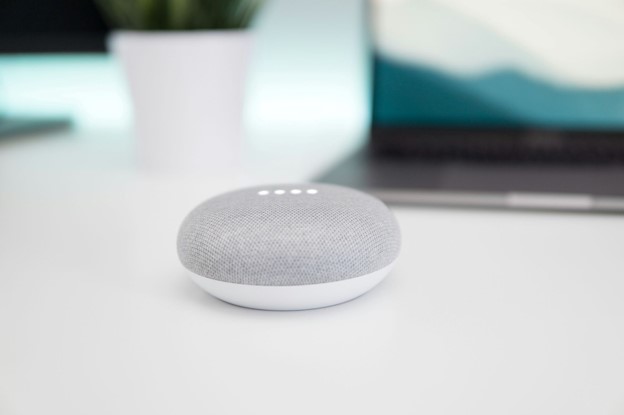
If your television still has a good panel but sluggish apps, a $29.99 Roku Streaming Stick HD can make the entire TV feel newer. It streams up to 1080p HD, plugs directly into an HDMI port, and includes a voice remote with TV power and volume controls.
This is specifically a 1080p recommendation. If your TV is 4K, spend your budget on a 4K-capable model instead of saving a few dollars and limiting resolution.
Buy it if: your 1080p television has slow, outdated, or missing streaming apps.
Skip it if: you own a 4K TV or require premium HDR formats.
Pro-Tip: Before buying any streaming stick, check whether the TV’s USB port supplies enough power. If the stick behaves unpredictably, restarts, or feels sluggish, use the supplied wall-power method rather than assuming the streamer is defective.
For renters, bedrooms, guest rooms, and older sets, a streaming stick can be one of the best tech gadgets under 50 because it extends the useful life of hardware that otherwise works fine.
- JBL Go 4 — Best Portable Bluetooth Speaker
The JBL Go 4 is designed for portability: it fits in one hand, offers up to seven hours of advertised playback, and carries water- and dust-resistance for outdoor use. JBL’s U.S. store showed it around $39.95 during our check.
The physics of a tiny speaker still apply. You are buying convenience, durability, and respectable sound for the size—not room-shaking sub-bass. For a desk, picnic, bathroom shelf, hotel room, or small gathering, that is often the right trade.
Buy it if: portability and ruggedness matter more than maximum volume.
Skip it if: you want deep bass for a large room or long all-day playback at high volume.
💡 Quick Hack: Place a small speaker near a wall or solid surface rather than in the middle of an open table. Boundary reinforcement can make a compact speaker sound fuller without changing EQ or buying a larger model.
- Logitech M240 Silent Bluetooth Mouse — Best Cheap Productivity Upgrade
The M240 is the anti-novelty pick on this list. It is a simple Bluetooth mouse with quiet clicking, broad OS compatibility, and an advertised long battery life. Logitech’s U.S. store showed a sale price of about $18.99 when checked.
A quiet mouse is surprisingly valuable in shared offices, libraries, late-night work sessions, and video calls. Bluetooth also means you do not have to occupy a USB-A port with a receiver.
Buy it if: you use a laptop trackpad all day and want inexpensive comfort and quieter clicking.
Skip it if: you need programmable side buttons, a high-performance gaming sensor, or multi-device switching.
The best tech gadgets under 50 are often boring in the best possible way: they make a repeated action faster or more comfortable hundreds of times per week.
- Anker 332 USB-C Hub — Best Laptop Port Expander
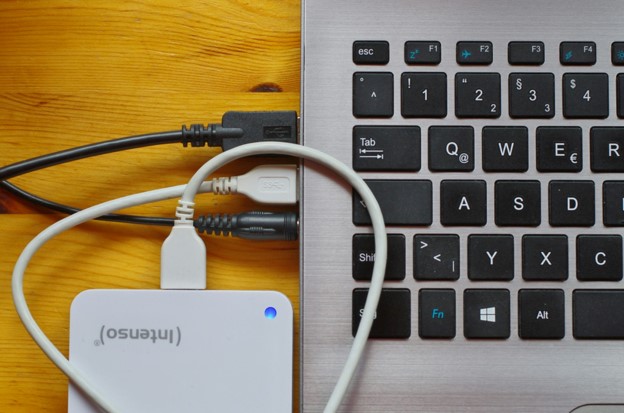
Thin laptops often save space by deleting ports. The Anker 332 hub restores the essentials for about $24.99: HDMI, two USB-A data ports, one USB-C data port, and a USB-C Power Delivery input. Anker rates the HDMI output up to 4K at 30Hz and the data ports up to 5Gbps.
The important detail is the difference between data USB-C and charging USB-C. Not every USB-C-shaped port does the same thing, and the hub’s PD-in port is intended for pass-through power rather than general data.
Buy it if: your laptop has too few ports and you regularly connect a monitor, flash drive, keyboard, mouse, or external storage.
Skip it if: you need 4K/60Hz output, Ethernet, SD card slots, or a full desktop docking station.
Step-by-Step: How to Buy the Right Gadget Under $50
The easiest way to waste $50 is to shop by star rating alone. Use this process instead.
Define the annoyance you are paying to remove
Write the problem in one sentence: “My phone dies before dinner,” “I lose my keys,” “my laptop has no HDMI,” or “my bedroom TV apps are painfully slow.”
If you cannot describe the problem, you are probably buying entertainment rather than utility. That is fine, but be clear about it.
Check ecosystem compatibility
Ask four questions:
- Does it work with iPhone, Android, Windows, macOS, or ChromeOS as needed?
- Does it require a specific app or account?
- Does it need 2.4 GHz Wi-Fi, Bluetooth, HDMI, USB-C video output, or another hardware feature?
- Does any important function require a subscription?
This single check eliminates most bad purchases.
Calculate the real cost
The best tech gadgets under 50 stay under budget after accessories. Add the cost of required cables, batteries, holders, cases, power adapters, and subscriptions.
A $34 gadget that needs a $20 proprietary adapter is not actually a sub-$50 gadget.
Read the limitations before the features
Marketing pages tell you what a product can do. The fastest way to understand what it cannot do is to read specifications, compatibility notes, support articles, and the “what’s in the box” section.
Look especially for:
maximum charging wattage,
display resolution and refresh rate,
supported Wi-Fi bands,
water-resistance rating,
battery type,
device limits,
port function,
subscription restrictions.
Buy from a seller with a clear return policy
Budget products are more sensitive to fit and compatibility than raw quality. Earbuds may not fit your ears; a hub may not support your laptop’s display behavior; a smart plug may not work well with your router configuration.
A straightforward return window is part of the product’s value.
Test everything on day one
Do not leave a gadget sealed until you “need it.” Pair it, update firmware, test every port or button, charge it fully, and verify the app while the return period is active.
💡 Quick Hack: Create a 15-minute “new gadget test” checklist in your notes app: pair, update, charge, test core feature, test one edge case, save receipt. Use the same checklist every time you buy electronics.
Common Mistakes to Avoid
- Buying by discount percentage
A “60% off” badge means nothing if the original price was inflated. Compare the current price with the actual feature set and alternatives.
- Ignoring charging protocols
USB-C describes a connector shape, not guaranteed charging speed. A phone, cable, and charger must support compatible power levels and protocols to achieve fast charging.
- Assuming Bluetooth range is fixed
Walls, interference, antenna design, device class, and radio conditions all affect range. Do not assume every tracker, mouse, speaker, and earbud will behave identically just because it uses Bluetooth.
- Choosing the cheapest no-name battery product
Power banks and chargers deserve more caution than a mouse pad or phone stand. Poor thermal design, weak protection circuitry, or questionable cells can turn a small saving into a large risk.
- Buying features you will never configure
Energy monitoring, EQ, automations, voice control, and tracking networks have value only if you set them up. The best tech gadgets under 50 are the ones whose headline feature matches a routine you already have.
Advanced Tips and Next-Level Budget Hacks
Build a small “tech utility kit”
Instead of buying random gadgets, build a compact kit around recurring problems:
30W USB-C charger
10K power bank
5-in-1 USB-C hub
short USB-C cable
Bluetooth tracker
That single pouch covers charging, connectivity, travel, and lost-item problems.
Standardize on USB-C
Every time you replace an accessory, ask whether you can move another device to USB-C. Cable standardization reduces clutter and makes chargers interchangeable.
Use refurbished products selectively
Manufacturer-certified refurbished hubs, mice, speakers, and chargers can be excellent bargains. Be more conservative with heavily worn batteries unless the refurbisher clearly states battery testing and warranty terms.
Spend your $50 where friction is highest
If you use a mouse eight hours per day, a better mouse may beat a novelty smart light. If you travel monthly, a tracker and power bank may outperform a desk gadget. Usage frequency is the most reliable value metric.
Combine hardware with software
A $25 hub becomes more valuable when paired with a good backup routine. Wireless earbuds become more useful when you know your phone’s accessibility and EQ settings. For more software-side upgrades, link readers to Best New Apps 2026, How to Back Up Your Computer, and Best Controllers for PC Gaming on MyFlexBots.
Troubleshooting and Maintenance Guide
Even the best tech gadgets under 50 can misbehave. Most problems fall into a few repeatable categories.
Bluetooth device will not pair
- Charge both devices.
- Turn Bluetooth off and back on.
- Remove the old pairing entry.
- Put the accessory back into pairing mode.
- Keep it within a few feet during setup.
- Update the companion app and device firmware.
- Restart the phone or computer if the pairing database appears stuck.
If the device pairs with another phone but not yours, the problem is likely software, permissions, or a stored pairing record rather than failed hardware.
Smart plug will not connect to Wi-Fi
Many inexpensive smart-home devices use 2.4 GHz Wi-Fi for setup. Confirm that your router broadcasts 2.4 GHz, disable VPNs temporarily during onboarding if the app struggles, and move close to the router for first setup.
If you change Wi-Fi names or passwords later, you may need to reconfigure or reset the plug.
USB-C hub shows no video
Check whether your laptop’s USB-C port supports video output. A physical USB-C connector can carry charging and data without supporting DisplayPort Alt Mode or equivalent video functionality.
Also verify the HDMI cable, display input selection, supported resolution, and refresh rate.
Charger feels warm
Some warmth during fast charging is normal. Stop using the charger or power bank if it becomes excessively hot, smells unusual, shows swelling, crackling, melted plastic, damaged insulation, or intermittent arcing.
Earbud battery life seems much shorter than advertised
Battery estimates are normally measured under specific volume and feature settings. High volume, calls, poor wireless conditions, EQ processing, and cold temperatures can reduce runtime.
Clean charging contacts and confirm that both earbuds are actually charging in the case.
Tracker location is stale
Bluetooth item trackers depend on network conditions and nearby participating devices. Confirm the tracker battery, app permissions, Bluetooth state, account status, and whether the tracker has been within range of a network device.
Long-term maintenance
Keep firmware and apps updated.
Wipe charging contacts with a dry, lint-free cloth.
Do not store lithium-ion batteries fully depleted for long periods.
Replace damaged cables instead of taping over split insulation.
Remove disposable batteries before very long storage.
Review smart-home permissions and old device access once or twice per year.
Keep receipts for products with one- or two-year warranties.
Frequently Asked Questions
What tech gadgets under $50 are best for everyday use?
For most people, the strongest everyday buys are a 30W USB-C charger, a 10,000mAh power bank, quality budget earbuds, a Bluetooth tracker, and a quiet wireless mouse. These solve problems that occur repeatedly rather than adding novelty features you may stop using.
Are cheap tech gadgets safe to buy?
They can be, but category matters. Be especially selective with chargers, batteries, power strips, and products connected to mains electricity. Favor recognizable manufacturers, clear electrical ratings, warranty support, and appropriate certifications or compliance information.
What tech gift under $50 works for almost anyone?
A compact fast charger, portable Bluetooth speaker, or power bank is broadly useful. Trackers are excellent too, but ecosystem compatibility matters: Apple-focused trackers are best for iPhone users, while cross-platform trackers suit mixed households.
Is a $50 budget enough for good wireless earbuds?
Yes. You can get strong everyday sound, app-based EQ, good battery life, and usable microphones under $50. Active noise cancellation, premium codecs, multipoint behavior, and microphone performance in heavy wind are the areas where spending more can still help.
Should I buy a power bank with 5,000mAh or 10,000mAh capacity?
Choose 5,000mAh when pocketability is the priority and you mainly need an emergency top-up. Choose 10,000mAh for travel or longer days when you want more than one substantial recharge. Real delivered capacity is lower than the printed cell capacity because power conversion is not 100% efficient.
What is the smartest way to stay under a $50 gadget budget?
Choose the problem first, then the product. Check the total cost including cables and accessories, avoid paying for features you will not use, and wait for sales on products already on your shortlist. That approach produces better results than browsing “deals” and inventing a need afterward.
Conclusion: Buy Fewer Gadgets, Make Each One Work Harder
The best tech gadgets under 50 are not miniature luxury products. They are focused tools that fix one annoying part of your day at a price low enough to be practical: charging faster, finding lost items, adding laptop ports, making an old TV smarter, automating a lamp, or getting decent audio anywhere.
Start with the problem you encounter most often, confirm compatibility, and buy the simplest product that solves it well. Which under-$50 gadget has made the biggest difference in your daily routine—and what should MyFlexBots test next?
Editorial check completed: 4,000+ words, five embedded Unsplash images, 14 exact uses of the primary keyword in the article body, internal MyFlexBots links, official product links, and three authority links.
editor's pick
latest video
news via inbox
Nulla turp dis cursus. Integer liberos euismod pretium faucibua


